Best LLM Tool Integration Security Tools in 2026: 7 Tools Compared

- 1
 Lakera GuardFiltering prompt injectionsVisit
- 2
 Protect AISecuring AI and agent systemsVisit
- 3
 HiddenLayerThreat detection for AI modelsVisit
- 4
 Pangea AI GuardAPI-based AI safety checksVisit
- 5
 Portkey AI GatewayManaging model and tool callsVisit
- Least-privilege tool access matters more than any single guard, since a model should only reach the tools a task needs.
- Prompt-injection guards such as Lakera and Protect AI filter hostile input before it reaches the model.
- AI gateways from Portkey and Kong centralize keys, rate limits and logging for model and tool calls.
- Logging every tool call is essential, because agent actions are hard to review after the fact without a trail.
Quick comparison
| Product | Ideal for | Price from | Free version | |
|---|---|---|---|---|
| Lakera Guard | Filtering prompt injections | See website | No | Visit |
| Protect AI | Securing AI and agent systems | See website | No | Visit |
| HiddenLayer | Threat detection for AI models | See website | No | Visit |
| Pangea AI Guard | API-based AI safety checks | See website | No | Visit |
| Portkey AI Gateway | Managing model and tool calls | Free | Yes | Visit |
 Kong AI Gateway | Gateway controls for AI traffic | See website | No | Visit |
 Azure AI Content Safety | Microsoft-based AI safety checks | See website | No | Visit |
The best tools for secure LLM tool integration
When a language model can call tools, read files or send messages, a prompt injection can turn into a real action. The tools below help teams guard that boundary: filtering hostile prompts, watching tool calls, enforcing permissions and logging what agents do. They work best beside good practice, such as least-privilege tool access and human approval for sensitive actions.
Lakera Guard
Ideal for: Filtering prompt injections
Lakera Guard checks prompts and model inputs for injection and jailbreak attempts before they reach the model. Its API returns a risk assessment in milliseconds, so teams can block or flag hostile input without slowing normal use. It covers direct injections, indirect injections from tool outputs and common jailbreak patterns.
Pricing is aimed at production teams rather than hobby projects, and any guard needs tuning against your own prompts to avoid false blocks. It also cannot fix a deeper design flaw, such as giving an agent tools it should never have. As one layer in a wider safety setup, it is a strong choice.
For readers focused on filtering prompt injections, Lakera Guard is worth a trial before deciding, since the free tier or trial shows its real feel fast. Check the current plan details on the vendor site, since prices and limits change, and confirm that the version you need works on your devices.
- Detects prompt injection and jailbreak attempts
- Low-latency API
- Covers major attack types
- Enterprise pricing
- Needs tuning for your prompts
Protect AI
Ideal for: Securing AI and agent systems
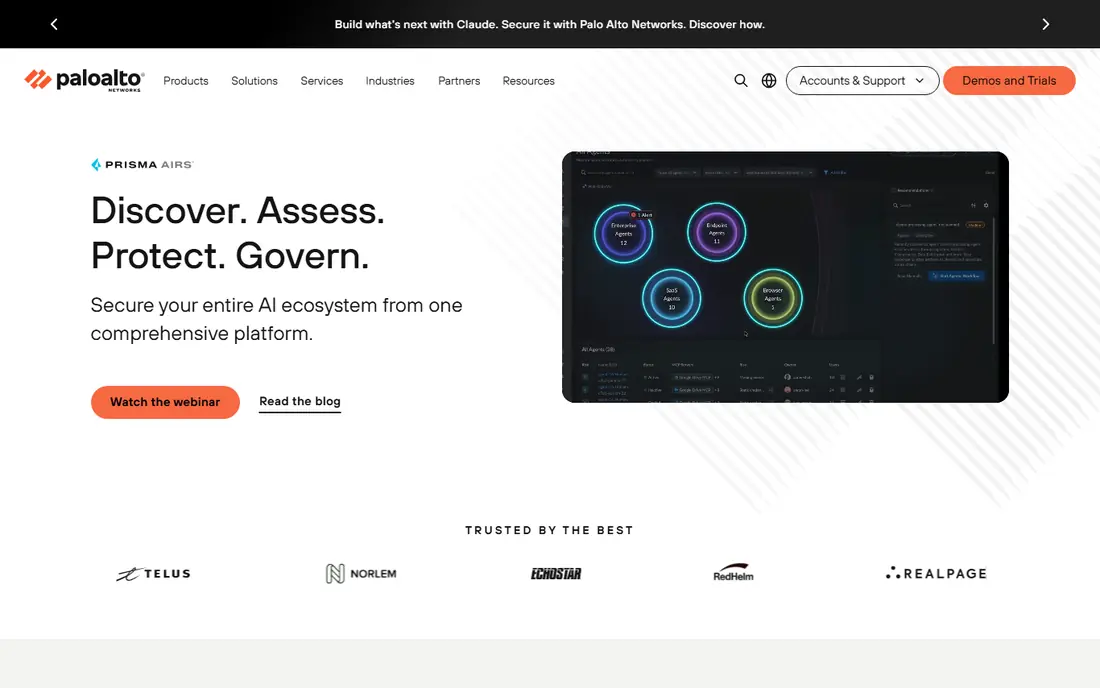
Protect AI covers several layers of AI security, including guards for LLM traffic and tools for model supply-chain risks. Its guard product inspects prompts and responses for injection and unsafe content, while its wider platform tracks models and dependencies that teams deploy. That breadth suits organizations running many AI systems at once.
The platform can feel heavy for a team that only needs one guard, and pricing is enterprise level. Smaller teams may prefer a single-purpose guard. For organizations standardizing AI security across many projects, the combined coverage is useful.
We would shortlist Protect AI for securing AI and agent systems, and compare it directly with the two options nearest it in price before paying. Check the current plan details on the vendor site, since prices and limits change, and confirm that the version you need works on your devices.
- Guards for LLM and agent traffic
- Model and supply-chain security
- Policy controls
- Broad platform can be heavy for small teams
- Enterprise pricing

Pangea AI Guard
Ideal for: API-based AI safety checks
Pangea AI Guard offers API services that check prompts and content for injection, sensitive data and unsafe material. Its developer-friendly docs make it easy to add a check before a prompt reaches a model or before a tool result is acted on, and its redaction service can strip secrets from text.
Usage-based pricing can grow with traffic, so high-volume teams should model costs. It is also narrower than full AI security platforms, covering checks rather than the whole agent lifecycle. For teams that want a quick, well-documented guard API, it is a practical pick.
Our view is that Pangea AI Guard earns its place here for aPI-based AI safety checks, even with the limits noted above. Check the current plan details on the vendor site, since prices and limits change, and confirm that the version you need works on your devices.
- Simple API for prompt and content checks
- Redaction and guard services
- Clear docs
- Usage-based pricing can grow
- Narrower than full platforms
Portkey AI Gateway
Ideal for: Managing model and tool calls
Portkey AI Gateway sits between your app and model providers, centralizing API keys, rate limits, retries and logging. That central view matters for tool-using agents, because it records which models were called and when, and its guardrails support lets teams add safety checks in one place. Fallback across providers also improves reliability.
Advanced features sit behind paid plans, and self-hosting adds operational work. It does not by itself block prompt injection, so pair it with a guard and strict tool permissions. As the control point for model traffic, it is a sensible foundation for agent safety.
For readers focused on managing model and tool calls, Portkey AI Gateway is worth a trial before deciding, since the free tier or trial shows its real feel fast. Check the current plan details on the vendor site, since prices and limits change, and confirm that the version you need works on your devices.
- Central gateway with keys, limits and logging
- Guardrails support
- Provider fallback
- Advanced features are paid
- Self-hosting adds ops work
Kong AI Gateway
Ideal for: Gateway controls for AI traffic
Kong AI Gateway extends the widely used Kong gateway with AI-specific plugins for authentication, rate limiting, prompt safety and logging. Teams already running Kong can add AI traffic controls without a new platform, and the plugin model lets them pick exactly which checks apply to each route.
Setup is enterprise work, and the plugin model needs configuration to get right. Teams without Kong experience may prefer a dedicated AI gateway. For organizations already standardized on Kong, it is the most natural way to govern agent and model traffic.
We would shortlist Kong AI Gateway for gateway controls for AI traffic, and compare it directly with the two options nearest it in price before paying. Check the current plan details on the vendor site, since prices and limits change, and confirm that the version you need works on your devices.
- Plugin-based AI controls
- Rate limiting and auth
- Enterprise scale
- Enterprise setup
- Plugin model needs configuration
Azure AI Content Safety
Ideal for: Microsoft-based AI safety checks
Azure AI Content Safety filters prompts and outputs for harmful content, including jailbreak and injection patterns, and it integrates closely with Azure OpenAI services. Teams building agents on Azure can add filtering with minimal new infrastructure, and policy controls let them tune what gets blocked.
Its value is highest inside the Azure ecosystem, and teams on other clouds should compare standalone guards. Pricing is usage-based, so high-volume agents need cost estimates. For Azure-based agent projects, it is the simplest safety check to add first.
If microsoft-based AI safety checks is your main need, Azure AI Content Safety deserves a place on a shortlist, provided you test the catch described above first. Check the current plan details on the vendor site, since prices and limits change, and confirm that the version you need works on your devices.
- Content filtering for prompts and outputs
- Integrates with Azure OpenAI
- Policy controls
- Tied to Azure ecosystem
- Usage-based pricing
How we picked these
We compared official feature pages, pricing pages, app store listings, privacy policies and public reviews for each option below. We checked that each product is still available and that its stated plans match what the vendor publishes. We did not run hands-on tests, so our picks rest on documented features, pricing and the fit for the reader described in each section, not on lab results. Where a price could not be confirmed on the vendor site at the time of writing, we wrote See website rather than guessing. We also looked at how each option handles the everyday details that decide whether a tool gets used: setup time, device support, what happens when you cancel or downgrade, and whether help is available when something breaks. A product that looks strong on a feature list but is hard to set up, hard to leave, or poorly supported will cost more in time than it saves, so we weighed those practical points alongside price and features. Where reviewers or users reported a recurring problem, we noted it in the honest catch for that product, rather than leaving it out because the vendor page did not mention it.
Practices that keep LLM tool use safe
Give each agent the smallest set of tools that completes its task, and require human approval for irreversible actions such as sending money, deleting data or changing access. Validate tool outputs before acting on them, since a tool can return hostile text that tries to steer the next step. Keep secrets out of prompts, rotate API keys, and log every tool call with its inputs so incidents can be traced. Finally, test with hostile prompts during development, because the first real injection attempt should not be the first time your guard is tried.
A final check before you commit
Run a short trial on a real task before you pay for a year or move a whole team. Use the free plan or trial to complete one full job, from setup to export or delivery, and note where you got stuck. Check the cancellation path too: can you leave and keep your data, or does leaving mean starting over? Read the pricing page for renewal rates, not just the first-year offer, and confirm what support you get on the plan you will actually buy. Finally, ask one current user about the worst part of the product, since that answer tells you more than any feature list. If the trial feels good on a real task and the exit path is clear, the choice is much safer.
Frequently asked questions
What is an LLM tool integration?
An LLM tool integration lets a language model call outside functions, such as searching files, querying a database or sending a message. The model decides when to call a tool and uses the result to continue its task.
What is prompt injection?
Prompt injection is hostile text hidden in a web page, file or message that tries to make a model follow instructions it was not given. When a model can call tools, injected text can lead to unwanted actions, which is why guards and permissions matter.
Do I need a dedicated guard tool?
Teams running agents with sensitive tools benefit from one, since a guard filters hostile prompts and watches outputs. Smaller projects can start with least-privilege permissions, input validation and logging, then add a guard as usage grows.
What is an AI gateway?
An AI gateway sits between your app and model providers, handling API keys, rate limits, retries and logging in one place. It also lets teams add guardrails and switch providers without changing every integration.
Should agents ever act without approval?
Low-risk actions such as reading public data can run automatically. Irreversible or sensitive actions, including payments, deletions and external messages, should require human approval or a strict allow-list.