Best MaintainX Alternatives in 2026: 7 CMMS Tools Compared

- Fiix is our pick for most maintenance teams that want a full CMMS with assets, work orders, and reporting in one cloud product.
- UpKeep suits mobile-first teams that want fast setup and an easy app for technicians.
- Limble suits teams that want strong preventive maintenance and an easy learning curve.
- Hippo CMMS, eMaint, FMX, and Fracttal cover value, enterprise, facilities, and Latin American needs.
- Always test work orders, preventive schedules, and asset history with real technicians before switching.
Quick comparison
| Product | Ideal for | Price from | Free version | |
|---|---|---|---|---|
 Fiix | Full cloud CMMS | See website | Free trial | Visit |
 UpKeep | Mobile-first maintenance | See website | Free trial | Visit |
 Limble | Preventive maintenance ease | See website | Free trial | Visit |
 Hippo CMMS | Value maintenance software | See website | Free trial | Visit |
 eMaint | Enterprise asset management | See website | See website | Visit |
 FMX | Facilities maintenance | See website | Free trial | Visit |
 Fracttal | Modern asset management | See website | Free trial | Visit |
The best MaintainX alternatives
MaintainX helps maintenance teams manage work orders, assets, and preventive schedules from a mobile-first app, so a good replacement needs the same daily workflow plus reporting managers trust. We compared official feature pages, pricing pages, app store listings, and public reviews, focusing on work orders, preventive maintenance, asset tracking, mobile use, and cost.
Fiix
Ideal for: Full cloud CMMS
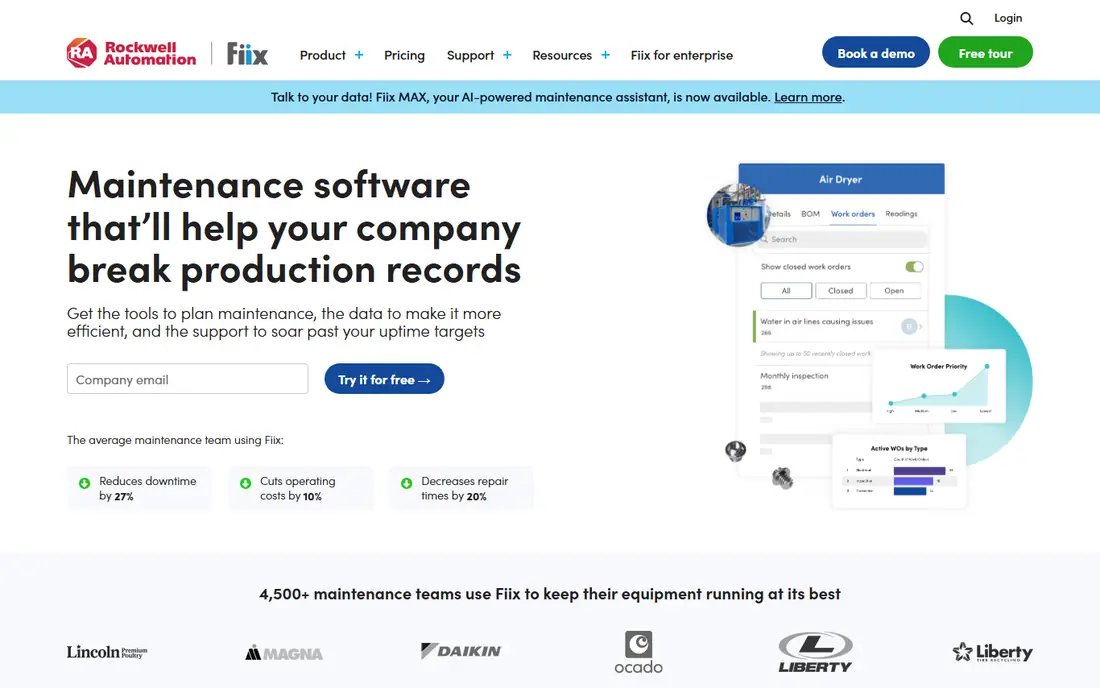
Fiix, from Rockwell Automation, is a full cloud CMMS covering assets, work orders, preventive maintenance, parts, and reporting. Its mobile app lets technicians view, update, and close work orders in the field, while managers track backlog, costs, and asset history from dashboards. Integrations with ERP and other business tools suit larger operations.
Setup needs planning, especially for large asset hierarchies and parts lists, and pricing scales with users and features. For teams that want a proven, full-featured CMMS to replace MaintainX, Fiix is our top pick.
- Full asset, work order, and preventive maintenance tools
- Strong reporting
- Good integrations
- Setup takes planning for large asset lists
- Pricing scales with users and features
UpKeep
Ideal for: Mobile-first maintenance
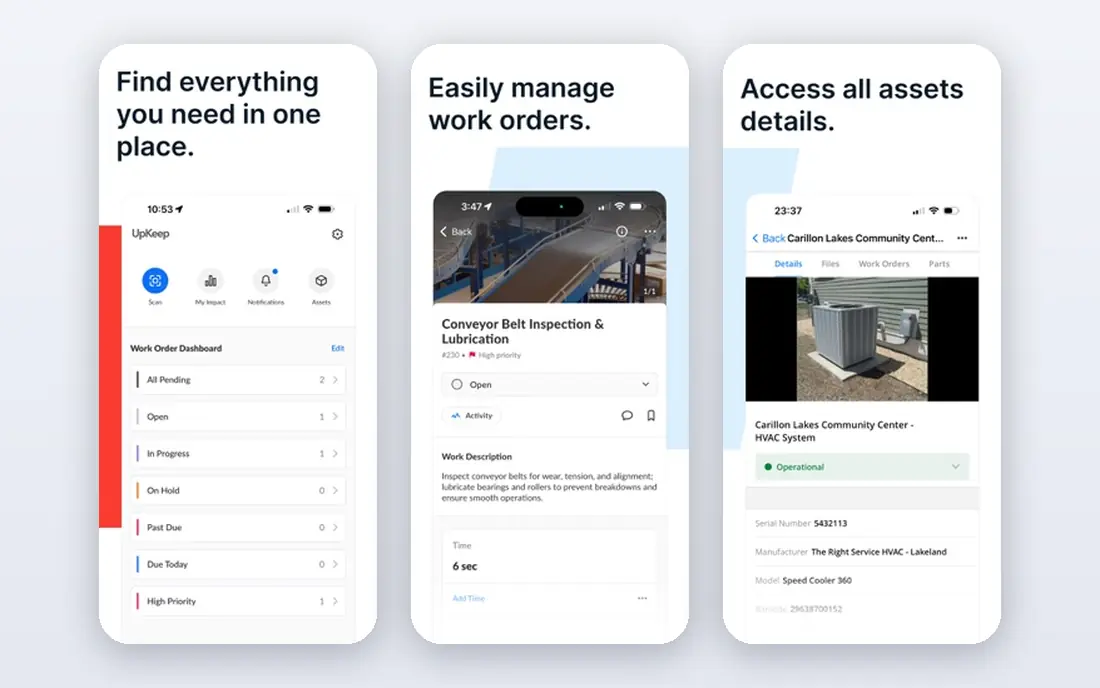
UpKeep is built mobile-first, which shows in its technician app and fast setup. Teams can create work orders, assign them, track assets and parts, and run preventive schedules without a long implementation. That ease makes it popular with small and mid-sized maintenance, facilities, and manufacturing teams.
Advanced reporting and enterprise features sit on higher tiers, and very large asset estates may outgrow it. For teams that want technicians productive in days rather than months, UpKeep is an excellent MaintainX replacement.
- Easy mobile app for technicians
- Fast setup
- Work orders, assets, and parts in one tool
- Advanced reporting needs higher tiers
- Very large enterprises may want Fiix or eMaint
Limble
Ideal for: Preventive maintenance ease
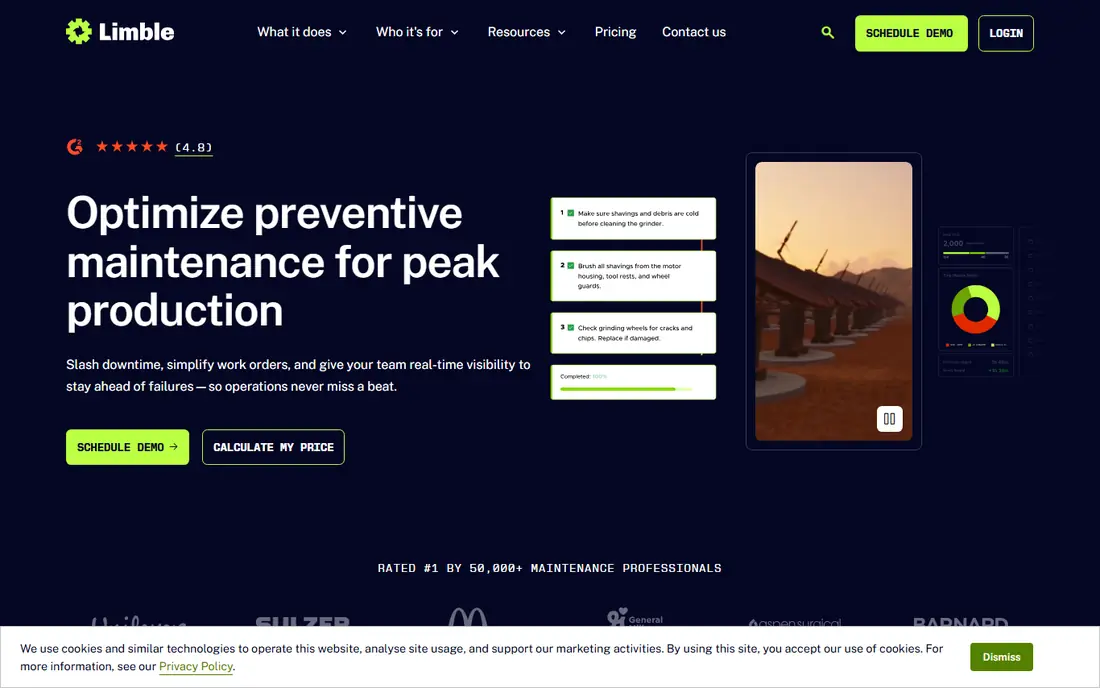
Limble focuses on making preventive maintenance easy to plan and follow, with work orders, assets, parts, and mobile tools in a clean interface. Teams that struggle with missed preventive tasks often choose Limble for its scheduling clarity and reminders, plus dashboards that show overdue work at a glance.
Pricing is quote-based, and some advanced features sit on higher tiers. For teams whose main pain is preventive maintenance slipping, Limble is a strong and user-friendly pick.
- Strong preventive maintenance
- Easy to learn
- Good mobile app and reporting
- Pricing needs a quote
- Some advanced features need higher tiers
Hippo CMMS
Ideal for: Value maintenance software
Hippo CMMS offers core maintenance features, including work orders, assets, preventive schedules, and parts, at a competitive price. Its simple interface suits small and mid-sized teams that want to move from spreadsheets to a real CMMS without enterprise cost or complexity.
The interface feels less modern than UpKeep or Limble, and advanced analytics are thinner. For budget-conscious teams that need solid daily maintenance tools, Hippo CMMS delivers good value.
- Good value
- Work orders, assets, and preventive tools
- Easy to learn
- Interface feels less modern than rivals
- Advanced analytics are thinner
eMaint
Ideal for: Enterprise asset management
eMaint, from Fluke, is an enterprise CMMS with deep asset, work order, preventive maintenance, and reporting tools, plus strong customization for complex operations. Manufacturing, utilities, and facilities teams with large asset estates use it to standardize maintenance across sites.
Enterprise pricing and setup are the barriers for small teams. For large operations that need customization and deep reporting, eMaint is a proven MaintainX replacement with a long track record.
- Deep asset and work order tools
- Strong customization
- Enterprise reporting
- Enterprise pricing and setup
- Smaller teams may find it heavy
FMX
Ideal for: Facilities maintenance
FMX suits facilities teams in schools, hospitals, offices, and public buildings, with work order requests, scheduling, preventive maintenance, and asset tools built around facilities workflows. Its requester portal makes it easy for staff to report problems, while managers track response and completion.
Manufacturing-specific depth, such as complex parts and production asset hierarchies, is lighter than Fiix or eMaint. For facilities teams that want a focused, easy-to-adopt CMMS, FMX is a strong pick.
- Facilities-focused scheduling and requests
- Easy requester portal
- Good reporting
- Manufacturing depth is lighter
- Pricing needs a quote
Fracttal
Ideal for: Modern asset management
Fracttal is a modern cloud CMMS and asset management platform with mobile-first work orders, preventive maintenance, and asset tracking. It is well established in Latin America and Spain, with growing use elsewhere, and its interface feels current compared with older CMMS tools.
North American teams should check support, integrations, and regional fit before committing. For teams in Fracttal strong regions, or for companies seeking a modern alternative to older CMMS products, Fracttal is a compelling pick.
- Modern cloud asset management
- Mobile-first tools
- Strong in Latin America and Spain
- Less known in North America
- Some integrations are region-specific
How we picked these
We compared official feature pages, pricing pages, app store listings, and public reviews, and we checked that the homepages listed here belong to the products named. We favored tools that cover work orders, preventive maintenance, assets, and mobile technician use. We left out generic project tools with no maintenance workflow, and we did not include MaintainX itself, since this list is about replacements.
We also excluded products that failed our fit checks, including tools whose homepages no longer matched the product, tools that covered only a slice of the topic, and tools aimed at a different audience entirely. That filtering matters, because a long list padded with near-misses helps nobody choose. Every product that made the final list covers the core job in the title, works in October 2026, and offers a real path to try or buy it from the vendor directly.
What to check before you switch
Start with real work orders. Rebuild your most common reactive and preventive jobs in each finalist, and have technicians complete them on mobile. Watch for friction in photos, parts, time logging, and closing steps, since daily usability decides adoption.
Next, test assets and preventive schedules. Import a sample asset hierarchy, set up preventive plans, and confirm reminders, overdue alerts, and history reports match how your team actually works. A tool that handles work orders well but fumbles preventive schedules will not fix your biggest maintenance risk.
Finally, price users honestly. Count technicians, requesters, and managers, and check which tier holds the reporting and integrations you need. Run a pilot at one site for a full maintenance cycle before rolling out company-wide.
Pay attention to support and update pace before you commit. Read the help center, check whether guides match the current version of the product, and test support with a real question during the trial. A vendor that answers clearly and fixes problems quickly is worth more than a slightly lower price from a vendor that leaves you waiting. Also check how often the product changes and whether updates break existing workflows, since a tool that shifts under you every month can cost your team steady retraining time. Stability matters most for tools your whole team depends on daily, so favor vendors with a clear changelog and a reputation for careful releases.
Also confirm how the tool behaves when your needs change. A product that fits today may feel tight after a year of growth, a new team, or a shift in how you work, so ask whether higher tiers, extra seats, or added features arrive without a forced migration. Read recent user reviews for signs of price rises, support changes, or features being moved between tiers, since those patterns often predict what your second year will cost. A tool that grows with you, with clear upgrade paths and honest limits, is usually the better long-term choice even when a rival looks slightly cheaper in month one.
Frequently asked questions
What is the best MaintainX alternative for most teams?
Fiix is our pick for most maintenance teams, thanks to full CMMS features and strong reporting. UpKeep suits mobile-first teams that want fast setup, while Limble suits teams focused on preventive maintenance.
Is there a free MaintainX alternative?
Most tools here offer free trials rather than permanent free plans. Fiix, UpKeep, Limble, and others let teams test real work orders during a trial. Open source CMMS options exist, but they need self-hosting and upkeep.
Which alternative is best for facilities teams?
FMX suits facilities teams best, with request portals and scheduling built for schools, hospitals, and offices. UpKeep and Hippo CMMS also work well for facilities teams that want simpler tools.
Do these tools work offline for technicians?
Mobile apps from Fiix, UpKeep, Limble, and others support field use, but offline depth varies by product and plan. Test offline work order completion in your actual work areas, especially basements and remote sites with weak signal.
How hard is it to move from MaintainX to another tool?
Assets, work orders, and preventive plans usually move through imports or APIs, while custom fields, checklists, and reports often need rebuilding. Pilot at one site first, and keep MaintainX running until the new tool handles a full cycle cleanly.
Can I use more than one of these tools together?
Yes, and many teams do, especially when one tool handles a core job well and another covers a niche need. The trick is to define which tool owns each job so records do not split across systems and confuse your team. Check integrations and data flow between the tools before committing, and name one system as the source of truth for each kind of record. Two tools that share data cleanly can beat one tool that does both jobs poorly, but two tools with no connection usually create duplicate work and errors.