Best Marker.io Alternatives in 2026: 8 Options Compared

- Our pick for most people is BugHerd, because it covers visual feedback for websites with the fewest trade-offs in this group.
- There is no strong free tier across this whole group, so check the trial terms on the official site before you commit to a paid plan.
- Usersnap is the best second look when BugHerd does not fit, since it serves feedback and bug reporting rather than the same audience.
- Prices and plan limits change often, so confirm the current terms on each vendor site and read the fine print on limits, renewals and cancellation before you pay.
Quick comparison
| Product | Ideal for | Price from | Free version | |
|---|---|---|---|---|
 BugHerd | Visual feedback for websites | See website | Free trial | Visit |
 Usersnap | Feedback and bug reporting | See website | Free trial | Visit |
 Pastel | Website feedback and review | See website | Free trial | Visit |
 Ruttl | Website feedback and edits | See website | Free trial | Visit |
 Instabug | In-app bug reporting | See website | Free trial | Visit |
 ShakeBugs | Mobile bug reporting | See website | Free trial | Visit |
 Bird Eats Bug | Video bug reports for web | See website | Free trial | Visit |
 Userback | Visual feedback for websites | See website | Free trial | Visit |
The best marker.io alternatives
We compared official feature pages, pricing pages, app store listings, privacy policies and public reviews to build this list for marker io alternatives. Every option below exists and works today, and each one earns its place for a different kind of reader. Read the shortlist with your own situation in mind. A cheaper option that you actually use beats a powerful one that sits untouched, and a plan that looks cheap on the monthly line can cost more once add-ons and limits are counted.
BugHerd
Ideal for: Visual feedback for websites

BugHerd lets clients and testers point at a website element and leave a pinned comment that becomes a tracked task, with screenshots and browser data attached. Agencies like its client-friendly workflow. Pricing per project can add up for many sites, and video feedback is limited. For readers focused on visual feedback for websites, the appeal is point-and-click bug reports. That strength matters in daily use, because it is the part you will notice every week, not a feature you open once and forget. Compare it against the rest of the list on that one point first, then look at price, platform support and how the company handles your data. The catch is pricing per project can add up. video feedback is limited If that trade-off is acceptable for how you work, this is a solid choice, and a short trial will tell you more than any review can.
- Point-and-click bug reports
- Task board
- Client-friendly
- Pricing per project can add up
- Video feedback is limited
Usersnap
Ideal for: Feedback and bug reporting
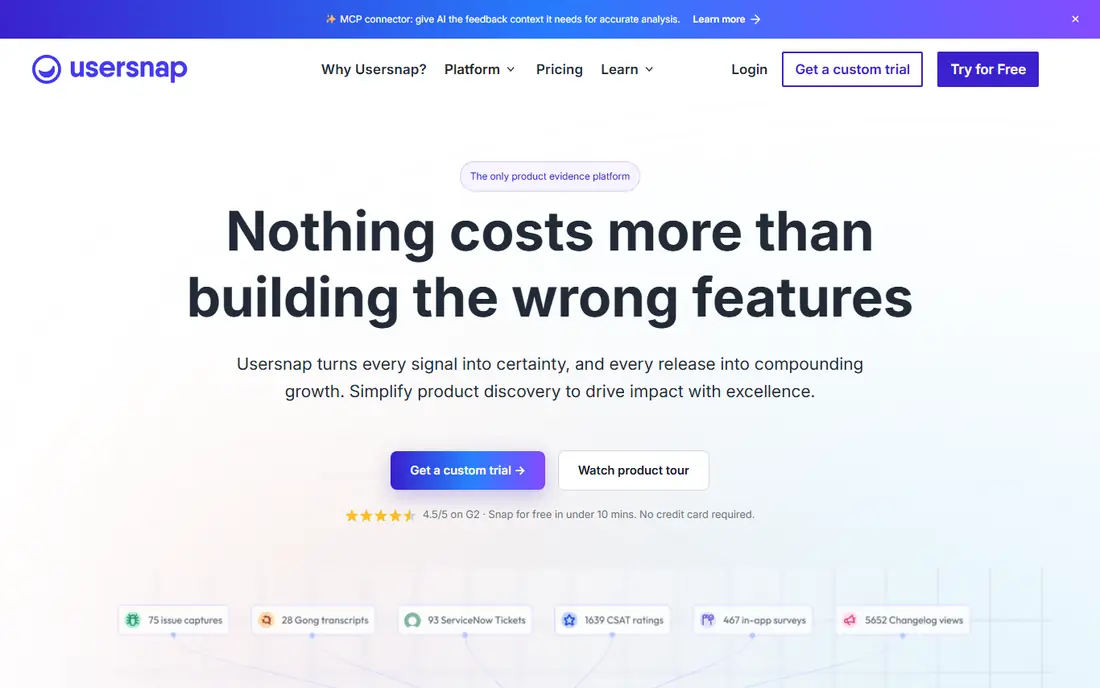
Usersnap provides visual feedback widgets, surveys and bug reporting that feed into issue trackers like Jira. Product teams value its flexibility across web and app feedback. Pricing tiers need a careful read, and setup takes configuration to match your workflow. For readers focused on feedback and bug reporting, the appeal is visual feedback widgets. That strength matters in daily use, because it is the part you will notice every week, not a feature you open once and forget. Compare it against the rest of the list on that one point first, then look at price, platform support and how the company handles your data. The honest weakness is pricing tiers need care. setup takes configuration Try it on a real task before you pay, and check whether the entry plan covers the feature you actually need.
- Visual feedback widgets
- Surveys
- Integrations with trackers
- Pricing tiers need care
- Setup takes configuration
Pastel
Ideal for: Website feedback and review
Pastel lets reviewers comment directly on a live website through a shareable link, with no install needed for the reviewer. Agencies and marketing teams use it for design sign-off. It is best for website review rather than deep app bug tracking, and pricing scales with projects. For readers focused on website feedback and review, the appeal is comment directly on live websites. That strength matters in daily use, because it is the part you will notice every week, not a feature you open once and forget. Compare it against the rest of the list on that one point first, then look at price, platform support and how the company handles your data. Watch out for best for website review, not app bug tracking. pricing scales If you can live with that limit, the rest of the package is easy to recommend for its audience.
- Comment directly on live websites
- Shareable links
- No install for reviewers
- Best for website review, not app bug tracking
- Pricing scales
Ruttl
Ideal for: Website feedback and edits
Ruttl lets teams comment on websites, suggest edits that can be applied, and leave video feedback for designers and developers. It suits website projects where visual sign-off matters. The ecosystem is smaller than larger feedback platforms, and advanced bug tracking may need a second tool. For readers focused on website feedback and edits, the appeal is comment on websites. That strength matters in daily use, because it is the part you will notice every week, not a feature you open once and forget. Compare it against the rest of the list on that one point first, then look at price, platform support and how the company handles your data. The catch is smaller ecosystem. advanced bug tracking needs another tool If that trade-off is acceptable for how you work, this is a solid choice, and a short trial will tell you more than any review can.
- Comment on websites
- Suggest live edits
- Video feedback
- Smaller ecosystem
- Advanced bug tracking needs another tool
Instabug
Ideal for: In-app bug reporting
Instabug is the mobile pick, with shake-to-report bug capture, crash reports and SDKs for iOS and Android apps. Mobile teams get detailed device and session data automatically. Web-only teams get less value, and pricing scales with usage. For readers focused on in-app bug reporting, the appeal is in-app shake-to-report. That strength matters in daily use, because it is the part you will notice every week, not a feature you open once and forget. Compare it against the rest of the list on that one point first, then look at price, platform support and how the company handles your data. The honest weakness is mobile focus, so web-only teams get less. pricing scales Try it on a real task before you pay, and check whether the entry plan covers the feature you actually need.
- In-app shake-to-report
- Crash reports
- Mobile SDKs
- Mobile focus, so web-only teams get less
- Pricing scales
ShakeBugs
Ideal for: Mobile bug reporting
ShakeBugs offers shake-to-report bug capture for mobile apps, with screenshots, logs and tracker integrations. It suits small mobile teams that want simple, fast reporting. It is mobile only, and the vendor is smaller than Instabug, so check support and roadmap. For readers focused on mobile bug reporting, the appeal is shake-to-report for mobile. That strength matters in daily use, because it is the part you will notice every week, not a feature you open once and forget. Compare it against the rest of the list on that one point first, then look at price, platform support and how the company handles your data. Watch out for mobile only. smaller vendor than Instabug If you can live with that limit, the rest of the package is easy to recommend for its audience.
- Shake-to-report for mobile
- Screenshots and logs
- Integrations
- Mobile only
- Smaller vendor than Instabug
Bird Eats Bug
Ideal for: Video bug reports for web
Bird Eats Bug captures screen recordings plus technical data like console logs and network requests, through a browser extension. Developers get reproducible bug reports without long back-and-forth. It is web-focused and newer than the leaders, so its footprint is smaller. For readers focused on video bug reports for web, the appeal is screen recordings with technical data. That strength matters in daily use, because it is the part you will notice every week, not a feature you open once and forget. Compare it against the rest of the list on that one point first, then look at price, platform support and how the company handles your data. The catch is web focus. newer product with a smaller footprint If that trade-off is acceptable for how you work, this is a solid choice, and a short trial will tell you more than any review can.
- Screen recordings with technical data
- Browser extension
- Integrations
- Web focus
- Newer product with a smaller footprint
Userback
Ideal for: Visual feedback for websites
Userback lets website visitors and clients leave screenshot and video feedback with annotations, feeding into project trackers. It suits agencies and product teams that collect feedback from non-technical reviewers. Pricing scales with seats, and the ecosystem is smaller than the largest feedback platforms. For readers focused on visual feedback for websites, the appeal is screenshot and video feedback. That strength matters in daily use, because it is the part you will notice every week, not a feature you open once and forget. Compare it against the rest of the list on that one point first, then look at price, platform support and how the company handles your data. The honest weakness is pricing scales with seats. smaller ecosystem than leaders Try it on a real task before you pay, and check whether the entry plan covers the feature you actually need.
- Screenshot and video feedback
- Tracker integrations
- Guest feedback
- Pricing scales with seats
- Smaller ecosystem than leaders
How we picked these
We started from the topic itself and kept only products that exist and work today and truly fit it. For each one we checked the official homepage, the pricing page and the free tier, and we read app store listings, privacy policies and public reviews where they were relevant. Products with a homepage we could not verify were left out, and prices we could not verify are shown as See website rather than guessed. We favored a mix of well-known leaders and strong smaller options, and we weighed entry price, free tier, platform coverage and honest weaknesses. No product here paid for its place, and we did not claim hands-on testing we did not do. What follows is a comparison of published facts, so you can check any claim on the vendor site before you buy.
Visual feedback tools that make bugs easy to report
Start by naming the job you need done, then match it to one entry plan, not to a whole product family. Check which devices are supported, whether your data can be exported, and what happens when you cancel. An option that locks your work inside its own format costs more to leave later, even when the monthly price looks low. Next, test the free tier or trial on a real task from your own week, and watch for the limit that bites first. That limit is usually a seat count, a usage cap or a feature held back for a higher tier. Pastel and Ruttl are worth comparing side by side here, because they serve different audiences at different prices, and the cheaper one is not always the weaker one for your case. Finally, read the renewal and cancellation terms before you enter payment details, and set a reminder to review the subscription after the first month. Many buyers keep paying for a tool they stopped opening, and a short review each quarter keeps the stack honest. If two options feel close, pick the one with clearer pricing and simpler cancellation.
Frequently asked questions
What is the best marker io alternatives?
For most readers it is BugHerd, because it covers visual feedback for websites with a clear published feature set and broad support. Usersnap is the best alternative when you need feedback and bug reporting instead. Try the free tier or trial of both before you decide, since daily feel matters as much as the feature list.
Is there a free marker io alternatives?
None of the options here offers a strong permanent free tier, though several offer trials. Check each vendor site for the current trial length and what it includes, and avoid paying annually until you have tested the entry plan.
How much should I expect to pay?
Entry prices in this list run from free up to the higher tiers shown in the comparison table, and the real cost depends on seats, usage and add-ons. BugHerd starts at see website, which is a fair benchmark for the group. Always confirm the current price on the official site, since vendors change plans during the year.
Can I switch to a different option later?
In most cases yes, but the effort depends on how much data you have stored and whether it exports cleanly. Before you commit, check export options and whether a trial lets you import your existing work. Keeping a backup outside the tool makes any future switch far easier.
What should a good bug report capture?
A screenshot or video, the page URL, browser and device details, console errors and clear steps to reproduce. Tools that capture this automatically save developers from chasing reporters for missing details.