Best Matomo Alternatives in 2026: 7 Web Analytics Tools Compared

- 1
 Google Analytics 4Free web analyticsVisit
- 2
 PlausiblePrivacy-friendly analyticsVisit
- 3
 FathomSimple privacy analyticsVisit
- 4
 Simple AnalyticsLightweight privacy analyticsVisit
- 5
 UmamiOpen source analyticsVisit
- Google Analytics 4 suits most sites as a free, widely supported analytics base.
- Plausible and Fathom suit privacy-conscious sites that want simple dashboards.
- Simple Analytics and Umami suit lightweight, privacy-first tracking.
- Countly and Heap suit product teams that need deeper event and funnel analysis.
- Check data ownership and consent rules before choosing an analytics tool.
Quick comparison
| Product | Ideal for | Price from | Free version | |
|---|---|---|---|---|
| Google Analytics 4 | Free web analytics | Free | Yes | Visit |
| Plausible | Privacy-friendly analytics | See website | Free trial | Visit |
| Fathom | Simple privacy analytics | See website | Free trial | Visit |
| Simple Analytics | Lightweight privacy analytics | See website | Free trial | Visit |
| Umami | Open source analytics | Free | Yes | Visit |
 Countly | Product analytics | See website | Yes | Visit |
 Heap | Automatic event capture | See website | Free trial | Visit |
The best Matomo alternatives
Matomo is a web analytics platform with self-hosting and privacy controls. The tools below cover similar ground, from free mainstream analytics to privacy-first and product analytics platforms. We compared official feature pages, pricing pages, and public documentation.
Google Analytics 4
Ideal for: Free web analytics

Google Analytics 4 is the default analytics tool for most sites, tracking page views, events, conversions, and audiences at no cost. Its Google Ads integration helps advertisers measure campaigns, and its documentation and community support are extensive. For a free baseline, it is hard to skip.
Privacy settings deserve attention, especially for sites in regulated regions, and the interface takes time to learn. For most sites, GA4 is our pick as a free, well-supported analytics base. Pair it with a consent tool where required by law.
- Free with wide adoption and documentation
- Event and conversion tracking
- Integrates with Google Ads
- Interface can confuse beginners
- Privacy settings need care for regulated regions
Plausible
Ideal for: Privacy-friendly analytics

Plausible offers simple, privacy-friendly analytics with a lightweight script, no cookies by default, and a readable dashboard. Goal tracking covers conversions such as signups and purchases, which suits small businesses and blogs. Its script loads quickly and does not slow pages much.
Complex funnel and audience analysis is thinner than GA4, so data-heavy teams may keep both tools. For a privacy-conscious site that wants clean numbers, Plausible is our pick for simplicity. Check page-view pricing tiers before subscribing.
- Lightweight script with no cookies by default
- Simple dashboard
- Goal conversion tracking included
- Less depth than GA4 for complex funnels
- Pricing based on page views
Fathom
Ideal for: Simple privacy analytics
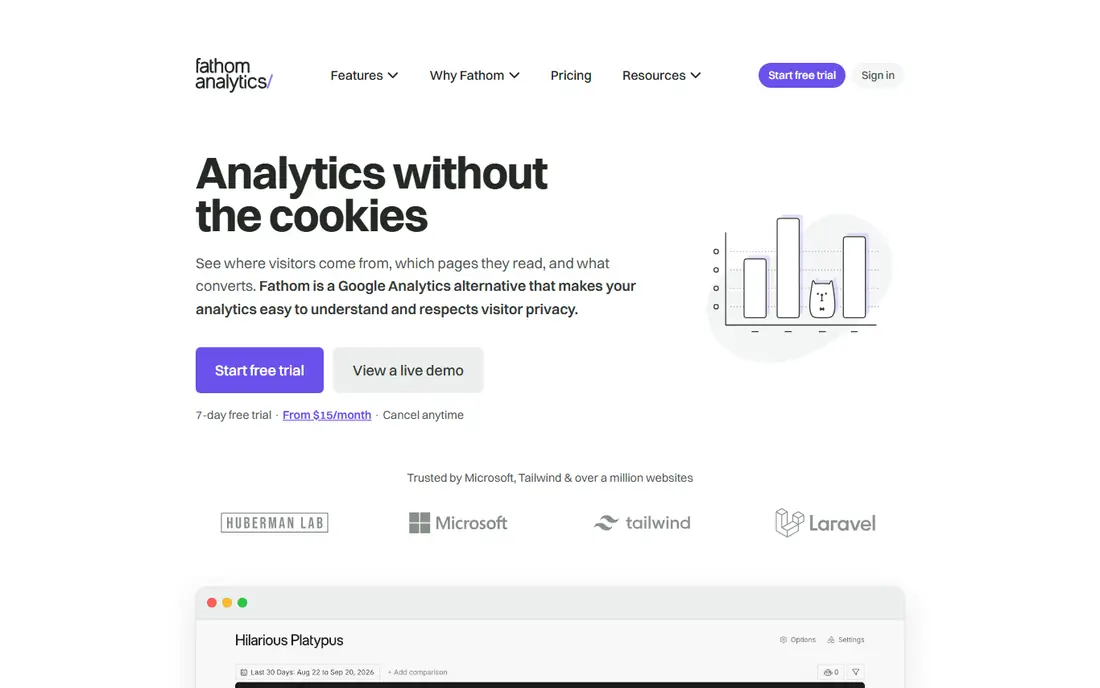
Fathom keeps analytics simple and private, tracking page views and goal completions without cookies or personal data collection. Its dashboard shows the metrics most small sites need, and its script loads quickly. For owners who found GA4 overwhelming, Fathom is a relief.
Advanced segmentation and funnel depth are limited, so larger marketing teams may need more. For small sites that want honest counts without complexity, Fathom is a strong, privacy-respecting pick.
- Simple dashboard with goal tracking
- Privacy-first design with no cookies
- Fast lightweight script
- Limited advanced segmentation
- Pricing based on page views
Simple Analytics
Ideal for: Lightweight privacy analytics
Simple Analytics offers privacy-first web analytics with a clean dashboard, no cookies, and minimal data collection. It suits blogs, small businesses, and creators who want visitor counts and referrers without surveillance-style tracking. Its interface stays readable without training.
Advanced funnels and segmentation are limited, so product teams may need Heap or Countly beside it. For a lightweight, privacy-respecting analytics tool, Simple Analytics is a good pick. Check its page-view tiers for your traffic level.
- Privacy-first analytics with a simple dashboard
- No cookies and minimal data collection
- AI-free, clean reporting
- Limited advanced analysis
- Pricing based on page views
Umami
Ideal for: Open source analytics
Umami is an open source, privacy-focused analytics tool that teams can self-host for full data ownership, with a hosted cloud option also available. Its dashboard is simple, it avoids cookies by default, and it tracks page views and events without heavy setup. That control appeals to Matomo users who value self-hosting.
Self-hosting adds maintenance work, and features are simpler than GA4 or Heap. For a team that wants open source analytics with data ownership, Umami is a strong pick. Its cloud version suits teams that prefer managed hosting.
- Open source with self-hosting for full data ownership
- Simple dashboard
- No cookies by default
- Self-hosting needs server upkeep
- Fewer features than hosted suites
Countly
Ideal for: Product analytics
Countly provides product analytics for web and mobile apps, with funnels, cohorts, retention, and crash reporting beside web page analytics. Its open source core supports self-hosting, while its cloud version suits teams that prefer managed service. Product teams can track user journeys in depth.
Setup is heavier than Plausible or Fathom, and the interface needs learning time. For a product team that needs deeper analytics than page views, Countly is a strong pick. Its free tier supports small apps.
- Product analytics with funnels, cohorts, and retention
- Open source core with self-hosting
- Mobile and web SDKs
- Setup is heavier than simple analytics tools
- Interface takes learning time
Heap
Ideal for: Automatic event capture
Heap automatically captures user interactions such as clicks, page views, and form submissions, letting teams define events retroactively instead of instrumenting everything upfront. That flexibility helps product teams answer new questions without waiting for a code release. Funnel and retention tools support deeper analysis.
Pricing scales with session volume, so high-traffic sites should model costs. For a product team that wants flexible, retroactive event analysis, Heap is a strong pick. Trial it on a key user flow first.
- Automatic capture of clicks, page views, and form actions
- Retroactive analysis without pre-defining events
- Strong funnel tools
- Pricing scales with session volume
- Setup and event definition still need care
How we picked these
We compared official feature pages, pricing pages, and public documentation, looking for web or product analytics features that match Matomo. We favored tools that are actively maintained and work in October 2026, and we mixed free, privacy-first, and product analytics options. We did not claim hands-on testing, and we note that analytics rules and consent laws vary by region, so check local requirements.
We also weighed practical details that matter after signup. That included how easy each product is to set up, whether support answers promptly, and whether pricing stays clear as usage grows. We read user complaints as well as praise, since repeated complaints about billing, onboarding, or missing features often signal a real weakness. Where a product had a known limitation, we said so in its write-up rather than smoothing it over. Our goal was a shortlist that a reader can trust for matomo alternatives, not a list of every vendor in the market. Readers with unusual needs should still test their top two choices, since fit depends on budget, team size, and the features used every day.
What to check before you switch
Start with your analytics purpose: simple visitor counts, conversion tracking, or deep product analysis. Simple tools suit blogs and small businesses, while product teams need funnels and cohorts. Picking a product suite for a blog wastes money, while a simple tool will frustrate a product team.
Next, check privacy and consent: data location, cookie use, IP handling, and retention settings. Test tracking accuracy against orders or signups you can count directly, and confirm export options so you can leave later. A trial month with parallel tracking will show whether the new tool matches your old numbers.
Testing your shortlist before you commit
A short trial answers questions that no comparison table can settle. Sign up for your top two choices, run a real task from your own work, and watch how long it takes and where you get stuck. For matomo alternatives, that real task might be a weekly workflow you repeat, a report you need every month, or a setup step your team must repeat for new members. If a tool slows that task down, it will cost time every week, no matter how good its feature list looks.
Pay attention to support during the trial as well. Send a question through the normal support channel and note how long a useful answer takes. Check billing clarity too: confirm what the trial includes, when it ends, and what the first paid invoice will actually show. A tool that is hard to cancel, or that hides fees until checkout, deserves caution.
Finally, ask who else on your team must use the tool. A product that only one person likes will stall, while a product the whole team adopts will pay for itself. Gather quick feedback from the people who will use it daily, compare their notes with your own, and then choose. That small amount of trial discipline prevents most bad purchases, and it costs far less than switching tools again in six months.
Budgeting the full cost, not just the headline price
Headline prices rarely tell the full story. Add up per-user fees, add-on charges, implementation help, and any training your team needs, then compare that total across your shortlist. A cheaper plan that needs three paid add-ons can end up costing more than a fuller plan from a rival. Check renewal terms as well, since introductory discounts often expire after the first term and the second year price is the one you will actually live with.
Think about exit costs too. Before you commit, confirm how your data exports, whether your content or history moves cleanly, and what happens if you pause or cancel. A tool with clean exports gives you freedom later, while a tool that locks data in makes switching painful. Choosing with the full cost and the exit path in mind keeps your matomo alternatives decision sound for the long term, not just for the first month.
Frequently asked questions
What does Matomo do?
Matomo is a web analytics platform that tracks visitors, page views, goals, and ecommerce conversions, with self-hosting and privacy controls that let owners keep data on their own servers.
Which Matomo alternative is best for privacy?
Plausible, Fathom, Simple Analytics, and Umami lead on privacy, with cookie-free options and data ownership controls. Umami and Matomo offer self-hosting for full control.
Is Google Analytics 4 free?
Yes, GA4 is free for most sites, with limits for very high volumes. Its interface is more complex than privacy-first tools, but its adoption and integrations are broad.
Can I self-host analytics?
Yes, Matomo and Umami support self-hosting, and Countly offers an open source core. Self-hosting needs server upkeep, backups, and security updates.
How do I track conversions without cookies?
Privacy tools use aggregated, cookie-free measurement, and server-side tracking can reduce reliance on browser cookies. Compare results against your own order data to check accuracy.