Top 8 MediaWiki Alternatives for 2026

- 1
 Atlassian Confluenceteams that already use Jira or Atlassian toolsVisit
- 2
 Notionteams that want docs, wikis, and databases in one placeVisit
- 3
 DokuWikiteams that want a free wiki with no databaseVisit
- 4
 XWikiteams that want structured data and extensionsVisit
- 5
 BookStackteams that want a simple Books, Chapters, and Pages structureVisit
- DokuWiki and BookStack are fully free and open source, with no licence fee and no seat limits, but you must run the server yourself.
- Confluence is the only tool here with a price read directly from the vendor page on the day, at $5.78 per user per month for Standard, with a free plan for up to 10 users.
- Notion, Slab, Nuclino, and Tettra prices were corroborated from vendor pages checked in recent months rather than read directly from the pricing page on the day, so re-check them live before publishing.
- XWiki cloud pricing starts at 1 euro per user per month at the starter level, while the open-source edition is free to self-host.
- The real choice is hosted versus self-hosted, since hosted tools charge per user and self-hosted tools charge you in server time instead.
Quick comparison
| Product | Ideal for | Price from | Free version | |
|---|---|---|---|---|
| Atlassian Confluence | teams that already use Jira or Atlassian tools | $5.78 per user/month | Yes | Visit |
| Notion | teams that want docs, wikis, and databases in one place | $10 per member/month (billed annually) | Yes | Visit |
| DokuWiki | teams that want a free wiki with no database | $0 (self-hosted open source) | Yes | Visit |
| XWiki | teams that want structured data and extensions | $0 (self-hosted open source) | Yes | Visit |
| BookStack | teams that want a simple Books, Chapters, and Pages structure | $0 (self-hosted open source) | Yes | Visit |
 Slab | small teams that want a clean wiki with verification | $6.67 per user/month (billed annually) | Yes | Visit |
 Nuclino | teams that want fast, visual, collaborative docs | $6 per user/month (billed annually) | Yes | Visit |
 Tettra | teams that want AI answers from their knowledge base | $8 per user/month (billed annually) | Free trial (30 days) | Visit |
The best MediaWiki alternatives
Atlassian Confluence
Ideal for: teams that already use Jira or Atlassian tools
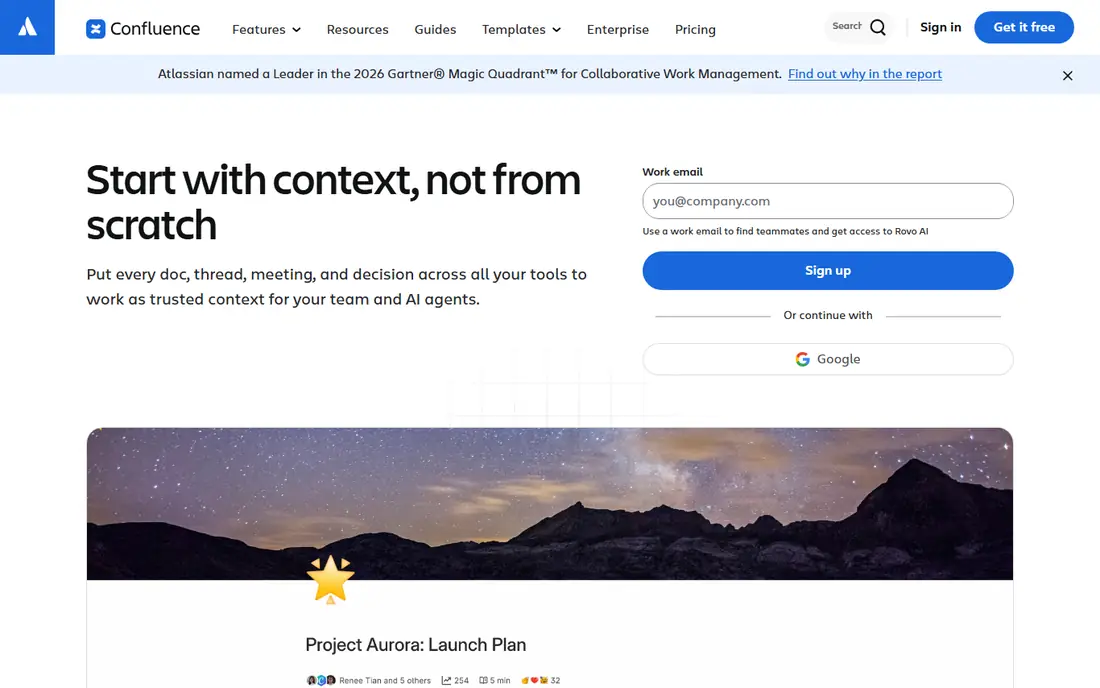
Confluence is the most direct hosted replacement for MediaWiki, and it is the only tool here with a price read directly from the vendor page on the day. Free costs $0 for up to 10 users with 2 GB storage, Standard is $5.78 per user per month, and Premium is $11.16 per user per month as shown on the pricing page. Note that $5.78 and $11.16 are the 300-user monthly rates, with 1 to 100 users at $7.15 Standard and $14.10 Premium.
Every plan includes unlimited spaces and pages, and Premium adds unlimited storage, 24/7 support, and a 99.9 percent uptime SLA. A 7-day trial of Standard or Premium is available. The limits are the add-ons and the free tier cap. Single sign-on and SCIM through Atlassian Guard is a separate subscription on Free, Standard, and Premium, included only on Enterprise, and the free plan is capped at 10 users, 2 GB storage, and community support only.
- Unlimited spaces and pages on all plans
- Premium adds unlimited storage, 24/7 support, and a 99.9 percent uptime SLA
- Single sign-on and SCIM through Atlassian Guard is a separate subscription on Free, Standard, and Premium, included only on Enterprise
- Free is capped at 10 users, 2 GB storage, and community support only
Notion
Ideal for: teams that want docs, wikis, and databases in one place

Notion combines a wiki, docs, and databases in one workspace. The pricing page loaded but no dollar amounts appeared in the text fetch, so the prices here are corroborated by multiple September to November 2026 checks of the vendor pricing page rather than read directly on the day. Free costs $0, Plus is $10 per member per month billed annually or $12 monthly, Business is $20 per member per month billed annually or $24 monthly, and Enterprise is custom.
The free plan covers solo use with unlimited pages and blocks, and the workspace adds databases with subtasks, dependencies, and custom properties, plus Notion Calendar. On Free, blocks are limited once 2 or more members join, file uploads are capped at 5 MB, and page history is 7 days. Full Notion AI, SAML single sign-on, and private teamspaces start on Business, and premium billing is per member for the whole workspace.
- Free plan for solo use with unlimited pages and blocks
- Databases with subtasks, dependencies, and custom properties, plus Notion Calendar
- On Free, blocks are limited once 2 or more members join, file uploads are capped at 5 MB, and page history is 7 days
- Full Notion AI, SAML single sign-on, and private teamspaces start on Business, and premium billing is per member for the whole workspace
DokuWiki
Ideal for: teams that want a free wiki with no database
DokuWiki is the closest free replacement for MediaWiki, and it is open source under the GPLv2 licence with no licence fee. It needs no database, since all data lives in plain text files, so backup is copying a folder and migration is moving files. Built-in access controls and authentication connectors are included, with support for over 50 languages and a large plugin library that adds features without a premium tier.
The trade-off is the hosting work. DokuWiki is self-host only, so you must run a PHP web server and handle backups, upgrades, and security yourself. There is no official hosted cloud version and no vendor support plan or SLA, and the homepage directs users to the mailing list or forum instead of the author for help.
- No database required, with all data in plain text files, so backup is copying a folder
- Built-in access controls and authentication connectors, over 50 languages, and a large plugin library
- Self-host only, so you must run a PHP web server and handle backups, upgrades, and security yourself
- No official hosted cloud version and no vendor support plan or SLA
XWiki
Ideal for: teams that want structured data and extensions
XWiki is the most flexible open-source wiki on this list, with structured data, scripting, and more than 900 extensions. The self-hosted open-source edition costs $0, and the cloud edition is priced through a calculator on the vendor pricing page. XWiki own FAQ says cloud pricing starts at 1 euro per user per month at the starter level, so treat any premium cloud figure as unconfirmed.
The pricing page loaded but all price fields rendered blank in the text fetch, since the page is calculator-driven. A free demo instance is available through try.xwiki.com, with a 10-day trial after validation, and free Starter cloud instances are offered for open-source projects. The limits are the Starter caps and the hosting skill needed. Starter is cloud-only, capped at 25 users and 1 sub-wiki, and running the self-hosted edition well needs a Java servlet container plus a database and someone to maintain them.
- Open-source platform with structured data, scripting, and more than 900 extensions
- Available in the cloud or on premises, with sub-wikis on the cloud plans
- Starter is cloud-only, capped at 25 users and 1 sub-wiki
- Running it well needs a Java servlet container plus a database and someone to maintain them, and directory and single sign-on sign-in comes through extensions
BookStack
Ideal for: teams that want a simple Books, Chapters, and Pages structure
BookStack is fully free and open under the MIT licence, and the homepage states that there is no cost to downloading and installing your own instance. All features are included with no seat limits, which makes it the simplest free wiki here to budget for. The Books, Chapters, and Pages structure is easy for new users to learn, with full search and paragraph-level links, and the platform includes built-in MFA, OIDC, SAML2, and LDAP authentication, plus a Markdown editor and built-in diagrams.net.
The trade-off is the same as DokuWiki, with one difference in scope. There is no official hosted or cloud version, so it is self-host only, and it requires a PHP and Laravel plus MySQL server. You own the server, TLS certificates, backups, and upgrades, and no vendor SLA or support tier is offered.
- Simple Books, Chapters, and Pages structure with full search and paragraph-level links
- Built-in MFA, OIDC, SAML2, and LDAP authentication, plus a Markdown editor and built-in diagrams.net
- No official hosted or cloud version, self-host only
- Requires a PHP and Laravel plus MySQL server, and you own the server, TLS certificates, backups, and upgrades, with no vendor SLA or support tier offered
Slab
Ideal for: small teams that want a clean wiki with verification
Slab is a hosted wiki with a clean interface and a verification feature that asks owners to confirm pages are still accurate, which keeps a knowledge base fresh. The pricing page loaded but no dollar amounts appeared in the text fetch, so the prices here are corroborated by October 2026 reads of the vendor pricing page. Free costs $0 for up to 10 users, Startup is $6.67 per user per month billed annually or $8 monthly, Business is $12.50 billed annually or $15 monthly, and Enterprise is custom with a minimum of 100 users.
The free plan covers unlimited posts and topics, real-time collaboration, verification, and Unified Search across Slab and integrated tools. The limits are the caps and the tier gates. Free is capped at 10 users, 10 MB attachments, 90-day version history, and 30-day analytics. SAML single sign-on, SCIM, unlimited history, and custom domains are Business only, and the vendor FAQ states there is no read-only user role and no self-hosted option.
- Unlimited posts and topics even on Free, plus real-time collaboration, verification, and Unified Search across Slab and integrated tools
- Free is capped at 10 users, 10 MB attachments, 90-day version history, and 30-day analytics
- SAML single sign-on, SCIM, unlimited history, and custom domains are Business only, and there is no self-hosted option
Nuclino
Ideal for: teams that want fast, visual, collaborative docs
Nuclino is built for speed and simple setup, with real-time collaborative documents in list, board, table, and graph views. Workspaces can be published as a website, which suits teams that want a public help centre from the same tool they use inside. The pricing page loaded but no dollar amounts appeared in the text fetch, so the price here is corroborated by Nuclino own site, which states Starter from $6 per user per month with annual billing. Older third-party figures of $5 are stale and should not be used.
The free plan covers up to 50 items, up to 3 canvases, and 2 GB total storage, and a 14-day free trial for Starter needs no credit card. The limits are the caps and the billing rule. Version history is 30 days on Starter and unlimited only on Business, while SAML single sign-on, audit log, and advanced security controls are Business only. Upgrading charges the entire team, including guests and read-only members, so the per-user price applies more widely than it first appears.
- Real-time collaborative documents with list, board, table, and graph views
- Workspaces can be published as a website, and the interface is built for speed and simple setup
- Free is capped at 50 items, 3 canvases, and 2 GB total storage
- Version history is 30 days on Starter and unlimited only on Business, and upgrading charges the entire team including guests and read-only members
Tettra
Ideal for: teams that want AI answers from their knowledge base
Tettra is a knowledge base with an AI bot called Kai that answers questions in Tettra or Slack from the knowledge base, which suits teams that answer the same questions again and again. Knowledge automation asks experts to verify pages and flags gaps, and the tool imports from Google Docs, Notion, and local files, with content exportable in HTML at any time. The pricing page loaded but no dollar amounts appeared in the text fetch, so the price here is corroborated by August to October 2026 checks of the vendor pricing page.
Scaling is $8 per user per month billed annually, or $10 monthly, with a 10-user minimum, so the minimum cost is $80 a month billed annually. Enterprise is custom past 250 licences. There is no free plan, only a 30-day free trial for Scaling with no credit card required. The 10-user minimum is the main limit, since a small team cannot buy a single seat, and the app itself is English-only.
- AI bot Kai answers questions in Tettra or Slack from the knowledge base
- Knowledge automation asks experts to verify pages and flags gaps, with imports from Google Docs, Notion, and local files, and content can be exported in HTML at any time
- 10-user minimum on premium plans, so small teams cannot buy a single seat
- The app itself is English-only, and API access is on Scaling and Professional only, with Enterprise pricing past 250 licences by quote
How we chose
We opened each vendor homepage and pricing page on 13 November 2026 and recorded the starting price shown there. Confluence prices were read directly from the vendor pricing page, and DokuWiki and BookStack are free open-source tools with no pricing page. Notion, XWiki, Slab, Nuclino, and Tettra pricing pages loaded but their prices are JavaScript-rendered and did not appear in the text extraction, so those figures are corroborated from vendor pages checked in recent months and are flagged for a rendered-browser re-check before publishing. We compared starting price, free tier, self-hosted versus hosted, user caps, and authentication support, and we did not claim hands-on testing.
What to check before you buy
Use this decision table by team size, then run the checklist below it.
| Team size | Best starting point | Cost signal |
|---|---|---|
| Solo or under 10 people | DokuWiki, BookStack, Confluence free, Slab free | $0 |
| 10 to 50 people | Confluence Standard, Notion Plus, Nuclino Starter | $5.78 to $10 per user a month |
| 50 to 300 people | Confluence Premium, Notion Business, Slab Business | $11.16 to $20 per user a month |
| 300 people or more | Confluence Enterprise, XWiki Enterprise, Tettra Enterprise | Quote only or custom |
Checklist with real numbers: confirm the free tier cap, since Confluence free covers 10 users and 2 GB storage, Slab free covers 10 users, and Nuclino free covers 50 items and 2 GB total storage. Confirm the minimum seat count, since Tettra Scaling needs 10 users and Slab Enterprise needs 100 users. Confirm whether single sign-on is included, since Confluence charges for Atlassian Guard separately below Enterprise, and Slab and Nuclino gate SAML single sign-on to Business. Confirm whether you can self-host, since DokuWiki, XWiki, and BookStack are self-hosted only in their free editions, while Confluence, Notion, Slab, Nuclino, and Tettra are hosted.
Frequently asked questions
What is the best free MediaWiki alternative?
DokuWiki and BookStack are the best free options, since both are fully free and open source with no licence fee and no seat limits. DokuWiki needs no database and stores everything in plain text files, while BookStack offers a simpler Books, Chapters, and Pages structure with built-in MFA, OIDC, SAML2, and LDAP authentication. Both need a server you run yourself, so the cost is server time rather than a licence.
Which MediaWiki alternative is best for a small team?
Confluence free is the best hosted starting point for a team under 10 people, with unlimited spaces and pages and a 7-day trial of Standard or Premium. Slab free is the best choice when page verification matters, since it asks owners to confirm pages are still accurate. Notion free is the best choice when the team also wants databases and a calendar in the same workspace.
Is there a MediaWiki alternative that works like Wikipedia?
DokuWiki and XWiki are the closest to MediaWiki in spirit, since both are open-source wikis with a long history and a plugin and extension library. DokuWiki stores content in plain text files with no database, while XWiki adds structured data, scripting, and more than 900 extensions. Neither one is a hosted service in its free edition, so both need a server.
Can I move my MediaWiki content to a new wiki?
Most tools on this list support import, and Tettra imports from Google Docs, Notion, and local files, while XWiki offers more than 900 extensions that include import tools. Export your MediaWiki pages to XML first, then test the import with a small set of pages before you move the whole wiki. Links, templates, and macros rarely transfer cleanly, so plan time to fix formatting after the move.
Which alternative is best for a large company?
Confluence is the best fit for a large company, especially one that already uses Jira, with Premium at $11.16 per user per month and Enterprise for single sign-on through Atlassian Guard. Teams that need structured data and sub-wikis should look at XWiki, with up to 100 sub-wikis on Enterprise. Tettra Enterprise is the best fit when the main need is AI answers from the knowledge base in Slack.