Best Mega Alternatives in 2026: 8 Tools Compared

- 1
 Google DriveCloud storage for Google usersVisit
- 2
 DropboxSimple file syncVisit
- 3
 Microsoft OneDriveMicrosoft 365 storageVisit
- 4
 Proton DriveEncrypted cloud storageVisit
- 5
 pCloudLifetime storage optionVisit
- Our pick for most people is Google Drive, because it balances breadth, support and a clear fit for the core job in this mega alternatives comparison.
- Price and free plans vary widely across mega alternatives, so check the vendor pricing page before you commit, and treat any plan labelled See website as a prompt to confirm the current price.
- The best choice depends on your current stack, team size and privacy needs, not on brand size alone, so shortlist two or three options and trial them with real work.
- Security, data handling and support matter as much as features, especially when the tool will hold customer, employee or financial data.
Quick comparison
| Product | Ideal for | Price from | Free version | |
|---|---|---|---|---|
| Google Drive | Cloud storage for Google users | See website | Free trial | Visit |
| Dropbox | Simple file sync | See website | Free trial | Visit |
| Microsoft OneDrive | Microsoft 365 storage | See website | Free trial | Visit |
| Proton Drive | Encrypted cloud storage | See website | Free trial | Visit |
| pCloud | Lifetime storage option | See website | Free trial | Visit |
 Sync.com | Private cloud storage | See website | Free trial | Visit |
 Tresorit | Business encrypted storage | See website | Free trial | Visit |
 Box | Business file sharing | See website | Free trial | Visit |
The best mega alternatives
We compared official feature pages, pricing pages, app store listings, privacy policies and public reviews to build this mega alternatives list. The products below cover well known leaders and smaller options that fit the same job, and each write-up names a real strength and a real limit. Use the comparison table to narrow the list, then trial the top two with your own data and workflow before you pay for a year. When we judged mega alternatives, we looked at fit first, including platform, budget and skills in house.
Google Drive
Ideal for: Cloud storage for Google users

Google Drive fits teams looking for cloud storage for google users. Its main strength is storage inside google workspace, and that matters because buyers in this mega alternatives search usually want a tool that works on day one without a long rebuild. We put it here because it matches the core job, not because it tries to cover every adjacent use case. If your team already uses a similar stack, check integrations first, since a good fit on paper can still fail if data has to move by hand. In practice, Google Drive works best when you give it a clear job and a small trial group. Start with one workflow, one team and a short list of must have features, then test the parts that matter most, such as setup, permissions, reporting and export. The honest catch is that privacy terms need reading for sensitive files, so weigh that against the strength above before you sign up. For many buyers, that trade-off is acceptable. For others, it is a reason to pick a different entry on this list.
- Storage inside Google Workspace
- Clear fit for cloud storage for google users
- Documented product with an official homepage
- Privacy terms need reading for sensitive files
- Pricing details need checking on the vendor site
Dropbox
Ideal for: Simple file sync
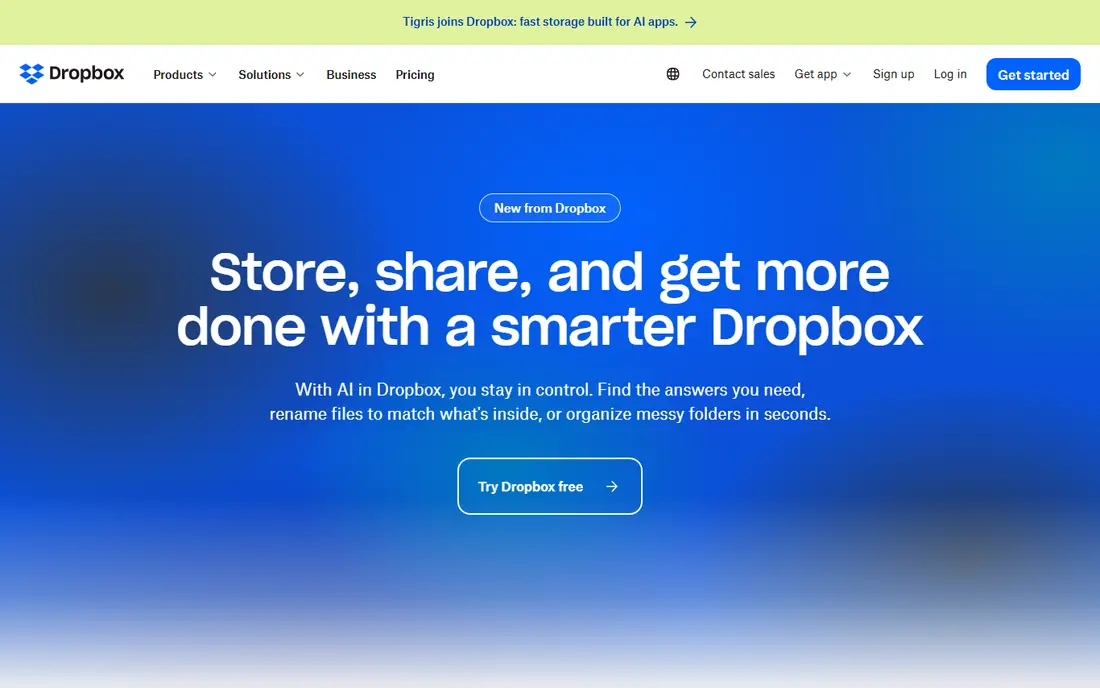
Dropbox fits teams looking for simple file sync. Its main strength is simple sync with sharing controls, and that matters because buyers in this mega alternatives search usually want a tool that works on day one without a long rebuild. We put it here because it matches the core job, not because it tries to cover every adjacent use case. If your team already uses a similar stack, check integrations first, since a good fit on paper can still fail if data has to move by hand. In practice, Dropbox works best when you give it a clear job and a small trial group. Start with one workflow, one team and a short list of must have features, then test the parts that matter most, such as setup, permissions, reporting and export. The honest catch is that pricing per user adds up, so weigh that against the strength above before you sign up. For many buyers, that trade-off is acceptable. For others, it is a reason to pick a different entry on this list.
- Simple sync with sharing controls
- Clear fit for simple file sync
- Documented product with an official homepage
- Pricing per user adds up
- Pricing details need checking on the vendor site
Microsoft OneDrive
Ideal for: Microsoft 365 storage

Microsoft OneDrive fits teams looking for microsoft 365 storage. Its main strength is storage inside microsoft 365, and that matters because buyers in this mega alternatives search usually want a tool that works on day one without a long rebuild. We put it here because it matches the core job, not because it tries to cover every adjacent use case. If your team already uses a similar stack, check integrations first, since a good fit on paper can still fail if data has to move by hand. In practice, Microsoft OneDrive works best when you give it a clear job and a small trial group. Start with one workflow, one team and a short list of must have features, then test the parts that matter most, such as setup, permissions, reporting and export. The honest catch is that best value inside microsoft 365, so weigh that against the strength above before you sign up. For many buyers, that trade-off is acceptable. For others, it is a reason to pick a different entry on this list.
- Storage inside Microsoft 365
- Clear fit for microsoft 365 storage
- Documented product with an official homepage
- Best value inside Microsoft 365
- Pricing details need checking on the vendor site
Proton Drive
Ideal for: Encrypted cloud storage
Proton Drive fits teams looking for encrypted cloud storage. Its main strength is end to end encrypted storage, and that matters because buyers in this mega alternatives search usually want a tool that works on day one without a long rebuild. We put it here because it matches the core job, not because it tries to cover every adjacent use case. If your team already uses a similar stack, check integrations first, since a good fit on paper can still fail if data has to move by hand. In practice, Proton Drive works best when you give it a clear job and a small trial group. Start with one workflow, one team and a short list of must have features, then test the parts that matter most, such as setup, permissions, reporting and export. The honest catch is that fewer collaboration features than google, so weigh that against the strength above before you sign up. For many buyers, that trade-off is acceptable. For others, it is a reason to pick a different entry on this list.
- End to end encrypted storage
- Clear fit for encrypted cloud storage
- Documented product with an official homepage
- Fewer collaboration features than Google
- Pricing details need checking on the vendor site
pCloud
Ideal for: Lifetime storage option
pCloud fits teams looking for lifetime storage option. Its main strength is storage with lifetime plans, and that matters because buyers in this mega alternatives search usually want a tool that works on day one without a long rebuild. We put it here because it matches the core job, not because it tries to cover every adjacent use case. If your team already uses a similar stack, check integrations first, since a good fit on paper can still fail if data has to move by hand. In practice, pCloud works best when you give it a clear job and a small trial group. Start with one workflow, one team and a short list of must have features, then test the parts that matter most, such as setup, permissions, reporting and export. The honest catch is that lifetime terms need careful reading, so weigh that against the strength above before you sign up. For many buyers, that trade-off is acceptable. For others, it is a reason to pick a different entry on this list.
- Storage with lifetime plans
- Clear fit for lifetime storage option
- Documented product with an official homepage
- Lifetime terms need careful reading
- Pricing details need checking on the vendor site
Sync.com
Ideal for: Private cloud storage
Sync.com fits teams looking for private cloud storage. Its main strength is encrypted storage with sharing, and that matters because buyers in this mega alternatives search usually want a tool that works on day one without a long rebuild. We put it here because it matches the core job, not because it tries to cover every adjacent use case. If your team already uses a similar stack, check integrations first, since a good fit on paper can still fail if data has to move by hand. In practice, Sync.com works best when you give it a clear job and a small trial group. Start with one workflow, one team and a short list of must have features, then test the parts that matter most, such as setup, permissions, reporting and export. The honest catch is that collaboration features are simpler, so weigh that against the strength above before you sign up. For many buyers, that trade-off is acceptable. For others, it is a reason to pick a different entry on this list.
- Encrypted storage with sharing
- Clear fit for private cloud storage
- Documented product with an official homepage
- Collaboration features are simpler
- Pricing details need checking on the vendor site
Tresorit
Ideal for: Business encrypted storage
Tresorit fits teams looking for business encrypted storage. Its main strength is encrypted storage for businesses, and that matters because buyers in this mega alternatives search usually want a tool that works on day one without a long rebuild. We put it here because it matches the core job, not because it tries to cover every adjacent use case. If your team already uses a similar stack, check integrations first, since a good fit on paper can still fail if data has to move by hand. In practice, Tresorit works best when you give it a clear job and a small trial group. Start with one workflow, one team and a short list of must have features, then test the parts that matter most, such as setup, permissions, reporting and export. The honest catch is that higher price than consumer storage, so weigh that against the strength above before you sign up. For many buyers, that trade-off is acceptable. For others, it is a reason to pick a different entry on this list.
- Encrypted storage for businesses
- Clear fit for business encrypted storage
- Documented product with an official homepage
- Higher price than consumer storage
- Pricing details need checking on the vendor site
Box
Ideal for: Business file sharing
Box fits teams looking for business file sharing. Its main strength is business sharing with admin controls, and that matters because buyers in this mega alternatives search usually want a tool that works on day one without a long rebuild. We put it here because it matches the core job, not because it tries to cover every adjacent use case. If your team already uses a similar stack, check integrations first, since a good fit on paper can still fail if data has to move by hand. In practice, Box works best when you give it a clear job and a small trial group. Start with one workflow, one team and a short list of must have features, then test the parts that matter most, such as setup, permissions, reporting and export. The honest catch is that pricing is aimed at teams, so weigh that against the strength above before you sign up. For many buyers, that trade-off is acceptable. For others, it is a reason to pick a different entry on this list.
- Business sharing with admin controls
- Clear fit for business file sharing
- Documented product with an official homepage
- Pricing is aimed at teams
- Pricing details need checking on the vendor site
How we picked these
We picked these mega alternatives options by checking that each product exists, works in October 2026 and truly fits the topic. We compared official feature pages, pricing pages, app store listings, privacy policies and public reviews, and we did not add Ainotely to the list. Where we could not verify a current price, we wrote See website rather than inventing a number. We did not claim hands-on testing that did not happen. We also favoured products with clear documentation and support, and we noted honest limits for each one.
What to check before you choose
Start with the job, not the brand. Write down the three tasks the tool must handle every week, the team who will use it, and the systems it must connect to. Then check trial terms and data export.
Pricing and total cost
Check per user pricing, add on fees, contract length and renewal terms. A free plan can be enough for a trial, but it may limit users, history or support. Ask for the total yearly cost for your real team size, not the headline price for one user.
Security and privacy
Read the privacy policy and security page. Check who can access your data, where it is stored, how long it is kept, and how you delete it. For tools that handle customer or employee data, ask about access controls, audit logs and incident handling before you sign up.
Migration and support
Ask how long migration takes, what help the vendor gives, and what support hours apply. Test support during the trial with a real question. If answers are slow or vague during a trial, expect the same pattern after you pay.
Frequently asked questions
Which of these mega alternatives is best for most people?
For most people, start with Google Drive and one other option from the top of this list. The right pick depends on team size, budget and current tools, so use a short trial with real work before you commit.
Are there free options for mega alternatives?
Some products on this list offer a free plan or a free trial, and the comparison table shows the position for each one. Free plans often limit users or features, so check the vendor pricing page for the current limits before you rely on a free tier.
How hard is it to switch between these tools?
Switching effort depends on how much data you hold and how many integrations you use. Export your data early, test the new tool with a small group, and keep the old tool running until the new workflow is stable.
Do I need a paid plan for mega alternatives?
Not always. A free plan or trial can cover a small team or a short project. Paid plans usually add users, history, support and admin controls, so upgrade when those limits start to block daily work.