Microsoft Word Alternatives in 2026: 8 Tools Compared

- 1
 Google DocsFree collaborationVisit
- 2
 LibreOffice WriterFree offline word processingVisit
- 3
 Zoho WriterWord-compatible online writingVisit
- 4
 WPS Office WriterWord-like interface for freeVisit
- 5
 NotionNotes and docs in one workspaceVisit
- Google Docs leads for free collaboration, while LibreOffice Writer leads for free offline use.
- Zoho Writer and OnlyOffice suit teams that want Word compatibility without Microsoft pricing.
- Notion and Pages suit note-taking and Apple users respectively, rather than full Word replacement.
- Check DOCX compatibility before switching, especially for tracked changes and complex formatting.
Quick comparison
| Product | Ideal for | Price from | Free version | |
|---|---|---|---|---|
| Google Docs | Free collaboration | Free | Yes | Visit |
| LibreOffice Writer | Free offline word processing | Free | Yes | Visit |
| Zoho Writer | Word-compatible online writing | Free | Yes | Visit |
| WPS Office Writer | Word-like interface for free | Free | Yes | Visit |
| Notion | Notes and docs in one workspace | Free | Yes | Visit |
 Apple Pages | Free writing on Apple devices | Free | Yes | Visit |
 OnlyOffice Docs | Word-compatible collaboration | Free | Yes | Visit |
 Dropbox Paper | Simple collaborative docs | Free | Yes | Visit |
The best options for microsoft word alternatives
We compared Word alternatives on writing quality, Word file compatibility, collaboration, offline use and price. No alternative matches Word feature-for-feature, so the best pick depends on whether you value collaboration, offline work or cost most. Our pick for most people is Google Docs for collaboration, with LibreOffice Writer for offline work.
Google Docs
Ideal for: Free collaboration

Google Docs offers free word processing with real-time collaboration, comments and autosave, all in a browser. That collaboration is why teams default to it. Offline use needs setup, and complex Word formatting can shift on import, so check tracked changes and tables before relying on it for formal documents.
For most readers, the deciding question with Google Docs is fit rather than raw feature count. Check the plan limits that matter to you, such as seats, usage caps and what happens when a trial ends, before you commit to a paid tier. If the free tier or trial covers your core task, use it for a full week of real work before paying, and keep an eye on renewal terms and cancellation steps. That short test usually tells you more than any feature list, and it keeps the choice grounded in how you actually work day to day.
- Free with Google account
- Real-time collaboration
- Autosave
- Offline use needs setup
- Advanced formatting differs from Word
LibreOffice Writer
Ideal for: Free offline word processing
LibreOffice Writer is a free, open-source word processor with strong DOCX support and full offline use. It handles most Word documents well and costs nothing. The interface feels older than Google Docs, and real-time collaboration is weaker, so it suits individual writers and offline work best.
For most readers, the deciding question with LibreOffice Writer is fit rather than raw feature count. Check the plan limits that matter to you, such as seats, usage caps and what happens when a trial ends, before you commit to a paid tier. If the free tier or trial covers your core task, use it for a full week of real work before paying, and keep an eye on renewal terms and cancellation steps. That short test usually tells you more than any feature list, and it keeps the choice grounded in how you actually work day to day.
- Free open-source processor
- Strong DOCX support
- Fully offline
- Interface feels older
- Collaboration is weaker
Zoho Writer
Ideal for: Word-compatible online writing
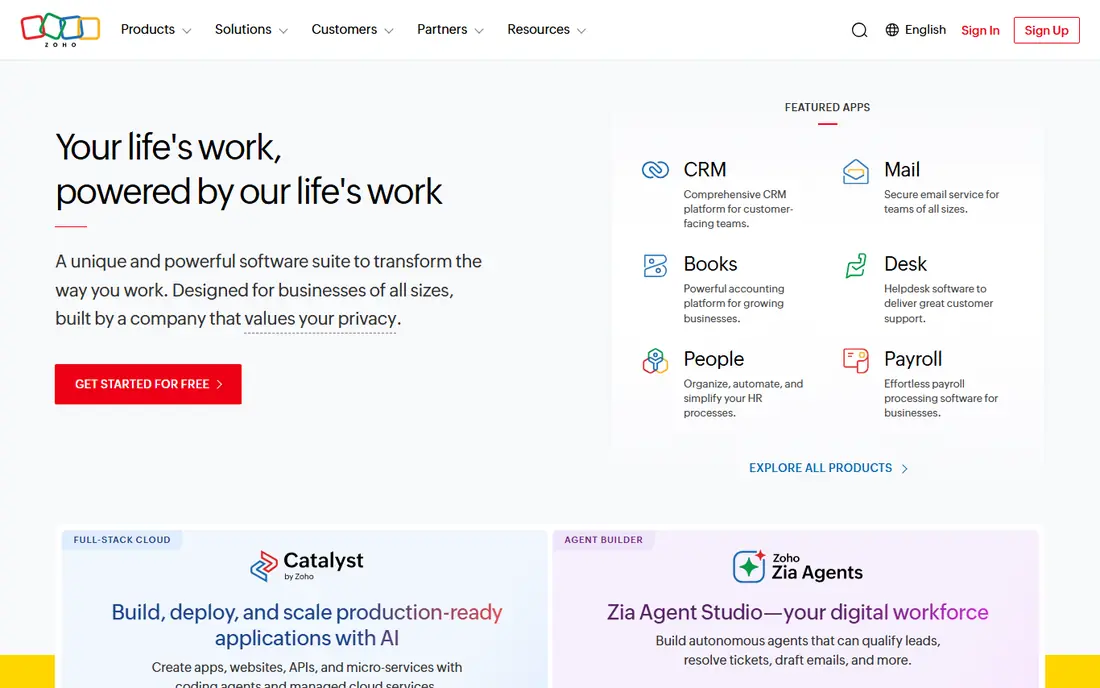
Zoho Writer provides a clean online editor with Word compatibility and collaboration, plus a free tier for individuals. That balance suits small teams wanting an alternative to both Word and Google Docs. The free tier has limits, and the best value sits inside the Zoho ecosystem, though standalone use works fine.
For most readers, the deciding question with Zoho Writer is fit rather than raw feature count. Check the plan limits that matter to you, such as seats, usage caps and what happens when a trial ends, before you commit to a paid tier. If the free tier or trial covers your core task, use it for a full week of real work before paying, and keep an eye on renewal terms and cancellation steps. That short test usually tells you more than any feature list, and it keeps the choice grounded in how you actually work day to day.
- Clean online editor
- Word compatibility
- Collaboration
- Free tier limits
- Best inside Zoho ecosystem
WPS Office Writer
Ideal for: Word-like interface for free
WPS Office Writer mimics the Word interface closely, which shortens the learning curve for switchers. Compatibility is good and mobile apps are strong. The free tier includes ads, and some features need a paid plan, so users who dislike ads should consider LibreOffice instead.
For most readers, the deciding question with WPS Office Writer is fit rather than raw feature count. Check the plan limits that matter to you, such as seats, usage caps and what happens when a trial ends, before you commit to a paid tier. If the free tier or trial covers your core task, use it for a full week of real work before paying, and keep an eye on renewal terms and cancellation steps. That short test usually tells you more than any feature list, and it keeps the choice grounded in how you actually work day to day.
- Familiar Word-like interface
- Good compatibility
- Mobile apps
- Free tier includes ads
- Some features are paid
Notion
Ideal for: Notes and docs in one workspace
Notion blends documents, notes and databases in one workspace, with collaboration and templates. That flexibility suits teams that live in Notion for planning and knowledge. It is not a full Word replacement, and DOCX export formatting varies, so formal Word documents still need a dedicated processor.
For most readers, the deciding question with Notion is fit rather than raw feature count. Check the plan limits that matter to you, such as seats, usage caps and what happens when a trial ends, before you commit to a paid tier. If the free tier or trial covers your core task, use it for a full week of real work before paying, and keep an eye on renewal terms and cancellation steps. That short test usually tells you more than any feature list, and it keeps the choice grounded in how you actually work day to day.
- Flexible docs and databases
- Collaboration
- Templates
- Not a full Word replacement
- Export formatting varies
Apple Pages
Ideal for: Free writing on Apple devices
Apple Pages is free on Apple devices, with polished templates and iCloud sync across Mac, iPhone and iPad. That integration suits Apple households. Word compatibility is generally good but needs checking for complex documents, and Windows users need a different pick.
For most readers, the deciding question with Apple Pages is fit rather than raw feature count. Check the plan limits that matter to you, such as seats, usage caps and what happens when a trial ends, before you commit to a paid tier. If the free tier or trial covers your core task, use it for a full week of real work before paying, and keep an eye on renewal terms and cancellation steps. That short test usually tells you more than any feature list, and it keeps the choice grounded in how you actually work day to day.
- Free on Apple devices
- Polished templates
- ICloud sync
- Apple focused
- Word compatibility needs checking
OnlyOffice Docs
Ideal for: Word-compatible collaboration
OnlyOffice Docs offers strong DOCX compatibility with real-time collaboration and a self-hosting option for privacy-conscious teams. That compatibility makes switching from Word smoother than most rivals. Self-hosting setup takes effort, and hosted free tiers have limits, so check the deployment that fits your team.
For most readers, the deciding question with OnlyOffice Docs is fit rather than raw feature count. Check the plan limits that matter to you, such as seats, usage caps and what happens when a trial ends, before you commit to a paid tier. If the free tier or trial covers your core task, use it for a full week of real work before paying, and keep an eye on renewal terms and cancellation steps. That short test usually tells you more than any feature list, and it keeps the choice grounded in how you actually work day to day.
- Strong DOCX compatibility
- Collaboration
- Self-hosting option
- Setup for self-hosting takes effort
- Free tier limits
Dropbox Paper
Ideal for: Simple collaborative docs
Dropbox Paper provides simple collaborative documents tied to Dropbox storage, with comments and task features. That simplicity suits teams already using Dropbox for files. The feature set is basic next to Word or Google Docs, so it fits notes and light documents rather than formal reports.
For most readers, the deciding question with Dropbox Paper is fit rather than raw feature count. Check the plan limits that matter to you, such as seats, usage caps and what happens when a trial ends, before you commit to a paid tier. If the free tier or trial covers your core task, use it for a full week of real work before paying, and keep an eye on renewal terms and cancellation steps. That short test usually tells you more than any feature list, and it keeps the choice grounded in how you actually work day to day.
- Simple collaborative documents
- Dropbox integration
- Free
- Feature set is basic
- Not a Word replacement
How we picked these
We compared official feature pages, pricing pages, app store listings, privacy policies and public reviews for each option below. We kept only products that exist and work now, that fit the topic directly, and whose official homepage we could confirm. Where a price was not published clearly, we wrote See website rather than guessing, and we favoured options with a free tier or trial where one exists.
Switching from Word without breaking documents
Test your most complex document first. Import a real report with tables, headers, footers and tracked changes into each candidate, then export it back to DOCX and compare. That test reveals compatibility problems before they affect client work.
Decide how you collaborate. If real-time co-editing matters daily, Google Docs, Zoho Writer or OnlyOffice lead. If you mostly write alone, LibreOffice Writer or Pages offer a calmer, offline experience with no subscription.
Keep Word installed during transition, if you can. Running the alternative alongside Word for a month lets you fall back on tricky documents while you learn the new tool. That safety net makes switching far less stressful.
Frequently asked questions
What is the best Microsoft Word alternative?
Google Docs leads for free collaboration, while LibreOffice Writer leads for free offline use. Zoho Writer and OnlyOffice offer strong Word compatibility for teams.
Are there free alternatives to Microsoft Word?
Yes, Google Docs, LibreOffice Writer, Zoho Writer, WPS Office, Apple Pages and OnlyOffice all offer free tiers or fully free versions. Check DOCX compatibility and collaboration needs before choosing.
Can Google Docs replace Word?
For most everyday writing and collaboration, yes. Complex Word formatting, tracked changes and macros may differ, so test your most complex documents before switching fully.
Is LibreOffice Writer compatible with Word?
Yes, LibreOffice Writer opens and saves DOCX files with generally good compatibility. Complex formatting can shift slightly, so check important documents after conversion.
What is the best Word alternative for Mac?
Apple Pages is free on Mac and integrates with iCloud, while Google Docs and LibreOffice Writer also work well. Pages suits Apple users, while LibreOffice suits offline work.