Best Netsparker Alternatives in 2026: 8 Web Security Scanners Compared

- Burp Suite and OWASP ZAP suit teams that want hands-on web security testing with deep manual tools.
- Acunetix and Tenable suit teams that want automated scanning with broad coverage and reporting.
- Qualys and Rapid7 InsightAppSec suit enterprises that want web scanning inside wider security platforms.
- HCL AppScan and Checkmarx suit organizations that want application security across web, code, and APIs.
Quick comparison
| Product | Ideal for | Price from | Free version | |
|---|---|---|---|---|
 Burp Suite | Hands-on web testing | See website | Yes | Visit |
 OWASP ZAP | Free open source scanning | See website | Yes | Visit |
 Acunetix | Automated web scanning | See website | See website | Visit |
 Tenable | Broad security coverage | See website | See website | Visit |
 Qualys | Enterprise web scanning | See website | See website | Visit |
 Rapid7 InsightAppSec | Cloud web scanning | See website | See website | Visit |
 HCL AppScan | Enterprise app security | See website | See website | Visit |
 Checkmarx | App security platform | See website | See website | Visit |
The best Netsparker alternatives
Netsparker, now part of Invicti, is a web application security scanner that finds vulnerabilities in websites and web apps. The tools below offer similar scanning, and they differ in automation, manual testing depth, and platform breadth. Some suit solo security testers, while others suit enterprises scanning hundreds of apps. The right pick depends on your team size, testing style, and compliance needs.
Burp Suite
Ideal for: Hands-on web testing
Burp Suite, from PortSwigger, is the industry-standard toolkit for hands-on web security testing, with a proxy for intercepting traffic, a scanner for automated checks, and tools for intruder attacks, repeater requests, and session analysis. The Community edition is free and covers the core proxy and manual tools, while Professional adds the scanner and advanced features. Extensions through BApp Store add coverage for many frameworks and APIs.
The learning curve is real for newcomers, and the Professional edition is paid. For penetration testers and security teams that test by hand, Burp Suite is our pick.
- Industry-standard manual testing tools
- Strong proxy and scanner
- Large extension library
- Learning curve
- Professional edition is paid
OWASP ZAP
Ideal for: Free open source scanning
OWASP ZAP, or Zed Attack Proxy, is a free, open source web security scanner maintained by the OWASP community, with automated scanning, a proxy for manual testing, and API scanning support. It suits teams that want capable scanning without licensing costs, and it integrates with CI pipelines for automated checks on every build. The add-on marketplace extends coverage for modern frameworks.
The interface feels dated next to Burp Suite, and manual testing tools are less deep. For teams that want free, solid scanning, ZAP is a strong choice.
- Free and open source
- Good automated scanner
- Strong API support
- Interface feels dated
- Manual tools less deep than Burp Suite
Acunetix
Ideal for: Automated web scanning
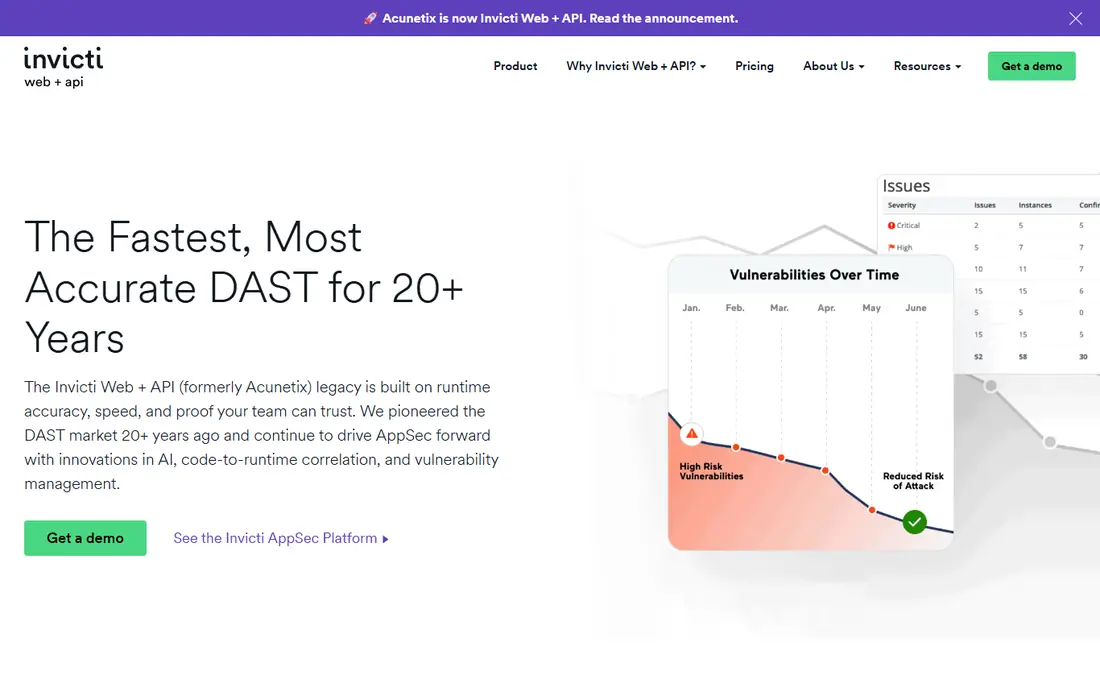
Acunetix, part of Invicti, offers automated web vulnerability scanning with proof-based detection that shows evidence for findings, reducing false positives. Note that Acunetix is now presented on its site as Invicti Web + API, the same DAST product under the Invicti brand. It covers websites, web apps, and APIs, with scheduling, compliance reporting, and integrations with issue trackers. The scanner is easy to run for teams that want regular automated checks without deep manual work.
Pricing suits larger budgets, and manual testing depth is limited compared with Burp Suite. For teams that want reliable automated scanning, Acunetix is a practical pick.
- Strong automated detection
- Good proof-based scanning
- Easy reporting
- Pricing suits larger budgets
- Manual testing depth limited
Tenable
Ideal for: Broad security coverage
Tenable offers web application scanning inside a broader vulnerability management platform that also covers networks, cloud, and containers. Tenable Web App Scanning finds common web vulnerabilities with scheduling and reporting, while the wider platform prioritizes risk across the whole attack surface. That breadth suits organizations that want one vendor for many scanning needs.
Platform breadth can overwhelm small teams, and pricing is quote-based. For organizations that want web scanning alongside wider coverage, Tenable is a reliable pick.
- Broad vulnerability coverage
- Strong web app scanning
- Mature platform
- Platform breadth can overwhelm
- Pricing is quote-based
Qualys
Ideal for: Enterprise web scanning
Qualys offers cloud-based web application scanning that scales across large estates, with compliance reporting for standards like PCI and detailed remediation guidance. The wider Qualys platform covers vulnerability management, policy compliance, and asset inventory, so web findings sit alongside other risks. Scanning runs from the cloud, with agents and sensors for internal apps.
Setup takes planning, and pricing suits enterprises. For large organizations that need scale and compliance, Qualys is a strong choice.
- Cloud-based scanning at scale
- Strong compliance reporting
- Broad platform
- Setup takes planning
- Pricing suits enterprises
Rapid7 InsightAppSec
Ideal for: Cloud web scanning
Rapid7 InsightAppSec is a cloud-based dynamic application security testing tool that scans web apps and APIs for vulnerabilities, with attack replay that validates findings. It integrates with the wider Rapid7 platform, including InsightVM and exposure management, so web risks appear alongside infrastructure risks. Reporting suits both developers and security teams.
Pricing is quote-based, and the community is smaller than Burp Suite or ZAP. For teams already using Rapid7, InsightAppSec is a natural fit.
- Cloud-based scanning
- Good API coverage
- Integrates with Rapid7 platform
- Pricing is quote-based
- Smaller community than Burp Suite or ZAP
HCL AppScan
Ideal for: Enterprise app security
HCL AppScan covers dynamic scanning, static code analysis, and API testing in one enterprise application security suite, with workflows for large development organizations. Compliance reporting and policy controls suit regulated industries, and the platform scales across many apps and teams. Both cloud and on-premises options exist.
The interface feels dated, and setup takes time. For enterprises that want broad application security coverage, HCL AppScan is a dependable pick.
- Covers DAST, SAST, and APIs
- Enterprise workflows
- Strong compliance features
- Interface feels dated
- Setup takes time
Checkmarx
Ideal for: App security platform
Checkmarx offers a cloud-native application security platform covering static analysis, dynamic scanning, API security, and software composition analysis, with integrations into developer workflows and CI pipelines. Findings flow to developers with remediation guidance, and the platform prioritizes risks across code and running apps. That breadth suits organizations consolidating application security tools.
Pricing suits larger budgets, and complexity can overwhelm small teams. For organizations that want a broad platform, Checkmarx is worth evaluating.
- Strong SAST and DAST coverage
- Good developer integrations
- Cloud-native platform
- Pricing suits larger budgets
- Complexity for small teams
How we picked these
We compared official feature pages, scanning capabilities, pricing, and public reviews for each tool, and we checked that each product is actively offered in October 2026. We favored tools with real web application scanning, not general network scanners alone, and we kept a mix of free tools, manual testing suites, and enterprise platforms. We left out tools with no working signup or trial and tools that have shut down.
How to choose a web security scanner
Scanning finds problems, but fixing them is the goal, so choose a tool your team will actually use.
Decide between automated and manual testing
Automated scanners suit regular checks across many apps, while manual tools like Burp Suite suit deep testing of complex apps with authentication and business logic. Most mature teams use both: automated scans for coverage and manual testing for depth. If you can only pick one, automated scanning covers more apps with less effort.
Test authenticated scanning early
Many vulnerabilities hide behind logins, so test how each scanner handles authentication, multi-factor flows, and session handling on your real apps. A scanner that only tests public pages misses the most important parts. Check whether it records login sequences reliably and handles modern single sign-on.
Check remediation and integration
Findings must reach developers in tools they already use, from Jira tickets to pull request comments. Check integrations with issue trackers and CI pipelines, and whether reports explain fixes clearly. A scanner that produces long PDF reports nobody reads is worse than a simpler tool with good developer workflows.
Scan frequency and scope should match your release pace, since apps that deploy weekly need more frequent checks than static sites updated yearly. Schedule full scans after major releases and lighter checks on every build, so new vulnerabilities surface quickly without overwhelming developers. Track false positive rates per tool, since noisy results train teams to ignore findings, which defeats the purpose of scanning.
Vulnerability disclosure and retesting also matter, since a scan is only useful if fixes get verified. Check whether the tool retests fixed issues automatically and whether it supports safe testing in staging environments that mirror production. A scanner that confirms fixes with evidence closes the loop between security and development, and that closed loop is what actually reduces risk over time.
Compliance reporting deserves a final check for teams in regulated industries, since auditors often ask for scan history, coverage proof, and remediation timelines. Confirm that the tool retains scan history, shows which URLs and APIs were tested, and exports reports in formats auditors accept. A scanner with clean compliance reporting saves weeks of manual evidence gathering during audits and makes security work visible to leadership.
Frequently asked questions
What is Netsparker?
Netsparker is a web application security scanner, now part of Invicti, that finds vulnerabilities in websites and web apps. The tools here offer similar web scanning with different emphasis on automation, manual testing, and platform breadth.
Which Netsparker alternative is free?
OWASP ZAP is fully free and open source, and Burp Suite offers a free Community edition with core manual testing tools. Both suit teams with limited budgets, though paid tools add automation and support.
Which alternative is best for penetration testers?
Burp Suite suits penetration testers best, since its proxy, intruder, and repeater tools are the industry standard for hands-on testing. ZAP is a capable free alternative for manual work.
Which alternative is best for automated CI scanning?
Acunetix, Tenable, Qualys, and InsightAppSec suit automated CI scanning, since they offer scheduling, API scanning, and pipeline integrations. ZAP also integrates with CI pipelines for teams that want a free option.
Can these scanners test APIs?
Yes, most of them support API scanning, including REST and GraphQL endpoints, though depth varies. Check API coverage for your specific frameworks and authentication methods before committing.