Best Nintex Alternatives in 2026: 7 Tools Compared

- 1
 Microsoft Power AutomateTeams already on Microsoft 365Visit
- 2
 ZapierSimple automation between appsVisit
- 3
 UiPathRobotic process automation at scaleVisit
- 4
 Automation AnywhereEnterprise RPA with cloud optionsVisit
- 5
 KissflowLow-code workflow for business teamsVisit
- Our pick for most people is Microsoft Power Automate, because it balances price, features and ease of use for the widest group of readers.
- Free plans and trials are real here, but the limits matter: check what Zapier and UiPath actually include before you commit.
- Prices in this guide come from vendor pricing pages and current comparisons checked in October 2026, and they can change, so confirm the plan on the vendor site before you buy.
- The best choice depends on your budget, your experience level and how much support you want, not on which brand is most famous.
Quick comparison
| Product | Ideal for | Price from | Free version | |
|---|---|---|---|---|
| Microsoft Power Automate | Teams already on Microsoft 365 | See website | Free trial | Visit |
| Zapier | Simple automation between apps | See website | Free trial | Visit |
| UiPath | Robotic process automation at scale | See website | Free trial | Visit |
| Automation Anywhere | Enterprise RPA with cloud options | See website | Free trial | Visit |
| Kissflow | Low-code workflow for business teams | See website | Free trial | Visit |
 ProcessMaker | Open workflow automation with BPMN | See website | Free trial | Visit |
 Camunda | Developers building process automation | Free | Yes | Visit |
The best Nintex Alternatives in 2026
We compared official feature pages, pricing pages, app store listings, privacy policies and public reviews to build this list for nintex alternatives. Every option below exists and works today, and each one earns its place for a different kind of reader.
Microsoft Power Automate
Ideal for: Teams already on Microsoft 365

Here is the short version. Power Automate is the natural pick for Microsoft shops, because flows connect Office, Teams and SharePoint without extra platforms. It fits readers who want teams already on microsoft 365, and its published feature set matches that promise rather than trying to cover every possible use case at once. When we weighed it against the rest of this list, the balance of price, scope and support stood out for that group. The price picture is see website, with a free plan status of free trial. Licensing takes care, so map your flow types before you compare prices. Before you sign up, check the current plan limits on the official site, because caps on users, usage or features are where most buyers get surprised after the first month. Our honest view is that Microsoft Power Automate is worth a trial if its best fit matches your situation, and worth skipping if it does not. Compare it directly with one other option from this list on the same task, and pick the one that feels simpler to use on the second day, not just the first.
- Deep Microsoft integration
- Desktop and cloud flows
- AI builder
- Complexity grows with advanced flows
- Licensing can confuse
Zapier
Ideal for: Simple automation between apps
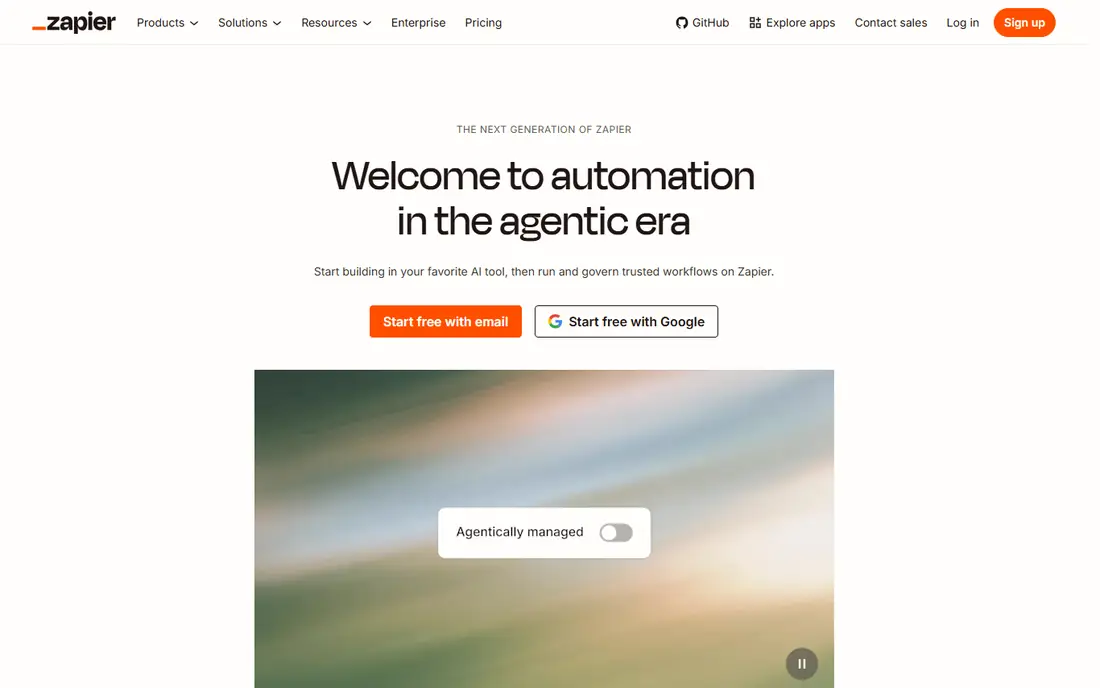
Start here if you want the safe default. Zapier suits teams that want simple automation fast, with thousands of apps to connect. It fits readers who want simple automation between apps, and its published feature set matches that promise rather than trying to cover every possible use case at once. When we weighed it against the rest of this list, the balance of price, scope and support stood out for that group. The price picture is see website, with a free plan status of free trial. High-volume automation gets costly, so model your task count before you commit. Before you sign up, check the current plan limits on the official site, because caps on users, usage or features are where most buyers get surprised after the first month. Our honest view is that Zapier is worth a trial if its best fit matches your situation, and worth skipping if it does not. Compare it directly with one other option from this list on the same task, and pick the one that feels simpler to use on the second day, not just the first.
- Huge app catalogue
- Easy multi-step zaps
- No code needed
- Costs rise with task volume
- Complex logic needs workarounds
UiPath
Ideal for: Robotic process automation at scale

This one suits a specific kind of reader. UiPath is the RPA leader for firms automating repetitive desktop and system work at scale. It fits readers who want robotic process automation at scale, and its published feature set matches that promise rather than trying to cover every possible use case at once. When we weighed it against the rest of this list, the balance of price, scope and support stood out for that group. The price picture is see website, with a free plan status of free trial. Smaller teams will find the price and skill needs heavy, so judge it on automation volume. Before you sign up, check the current plan limits on the official site, because caps on users, usage or features are where most buyers get surprised after the first month. Our honest view is that UiPath is worth a trial if its best fit matches your situation, and worth skipping if it does not. Compare it directly with one other option from this list on the same task, and pick the one that feels simpler to use on the second day, not just the first.
- Enterprise RPA
- Attended and unattended robots
- AI features
- Enterprise pricing
- Needs skilled automation developers
Automation Anywhere
Ideal for: Enterprise RPA with cloud options
Consider this if the top picks do not fit. Automation Anywhere suits large firms that want cloud RPA with central bot management. It fits readers who want enterprise rpa with cloud options, and its published feature set matches that promise rather than trying to cover every possible use case at once. When we weighed it against the rest of this list, the balance of price, scope and support stood out for that group. The price picture is see website, with a free plan status of free trial. Implementation planning matters, so trial it on a real process before a wide rollout. Before you sign up, check the current plan limits on the official site, because caps on users, usage or features are where most buyers get surprised after the first month. Our honest view is that Automation Anywhere is worth a trial if its best fit matches your situation, and worth skipping if it does not. Compare it directly with one other option from this list on the same task, and pick the one that feels simpler to use on the second day, not just the first.
- Cloud RPA
- Bot management
- AI features
- Enterprise pricing
- Implementation takes planning
Kissflow
Ideal for: Low-code workflow for business teams
A strong option for a narrower need. Kissflow suits business teams that want approval workflows without developer help. It fits readers who want low-code workflow for business teams, and its published feature set matches that promise rather than trying to cover every possible use case at once. When we weighed it against the rest of this list, the balance of price, scope and support stood out for that group. The price picture is see website, with a free plan status of free trial. Heavy RPA needs will push you to UiPath or Automation Anywhere, so judge it on workflow, not robots. Before you sign up, check the current plan limits on the official site, because caps on users, usage or features are where most buyers get surprised after the first month. Our honest view is that Kissflow is worth a trial if its best fit matches your situation, and worth skipping if it does not. Compare it directly with one other option from this list on the same task, and pick the one that feels simpler to use on the second day, not just the first.
- Low-code workflows
- Forms and approvals
- Process tracking
- Less depth for heavy RPA
- Advanced features need higher tiers
ProcessMaker
Ideal for: Open workflow automation with BPMN
Worth a close look before you decide. ProcessMaker suits teams that want proper BPMN workflow design, with an open source option for skilled teams. It fits readers who want open workflow automation with bpmn, and its published feature set matches that promise rather than trying to cover every possible use case at once. When we weighed it against the rest of this list, the balance of price, scope and support stood out for that group. The price picture is see website, with a free plan status of free trial. The functional interface and setup effort mean business-only teams should trial the hosted version. Before you sign up, check the current plan limits on the official site, because caps on users, usage or features are where most buyers get surprised after the first month. Our honest view is that ProcessMaker is worth a trial if its best fit matches your situation, and worth skipping if it does not. Compare it directly with one other option from this list on the same task, and pick the one that feels simpler to use on the second day, not just the first.
- BPMN workflow design
- Open source option
- Automation tools
- Open source version needs technical skill
- Interface is functional
Camunda
Ideal for: Developers building process automation
This belongs on the shortlist for a reason. Camunda is the developer pick for process automation, with a strong engine and BPMN support. It fits readers who want developers building process automation, and its published feature set matches that promise rather than trying to cover every possible use case at once. When we weighed it against the rest of this list, the balance of price, scope and support stood out for that group. The price picture is free, with a free plan status of yes. Business users without developers will struggle, so only choose it if engineering owns the automation. Before you sign up, check the current plan limits on the official site, because caps on users, usage or features are where most buyers get surprised after the first month. Our honest view is that Camunda is worth a trial if its best fit matches your situation, and worth skipping if it does not. Compare it directly with one other option from this list on the same task, and pick the one that feels simpler to use on the second day, not just the first.
- Open source engine
- BPMN and DMN support
- Developer-friendly
- Developer focus
- Business users need technical help
How we picked these
We started from official feature pages and pricing pages, then checked app store listings, privacy policies and public reviews to confirm each product still works and still fits the topic. Products that could not be verified, or that only partly matched the topic, were left out, even when they were well known. We favoured a mix of established leaders and strong smaller options, and we weighted price transparency, a usable free tier or trial, and honest limits more heavily than marketing claims. No product on this list paid for its place, and our pick for most people is the one we would suggest to a friend with ordinary needs and an ordinary budget.
How to choose a workflow automation tool
Separate simple app automation from process automation and from RPA, because each needs a different tool. Simple connections suit Zapier, approval workflows suit Kissflow or Power Automate, and repetitive system work suits RPA. Check the apps and systems you must connect, and test one real process end to end, including errors and approvals. Compare pricing at your real volume, since task-based and bot-based pricing grow very differently. Start with the job you need done this month, not the feature list that looks longest. A tool that covers your main task well and stays within budget will serve you better than a bigger platform you only half use. Check the limits that apply to your size, whether that means users, records, tests, or monthly volume, and ask the vendor to confirm anything that is not clear on the pricing page. Run a short trial with real work before you commit to a yearly plan. Invite the people who will use the tool every day, test the exact workflow you care about, and check support response times while you still have the option to walk away. If the trial feels like hard work, that is useful information, because the tool will not get easier once you have paid.
Frequently asked questions
What is the best option for nintex alternatives?
For most readers, Microsoft Power Automate is the safest starting point, because it covers the core needs of this category at a clear price. Readers with a narrower need may prefer Zapier or UiPath, so match the pick to your situation rather than following the crowd.
Is there a free option for nintex alternatives?
Yes, several options on this list offer a free tier or a free trial, including Automation Anywhere where the tier applies. Free tiers usually cap users, volume or features, so check the limits against your real usage before you rely on one.
How much do nintex alternatives cost?
Prices vary widely by vendor and by the size of your team or workload, and some vendors quote custom pricing, which is why several entries here say See website. Confirm the current price on the official pricing page, and compare the yearly total rather than the monthly headline.
Can I switch from nintex to one of these alternatives?
In most cases yes, though the effort depends on how much data, history and workflow you have built up in the old tool. Export your data first, test the import on a small set, and run both tools side by side for a short period before you cancel.
What should I check before I buy?
Check the plan limits, the contract length, the support hours and the data export options, and confirm whether the price includes every user or charges per seat. A short trial with your own work will tell you more than any sales page.