Overleaf Alternatives in 2026: 8 Tools Compared

- Typst is the most modern online alternative, with fast compiling and a simpler markup language.
- Authorea and SciFlow suit researchers who want collaboration plus journal submission workflows.
- Papeeria and CoCalc offer online LaTeX editing with real-time collaboration.
- TeXstudio and TeXmaker suit writers who prefer a desktop editor with their own LaTeX setup.
Quick comparison
| Product | Ideal for | Price from | Free version | |
|---|---|---|---|---|
 Typst | Modern online typesetting | Free | Yes | Visit |
 Authorea | Research collaboration | See website | Free trial | Visit |
 Papeeria | Online LaTeX editing | See website | Free trial | Visit |
 CoCalc | Collaborative computation | See website | Free trial | Visit |
 LaTeX Base | Simple online LaTeX | Free | Yes | Visit |
 TeXstudio | Desktop LaTeX editing | Free | Yes | Visit |
 TeXmaker | Cross-platform LaTeX editor | Free | Yes | Visit |
 SciFlow | Academic publishing workflow | See website | Free trial | Visit |
The best Overleaf alternatives
We compared official feature pages, pricing pages, and app-store listings for LaTeX and academic writing tools available in October 2026. The list covers online editors, desktop editors, and research platforms, since Overleaf users need different strengths.
Typst
Ideal for: Modern online typesetting
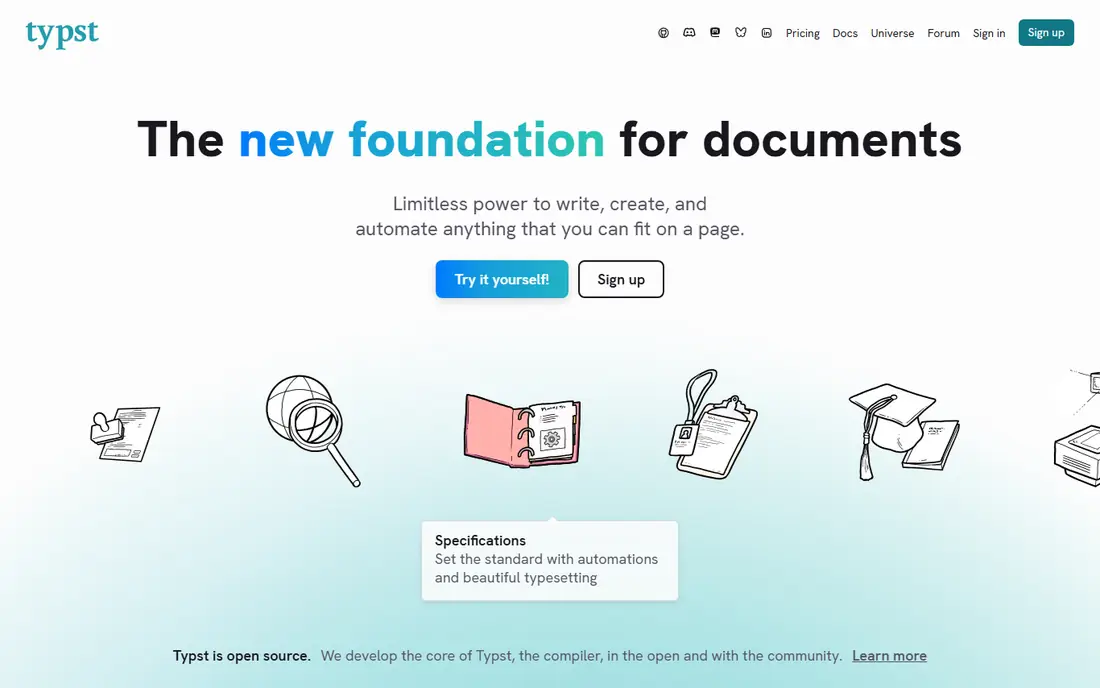
Typst is a modern typesetting system with a web app that compiles documents in real time. Its markup is simpler than LaTeX, with a scripting language for tables, figures, and references, and it exports to PDF. Collaboration works in the browser, and a free tier covers personal use.
The trade-off is maturity. Typst's package library and journal template collection are smaller than LaTeX's decades-old ecosystem, so some journal styles may need manual work. For a new document, a thesis, or a team that wants fast, modern typesetting, Typst is the most exciting alternative here.
- Very fast compiling
- Simpler syntax than LaTeX
- Real-time collaboration
- Smaller package library than LaTeX
- Fewer journal templates
Authorea
Ideal for: Research collaboration
Authorea is a collaborative writing platform for researchers, supporting LaTeX, Markdown, and rich text in the same document. Authors can write together, manage references, and submit to journals that accept Authorea manuscripts. Figures, tables, and data can be added and cited inside the document.
Authorea is broader than a LaTeX editor, so pure LaTeX users may find extra features they do not need. For a research team that wants collaboration plus a path to journal submission, Authorea's workflow is a strong fit.
- Collaborative writing for researchers
- Journal submission support
- Figure and data tools
- Pricing is quote-based for institutions
- LaTeX support is part of a broader platform
Papeeria
Ideal for: Online LaTeX editing
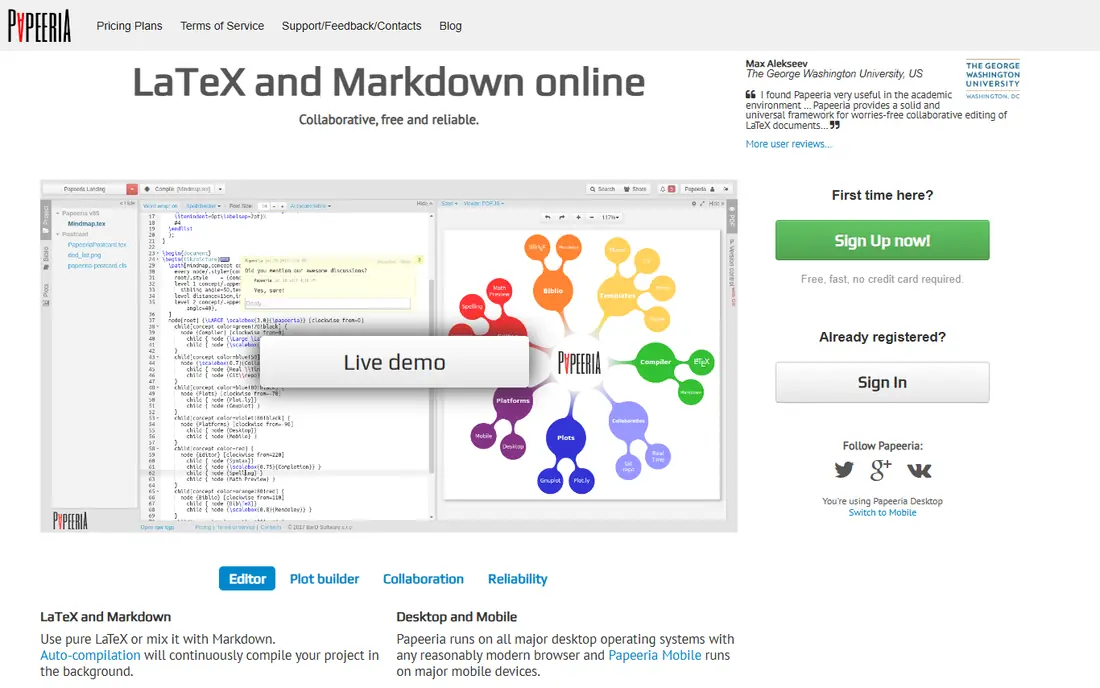
Papeeria is an online LaTeX editor with real-time collaboration, project sharing, and Git integration. It supports common LaTeX packages and lets teams edit the same document together, with version history and commenting. A free trial covers basic use.
The community is smaller than Overleaf's, so templates and support resources are fewer. For a team that wants an online LaTeX editor with Git support, Papeeria is a close match to Overleaf's core experience.
- Online LaTeX editor
- Real-time collaboration
- Git integration
- Smaller user base than Overleaf
- Paid plans for larger projects
CoCalc
Ideal for: Collaborative computation
CoCalc is a collaborative computation platform that includes LaTeX editing alongside Jupyter notebooks, SageMath, R, and Linux terminals. Teams can write LaTeX documents, run code, and share results in one workspace, with real-time collaboration and course management for teachers.
The breadth can feel busy for a writer who only needs LaTeX. For a math, science, or engineering team that mixes documents with computation, CoCalc's combined workspace is a distinctive advantage.
- LaTeX plus Jupyter, Sage, and terminals
- Real-time collaboration
- Course tools
- Interface is broad and can feel busy
- Paid plans for more resources
LaTeX Base
Ideal for: Simple online LaTeX
LaTeX Base is a free online LaTeX editor with a simple interface and instant PDF preview. It suits a writer who wants to compile a document quickly without installing a LaTeX distribution or signing up for a full platform. Documents can be created and exported without heavy setup.
Collaboration and project management are thinner here than in Overleaf or Papeeria. For a quick compile, a homework assignment, or a single-author document, LaTeX Base's simplicity is the point.
- Free online editor
- Simple interface
- No install needed
- Fewer collaboration features
- Smaller feature set than Overleaf
TeXstudio
Ideal for: Desktop LaTeX editing
TeXstudio is a free, open-source LaTeX editor for Windows, Mac, and Linux. It offers code completion, syntax highlighting, error checking, and integrated PDF viewing, with support for large documents and bibliographies. Writers who like a desktop workflow can customize it deeply.
TeXstudio needs a LaTeX distribution such as TeX Live or MiKTeX installed separately, and it has no built-in cloud collaboration. For a writer who prefers local files and a powerful editor, TeXstudio is a top desktop choice.
- Free and open source
- Code completion and error checking
- Cross-platform
- Needs a LaTeX distribution installed
- No built-in cloud collaboration
TeXmaker
Ideal for: Cross-platform LaTeX editor
TeXmaker is a free, cross-platform LaTeX editor with a clean interface, integrated PDF viewer, and tools for bibliographies, spell checking, and structure navigation. It runs on Windows, Mac, and Linux, and its wizard helps beginners start a document.
Like TeXstudio, it needs a LaTeX distribution installed, and collaboration relies on external version control. For a writer who wants a simple, reliable desktop editor, TeXmaker is easy to recommend.
- Free and open source
- Clean interface
- Built-in PDF viewer and tools
- Needs a LaTeX distribution
- Collaboration needs external tools
SciFlow
Ideal for: Academic publishing workflow
SciFlow is a collaborative writing platform for academic authors, with templates for journals and publishers, reference management, and export to Word, LaTeX, and PDF. Teams can write together, track changes, and submit manuscripts in the right format for their target journal.
The focus is academic publishing, so it is less useful for general LaTeX documents. For a research team that needs a submission-ready workflow with journal templates, SciFlow is a strong alternative to Overleaf's publishing features.
- Collaborative academic writing
- Journal templates
- Reference management
- Pricing is quote-based
- Focused on academic publishing
How we picked these
We compared official feature pages, pricing pages, and app-store listings for LaTeX and academic writing tools available in October 2026. We favored tools with current products, real LaTeX or typesetting support, and collaboration or publishing features. We also tested import of real documents, bibliography handling, and collaboration workflows, since a LaTeX tool must handle existing work, not just new files. We did not include our own product in this list.
How to choose an Overleaf alternative
Start with how you work. If you want an online editor with collaboration, try Typst, Papeeria, or Authorea first. If you prefer local files and full control, install TeXstudio or TeXmaker with a LaTeX distribution. If you write for journals, check template support in SciFlow or Authorea before switching.
Then test with a real document. Import a chapter or paper, check that packages and bibliography styles compile, and confirm collaboration works for your team. A tool that compiles your actual work cleanly matters more than a feature list.
When you switch LaTeX tools, test your existing documents before you commit. A tool that compiles a simple article may struggle with a thesis that uses custom packages, large bibliographies, or TikZ figures, so import a real chapter and check the output page by page. Collaboration features deserve the same test: invite a co-author, edit together, and confirm that comments, track changes, and version history work the way your team expects. Also check bibliography support, since BibTeX and BibLaTeX styles vary across tools, and a broken citation style can cost hours near a deadline. For journal submission, confirm that the tool exports clean LaTeX source or the format your target journal accepts, rather than only PDF. Finally, think about offline access: a desktop editor works without internet, while an online editor needs a connection and a backup plan for outages. Keep a local copy of every project, whichever tool you choose, so a service problem never blocks a deadline.
One more check before you switch: confirm that your co-authors can actually use the new tool. A LaTeX editor that suits you may frustrate a collaborator who only writes in Word or Google Docs, so agree on an editing workflow that covers comments, revisions, and final files. Some teams write in a browser tool and export for submission, while others keep a shared Git repository and review changes as pull requests. Either approach works, but the team should pick one and stick with it, since mixing workflows creates conflicting copies. Also keep your bibliography and figure files in the same place as the document source, so a collaborator who clones or downloads the project gets everything needed to compile it.
Frequently asked questions
What is the best Overleaf alternative?
Typst suits most new projects with fast compiling and a simpler language, while Papeeria is the closest online LaTeX match. TeXstudio and TeXmaker suit desktop users, and Authorea or SciFlow suit research teams with journal workflows.
Is Typst better than LaTeX?
Typst compiles faster and uses simpler syntax, which suits new documents. LaTeX has a larger package library and more journal templates, so existing LaTeX projects may stay with LaTeX or an online LaTeX editor.
Can I use LaTeX for free online?
Yes. Typst and LaTeX Base offer free tiers for online use, while TeXstudio and TeXmaker are free desktop editors that need a free LaTeX distribution installed.
Do these tools support collaboration?
Typst, Authorea, Papeeria, CoCalc, and SciFlow offer real-time or team collaboration. Desktop editors such as TeXstudio and TeXmaker rely on external version control such as Git for collaboration.
Can I import Overleaf projects into these tools?
Most online editors accept LaTeX source files, so you can download a project from Overleaf and upload it elsewhere. Check package support and bibliography setup after import, since some packages may differ.
Can I collaborate on LaTeX documents without Overleaf?
Yes. Typst, Papeeria, Authorea, CoCalc, and SciFlow all offer real-time or team collaboration in the browser. Desktop editors such as TeXstudio and TeXmaker can collaborate through Git, which suits teams comfortable with version control. For a mixed team, a browser tool is usually easier, since co-authors need no setup. Whichever route you choose, agree on a workflow for comments and final versions before writing starts, so edits do not get lost across copies.