Panorama9 Alternatives in 2026: 7 Tools Compared

- 1
 LansweeperAsset inventoryVisit
- 2
 AteraMSP monitoring and managementVisit
- 3
 NinjaOneEndpoint managementVisit
- 4
 ManageEngine OpManagerNetwork monitoringVisit
- 5
 SolarWinds Network Performance MonitorEnterprise network monitoringVisit
- Lansweeper suits IT teams that want deep asset inventory and network discovery.
- Atera and NinjaOne suit MSPs and IT teams that want monitoring plus remote management in one platform.
- ManageEngine OpManager and SolarWinds NPM suit teams that need detailed network monitoring and alerts.
- Spiceworks suits small teams that want free inventory and helpdesk basics.
- Snipe-IT suits teams that want open-source asset tracking without monitoring extras.
Quick comparison
| Product | Ideal for | Price from | Free version | |
|---|---|---|---|---|
| Lansweeper | Asset inventory | See website | Free trial | Visit |
| Atera | MSP monitoring and management | See website | Free trial | Visit |
| NinjaOne | Endpoint management | See website | Free trial | Visit |
| ManageEngine OpManager | Network monitoring | See website | Free trial | Visit |
| SolarWinds Network Performance Monitor | Enterprise network monitoring | See website | Free trial | Visit |
 Spiceworks | Free IT inventory | Free | Yes | Visit |
 Snipe-IT | Open-source asset tracking | Free | Yes | Visit |
The best Panorama9 alternatives
We compared official feature pages, pricing pages, and public reviews for seven Panorama9 alternatives. Our pick for most IT teams is Lansweeper for its inventory depth, with NinjaOne close behind for teams that also need endpoint management.
Lansweeper
Ideal for: Asset inventory
Lansweeper discovers IT assets across networks, collecting hardware, software, warranty, and user data into a searchable inventory. Reports show aging hardware, license counts, and security gaps, which helps IT teams plan replacements and audits. That inventory depth is the closest match to Panorama9 core strengths.
Network performance monitoring is lighter than in OpManager or SolarWinds, so teams that need deep network alerts should pair Lansweeper with a monitoring tool. For asset inventory and reporting, Lansweeper is our top pick.
- Deep asset discovery
- Software and warranty data
- Reports
- Monitoring is lighter than NPM tools
- Pricing rises with assets
Atera
Ideal for: MSP monitoring and management
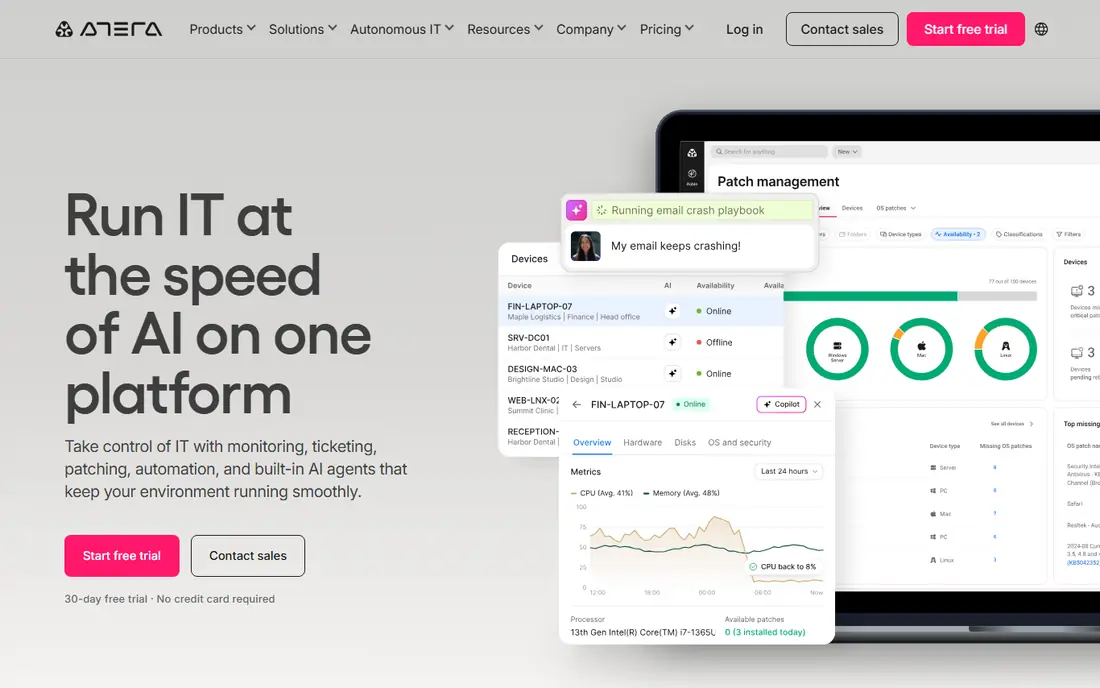
Atera combines remote monitoring and management with remote access, patching, ticketing, and reporting in one platform for MSPs and IT teams. Technicians can monitor devices, fix issues remotely, and track tickets without separate tools. That all-in-one design suits MSPs that manage many clients.
Per-technician pricing can add up for large teams, and the platform takes time to learn fully. For MSPs that want monitoring plus management in one place, Atera is a strong choice.
- Monitoring plus remote access
- Patching
- Ticketing
- Per-technician pricing can add up
- Learning curve
NinjaOne
Ideal for: Endpoint management
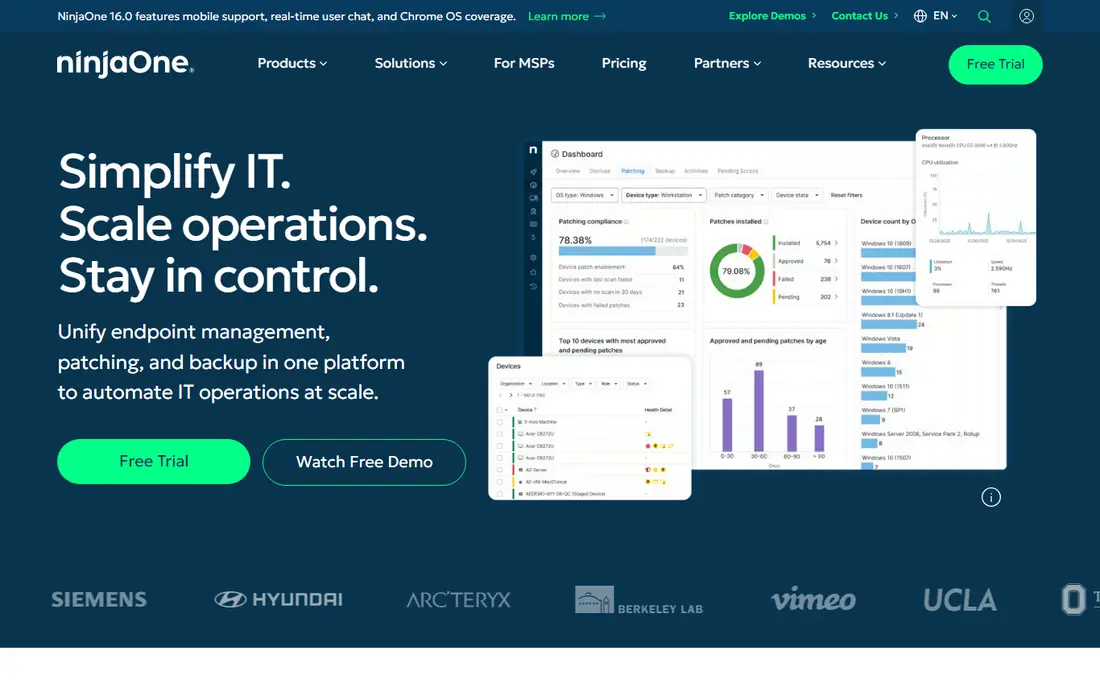
NinjaOne offers endpoint monitoring and management with patching, remote access, scripting, and ticketing for IT teams and MSPs. Its clean interface helps technicians manage many devices fast, and automation reduces routine work. That endpoint focus suits teams whose main job is keeping desktops, laptops, and servers healthy.
Network monitoring depth is thinner than in dedicated NPM tools, and pricing is quoted. For endpoint-led IT teams, NinjaOne is an excellent modern platform.
- Endpoint monitoring and management
- Patching
- Remote access
- Quoted pricing
- Less network monitoring depth
ManageEngine OpManager
Ideal for: Network monitoring
ManageEngine OpManager monitors networks, servers, and devices with detailed alerts, maps, and performance data. IT teams can spot outages, track bandwidth, and manage faults from one dashboard. That network depth suits companies with complex networks that need early warning of problems.
Setup takes care, and the interface is dense for beginners. For network-first teams, OpManager gives strong monitoring at a fair price compared with SolarWinds.
- Detailed network monitoring
- Alerts and maps
- Server monitoring
- Setup takes care
- Interface is dense
SolarWinds Network Performance Monitor
Ideal for: Enterprise network monitoring
SolarWinds Network Performance Monitor, often called NPM, provides deep network monitoring with performance data, alerting, and mapping for large enterprises. It tracks routers, switches, servers, and applications, helping teams find faults fast in complex networks. That depth is why many large IT departments use it.
Pricing is higher than rivals, and setup is complex. Smaller teams will find OpManager or Atera simpler. For large enterprises that need deep network monitoring, SolarWinds NPM remains a leading choice.
- Deep network performance data
- Alerting
- Large enterprise scale
- Higher price
- Complex setup
Spiceworks
Ideal for: Free IT inventory
Spiceworks offers free IT inventory, network monitoring basics, and helpdesk tools for small IT teams. Its community and simple setup help small businesses get organized without a budget. Inventory and ticket tracking cover the core needs of a small IT department.
Advanced monitoring, automation, and reporting are thinner than in paid platforms, and parts are ad-supported. For small teams that need free inventory and helpdesk basics, Spiceworks is a useful starting point.
- Free inventory and helpdesk
- Community support
- Simple setup
- Fewer advanced features
- Ad-supported in parts
Snipe-IT
Ideal for: Open-source asset tracking
Snipe-IT is open-source IT asset management software for tracking hardware, licenses, accessories, and consumables with check-in, check-out, and audit tools. Teams can run it on their own servers, which suits organizations that want control and no subscription cost. That asset focus matches Panorama9 inventory needs closely.
Snipe-IT does not include network monitoring, so pair it with OpManager or a similar tool if you need alerts. Hosting and setup need IT skill. For asset tracking on a budget, Snipe-IT is the best free option here.
- Free open-source asset tracking
- Check-in and check-out
- Audits
- No built-in network monitoring
- Needs hosting and setup
How we picked these
We compared official feature pages, pricing pages, and public reviews for each tool, and we favored tools that still work in October 2026 and cover asset inventory, monitoring, or both. We did not claim hands-on testing, and we weighed discovery depth, alerting, management features, and price. Where pricing was quoted rather than listed we wrote "See website" rather than guessing.
What to check before you choose
Start with your main need: inventory, network monitoring, or endpoint management. A tool strong in one area may be weak in another, so many teams pair an inventory tool with a monitoring tool. Check discovery coverage for your devices, including cloud, remote, and mobile assets, since networks now extend beyond the office.
Next, test alerts and reports with real devices. Alert noise is a common failure, so tune thresholds during a trial. Check agent requirements, security, and data hosting, especially for MSPs managing client networks. Finally, confirm pricing by asset or technician count, since costs scale differently across tools.
Also plan lifecycle management, since inventory data only helps if it leads to action. Set replacement ages for device types, track warranty end dates, and flag devices that fall behind on updates or security patches. A laptop that is five years old, out of warranty, and missing patches is a risk and a cost, and inventory should surface it before it fails during important work. Tie inventory to purchasing: when a new device arrives, record it, assign it, and link it to its user on day one, or records will drift within months. Run a physical audit twice a year, scanning a sample of devices against the inventory to catch ghost records and missing assets. That audit habit keeps reports trustworthy for budgets and security reviews.
Security integration turns inventory from a list into protection. Feed inventory data into patching, endpoint protection, and access reviews, so unknown or unmanaged devices stand out fast. Retire devices securely, wiping data and recording disposal, since an old laptop in a cupboard is still a data risk. Check software licenses against installs, since over-licensing wastes money and under-licensing creates compliance risk. For MSPs, standardize inventory fields across clients, so reports and comparisons stay consistent. Finally, train helpdesk staff to update records during tickets, not after, since a ticket is the moment when device facts are freshest and most likely to be recorded correctly.
One more integration multiplies inventory value: linking asset data to helpdesk tickets so technicians see device history when a user reports a problem. A ticket that shows device age, warranty status, past repairs, and installed software helps a technician decide in minutes whether to fix, replace, or escalate, instead of asking the user for details they may not know. That history also reveals repeat failures across a device model or batch, which can justify a warranty claim or a bulk replacement. Encourage technicians to update asset records from tickets, noting swaps, upgrades, and disposals as they happen. Over time, that linked history becomes the most trusted source for budgeting, since it reflects real failure patterns rather than purchase dates alone.
A final habit for IT inventory is a monthly exception report that lists only what changed or went wrong: new unknown devices, missing patches, expired warranties, and software that appeared without approval. Managers read exception reports far more reliably than long full inventories, and exceptions lead to action. Keep the full inventory for audits, but run the team on exceptions week to week.
Frequently asked questions
What are the best panorama9 alternatives?
Lansweeper is our pick for asset inventory, while NinjaOne and Atera suit endpoint management. ManageEngine OpManager and SolarWinds suit network monitoring, Spiceworks suits free basics, and Snipe-IT suits open-source asset tracking. Match the tool to your main IT job.
Can I replace Panorama9 with one tool?
It depends on your use. Lansweeper covers inventory well, while Atera and NinjaOne cover monitoring plus management. Teams that need both deep inventory and deep network monitoring may pair Lansweeper with OpManager. Trial both sides before committing to one platform.
Is there a free Panorama9 alternative?
Yes. Spiceworks offers free inventory and helpdesk tools, and Snipe-IT offers free open-source asset tracking. Free tools suit small teams, while larger teams usually need paid monitoring and automation. Check hosting and support needs for open-source tools.
What is IT asset management software?
IT asset management software tracks hardware, software, licenses, and users across an organization, with lifecycle data from purchase to disposal. It helps IT teams plan replacements, manage licenses, and pass audits. Monitoring tools add alerts for device and network health.
How do I choose between Lansweeper and NinjaOne?
Choose Lansweeper if inventory depth and reporting are your main needs. Choose NinjaOne if endpoint management, patching, and remote access matter more. Many teams use Lansweeper for inventory and NinjaOne for management, so trial both with your real devices.