Best Prerender.io Alternatives in 2026: 8 Tools Compared

- 1
 EncitedManaged prerendering with fast setupVisit
- 2
 SEO4AjaxSnapshot-based managed renderingVisit
- 3
 RendertronFree self-hosted renderingVisit
- 4
 BrowserlessHeadless browser infrastructureVisit
- 5
 PuppeteerBuilding a custom renderer in Node.jsVisit
- Encited and SEO4Ajax are the closest managed replacements, handling bot requests with no rendering code to run yourself.
- Rendertron is the free, self-hosted option for teams comfortable running their own service.
- Browserless, Puppeteer, and Playwright suit teams that want to build a custom rendering pipeline.
- Screaming Frog and Sitebulb do not render for crawlers, but they show you exactly what crawlers see.
- For most sites, a managed service costs less in engineering time than self-hosting, even when the monthly fee looks higher.
Quick comparison
| Product | Ideal for | Price from | Free version | |
|---|---|---|---|---|
| Encited | Managed prerendering with fast setup | See website | Free trial | Visit |
| SEO4Ajax | Snapshot-based managed rendering | See website | Free trial | Visit |
| Rendertron | Free self-hosted rendering | Free | Yes | Visit |
| Browserless | Headless browser infrastructure | See website | Free trial | Visit |
| Puppeteer | Building a custom renderer in Node.js | Free | Yes | Visit |
 Playwright | Cross-browser rendering automation | Free | Yes | Visit |
 Screaming Frog SEO Spider | Auditing what crawlers see | See website | Yes | Visit |
 Sitebulb | Visual, prioritized rendering audits | See website | Free trial | Visit |
The best Prerender.io alternatives
Prerender.io solves one specific problem: JavaScript-heavy pages that search engines struggle to render. It serves cached, fully rendered HTML to crawlers while real visitors get the normal app. The alternatives below either do the same job as a managed service, give you the pieces to build it yourself, or help you audit what crawlers actually see.
Encited
Ideal for: Managed prerendering with fast setup

Encited is the most direct managed replacement on this list. It sits in front of your site, detects crawler requests, and serves pre-rendered HTML, while regular visitors pass straight through to your origin. Setup is designed around a DNS change rather than middleware code, which suits teams that want rendering handled without a new service to maintain.
The honest catch is vendor age. Encited is newer than Prerender.io, so its long-term track record is shorter, and teams with very large sites should test cache behavior and refresh speed under real traffic before migrating fully. For small and mid-size JavaScript sites that want a managed service with modern AI-crawler coverage, it is our pick for most people.
- Managed service with edge delivery
- Setup through a DNS change
- Handles AI crawlers as well as search bots
- Newer vendor with a smaller track record than Prerender.io
- Pricing scales with render volume
SEO4Ajax
Ideal for: Snapshot-based managed rendering
SEO4Ajax has offered managed prerendering for years, and its model is simple: it takes snapshots of your rendered pages and serves them to crawlers. That approach keeps the moving parts small and makes billing easier to predict than usage-based rendering, since you pay for snapshots rather than per-request compute.
Setup requires more server-side configuration than a DNS-based service, so teams without server access may need help. It also lacks some of the newer AI-crawler features that recent entrants advertise. If you want a proven, no-code managed service and you are comfortable with a bit of configuration, SEO4Ajax is a steady choice.
- Managed prerendering service
- Snapshot approach keeps costs predictable
- Long history in this niche
- Setup is more hands-on than newer edge services
- Documentation is thinner than larger rivals
Rendertron
Ideal for: Free self-hosted rendering
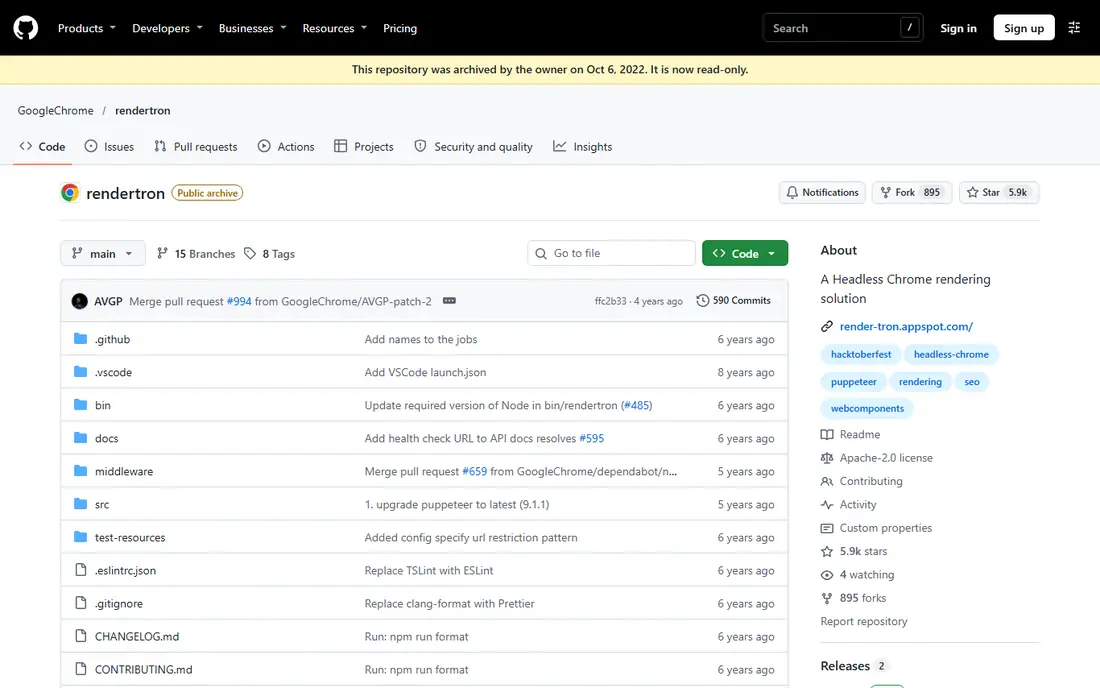
Rendertron is the open-source reference for this whole category. It runs headless Chrome, renders a page on request, and returns the finished HTML, and you can put it behind your own middleware to serve crawlers. Because it is free and open source, it costs nothing in license fees, which appeals to teams with engineering capacity.
The cost shows up elsewhere. You handle deployment, scaling, caching, monitoring, and security, and the project is now deprecated and archived, so expect no further updates. Teams that already run infrastructure and want full control may still use it, but new projects should weigh that status carefully.
- Open source and free to run
- Built by Google's Chrome team
- Renders pages with headless Chrome
- Deprecated and archived, so no future fixes
- You run, scale, and monitor it yourself
- No managed support
Browserless
Ideal for: Headless browser infrastructure
Browserless removes the hardest part of self-hosting a renderer, which is running a fleet of headless browsers. You get browser sessions on demand through an API, and you connect Puppeteer or Playwright to them instead of maintaining Chrome servers yourself. That makes it a practical middle step between a fully managed service and a fully self-hosted setup.
It is not a drop-in Prerender.io replacement on its own. You still write the middleware that detects crawlers, checks a cache, and serves rendered HTML, and you still own cache freshness. If your team wants to build a custom pipeline but does not want to babysit browser servers, Browserless is the sensible foundation.
- Cloud headless browsers without managing servers
- Scales with demand
- Works with Puppeteer and Playwright
- It is infrastructure, not a finished prerender service
- You still build the middleware and caching
Puppeteer
Ideal for: Building a custom renderer in Node.js
Puppeteer is the library many rendering services are built on. It drives headless Chrome from Node.js, waits for network activity to settle, and hands you the rendered page. For a team building a custom prerender pipeline, it is the most documented starting point, with examples for caching, request blocking, and bot detection.
The work is real, though. Puppeteer gives you a browser, not a service, so caching, scaling, error handling, and crawler rules are yours to write and maintain. It also only drives Chrome, which is fine for search rendering but limits cross-browser testing. Choose Puppeteer when rendering is one piece of a larger custom system your team already owns.
- Mature Chrome automation library
- Huge community and examples
- Full control over rendering behavior
- You build and maintain everything around it
- Chrome-only by design
Playwright
Ideal for: Cross-browser rendering automation
Playwright does for several browsers what Puppeteer does for Chrome. That matters if you want to check how pages render beyond Chromium, or if your team already uses Playwright for testing and wants one tool for both jobs. Its waiting and network interception features are genuinely good, and Microsoft maintains it actively.
For a pure prerender replacement, Playwright is more tool than most teams need, and the DIY burden is the same: middleware, caching, and operations fall on you. It earns its place here for teams that already know it or need multi-browser rendering, but a team that only wants crawler HTML should start with a managed service.
- Chromium, Firefox, and WebKit support
- Strong auto-waiting and network controls
- Maintained by Microsoft
- Same DIY burden as Puppeteer
- Heavier setup for a simple prerender job
Screaming Frog SEO Spider
Ideal for: Auditing what crawlers see
Screaming Frog belongs on this list with a clear caveat: it does not replace Prerender.io in production. It crawls your site with JavaScript rendering turned on and shows you which pages render badly, which content crawlers miss, and where your rendered HTML differs from the raw source. That diagnosis often comes before any rendering decision.
Use it to find out whether you even need a rendering service, and to verify one after you install it. The free tier covers small sites, and the paid version handles larger crawls. If your audit shows only a handful of pages with rendering problems, fixing those pages may beat paying for a service.
- Renders JavaScript during crawls
- Shows rendered versus raw HTML differences
- Free tier for small sites
- A desktop audit tool, not a live rendering service
- Does not serve HTML to crawlers
Sitebulb
Ideal for: Visual, prioritized rendering audits
Sitebulb is the more visual cousin of Screaming Frog. It crawls with rendering enabled, then presents issues with charts, hints, and priorities, which makes it easier to explain rendering problems to people who do not live in SEO tools. For agencies and in-house teams that report to stakeholders, that presentation matters.
Like Screaming Frog, it audits rather than serves. It will not fix crawler rendering on its own, but it will tell you whether a managed service is working and where it is not. Pair an audit tool like Sitebulb with a managed service like Encited or SEO4Ajax, and you cover both the fix and the proof.
- JavaScript rendering in audits
- Clear visual reports and hints
- Prioritizes issues by impact
- Desktop audit tool, not a production renderer
- Subscription cost for ongoing audits
How we picked these
We compared official feature pages, pricing pages, documentation, and public reviews for each tool, and we checked that each product is actively offered in October 2026. We split the list into managed services, DIY building blocks, and audit tools, because those are the three real ways teams replace Prerender.io, and we flagged clearly which tools serve crawlers in production and which only audit. We excluded discontinued services, including Netlify's standalone prerendering, which is no longer offered.
What to check before you switch
A rendering service touches every crawler request, so test it properly before you point real traffic at it.
Cache freshness
Check how quickly a changed page gets re-rendered and how stale pages are handled. A service that serves week-old HTML will hide your newest content from search engines, which defeats the purpose. Test with a page you change on purpose and watch when the crawler version updates.
Crawler coverage
Confirm which bots are covered, including AI crawlers if that matters to you. Some services cover Googlebot well and treat newer AI bots as regular traffic, which means those bots still see unrendered JavaScript. Get the bot list in writing before you sign.
Cost at your volume
Rendering bills scale with pages and crawl frequency, so estimate from your real crawl stats, not from a marketing example. A service that looks cheap at 1,000 pages can get expensive at 100,000, and a self-hosted option can look cheap until you count engineering time.
Frequently asked questions
Is Prerender.io still the best choice for JavaScript SEO?
It remains a proven managed option, but it is no longer the only one. Encited and SEO4Ajax offer similar managed rendering, and teams with engineering capacity can self-host Rendertron or build on Puppeteer and Playwright for more control.
Do I still need prerendering if I use server-side rendering?
No, not usually. If your framework already serves full HTML to crawlers, a rendering service adds little. Prerendering helps most for client-rendered single-page apps where moving to server rendering would mean a rebuild.
How do I know if crawlers have a rendering problem with my site?
Run a JavaScript-enabled crawl with Screaming Frog or Sitebulb and compare the rendered HTML with the raw source. If key content, links, or metadata appear only after rendering, crawlers that skip rendering will miss them.
Will a rendering service slow down my site for real visitors?
It should not, if set up correctly. Managed services detect crawler requests and only render for bots, while real visitors go straight to your normal site. Test with real user monitoring after setup to confirm visitors are unaffected.
Can I self-host a prerender service for free?
Yes, Rendertron is free and open source, and Puppeteer and Playwright are free libraries. The license cost is zero, but you pay in engineering time for deployment, scaling, caching, and monitoring, which is why many teams choose a managed service.