Best PStream Alternatives in 2026: 8 Legal Services Compared

- Netflix and Prime Video offer the widest licensed catalogs for paid streaming.
- Tubi and Pluto TV are the best free options, with large libraries supported by ads.
- Disney+ and Hulu suit households that want family content and current TV shows.
- Peacock is a good value pick for movies, live sports, and NBC shows.
- Kanopy is free with many library cards and focuses on films, documentaries, and classics.
Quick comparison
| Product | Ideal for | Price from | Free version | |
|---|---|---|---|---|
 Netflix | Widest paid catalog | See website | Free trial | Visit |
 Tubi | Free movies and TV | Free | Yes | Visit |
 Pluto TV | Free live channels | Free | Yes | Visit |
 Prime Video | Bundled value with Prime | See website | Free trial | Visit |
 Disney+ | Family and franchise content | See website | Free trial | Visit |
 Hulu | Current TV shows | See website | Free trial | Visit |
 Peacock | Movies and live sports | See website | Free trial | Visit |
 Kanopy | Free library streaming | Free with library card | Yes | Visit |
The best PStream alternatives
PStream is known as a free site for watching movies and TV, but it is not a licensed service, and sites of that kind carry risks such as malware, pop-ups, and unreliable streams. The services below are legal, licensed alternatives that pay for the content they show. Some are free with ads, some are paid, and one is free through public libraries, so you can get a similar range of movies and shows without those risks.
Netflix
Ideal for: Widest paid catalog
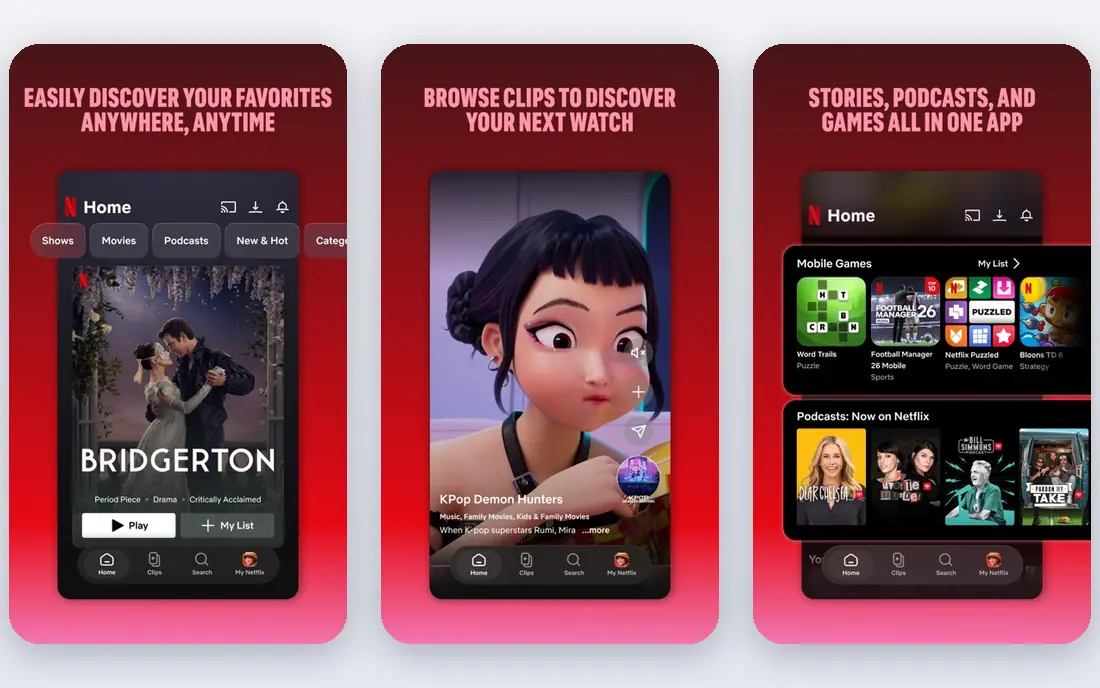
Netflix remains the default paid streaming pick for a reason. Its catalog covers drama, comedy, documentaries, kids shows, and a large set of originals, and its apps work on TVs, phones, tablets, and game consoles. Profiles, recommendations, and downloads make it easy for a household to share one account without mixing up watch lists.
The main drawbacks are price and churn. Plans cost more than the budget services here, and titles rotate out when licenses end, so a film you planned to watch may disappear. If you want one paid service that covers the most ground, Netflix is still our pick for most people.
- Huge library of licensed films, series, and originals
- Strong apps on nearly every device
- Offline downloads
- Price has risen over time
- Some titles leave as licenses change
- No free tier in most regions
Tubi
Ideal for: Free movies and TV
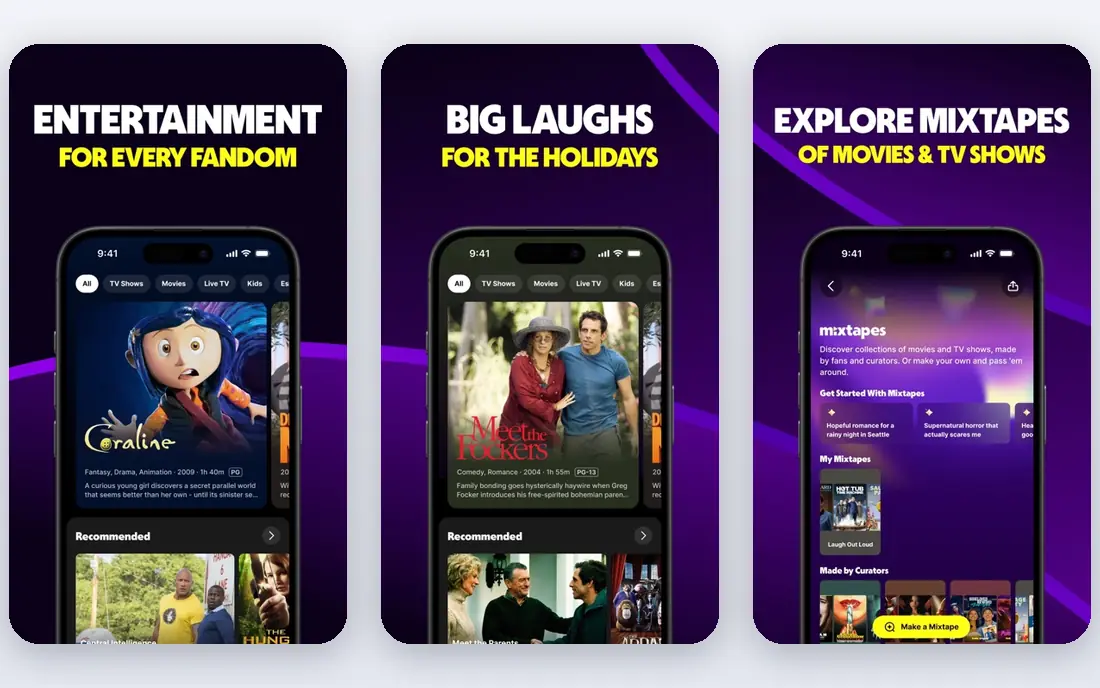
Tubi is the closest free replacement for casual movie watching. It is owned by a major media company, its content is licensed, and you can start watching without paying or even signing up. The library leans toward older films, cult titles, and TV series, with a steady rotation of new additions.
Ads are the trade-off, with breaks during films and episodes, and you will not find the newest blockbusters here. For viewers who mainly want something to watch in the evening without a subscription, Tubi is the best free place to start.
- Completely free with a large licensed library
- No account needed to start watching
- Good range of older films and TV
- Ad breaks during playback
- Fewer brand-new releases
- Interface is basic
Pluto TV
Ideal for: Free live channels
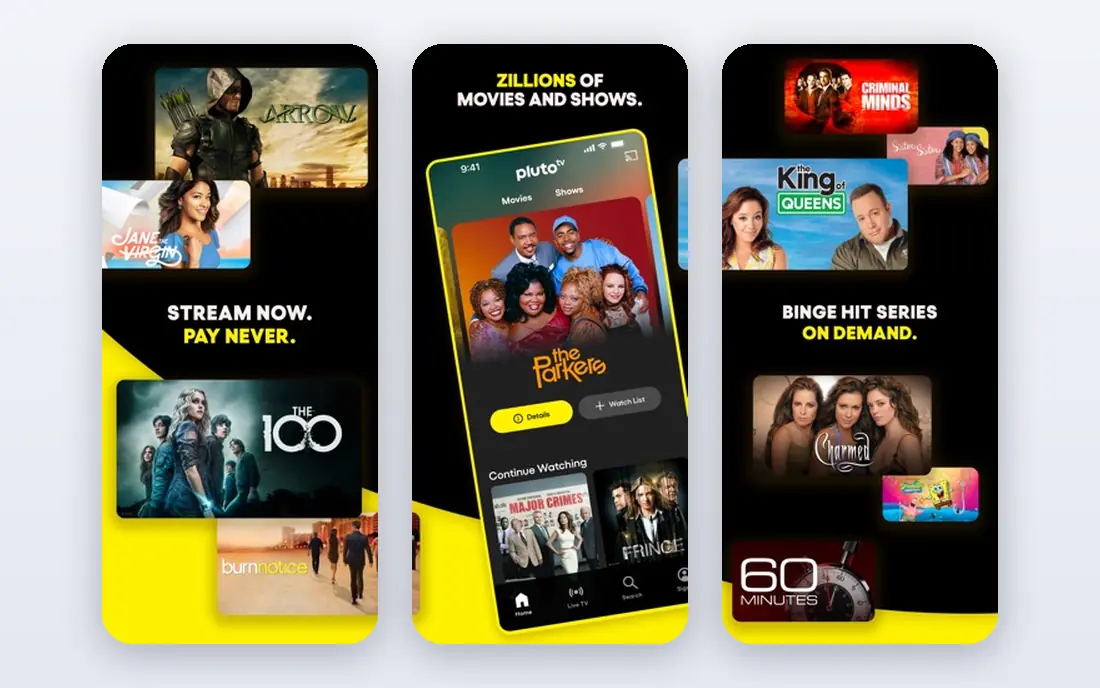
Pluto TV feels more like traditional television than the other free options here. It offers hundreds of themed live channels, from news and sports to movies and reality shows, alongside an on-demand section. You can open the app and start watching at once, which suits viewers who prefer to browse what is on rather than pick a title.
The schedule controls what is playing, so you cannot always watch a specific film at a specific time, and ads run through both live and on-demand viewing. If you miss channel surfing and want a free service, Pluto TV is a good pick.
- Free live TV channels plus on-demand titles
- No subscription or sign-up needed
- Works on most devices
- Channel surfing is less flexible than on-demand
- Ads throughout
- Limited new releases
Prime Video
Ideal for: Bundled value with Prime
Prime Video is best judged as part of a Prime membership rather than as a standalone service. Members get a large library of films and series at no extra charge, plus the option to rent or buy newer releases that are not included. Original series and films have grown stronger over time, and the service works on nearly every device.
The interface can be confusing, since included titles sit next to titles that cost extra to rent. If you already pay for Prime delivery, Prime Video is strong value. If you do not, compare its standalone price with Netflix and Hulu before subscribing.
- Included with a Prime membership
- Large film and series library
- Rentals and purchases for newer titles
- Interface mixes included titles with paid rentals
- Some popular shows cost extra
Disney+
Ideal for: Family and franchise content
Disney+ gathers a set of brands that no other service matches. Families get Disney and Pixar films, Marvel and Star Wars series, and National Geographic documentaries in one app, with kids profiles and parental controls that are easy to set. Streaming quality is high, with 4K available on many titles.
Outside those brands, the catalog is thinner for adult drama and independent film, so households that want a broad general library may need a second service. For families and fans of these franchises, Disney+ is an easy recommendation.
- Disney, Pixar, Marvel, Star Wars, and National Geographic in one place
- Strong kids profiles
- 4K on many titles
- Less depth for adult drama outside its brands
- Some titles rotate
- Bundles add cost
Hulu
Ideal for: Current TV shows
Hulu is the best pick if you mainly watch current television. Many network and cable shows arrive the day after they air, and its original series and films have grown into a solid library of their own. The live TV plan adds channels for viewers who want to drop cable entirely.
The base plan includes ads, and removing them costs more. Hulu is also mainly a United States service, so viewers elsewhere should check availability first. For US viewers who want to keep up with TV without cable, Hulu is hard to beat.
- Next-day episodes of many network shows
- Strong originals
- Live TV option for cord-cutters
- Ad-supported plan still shows ads
- Availability is mainly in the United States
- Price rises with add-ons
Peacock
Ideal for: Movies and live sports
Peacock mixes NBC television, Universal films, live sports, and news in one app at a lower price than the biggest services. Sports fans get a reason to subscribe on their own, since live events and highlights sit alongside the on-demand library. The app is simple to use, and profiles and downloads cover household needs.
Original programming is thinner than on Netflix or Hulu, and some films and events sit on higher tiers. Still, for viewers who want a low-cost service with a mix of TV, film, and sport, Peacock offers a lot for the money.
- Good value pricing
- NBC shows, films, and live sports
- Free tier in some cases
- Smaller originals library than Netflix
- Some content needs higher tiers
- Ads on lower plans
Kanopy
Ideal for: Free library streaming
Kanopy works differently from the rest of this list. If your public library or university takes part, you can stream films for free, with no ads, using your library card. The catalog focuses on quality cinema, documentaries, world films, and classics, including titles from respected studios and festivals.
Most libraries set a monthly limit on how many films you can play, so Kanopy suits thoughtful viewing rather than all-day binges. If your library offers it, Kanopy is the best free option for film lovers, and it pairs well with Tubi for lighter viewing.
- Free with many public library cards
- Strong films, documentaries, and classics
- No ads
- Monthly play credits limit viewing
- Needs a participating library
- Fewer mainstream blockbusters
How we picked these
We compared official catalog pages, pricing pages, app listings, and public reviews for each service, and we checked that each product is actively offered in October 2026. We only included licensed services that pay for their content, and we kept a mix of free, low-cost, and full-price options covering films, TV, family viewing, sports, and documentaries. We left out unauthorized streaming sites entirely.
What to check before you switch
Streaming catalogs change often, so check the details that matter to you before paying.
Catalog fit
Search each service for the shows and films you actually watch before subscribing. A large catalog means little if it lacks your favorites, and licensed titles rotate, so check whether the titles you want are included or only available to rent.
Cost and ads
Add up the real monthly cost, including ad-free upgrades and bundles, and decide how much advertising you will tolerate. Free services such as Tubi and Pluto TV show ads, while paid services often charge extra to remove them.
Devices and downloads
Confirm the service has an app for your TV, phone, or tablet, and check whether downloads work for offline viewing. Households should also test profiles and parental controls, since these vary a lot between services.
Frequently asked questions
Is PStream legal?
PStream is an unauthorized streaming site that does not hold licenses for much of the content it shows. We recommend using licensed services instead, since they pay creators, offer stable streams, and avoid the malware and pop-up risks common on unlicensed sites.
Which PStream alternative is free?
Tubi and Pluto TV are free with ads, and Kanopy is free with a participating library card. Peacock has also offered a free tier in some cases, but check its current plans, since free options change.
What is the best legal alternative for movies?
Netflix has the widest paid movie library, while Tubi is the best free option for films. Kanopy is the best choice for classic, foreign, and documentary films if your library takes part.
Can I watch live TV without cable?
Yes. Pluto TV offers free live channels, and Hulu and Peacock offer live options with paid plans. Free live channels are themed and scheduled, while paid live TV plans carry more standard channels.
Do these services work outside the United States?
Availability varies by country, and catalogs differ by region because licenses are sold per territory. Netflix, Prime Video, and Disney+ are widely available, while Hulu and Kanopy depend more on local availability, so check each service in your country.