Replit Alternatives in 2026: 8 Tools Compared

- Cursor and GitHub Codespaces suit developers who write code, while Lovable, Bolt.new and v0 suit prompt-to-app building.
- GitHub Codespaces offers the most predictable cloud IDE billing, based on hourly compute rather than AI credits.
- Glitch ended project hosting in 2025, so older guides that list it are out of date.
- Check whether code can be exported before building a real product, because some prompt builders keep you on their platform.
Quick comparison
| Product | Ideal for | Price from | Free version | |
|---|---|---|---|---|
 Cursor | Developers wanting AI help inside a code editor | $20 per month | Yes | Visit |
 GitHub Codespaces | Teams wanting VS Code in the browser on real repos | See website | Yes | Visit |
 Lovable | Non-developers building a web app from a prompt | $25 per month | Yes | Visit |
 Bolt.new | Fast full-stack prototypes in the browser | $25 per month | Yes | Visit |
 v0 | React front ends inside a Vercel workflow | $30 per user per month | Yes | Visit |
 CodeSandbox | Front-end teams needing shareable cloud environments | See website | Yes | Visit |
 Glide | Business apps built from spreadsheets | $25 per month | Yes | Visit |
 Windsurf | Developers wanting an AI editor at a lower price | $15 per month | Yes | Visit |
The best Replit alternatives
We compared official feature pages, pricing pages, app store listings, privacy policies and public reviews to build this list of 8 options for replit alternatives. Prices were checked in October 2026 and can change, so confirm the current price on the vendor site before you buy. Our pick for most people is the first option that fits your budget and workflow, not necessarily the most expensive tool on the list. Read the quick comparison first to narrow the field, then read the full write-ups for the two or three options that fit your needs best.
Cursor
Ideal for: Developers wanting AI help inside a code editor
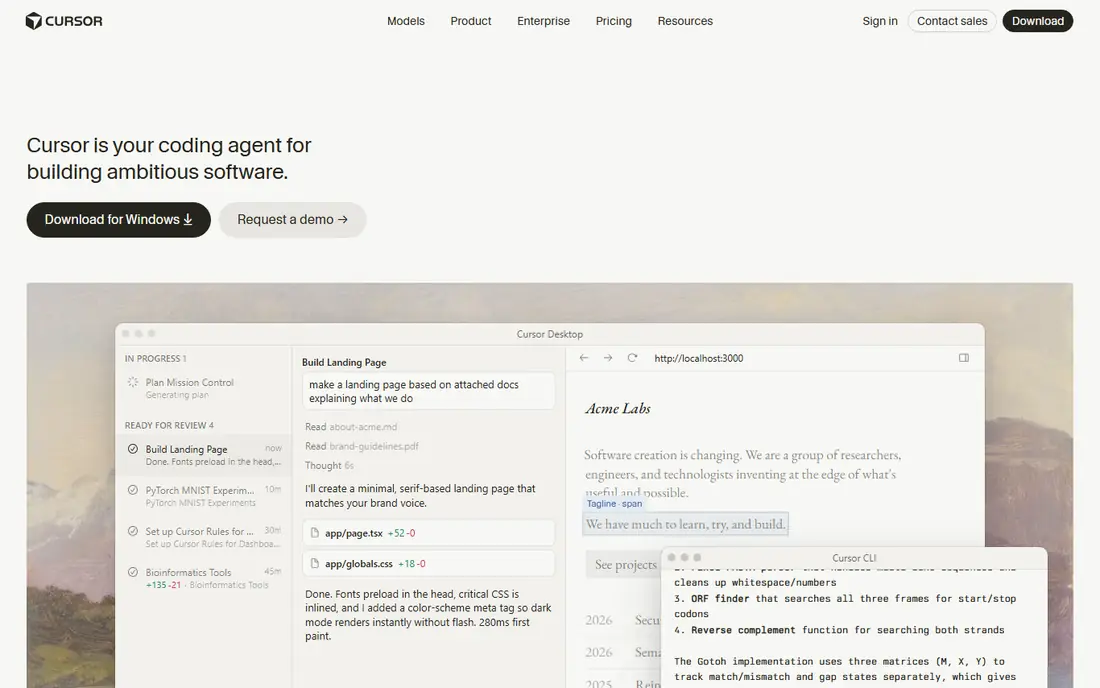
Cursor is an AI-native code editor that understands a whole codebase, not just the open file. Developers can ask it to refactor, explain or build features across files, then review the diff before accepting. For professionals, that workflow is faster than prompting a separate builder and pasting code back.
Cursor is not a no-code tool, and its output still needs review, especially for security and edge cases. It also runs locally, so hosting and deployment are separate concerns. For developers, it is the strongest Replit alternative for real coding work.
- Deep codebase awareness
- AI agent edits across files
- Familiar editor workflow
- Needs coding skill
- AI output needs review
- Costs rise with team seats
GitHub Codespaces
Ideal for: Teams wanting VS Code in the browser on real repos
GitHub Codespaces gives teams a cloud development environment tied to their actual repositories. Dev containers keep every developer on the same setup, which cuts onboarding friction and works-on-my-machine problems. Billing is usage based, so idle time costs less than a flat seat in many cases.
Setup takes real configuration, and compute costs grow with larger machines and longer sessions. It is also tied to GitHub, so teams elsewhere get less value. For GitHub-based teams, Codespaces is the closest like-for-like cloud IDE to Replit.
- Full VS Code in the browser
- Consistent dev containers
- Usage-based billing
- Costs scale with compute time
- Needs a GitHub repo
- Setup takes configuration
Lovable
Ideal for: Non-developers building a web app from a prompt

Lovable turns a written prompt into a working web app with database, login and hosting, which suits founders testing an idea without hiring a developer. GitHub sync gives a path to hand the code to a developer later, which many prompt builders lack. For an MVP, the speed is genuinely useful.
Credit limits matter, because large or repeated changes burn credits fast. Complex business logic, payments and integrations often still need a developer. Use Lovable to validate an idea, then budget for engineering if the product takes off.
- Prompt-to-app generation
- React and Supabase backend
- GitHub sync
- Credit limits shape heavy use
- Complex logic needs a developer
- Design polish varies
Bolt.new
Ideal for: Fast full-stack prototypes in the browser
Bolt.new builds a full-stack prototype from a prompt inside the browser, with code you can inspect and export. That makes it good for demos, hackathons and early validation, where speed matters more than polish. The editing loop is direct, so small fixes do not need a new prompt from scratch.
Token usage drives cost, and ambitious prototypes can burn a monthly allowance quickly. Production needs such as auth hardening, testing and scaling are still the builder's job. Treat Bolt.new as a prototyping tool, not a finished product factory.
- Browser-based generation and editing
- Quick prototypes
- Code export
- Token-based costs can spike
- Backend depth is limited
- Prototypes need hardening for production
v0
Ideal for: React front ends inside a Vercel workflow
v0 by Vercel generates React interfaces from prompts and fits naturally into a Next.js and Vercel workflow. Designers and front-end developers can move from prompt to a deployed page quickly, then refine the code by hand. For marketing pages and dashboards, the output quality is high.
v0 is front-end first, so back-end logic, databases and auth need separate work. Per-user pricing also adds up for larger teams. It is best as a UI accelerator inside a real engineering workflow, not as a whole-app replacement.
- Strong UI generation
- Next.js friendly
- Deploys to Vercel easily
- Front-end focus
- Backend work needs other tools
- Per-user pricing adds up
CodeSandbox
Ideal for: Front-end teams needing shareable cloud environments
CodeSandbox gives front-end teams instant, shareable development environments with GitHub integration and preview links for pull requests. Reviewers can open a running app rather than reading code alone, which improves review quality. For JavaScript and TypeScript teams, it is a polished cloud IDE.
It is not a prompt-to-app builder, so non-developers will not get far with it. Team pricing is also steep compared with solo tools. CodeSandbox suits coding teams that value collaboration and previews over AI generation.
- Instant sandboxes
- Strong GitHub and PR previews
- Team collaboration
- AI prompt building is not its focus
- Team pricing is high
- Needs coding skill
Glide
Ideal for: Business apps built from spreadsheets
Glide turns a spreadsheet into a working business app, which suits internal tools, directories, inventory trackers and customer portals. Staff who already manage data in sheets can build without learning code, and updates to the sheet flow into the app. For operations teams, that is a practical shortcut.
Design and logic flexibility are limited compared with Bubble or code, and complex apps will hit platform limits. Pricing also scales with users and updates. Glide is best for data-driven internal apps, not consumer products with custom design.
- Turns sheets into working apps
- No code needed
- Good for internal tools
- Design flexibility is limited
- Complex apps hit limits
- Pricing scales with users
Windsurf
Ideal for: Developers wanting an AI editor at a lower price
Windsurf is an AI code editor built around an agent workflow called Cascade, which can plan and edit across a codebase. Its entry price undercuts Cursor, which matters for solo developers and small teams watching seat costs. For everyday coding help, it covers the same core jobs.
The community and plugin ecosystem are smaller than Cursor, and AI output quality varies by task, as with all AI editors. Code review remains essential, especially for security-sensitive work. Windsurf is a credible lower-cost editor for developers who want AI help without the top-tier price.
- AI agent and autocomplete in an editor
- Cascade workflow
- Lower entry price than Cursor
- Smaller community than Cursor
- AI quality varies by task
- Needs review like all AI tools
How we picked these
We started from the topic and shortlisted products that exist and work today, then checked each vendor homepage, pricing page and free tier. We compared feature pages, app store listings, privacy policies and public reviews, and we dropped any product whose homepage could not be verified or whose price could not be checked. Where a price was unclear or varied by region, we wrote See website rather than guessing a number. That rule kept the list honest, even where a neat price would have made the comparison table look tidier.
We also weighed fit over fame. A well-known product stayed on the list only if it truly fits the topic, and smaller tools earned a place when they served a clear use case better. No product here was tested hands-on for this article, and no vendor paid for placement.
Price and free-tier details matter most when plans change often, so we favoured products with clear published pricing and a trial or free tier where one exists. If a vendor changed a plan after our check, the vendor site is the correct source, and the ranking here still reflects fit, not just price. That check takes extra time, but it prevents a shortlist built on outdated pricing or a product that no longer exists.
Choosing a Replit alternative by the job you actually did
Split Replit into its three jobs before choosing. Prompt-to-app builders suit non-developers making a prototype, AI editors suit developers working in an existing codebase, and cloud IDEs suit teams that need a consistent environment. Picking by job avoids paying for AI credits when you only needed a browser IDE, or vice versa.
Before you pay, run a trial on a real task from your own work, not a demo file. Check export formats, mobile access and support hours, because those details decide whether a tool survives daily use. Also check renewal terms and cancellation steps, since a cheap first year can become an expensive second year if renewal jumps. Finally, ask who will own setup and training, because a tool nobody is responsible for tends to fall out of use within a few months. Keep a short note on why you picked the winner, so a future review can judge it against the same criteria instead of starting from scratch.
A useful final test is to imagine the tool in six months, when the first excitement has faded and the work is routine. If the daily steps are still quick, the cost is still clear, and the support route is still obvious, the choice is likely sound. If any of those three answers is unclear, use the trial period to get a clear answer before committing to an annual plan.
Frequently asked questions
What is the best free alternative to Replit?
GitHub Codespaces and CodeSandbox both offer free tiers for browser development. Prompt builders such as Lovable and Bolt.new also offer free tiers, but with limited credits.
Is Cursor a direct Replit replacement?
No. Cursor is an AI code editor that runs on your own machine, while Replit is a browser IDE with hosting. Cursor suits developers who already code, not people who want prompt-to-app building.
Can I export code from Lovable and Bolt.new?
Both allow code export or sync to GitHub, but check the current plan terms before building a production app. Export matters if you later move hosting or hire developers.
Why did Glitch disappear from Replit alternative lists?
Glitch ended project hosting in July 2025, so it no longer serves as a live hosting alternative. Older lists that still include it should be treated as out of date.