Sage Accounting Alternatives in 2026: 7 Tools Compared

- 1
 QuickBooks OnlineMost small businessesVisit
- 2
 XeroBank reconciliationVisit
- 3
 FreshBooksInvoicing and timeVisit
- 4
 WaveFree freelancer accountingVisit
- 5
 Zoho BooksZoho ecosystem usersVisit
- QuickBooks Online suits most small businesses that want broad accounting, payroll, and app integrations.
- Xero suits businesses that want clean bank reconciliation and a large app ecosystem.
- FreshBooks suits service businesses that live by invoicing and time tracking.
- Wave suits freelancers who want free core accounting, while Zoho Books suits Zoho users.
- Kashoo and FreeAgent suit small businesses that want simple, affordable bookkeeping without complexity.
Quick comparison
| Product | Ideal for | Price from | Free version | |
|---|---|---|---|---|
| QuickBooks Online | Most small businesses | See website | Free trial | Visit |
| Xero | Bank reconciliation | See website | Free trial | Visit |
| FreshBooks | Invoicing and time | See website | Free trial | Visit |
| Wave | Free freelancer accounting | Free | Yes | Visit |
| Zoho Books | Zoho ecosystem users | See website | Yes | Visit |
 Kashoo | Simple bookkeeping | See website | Free trial | Visit |
 FreeAgent | Small business accounting | See website | Free trial | Visit |
The best Sage accounting alternatives
We compared official feature pages, pricing pages, and public reviews for seven Sage alternatives. Our pick for most small businesses is QuickBooks Online for its breadth, with Xero close behind for businesses that prioritize bank feeds and integrations.
QuickBooks Online
Ideal for: Most small businesses
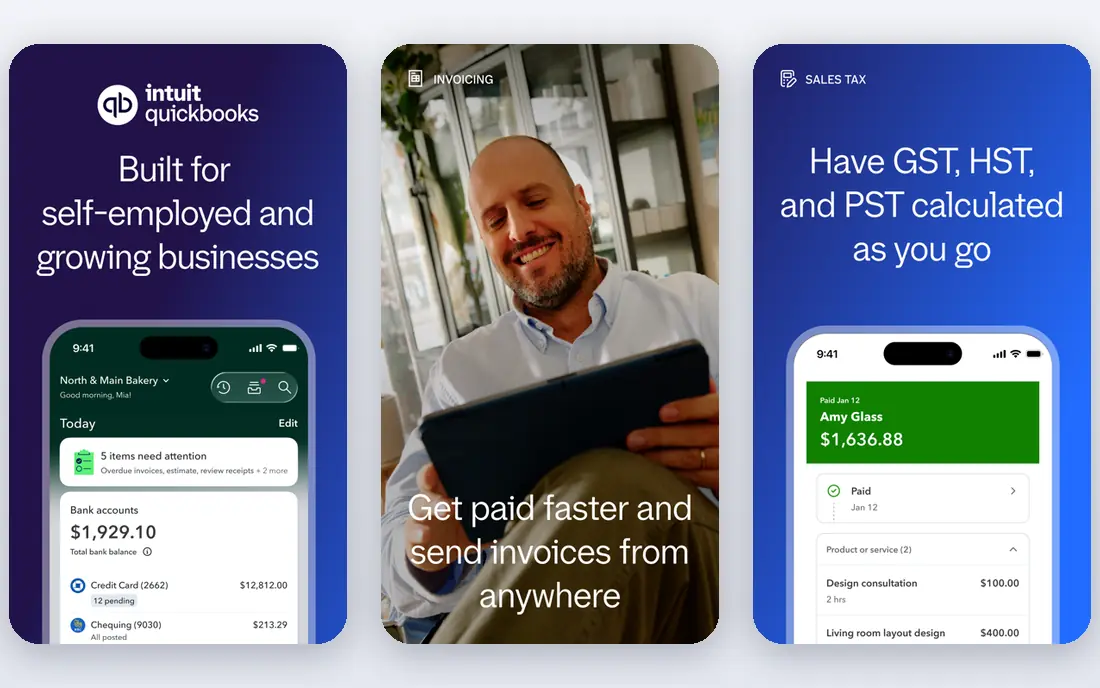
QuickBooks Online covers invoicing, expenses, bank reconciliation, reports, and payroll add-ons in one system, with a large ecosystem of apps for payments, inventory, and time tracking. Accountants widely know QuickBooks, which makes year-end handoffs easier for many small businesses. That breadth is why it leads this list.
Pricing rises as you add payroll, users, and features, and the interface can feel busy for very small firms. For businesses that want one accounting home with room to grow, QuickBooks Online is the safest choice.
- Broad accounting features
- Payroll add-on
- Large app ecosystem
- Price rises with features
- Interface can feel busy
Xero
Ideal for: Bank reconciliation
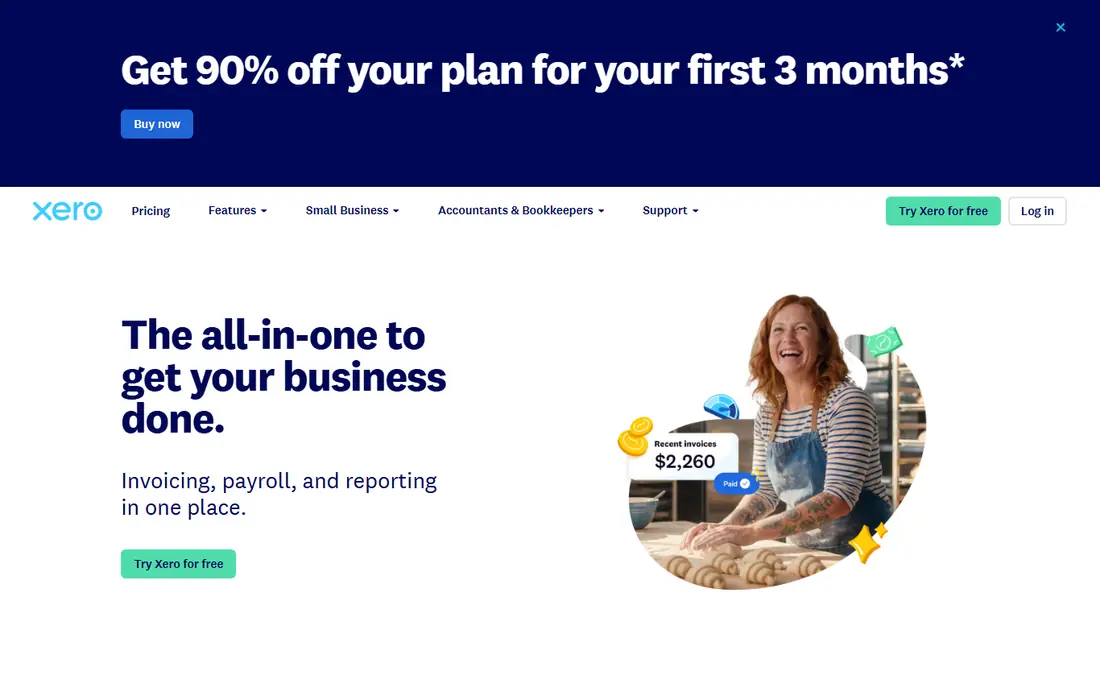
Xero is known for clean bank reconciliation, with feeds that match transactions and reduce manual entry. Its app ecosystem covers payments, expenses, inventory, and reporting, and multi-currency support suits businesses with international clients. The dashboard gives a clear cash position at a glance.
Payroll coverage varies by region, so check your country before assuming payroll is included. Some users also face a learning curve with Xero terminology. For businesses that value bank feeds and integrations, Xero is an excellent Sage alternative.
- Clean bank feeds
- Strong app ecosystem
- Multi-currency
- Payroll coverage varies by region
- Learning curve for some
FreshBooks
Ideal for: Invoicing and time
FreshBooks focuses on invoicing, time tracking, expenses, and client management for service businesses. Invoices look professional, clients can pay online, and time tracking links hours to invoices without extra tools. That workflow suits freelancers, consultants, and agencies that bill by project or hour.
Full double-entry accounting is lighter than QuickBooks or Xero, and inventory features are limited. For service businesses that live by invoices, FreshBooks is a fast and friendly choice.
- Beautiful invoices
- Time tracking
- Client portal
- Full accounting is lighter
- Inventory is limited
Wave
Ideal for: Free freelancer accounting
Wave offers free accounting and invoicing for freelancers and small businesses, with paid add-ons for payments and payroll where available. The interface is simple, bank connections import transactions, and reports cover profit, expenses, and taxes. That free core makes Wave attractive for new freelancers.
Payroll coverage varies by region, and support is limited on the free plan. Wave also lacks some advanced features of QuickBooks. For freelancers who need solid free accounting, Wave is the best no-cost option here.
- Free invoicing and accounting
- Simple interface
- Payments add-on
- No full payroll in all regions
- Support is limited on free plan
Zoho Books
Ideal for: Zoho ecosystem users
Zoho Books covers invoicing, expenses, bank reconciliation, inventory, and reports, with deep links to other Zoho apps for CRM, projects, and HR. A free plan covers small businesses with limited revenue, which helps startups test before paying. That ecosystem fit is the main draw for Zoho users.
Outside Zoho, integrations are thinner than QuickBooks or Xero, though core accounting stands on its own. For businesses already using Zoho, Zoho Books is a natural and affordable choice.
- Strong Zoho integrations
- Invoicing and inventory
- Affordable plans
- Best inside Zoho
- Support varies by plan
Kashoo
Ideal for: Simple bookkeeping
Kashoo offers simple, true double-entry bookkeeping with invoicing, expenses, bank feeds, and reports in a clean interface. It suits small businesses that want correct books without learning a complex system. Setup is fast, and the learning curve is gentle for owners without accounting training.
Integrations are fewer than QuickBooks or Xero, and payroll depth is limited. For small businesses that want simple, correct bookkeeping, Kashoo is a calm and capable choice.
- Simple double-entry bookkeeping
- Clean reports
- Easy setup
- Fewer integrations
- Less payroll depth
FreeAgent
Ideal for: Small business accounting
FreeAgent is built for freelancers and small businesses, with invoicing, expenses, bank feeds, projects, and tax timelines that show upcoming deadlines. Its design suits owners who want to see tax and cash positions without accounting jargon. That small-business focus makes it friendly for first-time bookkeepers.
FreeAgent has a stronger UK heritage, so US users should check tax and payroll features for their state. For UK small businesses especially, FreeAgent is an excellent Sage alternative.
- Built for small businesses
- Tax timelines
- Invoicing and expenses
- UK focus is stronger
- US features vary
How we picked these
We compared official feature pages, pricing pages, and public reviews for each tool, and we favored tools that still work in October 2026 and cover real small business accounting. We did not claim hands-on testing, and we weighed invoicing, bank feeds, payroll, reports, and price. Where a price was unclear at writing time we wrote "See website" rather than guessing.
What to check before you choose
Start with your workflow. Service businesses need invoicing and time, product businesses need inventory, and all businesses need bank reconciliation. Check your bank and payment tools for direct feeds, since manual imports waste time and cause errors. Test invoicing with a real client format before committing.
Next, check accountant fit. An accountant who knows your tool will save time at year-end, so ask yours before switching. Check payroll and tax features for your country and state, since coverage varies. Finally, trial with real transactions for a month, not demo data, to see whether reconciliation and reports match your books.
Also set up your accounting routine before the tool matters. A good system still needs regular bank reconciliation, expense capture, and invoice follow-up, or books drift out of date no matter how good the software is. Reconcile bank accounts weekly, photograph receipts at the time of spending, and chase overdue invoices on a fixed day each week. Keep business and personal spending separate from day one, since mixing them creates tax headaches and wastes accountant time. Set up a simple chart of accounts that matches how you think about your business, and avoid creating dozens of categories you will never use consistently. Review profit and cash reports monthly, since profit on paper and cash in the bank often differ, and cash is what pays bills.
Year-end preparation starts during the year, not in January. Keep payroll, contractor, and tax records organized as you go, and share access with your accountant early so questions arrive while answers are still easy. Check sales tax rules for the states or countries where you sell, since thresholds and rates change and software settings need updates. Back up your accounting data regularly and confirm you can export it, since your books must survive a vendor change or an account problem. Finally, review your plan each year against real usage: a plan that fit a solo freelancer may not fit a team with payroll, inventory, and multiple users. The right tool at the right tier, used weekly, beats the most powerful tool used twice a year.
One more routine keeps small business books healthy: a monthly fifteen-minute money review with yourself or your bookkeeper. Look at cash in the bank, invoices owed, bills due, and profit for the month, and note one action for each area that needs attention. That short review catches late-paying customers, duplicate subscriptions, and spending drift before they become crises. Compare the month with the same month last year where possible, since seasonal patterns explain many swings that look alarming in isolation. Write down the actions and check them next month, so the review leads to decisions rather than just reading numbers. Small businesses that review money monthly rarely face year-end surprises, while those that ignore books until tax season often do.
Frequently asked questions
What are the best sage accounting alternatives?
QuickBooks Online is our pick for most small businesses, while Xero suits bank reconciliation fans. FreshBooks suits service invoicing, Wave suits free freelancer accounting, and Zoho Books suits Zoho users. Match the tool to your workflow and accountant.
Is QuickBooks better than Xero?
QuickBooks suits businesses that want broad features, payroll, and wide accountant familiarity in the US. Xero suits businesses that want clean bank feeds, multi-currency, and a large app ecosystem. Both are excellent, so trial both with your real transactions.
Can I use free accounting software?
Yes. Wave offers free invoicing and accounting, and Zoho Books offers a free plan for small businesses. Free plans limit users, revenue, or features, so growing businesses often move to paid plans. Keep backups and check export options before relying on any free tool.
Do I still need an accountant with accounting software?
Software records transactions, but an accountant helps with tax rules, year-end filings, and business decisions. Most small businesses benefit from at least a year-end review, even with good software. Ask your accountant which tool they prefer before switching.
How do I switch from Sage to another tool?
Export your chart of accounts, customers, vendors, and opening balances, then import them into the new tool and reconcile a test month. Run both systems in parallel for a month if possible, and keep Sage data archived. A trial with real data will surface import problems early.