Best Senta Alternatives in 2026: 8 Options Compared

- Our pick for most people is Karbon, because it balances price, features and ease of use for the widest group of readers.
- Free plans are real here, but the limits matter: check what Pixie and TaxDome actually include before you commit.
- Prices in this guide come from vendor pricing pages and current comparisons checked in October 2026, and they can change, so confirm the plan on the vendor site before you buy.
- The best choice depends on your budget, your experience level and how much support you want, not on which brand is most famous.
Quick comparison
| Product | Ideal for | Price from | Free version | |
|---|---|---|---|---|
 Karbon | Practice management for accounting firms | See website | Free trial | Visit |
 Pixie | Simple practice management for small firms | See website | Free trial | Visit |
 TaxDome | All-in-one practice management for tax firms | See website | Free trial | Visit |
 Canopy | Practice management for US accounting firms | See website | Free trial | Visit |
 AccountancyManager | Practice management for UK accountants | See website | Free trial | Visit |
 Xero Practice Manager | Practice management inside Xero | See website | Free trial | Visit |
 BrightManager | Practice management from Bright | See website | Free trial | Visit |
 Capium | Cloud practice management for accountants | See website | Free trial | Visit |
The best Senta Alternatives in 2026
We compared official feature pages, pricing pages, app store listings, privacy policies and public reviews to build this list for senta alternatives. Every option below exists and works today, and each one earns its place for a different kind of reader.
Karbon
Ideal for: Practice management for accounting firms

Here is the short version. Karbon suits accounting firms that want workflow, client management and email in one practice system. It fits readers who want practice management for accounting firms, and its published feature set matches that promise rather than trying to cover every possible use case at once. The price picture is see website, with a free plan status of free trial. Per-user pricing adds up for large firms, so count staff before comparing. Before you sign up, check the current plan limits on the official site, because caps on users, usage or features are where most buyers get surprised after the first month.
- Workflow and client management
- Email and tasks in one place
- Practice analytics
- Pricing is per user
- Setup takes time for larger firms
Pixie
Ideal for: Simple practice management for small firms

Start here if you want the safe default. Pixie suits small accounting firms that want simple client and workflow management without enterprise complexity. It fits readers who want simple practice management for small firms, and its published feature set matches that promise rather than trying to cover every possible use case at once. The price picture is see website, with a free plan status of free trial. Larger firms may want deeper reporting, so trial it on a real client workflow first. Before you sign up, check the current plan limits on the official site, because caps on users, usage or features are where most buyers get surprised after the first month.
- Client management
- Workflows
- Simple interface for small firms
- Smaller feature set than Karbon
- UK focus may limit other regions
TaxDome
Ideal for: All-in-one practice management for tax firms
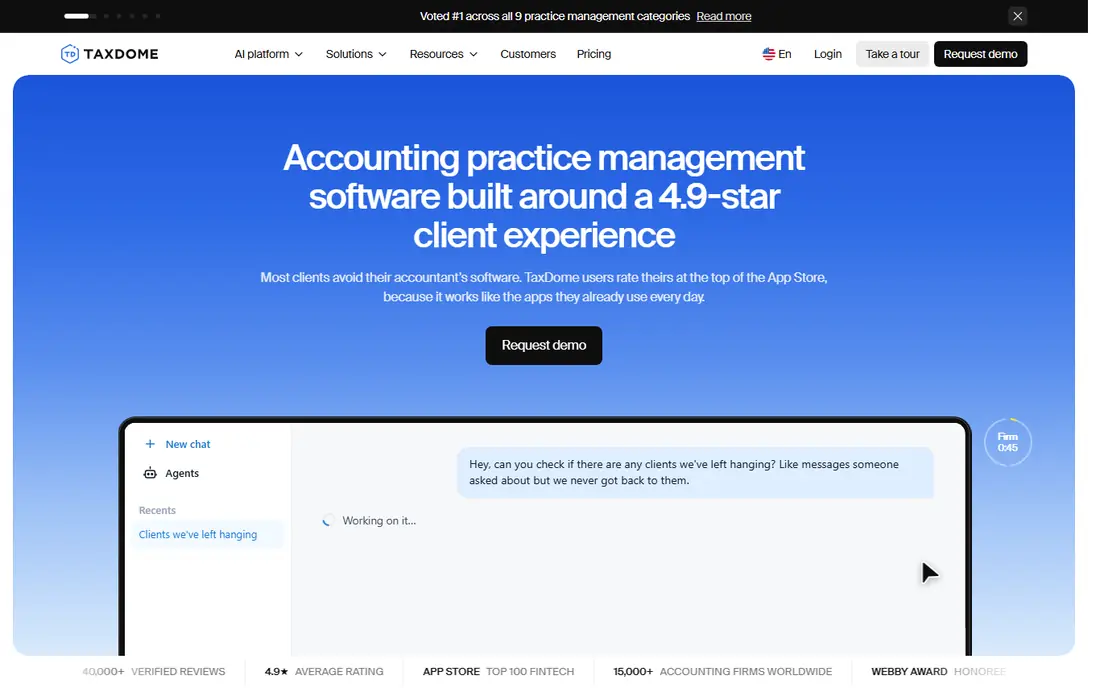
This one suits a specific kind of reader. TaxDome gives tax and accounting firms CRM, workflows, documents, e-signatures and a client portal in one tool. It fits readers who want all-in-one practice management for tax firms, and its published feature set matches that promise rather than trying to cover every possible use case at once. The price picture is see website, with a free plan status of free trial. The full setup takes learning, so start with one workflow and expand from there. Before you sign up, check the current plan limits on the official site, because caps on users, usage or features are where most buyers get surprised after the first month.
- CRM, workflows, documents and e-signatures
- Client portal
- Pricing is per user
- Learning curve for full setup
Canopy
Ideal for: Practice management for US accounting firms
Consider this if the top picks do not fit. Canopy suits US accounting firms that want client, document and workflow management with a US tax focus. It fits readers who want practice management for us accounting firms, and its published feature set matches that promise rather than trying to cover every possible use case at once. The price picture is see website, with a free plan status of free trial. Firms outside the US should check regional features before choosing it. Before you sign up, check the current plan limits on the official site, because caps on users, usage or features are where most buyers get surprised after the first month.
- Client management
- Document and workflow tools
- US tax focus
- US focus
- Pricing is per user
AccountancyManager
Ideal for: Practice management for UK accountants
A strong option for a narrower need. AccountancyManager suits UK accountants with Companies House links, client onboarding and practice workflows built for UK rules. It fits readers who want practice management for uk accountants, and its published feature set matches that promise rather than trying to cover every possible use case at once. The price picture is see website, with a free plan status of free trial. Outside the UK, its focus is a limit, so check regional coverage first. Before you sign up, check the current plan limits on the official site, because caps on users, usage or features are where most buyers get surprised after the first month.
- UK-focused practice tools
- Client onboarding
- Companies House links
- UK focus
- Smaller ecosystem outside the UK
Xero Practice Manager
Ideal for: Practice management inside Xero
Worth a close look before you decide. Xero Practice Manager suits firms already using Xero, because jobs, time and clients link to Xero accounting data. It fits readers who want practice management inside xero, and its published feature set matches that promise rather than trying to cover every possible use case at once. The price picture is see website, with a free plan status of free trial. Firms on other accounting platforms may find its standalone features thinner. Before you sign up, check the current plan limits on the official site, because caps on users, usage or features are where most buyers get surprised after the first month.
- Xero integration
- Jobs and time
- Client management
- Best for Xero firms
- Standalone features are thinner
BrightManager
Ideal for: Practice management from Bright
This belongs on the shortlist for a reason. BrightManager suits UK firms already using Bright products, with practice workflows and document management in the same family. It fits readers who want practice management from bright, and its published feature set matches that promise rather than trying to cover every possible use case at once. The price picture is see website, with a free plan status of free trial. Module pricing means you should quote the full set of modules you need. Before you sign up, check the current plan limits on the official site, because caps on users, usage or features are where most buyers get surprised after the first month.
- Practice workflows
- Document management
- Bright integrations
- UK focus
- Pricing varies by module
Capium
Ideal for: Cloud practice management for accountants
Do not overlook this one. Capium gives accountants cloud practice management plus bookkeeping and tax tools, with a client portal. It fits readers who want cloud practice management for accountants, and its published feature set matches that promise rather than trying to cover every possible use case at once. The price picture is see website, with a free plan status of free trial. Its UK focus and smaller brand mean you should check references from firms like yours. Before you sign up, check the current plan limits on the official site, because caps on users, usage or features are where most buyers get surprised after the first month.
- Practice management
- Bookkeeping and tax tools
- Client portal
- UK focus
- Smaller brand than Karbon or TaxDome
How we picked these
We started from official feature pages and pricing pages, then checked app store listings, privacy policies and public reviews to confirm each product still works and still fits the topic. Products that could not be verified, or that only partly matched the topic, were left out, even when they were well known. We favoured a mix of established leaders and strong smaller options, and we weighted price transparency, a usable free tier or trial, and honest limits more heavily than marketing claims. No product on this list paid for its place, and our pick for most people is the one we would suggest to a friend with ordinary needs and an ordinary budget.
How to pick practice management software that your team will use
Start with the workflows that eat the most time: client onboarding, document collection, job tracking and deadline reminders. A tool that covers those well will save more time than a tool with a long feature list nobody opens. Next, check integrations with your accounting, tax and document tools, since a practice system that cannot pull client data cleanly creates double entry. Then check the client portal, because clients who can upload documents and sign forms online reduce chasing emails sharply. Trial the top two on a real client job, from onboarding to completion, before you migrate a whole firm. Also check pricing at your staff count, since per-user pricing changes the bill for a growing firm. Confirm security, access controls and data hosting, because client financial data is sensitive. Confirm who will own setup and training, since a practice tool without an owner quickly becomes an unused dashboard.
Frequently asked questions
What is the best Senta alternative?
Karbon suits larger firms, Pixie suits small firms, and TaxDome suits tax firms that want documents and e-signatures together. The right pick depends on firm size and region.
Is there a free practice management alternative?
Most practice tools offer free trials rather than permanent free plans. Small firms should compare trial pricing at their staff count, since per-user costs add up.
What does practice management software do?
It manages clients, workflows, documents, deadlines and jobs for accounting firms, replacing spreadsheets and email chasing. It often includes a client portal for document uploads and signatures.
Do these tools work in the UK?
Pixie, AccountancyManager, BrightManager and Capium have a UK focus, while Karbon and TaxDome serve firms globally. Check Companies House and tax features for your region.
Can I migrate from Senta?
Most tools offer import tools for clients and jobs, but workflows and document history rarely move perfectly. Export your data first and plan a cutover period with a small client group.