Service Management Best Practices in 2026: 7 Tools Compared

- 1
 ServiceNowEnterprise service managementVisit
- 2
 Jira Service ManagementService management for agile teamsVisit
- 3
 FreshserviceValue ITSM for growing teamsVisit
- 4
 ZendeskService plus support in oneVisit
- 5
 SolarWinds Service DeskITSM plus asset managementVisit
- Incident workflows should be clear, with priorities, assignments, and communication built in.
- A good knowledge base reduces repeat tickets more than any other feature.
- Automation should handle routine requests, not create confusing ticket loops.
- Reporting should show resolution time, satisfaction, and repeat issues by topic.
Quick comparison
| Product | Ideal for | Price from | Free version | |
|---|---|---|---|---|
| ServiceNow | Enterprise service management | See website | No | Visit |
| Jira Service Management | Service management for agile teams | See website | Yes | Visit |
| Freshservice | Value ITSM for growing teams | See website | Yes | Visit |
| Zendesk | Service plus support in one | See website | No | Visit |
| SolarWinds Service Desk | ITSM plus asset management | See website | No | Visit |
 ManageEngine ServiceDesk Plus | Affordable ITSM | See website | Yes | Visit |
 BMC Helix | Enterprise ITSM with AI | See website | No | Visit |
The best service management tools
Service management best practices, from clear incident handling to self service knowledge, only work when the tooling supports them, and the best ITSM tools differ on incident workflows, knowledge bases, and automation.
We compared incident management, knowledge tools, automation, reporting, and prices across leading service management platforms, and our pick for most teams is a tool that makes incident handling and knowledge sharing easy for both agents and users.
In this guide, we walk through each option in turn, starting with who it suits best, then looking at what it does well and where it falls short, so you can compare like with like. We also cover pricing in plain terms, including where a price is quote based or where a free plan covers only part of the service, because the headline price rarely tells the full story. By the end, you should have a short list of two or three options worth a closer look, rather than a long list of names with no clear differences.
ServiceNow
Ideal for: Enterprise service management
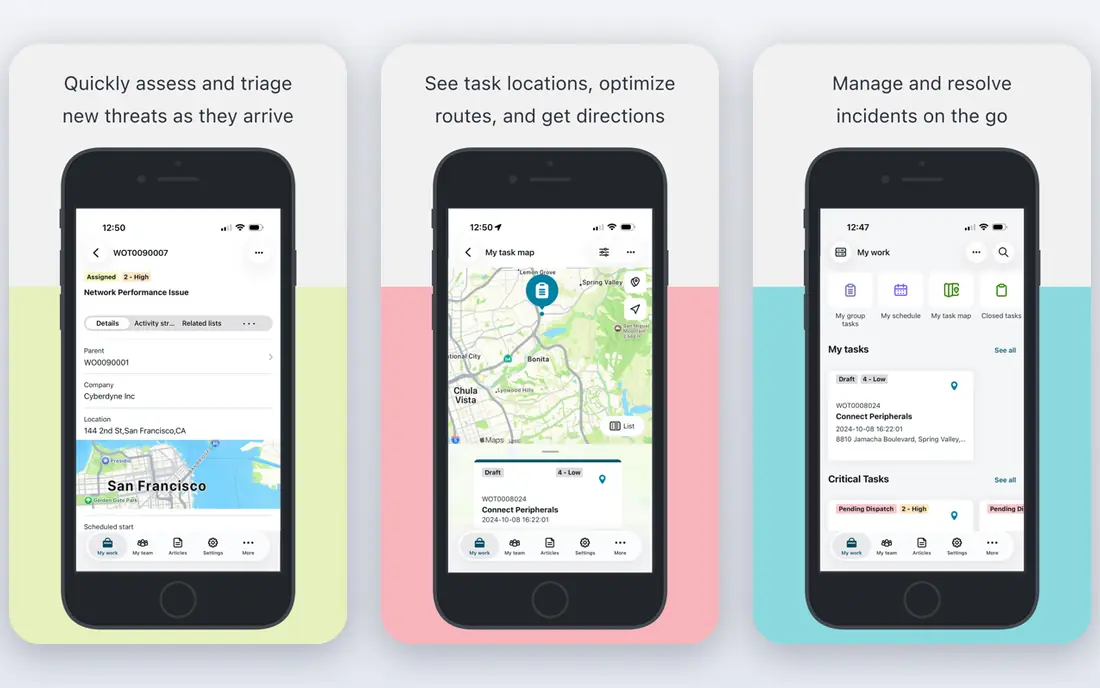
ServiceNow is the leading enterprise service management platform, with deep incident, problem, change, and knowledge tools. Its automation and workflows cover complex IT operations.
The platform scales across global organizations. For large IT teams, ServiceNow is the standard.
Pricing is high, and implementation is a major project.
On balance, ServiceNow stands out for Enterprise service management, with strengths that include Deep ITSM; automation; enterprise scale. The main drawbacks to weigh are Expensive; implementation is major. If those trade offs fit your situation and your budget, it is worth putting on your short list, and if they do not, compare it with the next options in this guide before you decide, since a small difference in price, coverage, or support can matter a lot over a year of use.
- Deep ITSM
- Automation
- Enterprise scale
- Expensive
- Implementation is major
Jira Service Management
Ideal for: Service management for agile teams
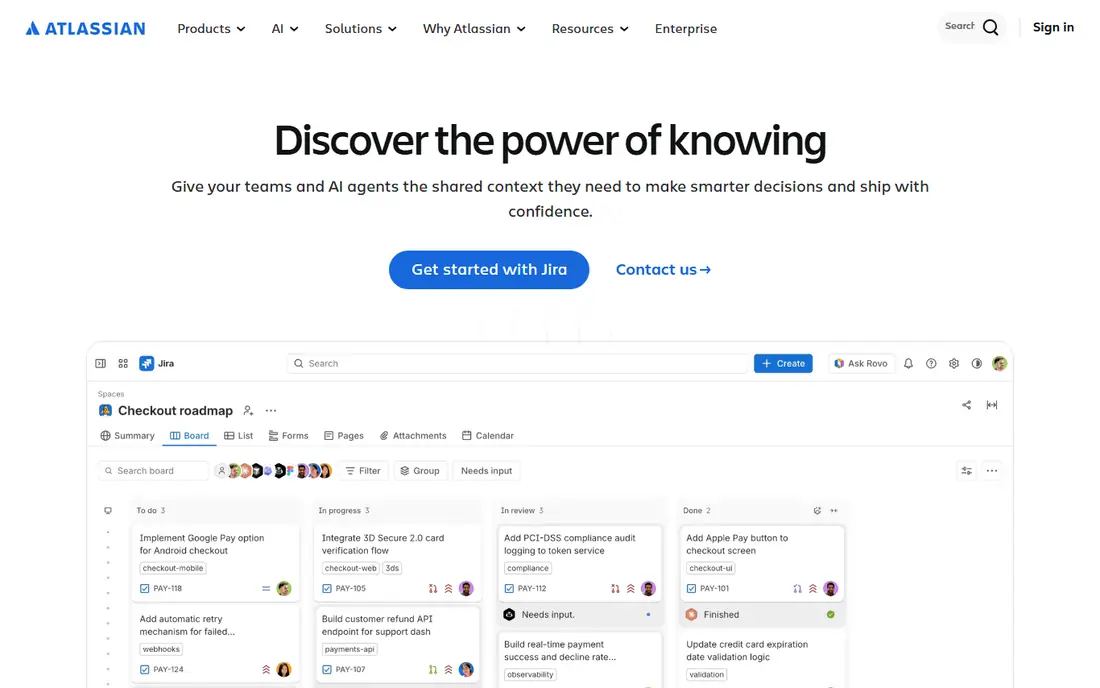
Jira Service Management, from Atlassian, suits agile and software teams that already use Jira. Its incident, request, and change workflows are solid, and knowledge base tools help self service.
Integration with Jira Software links service work to development. For Atlassian teams, it is a natural choice.
Advanced ITSM depth varies compared with ServiceNow, and setup needs care.
On balance, Jira Service Management stands out for Service management for agile teams, with strengths that include Good incident workflows; Jira integration; fair price. The main drawbacks to weigh are Advanced ITSM depth varies; setup needs care. If those trade offs fit your situation and your budget, it is worth putting on your short list, and if they do not, compare it with the next options in this guide before you decide, since a small difference in price, coverage, or support can matter a lot over a year of use.
- Good incident workflows
- Jira integration
- Fair price
- Advanced ITSM depth varies
- Setup needs care
Freshservice
Ideal for: Value ITSM for growing teams
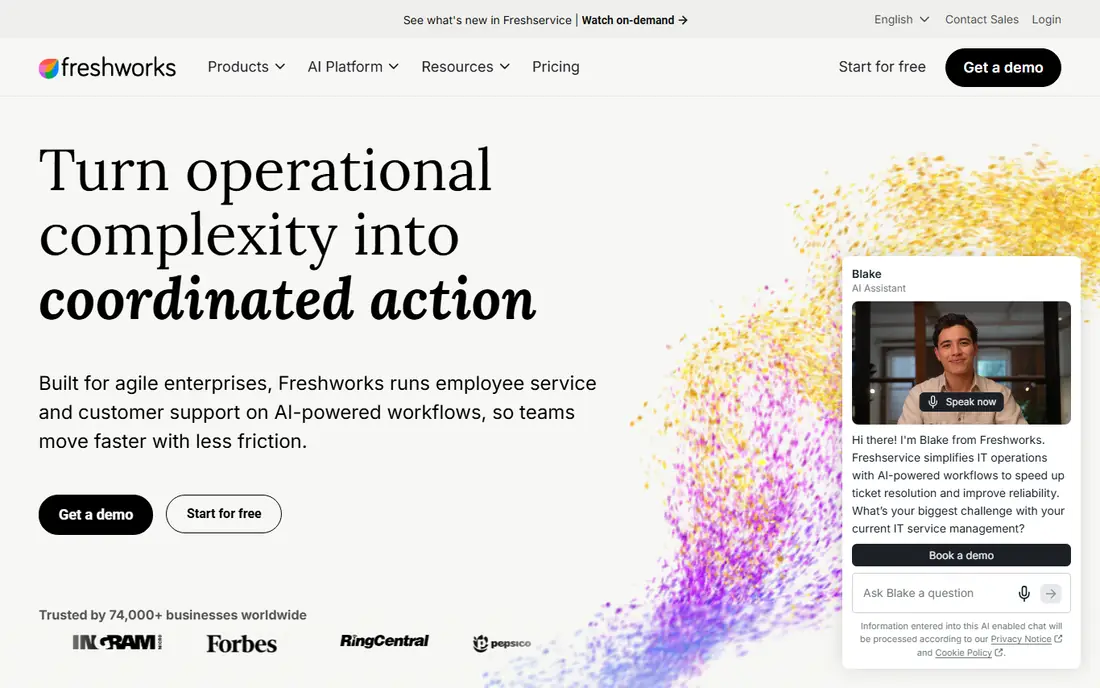
Freshservice, from Freshworks, offers good value service management with easy setup. Its incident, asset, and knowledge tools cover core ITSM needs.
The interface is friendly, and a free tier helps small teams start. For growing teams, it is a practical choice.
Enterprise depth is thinner than ServiceNow, and customization is moderate.
On balance, Freshservice stands out for Value ITSM for growing teams, with strengths that include Good value; easy setup; solid workflows. The main drawbacks to weigh are Enterprise depth is thinner; customization moderate. If those trade offs fit your situation and your budget, it is worth putting on your short list, and if they do not, compare it with the next options in this guide before you decide, since a small difference in price, coverage, or support can matter a lot over a year of use.
- Good value
- Easy setup
- Solid workflows
- Enterprise depth is thinner
- Customization moderate
Zendesk
Ideal for: Service plus support in one
Zendesk brings service management into its broader support platform, covering tickets, knowledge, and automation. Its knowledge base and customer channels are strong.
The ecosystem is large, so integrations are easy. For teams that combine IT service with customer support, Zendesk is practical.
ITSM depth is thinner than specialist platforms, and pricing is tiered.
On balance, Zendesk stands out for Service plus support in one, with strengths that include Broad channels; good knowledge; large ecosystem. The main drawbacks to weigh are ITSM depth is thinner; tiered pricing. If those trade offs fit your situation and your budget, it is worth putting on your short list, and if they do not, compare it with the next options in this guide before you decide, since a small difference in price, coverage, or support can matter a lot over a year of use.
- Broad channels
- Good knowledge
- Large ecosystem
- ITSM depth is thinner
- Tiered pricing
SolarWinds Service Desk
Ideal for: ITSM plus asset management
SolarWinds Service Desk combines ITSM with asset management. Its incident and request workflows are solid, and asset tracking helps IT teams.
The platform suits mid sized IT teams. For teams that want ITSM plus assets in one tool, it is practical.
The interface is functional, and enterprise depth varies.
On balance, SolarWinds Service Desk stands out for ITSM plus asset management, with strengths that include Asset management; incident tools; good value. The main drawbacks to weigh are Interface is functional; enterprise depth varies. If those trade offs fit your situation and your budget, it is worth putting on your short list, and if they do not, compare it with the next options in this guide before you decide, since a small difference in price, coverage, or support can matter a lot over a year of use.
- Asset management
- Incident tools
- Good value
- Interface is functional
- Enterprise depth varies
ManageEngine ServiceDesk Plus
Ideal for: Affordable ITSM
ManageEngine ServiceDesk Plus offers affordable ITSM with broad features. Its incident, asset, change, and knowledge tools cover core needs.
An on premise option suits teams with hosting requirements. For budget conscious IT teams, it is strong value.
The interface looks dated, and setup needs care.
On balance, ManageEngine ServiceDesk Plus stands out for Affordable ITSM, with strengths that include Low price; broad ITSM; on premise option. The main drawbacks to weigh are Interface is dated; setup needs care. If those trade offs fit your situation and your budget, it is worth putting on your short list, and if they do not, compare it with the next options in this guide before you decide, since a small difference in price, coverage, or support can matter a lot over a year of use.
- Low price
- Broad ITSM
- On premise option
- Interface is dated
- Setup needs care
BMC Helix
Ideal for: Enterprise ITSM with AI
BMC Helix is an enterprise ITSM platform with AI features for incident and service management. Its automation helps large IT teams handle volume.
The platform scales across global operations. For large enterprises, BMC Helix is a solid choice.
Pricing is high, and implementation is a major project.
On balance, BMC Helix stands out for Enterprise ITSM with AI, with strengths that include AI features; enterprise scale; broad ITSM. The main drawbacks to weigh are Expensive; implementation is major. If those trade offs fit your situation and your budget, it is worth putting on your short list, and if they do not, compare it with the next options in this guide before you decide, since a small difference in price, coverage, or support can matter a lot over a year of use.
- AI features
- Enterprise scale
- Broad ITSM
- Expensive
- Implementation is major
How we picked these
We compared official feature pages, pricing pages, app store listings, privacy policies, and public customer reviews for each option in this list, and we kept only options that are available in the United States and that clearly fit the topic of the article.
We gave weight to clear pricing, a usable free option or trial where one is offered, honest limits, and support that a real customer can reach, and we left out options whose pricing was hidden, whose main offer did not match the topic, or whose website did not clearly belong to the product.
We also checked that each product is still offered and working in October 2026, and we noted where a feature, a plan, or a price could not be verified from the vendor, in which case we wrote See website rather than guessing. That approach means some prices in this guide are deliberately general, and we recommend confirming the current price on the vendor website before you buy, since plans and promotions change.
Service management practices that actually work
Start with incident basics, including clear priorities, a single queue, and communication templates, since confused incident handling frustrates users more than slow fixes. Define what counts as urgent, who owns it, and how users are updated.
Next, build a knowledge base from solved tickets, since every repeat question answered by an article saves agent time. Review articles regularly, and make search easy, because a knowledge base nobody can find helps nobody.
Finally, automate routine requests such as password resets and access requests, and measure resolution time, satisfaction, and repeat tickets. Use those numbers to improve processes, not just to report them, and review them monthly with the team.
Frequently asked questions
What are service management best practices?
Service management best practices include clear incident handling, a useful knowledge base, automation for routine requests, and regular measurement of resolution and satisfaction. They focus on consistent, user friendly service rather than on tools alone.
What is ITSM software?
IT service management software helps teams handle incidents, service requests, changes, and knowledge in one system. It replaces email and spreadsheets with structured workflows and reporting.
How do I reduce repeat tickets?
Build a knowledge base from solved tickets, make it searchable, and prompt users with relevant articles before they submit a ticket. Review top ticket topics monthly and create articles for the most common ones.
What is the difference between incident and service request?
An incident is an unplanned interruption, such as an outage, while a service request is a planned need, such as new access or software. Handling them separately helps prioritize urgent work.
How do I measure service management success?
Track resolution time, first contact resolution, customer satisfaction, and repeat ticket rate together, since one metric alone can mislead. Review trends monthly and act on the worst performing areas.