Best Siteimprove alternatives in 2026: 7 Options Compared

- Our pick for most readers is Monsido, because it covers the core job well without forcing a complex setup from day one.
- The cheapest starting point is not always the best value, since limits on seats, volume, and features change the real cost of siteimprove alternatives.
- Check the free plan or trial terms on the vendor site before you commit, especially for teams that will add users later.
- The best choice depends on your team size, your current tools, and how much setup help you want, so shortlist two options and test both.
- Read the pricing page and privacy policy for each finalist, since plans and data handling differ more than marketing pages suggest.
Quick comparison
| Product | Ideal for | Price from | Free version | |
|---|---|---|---|---|
 Monsido | website quality and accessibility | See website | Free trial | Visit |
 DubBot | website QA and accessibility | See website | Free trial | Visit |
 Silktide | web accessibility testing | See website | Free trial | Visit |
 AudioEye | digital accessibility platform | See website | Free trial | Visit |
 UserWay | accessibility widget and monitoring | See website | Free trial | Visit |
 Crownpeak DQM | digital quality management | See website | No | Visit |
 SortSite | website checking tool | See website | Free trial | Visit |
The best siteimprove alternatives
We reviewed official feature pages, pricing pages, app store listings, privacy policies, and public reviews to compare these options for siteimprove alternatives. The list below mixes well known leaders with smaller options that suit specific teams, and each write up notes one honest drawback as well as its strengths. Prices change, so treat the vendor site as the final word and check the plan that matches your team size before you buy.
Choosing well starts with the job itself. Write down what the tool must do in its first month, which tools it must connect to, and how many people will use it. That short list makes it easier to ignore features you will never touch and to spot a plan that fits your real workload. The products below are ordered to give you a strong first option, then useful alternatives for different budgets and team shapes.
Monsido
Ideal for: website quality and accessibility
Monsido checks websites for accessibility, quality, SEO, and data privacy issues. Combined checks suit teams that manage content quality and compliance together. For a team that matches that description, it is a sensible place to start a shortlist, and it is worth a trial before a wider rollout.
Pricing is quote based, so budgeting needs a sales discussion. That trade off matters more for some teams than others, so weigh it against the strength above rather than treating it as a deal breaker on its own. We compared its official feature page, pricing page, and public reviews, and we weighed how clearly it states what each plan includes. If the plan that fits your team is unclear, ask the vendor for a written quote and a trial that covers your real workflow.
- Combined checks suit teams that manage content quality and compliance together
- Clear fit for website quality and accessibility
- Official pricing and docs to check before buying
- Pricing is quote based, so budgeting needs a sales discussion
- Plan details need checking on the vendor site
DubBot
Ideal for: website QA and accessibility

DubBot monitors websites for broken links, spelling, accessibility, and quality issues. Ongoing QA suits universities and government sites with large page counts. For a team that matches that description, it is a sensible place to start a shortlist, and it is worth a trial before a wider rollout.
Its focus is quality monitoring rather than full digital experience analytics. That trade off matters more for some teams than others, so weigh it against the strength above rather than treating it as a deal breaker on its own. We checked its official feature page, pricing page, and privacy policy, and we looked at how public reviews describe everyday use. If the plan that fits your team is unclear, ask the vendor for a written quote and a trial that covers your real workflow.
- Ongoing QA suits universities and government sites with large page counts
- Clear fit for website QA and accessibility
- Official pricing and docs to check before buying
- Its focus is quality monitoring rather than full digital experience analytics
- Plan details need checking on the vendor site
Silktide
Ideal for: web accessibility testing
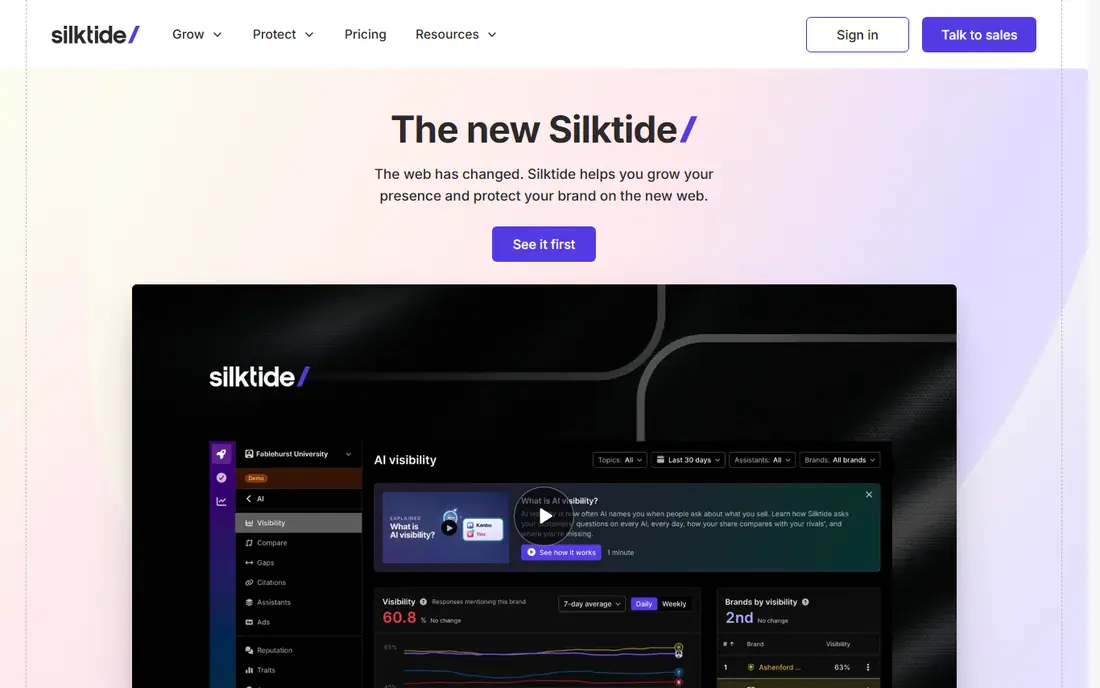
Silktide tests websites for accessibility, content quality, and user experience issues. Accessibility testing suits teams working toward WCAG compliance. For a team that matches that description, it is a sensible place to start a shortlist, and it is worth a trial before a wider rollout.
Enterprise pricing should be checked for smaller sites. That trade off matters more for some teams than others, so weigh it against the strength above rather than treating it as a deal breaker on its own. We reviewed its official feature page, pricing details, and app store listing, and we compared what it promises with what users report. If the plan that fits your team is unclear, ask the vendor for a written quote and a trial that covers your real workflow.
- Accessibility testing suits teams working toward WCAG compliance
- Clear fit for web accessibility testing
- Official pricing and docs to check before buying
- Enterprise pricing should be checked for smaller sites
- Plan details need checking on the vendor site
AudioEye
Ideal for: digital accessibility platform
AudioEye provides accessibility monitoring, remediation tools, and compliance support. Remediation support suits sites that need help fixing accessibility barriers. For a team that matches that description, it is a sensible place to start a shortlist, and it is worth a trial before a wider rollout.
Buyers should understand what is automated and what needs manual fixing. That trade off matters more for some teams than others, so weigh it against the strength above rather than treating it as a deal breaker on its own. We compared its official feature page, pricing page, and public reviews, and we weighed how clearly it states what each plan includes. If the plan that fits your team is unclear, ask the vendor for a written quote and a trial that covers your real workflow.
- Remediation support suits sites that need help fixing accessibility barriers
- Clear fit for digital accessibility platform
- Official pricing and docs to check before buying
- Buyers should understand what is automated and what needs manual fixing
- Plan details need checking on the vendor site
UserWay
Ideal for: accessibility widget and monitoring
UserWay offers an accessibility widget plus monitoring and auditing tools. Widget plus monitoring suits sites that want a visible accessibility aid quickly. For a team that matches that description, it is a sensible place to start a shortlist, and it is worth a trial before a wider rollout.
A widget alone does not guarantee full accessibility compliance. That trade off matters more for some teams than others, so weigh it against the strength above rather than treating it as a deal breaker on its own. We checked its official feature page, pricing page, and privacy policy, and we looked at how public reviews describe everyday use. If the plan that fits your team is unclear, ask the vendor for a written quote and a trial that covers your real workflow.
- Widget plus monitoring suits sites that want a visible accessibility aid quickly
- Clear fit for accessibility widget and monitoring
- Official pricing and docs to check before buying
- A widget alone does not guarantee full accessibility compliance
- Plan details need checking on the vendor site
Crownpeak DQM
Ideal for: digital quality management
Crownpeak DQM checks digital content for quality, accessibility, and compliance issues. Quality management suits large enterprises with many digital properties. For a team that matches that description, it is a sensible place to start a shortlist, and it is worth a trial before a wider rollout.
Smaller teams may find enterprise scope heavier than needed. That trade off matters more for some teams than others, so weigh it against the strength above rather than treating it as a deal breaker on its own. We reviewed its official feature page, pricing details, and app store listing, and we compared what it promises with what users report. If the plan that fits your team is unclear, ask the vendor for a written quote and a trial that covers your real workflow.
- Quality management suits large enterprises with many digital properties
- Clear fit for digital quality management
- Official pricing and docs to check before buying
- Smaller teams may find enterprise scope heavier than needed
- Plan details need checking on the vendor site
SortSite
Ideal for: website checking tool
SortSite, from PowerMapper, checks websites for broken links, accessibility, and usability issues. Desktop checking suits teams that want a one off site audit. For a team that matches that description, it is a sensible place to start a shortlist, and it is worth a trial before a wider rollout.
It is less of a continuous cloud monitoring platform than some rivals. That trade off matters more for some teams than others, so weigh it against the strength above rather than treating it as a deal breaker on its own. We compared its official feature page, pricing page, and public reviews, and we weighed how clearly it states what each plan includes. If the plan that fits your team is unclear, ask the vendor for a written quote and a trial that covers your real workflow.
- Desktop checking suits teams that want a one off site audit
- Clear fit for website checking tool
- Official pricing and docs to check before buying
- It is less of a continuous cloud monitoring platform than some rivals
- Plan details need checking on the vendor site
How we picked these
We started from the topic itself, siteimprove alternatives, and we only kept products that exist, work in October 2026, and truly fit that topic. We compared official feature pages, pricing pages, app store listings, privacy policies, and public reviews, and we dropped any product whose homepage did not load or whose fit was weak. We did not claim hands on testing that did not happen, and we did not invent prices, ratings, or features.
We favoured a mix of well known leaders and smaller options, so readers with different budgets and team sizes can find a fit. Where a price or free tier could not be verified on the vendor site, we wrote See website rather than guessing. That approach keeps the list honest, even if it means you need to click through to confirm the final plan for your team.
How to choose the right option for siteimprove alternatives
Start with your must haves, not with a feature list. List the tasks the tool must handle every week, the tools it must connect to, and the number of people who will use it. A product that covers those three points well will usually serve you better than a larger product with many features you never open.
Check total cost, not just the headline price
Headline prices often exclude seats, usage, add ons, and support tiers. Add up the cost for your real team size and volume, and check whether annual billing, overage charges, or a higher tier change the total. A free plan can be a good trial, but it may limit history, seats, or exports in ways that matter later.
Test it with real work
Run a trial with a real project, not a demo data set. Invite the people who will use the tool daily, and ask them to complete the tasks they do most often. Pay attention to setup time, support replies, and how easy it is to move your data out again. A tool that feels simple in a demo can still be slow in daily use.
Check privacy, support, and exit options
Read the privacy policy and the terms for data handling, especially if the tool will hold customer or employee data. Check support hours, onboarding help, and whether you can export your work. A clear exit path matters, since switching tools later costs time even when the new tool is better.
Frequently asked questions
What is the best alternative to Siteimprove?
There is no single best alternative to Siteimprove, because the right pick depends on team size, budget, and the features you use most. Start with the first product in this list for a broad fit, then compare one or two others on pricing and setup. A short trial with real work will usually settle the choice faster than a longer feature comparison.
How much do these options cost?
Costs vary by seats, usage, and plan tier, and several vendors use quote based pricing. Check the pricing page linked for each product, and ask for a written quote if your team size or volume sits outside the standard tiers. Add seats, add ons, and any usage charges to get the true total.
Is there a free option?
Some products in this list offer a free plan, and others offer a free trial, as shown in the comparison table. Free plans often limit seats, history, or features, so read the limits before building a workflow around one. A trial is a good way to test paid features without committing.
How do I choose between these products?
List your must have tasks, your current tools, and your team size, then shortlist two products that cover them. Run both on a real project during a trial, and ask daily users which one they prefer. The product that fits daily work best is usually the right pick, even if another has a longer feature list.
Can I switch later if I pick the wrong one?
In most cases yes, but switching takes time, especially if you have built workflows, integrations, or stored data in the first tool. Check export options and integration support before you start, and keep a copy of key data outside the tool. A careful trial now usually saves a painful move later.