Slack Alternatives in 2026: 8 Tools Compared

- 1
 Microsoft TeamsMicrosoft 365 teams replacing SlackVisit
- 2
 Google ChatGoogle Workspace teams replacing SlackVisit
- 3
 DiscordCommunities and casual teamsVisit
- 4
 MattermostSelf-hosted chat for security-focused teamsVisit
- 5
 Rocket.ChatSelf-hosted chat plus omnichannel messagingVisit
- Microsoft Teams and Google Chat are the strongest Slack alternatives inside their own ecosystems, and both are often included in existing plans.
- Discord suits communities and casual teams, while Mattermost and Rocket.Chat suit teams that need self-hosting.
- Pumble offers the lowest paid seat price, while Zulip suits async teams that prefer topic-based threads.
- Free Slack history limits are the usual reason teams switch, so check message history and storage before choosing.
Quick comparison
| Product | Ideal for | Price from | Free version | |
|---|---|---|---|---|
| Microsoft Teams | Microsoft 365 teams replacing Slack | See website | Yes | Visit |
| Google Chat | Google Workspace teams replacing Slack | See website | Yes | Visit |
| Discord | Communities and casual teams | Free | Yes | Visit |
| Mattermost | Self-hosted chat for security-focused teams | See website | Yes | Visit |
| Rocket.Chat | Self-hosted chat plus omnichannel messaging | See website | Yes | Visit |
 Zulip | Async teams wanting topic-based threads | $6.67 per user per month | Yes | Visit |
 Pumble | Lowest-cost team chat with unlimited history | $2.49 per user per month | Yes | Visit |
 Chanty | Very small teams wanting chat plus tasks | $3 per user per month | Yes | Visit |
The best Slack alternatives
We compared official feature pages, pricing pages, app store listings, privacy policies and public reviews to build this list of 8 options for slack alternatives. Prices were checked in October 2026 and can change, so confirm the current price on the vendor site before you buy. Our pick for most people is the first option that fits your budget and workflow, not necessarily the most expensive tool on the list. Read the quick comparison first to narrow the field, then read the full write-ups for the two or three options that fit your needs best.
Microsoft Teams
Ideal for: Microsoft 365 teams replacing Slack

Microsoft Teams is the default Slack alternative for Microsoft 365 firms, because chat, meetings and files already sit in the plan most firms pay for. Admin controls suit larger firms, and Outlook and SharePoint integration keeps work in one ecosystem. For Microsoft shops, switching saves a separate Slack bill.
Teams feels heavier than Slack, and its channel structure is less flexible for some workflows. Firms outside Microsoft 365 also pay for a suite they may not need. Inside Microsoft 365, Teams is the obvious replacement.
- Chat, meetings and Office files in one app
- Included in many Microsoft 365 plans
- Strong admin controls
- Heavier than Slack
- Channel chat is less flexible
- Best value needs Microsoft 365
Google Chat
Ideal for: Google Workspace teams replacing Slack
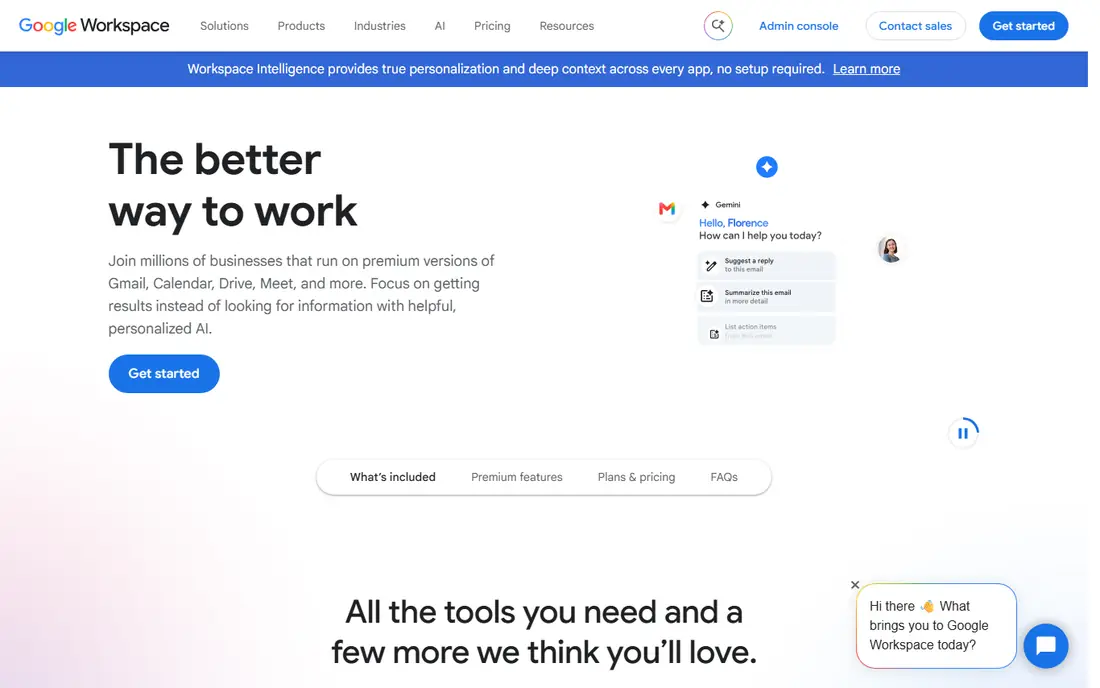
Google Chat suits Google Workspace teams that want simple chat without another subscription. Spaces, threads and Meet integration cover daily coordination, and Drive files share cleanly. For teams already on Workspace, the extra cost is often zero.
Integration depth lags Slack, and admin controls are thinner than Teams. Teams needing deep automation will feel the limits. For straightforward Google-based chat, Chat is a simple Slack replacement.
- Included with Google Workspace
- Simple spaces
- Ties to Gmail, Drive and Meet
- Fewer integrations than Slack
- Limited advanced admin
- No standalone business pricing
Discord
Ideal for: Communities and casual teams

Discord suits communities, gaming groups and casual teams that want free chat and excellent voice channels. Servers, roles and voice rooms handle large groups well, and most users already know the app. For community-led teams, Discord is free and familiar.
It is not built for business compliance, with basic admin controls and audit tools. File uploads are also limited without Nitro. For formal workplaces, Teams or Mattermost fit better; for communities, Discord wins.
- Free with unlimited messages
- Excellent voice channels
- Large community features
- Not built for business compliance
- Admin controls are basic
- File sharing limits are low without Nitro
Mattermost
Ideal for: Self-hosted chat for security-focused teams
Mattermost is the self-hosted Slack alternative for security-focused and regulated teams. The open-source Team Edition runs on your own servers, with boards and playbooks for workflows. Data control, compliance options and DevOps integrations suit technical teams.
Self-hosting needs IT time and servers, and paid plans are quote based. The app ecosystem is also smaller than Slack. For teams that must control their chat data, Mattermost is the leading choice.
- Open-source Team Edition for self-hosting
- Boards and playbooks
- Strong compliance options
- Self-hosting needs IT resources
- Paid plans are quote based
- App ecosystem is smaller than Slack
Rocket.Chat
Ideal for: Self-hosted chat plus omnichannel messaging
Rocket.Chat combines self-hosted team chat with omnichannel messaging, so support and team chat can share one platform. The Starter edition is free for up to 50 users self-hosted, and integrations cover GitHub, Jira, Zoom and more. For regulated teams with support needs, it is flexible.
Paid plans are quote based, and the interface is busier than Slack. Setup also needs IT resources for self-hosting. For teams wanting self-hosting plus omnichannel, Rocket.Chat is a strong pick.
- Self-hosted Starter for up to 50 users
- Omnichannel messaging
- Broad integrations
- Paid plans are quote based
- Interface is busy
- Setup needs IT resources
Zulip
Ideal for: Async teams wanting topic-based threads
Zulip organizes chat by topic within streams, which suits async teams drowning in unstructured channels. Threads keep decisions findable, and search works well on paid plans. Self-hosting is available for teams that need control. For async, distributed teams, Zulip is distinctive.
The topic model takes learning, and new users may find it stricter than Slack. The app ecosystem is also smaller, and the free plan caps search history. For async teams willing to learn it, Zulip reduces chat chaos.
- Topic threads keep discussions organized
- Self-hosting available
- Good search
- Interface takes learning
- App ecosystem is smaller
- Free plan caps search history
Pumble
Ideal for: Lowest-cost team chat with unlimited history
Pumble is the budget Slack alternative, with unlimited users and message history on its free plan and a $2.49 paid seat price. That suits small teams and startups watching every dollar. The interface is simple, and core chat, channels and file sharing work well.
Task management needs the sister app Plaky, and integrations are fewer than Slack. Advanced admin also needs higher tiers. For low-cost chat without history limits, Pumble is the value leader.
- Unlimited users and history on free plan
- Lowest paid seat price
- Simple interface
- Task features need a sister app
- Integrations are fewer
- Advanced admin needs higher tiers
Chanty
Ideal for: Very small teams wanting chat plus tasks
Chanty suits very small teams that want chat and a task board in one app. Kanban tasks sit beside channels, so small projects do not need a separate tracker. The free plan covers up to five members, which is enough for many startups.
It is built for small teams, so larger firms will outgrow it, and integrations are limited. Scaling beyond a small team means migrating. For a tiny team that wants chat plus tasks cheaply, Chanty is a neat pick.
- Chat plus Kanban tasks
- Free plan for up to five members
- Simple setup
- Small-team focus
- Integrations are limited
- Scaling beyond small teams is awkward
How we picked these
We started from the topic and shortlisted products that exist and work today, then checked each vendor homepage, pricing page and free tier. We compared feature pages, app store listings, privacy policies and public reviews, and we dropped any product whose homepage could not be verified or whose price could not be checked. Where a price was unclear or varied by region, we wrote See website rather than guessing a number. That rule kept the list honest, even where a neat price would have made the comparison table look tidier.
We also weighed fit over fame. A well-known product stayed on the list only if it truly fits the topic, and smaller tools earned a place when they served a clear use case better. No product here was tested hands-on for this article, and no vendor paid for placement.
Price and free-tier details matter most when plans change often, so we favoured products with clear published pricing and a trial or free tier where one exists. If a vendor changed a plan after our check, the vendor site is the correct source, and the ranking here still reflects fit, not just price. That check takes extra time, but it prevents a shortlist built on outdated pricing or a product that no longer exists.
Choosing a Slack alternative by hosting and workflow
Decide whether you need cloud convenience or self-hosted control. Cloud tools such as Teams, Discord and Pumble are fastest to adopt, while Mattermost and Rocket.Chat suit regulated teams that must control data. Then test threads, search and mobile use on a real project, because chat habits are hard to change twice.
Before you pay, run a trial on a real task from your own work, not a demo file. Check export formats, mobile access and support hours, because those details decide whether a tool survives daily use. Also check renewal terms and cancellation steps, since a cheap first year can become an expensive second year if renewal jumps. Finally, ask who will own setup and training, because a tool nobody is responsible for tends to fall out of use within a few months. Keep a short note on why you picked the winner, so a future review can judge it against the same criteria instead of starting from scratch.
A useful final test is to imagine the tool in six months, when the first excitement has faded and the work is routine. If the daily steps are still quick, the cost is still clear, and the support route is still obvious, the choice is likely sound. If any of those three answers is unclear, use the trial period to get a clear answer before committing to an annual plan.
Frequently asked questions
What is the best free Slack alternative?
Discord is free with unlimited message history for communities, and Pumble offers a free plan with unlimited users and history. Mattermost Team Edition is free for self-hosting.
Is Microsoft Teams a good Slack alternative?
Yes, especially for Microsoft 365 teams, where Teams is included and covers chat, meetings and files. Teams outside Microsoft 365 get less value from it.
Which Slack alternative is best for privacy?
Mattermost and Rocket.Chat suit privacy-focused teams, because they can be self-hosted and controlled. Zulip also offers self-hosting with topic-based threads.
Can I migrate chat history from Slack?
Some tools offer Slack import for channels and messages, but history limits on the free Slack plan restrict what can be exported. Check import tools before leaving, and export early.