Best StumbleUpon Alternatives in 2026: 8 Tools Compared

- Our pick for most people is Mix, because it balances price, features and ease of use for the widest group of readers.
- Free plans are real here, but the limits matter: check what Pinterest and Reddit actually include before you commit.
- Prices in this guide come from vendor pricing pages and current comparisons checked in October 2026, and they can change, so confirm the plan on the vendor site before you buy.
- The best choice depends on your budget, your experience level and how much support you want, not on which brand is most famous.
Quick comparison
| Product | Ideal for | Price from | Free version | |
|---|---|---|---|---|
 Mix | StumbleUpon successor for discovery | Free | Yes | Visit |
 Pinterest | Visual discovery and saving ideas | Free | Yes | Visit |
 Reddit | Community discovery across every topic | Free | Yes | Visit |
 Flipboard | Magazine-style news and interest discovery | Free | Yes | Visit |
 Pocket | Saving articles to read later | Free | Yes | Visit |
 Feedly | Following sites and topics in one feed | See website | Yes | Visit |
 Dribbble | Design discovery and inspiration | Free | Yes | Visit |
 Behance | Creative portfolios and discovery | Free | Yes | Visit |
The best StumbleUpon Alternatives in 2026
We compared official feature pages, pricing pages, app store listings, privacy policies and public reviews to build this list for stumbleupon alternatives. Every option below exists and works today, and each one earns its place for a different kind of reader.
Mix
Ideal for: StumbleUpon successor for discovery
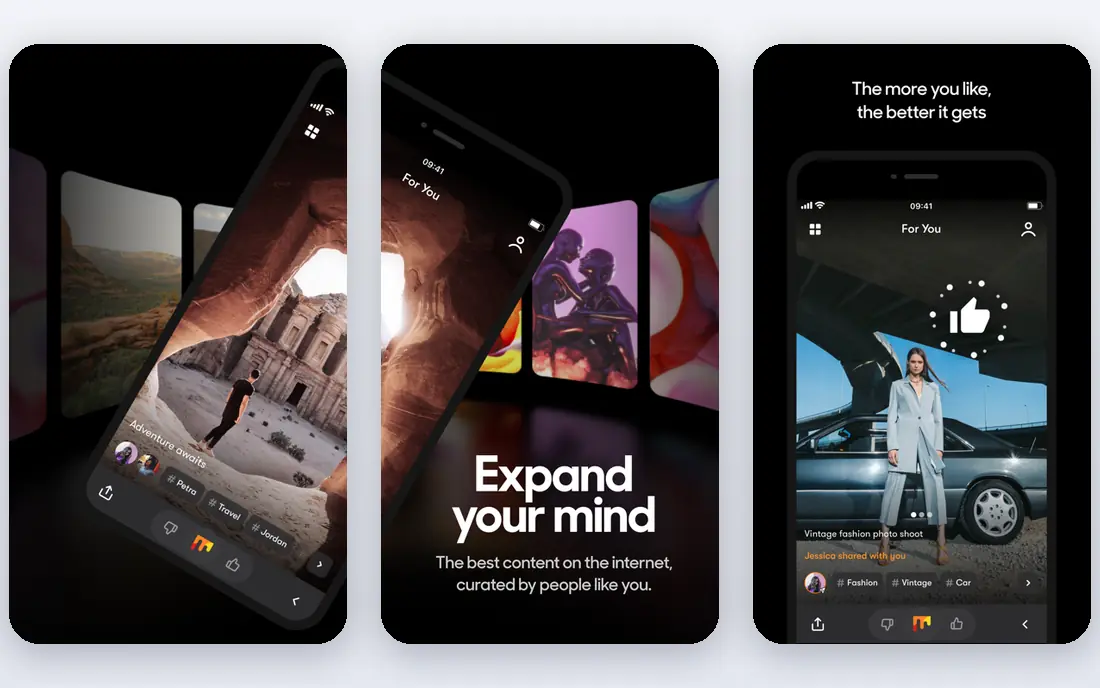
Here is the short version. Mix is the direct successor to StumbleUpon, built around interests and collections for serendipitous discovery. It fits readers who want stumbleupon successor for discovery, and its published feature set matches that promise rather than trying to cover every possible use case at once. When we weighed it against the rest of this list, the balance of price, scope and support stood out for that group, and the public reviews we read pointed in the same direction for that use case. The price picture is free, with a free plan status of yes. The community is smaller than in StumbleUpon's peak, so discovery feels quieter than Reddit or Pinterest. Before you sign up, check the current plan limits on the official site, because caps on users, usage or features are where most buyers get surprised after the first month, and a plan that looks cheap can cost more once you add the seats or volume you actually need.
- Interest-based discovery
- Collections
- Successor to StumbleUpon
- Smaller community than before
- Content quality varies
Ideal for: Visual discovery and saving ideas
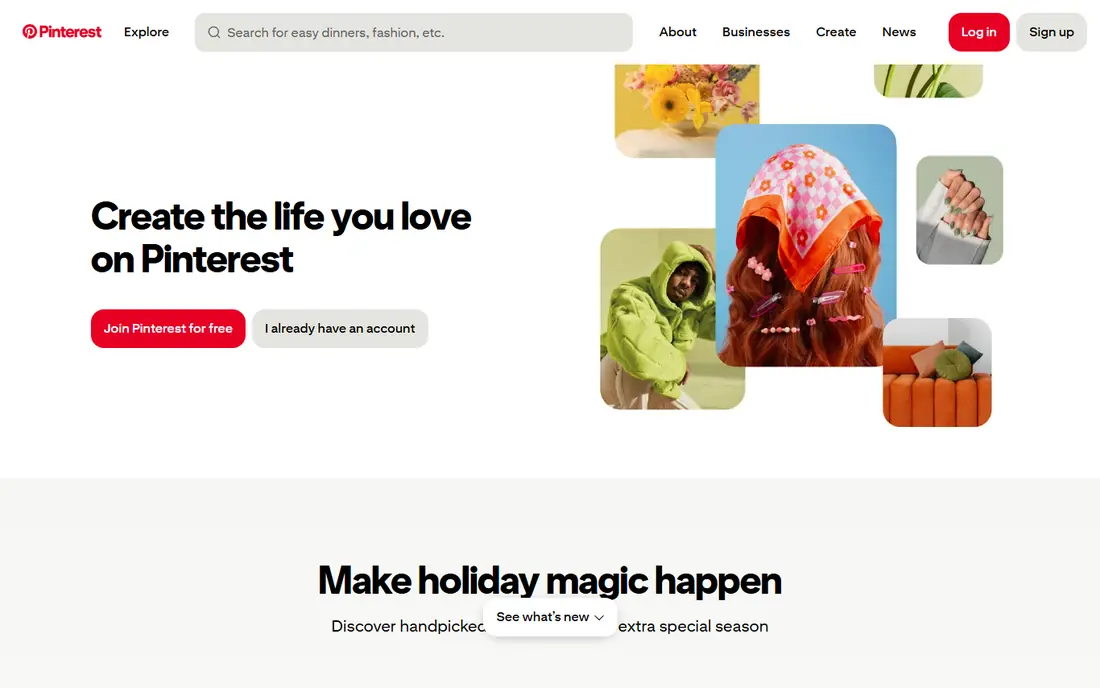
Start here if you want the safe default. Pinterest suits visual discovery, with boards that save ideas for home, food, style and projects. It fits readers who want visual discovery and saving ideas, and its published feature set matches that promise rather than trying to cover every possible use case at once. When we weighed it against the rest of this list, the balance of price, scope and support stood out for that group, and the public reviews we read pointed in the same direction for that use case. The price picture is free, with a free plan status of yes. It is less random than StumbleUpon, so use it when you want to save ideas rather than stumble on surprises. Before you sign up, check the current plan limits on the official site, because caps on users, usage or features are where most buyers get surprised after the first month, and a plan that looks cheap can cost more once you add the seats or volume you actually need.
- Visual boards
- Interest feed
- Huge image library
- Discovery skews visual and shopping
- Less random than StumbleUpon
Ideal for: Community discovery across every topic
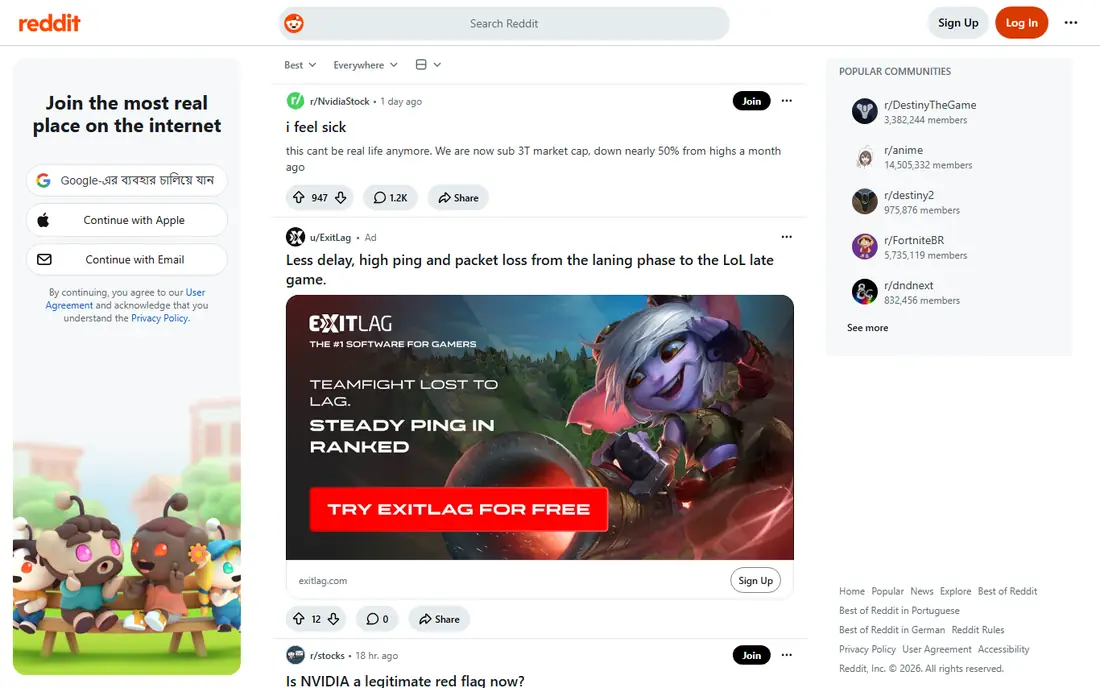
This one suits a specific kind of reader. Reddit offers discovery across almost any topic, with communities that surface what members actually value. It fits readers who want community discovery across every topic, and its published feature set matches that promise rather than trying to cover every possible use case at once. When we weighed it against the rest of this list, the balance of price, scope and support stood out for that group, and the public reviews we read pointed in the same direction for that use case. The price picture is free, with a free plan status of yes. New users should pick a few communities first, because the full site can overwhelm. Before you sign up, check the current plan limits on the official site, because caps on users, usage or features are where most buyers get surprised after the first month, and a plan that looks cheap can cost more once you add the seats or volume you actually need.
- Thousands of communities
- Voting surfaces popular posts
- Search
- Quality varies by community
- Interface can overwhelm newcomers
Ideal for: Magazine-style news and interest discovery
Consider this if the top picks do not fit. Flipboard suits readers who want magazine-style discovery across news and interests. It fits readers who want magazine-style news and interest discovery, and its published feature set matches that promise rather than trying to cover every possible use case at once. When we weighed it against the rest of this list, the balance of price, scope and support stood out for that group, and the public reviews we read pointed in the same direction for that use case. The price picture is free, with a free plan status of yes. It leans toward news and articles, so video and visual discovery users may prefer Pinterest or Mix. Before you sign up, check the current plan limits on the official site, because caps on users, usage or features are where most buyers get surprised after the first month, and a plan that looks cheap can cost more once you add the seats or volume you actually need.
- Curated magazines
- Interest topics
- Clean reading view
- Less random discovery than StumbleUpon
- News-heavy
Ideal for: Saving articles to read later
A strong option for a narrower need. Pocket is best for saving what you find, with a clean reading view and recommendations based on your saves. It fits readers who want saving articles to read later, and its published feature set matches that promise rather than trying to cover every possible use case at once. When we weighed it against the rest of this list, the balance of price, scope and support stood out for that group, and the public reviews we read pointed in the same direction for that use case. The price picture is free, with a free plan status of yes. It does not recreate StumbleUpon randomness on its own, so pair it with Reddit or Mix for discovery. Before you sign up, check the current plan limits on the official site, because caps on users, usage or features are where most buyers get surprised after the first month, and a plan that looks cheap can cost more once you add the seats or volume you actually need.
- Save articles
- Clean reading view
- Recommendations
- Focused on saving rather than random discovery
- Some features need Premium
Feedly
Ideal for: Following sites and topics in one feed
Worth a close look before you decide. Feedly suits readers who follow specific sites and topics, with feeds that keep new posts in one place. It fits readers who want following sites and topics in one feed, and its published feature set matches that promise rather than trying to cover every possible use case at once. When we weighed it against the rest of this list, the balance of price, scope and support stood out for that group, and the public reviews we read pointed in the same direction for that use case. The price picture is see website, with a free plan status of yes. You must choose sources first, so it rewards deliberate following more than random stumbling. Before you sign up, check the current plan limits on the official site, because caps on users, usage or features are where most buyers get surprised after the first month, and a plan that looks cheap can cost more once you add the seats or volume you actually need.
- RSS and topic feeds
- Boards
- AI summaries on higher tiers
- Needs you to choose sources
- Less serendipity than StumbleUpon
Dribbble
Ideal for: Design discovery and inspiration
This belongs on the shortlist for a reason. Dribbble is the discovery home for design inspiration, with work from professionals across styles. It fits readers who want design discovery and inspiration, and its published feature set matches that promise rather than trying to cover every possible use case at once. When we weighed it against the rest of this list, the balance of price, scope and support stood out for that group, and the public reviews we read pointed in the same direction for that use case. The price picture is free, with a free plan status of yes. General readers will find it too narrow, but designers will find it more useful than general tools. Before you sign up, check the current plan limits on the official site, because caps on users, usage or features are where most buyers get surprised after the first month, and a plan that looks cheap can cost more once you add the seats or volume you actually need.
- Design work from professionals
- Search by style
- Inspiration boards
- Design-only focus
- Less general discovery
Behance
Ideal for: Creative portfolios and discovery
Do not overlook this one. Behance suits creative discovery, with full projects rather than single images. It fits readers who want creative portfolios and discovery, and its published feature set matches that promise rather than trying to cover every possible use case at once. When we weighed it against the rest of this list, the balance of price, scope and support stood out for that group, and the public reviews we read pointed in the same direction for that use case. The price picture is free, with a free plan status of yes. It is portfolio-heavy, so casual browsers may prefer Pinterest or Mix for lighter discovery. Before you sign up, check the current plan limits on the official site, because caps on users, usage or features are where most buyers get surprised after the first month, and a plan that looks cheap can cost more once you add the seats or volume you actually need.
- Creative portfolios
- Project discovery
- Adobe links
- Creative focus
- Browsing can feel portfolio-heavy
How we picked these
We started from official feature pages and pricing pages, then checked app store listings, privacy policies and public reviews to confirm each product still works and still fits the topic. Products that could not be verified, or that only partly matched the topic, were left out, even when they were well known. We favoured a mix of established leaders and strong smaller options, and we weighted price transparency, a usable free tier or trial, and honest limits more heavily than marketing claims. No product on this list paid for its place, and our pick for most people is the one we would suggest to a friend with ordinary needs and an ordinary budget.
How to recreate StumbleUpon-style discovery today
Start with what you miss most: randomness, saving or a specific topic, because no single tool recreates all three. Mix is closest to the original random model, while Reddit and Pinterest offer scale and saving. Check how much control you want over your feed, since algorithmic feeds can narrow what you see. Then mix tools: use Mix or Reddit for discovery, Pocket for saving, and Feedly for following favourite sites. That combination recreates the old flow better than any single app, and it keeps your saved ideas separate from endless scrolling.
Frequently asked questions
What is the best StumbleUpon alternative?
Mix is the direct successor, Reddit offers the widest community discovery, and Pinterest suits visual saving. The right pick depends on whether you want randomness, saving or a topic focus.
Is Mix the same as StumbleUpon?
Mix grew out of StumbleUpon, with interests and collections at its core. It is the closest successor, though the community is smaller than StumbleUpon at its peak.
Are these tools free?
Yes, Mix, Pinterest, Reddit, Flipboard, Pocket, Dribbble and Behance are free to use, with optional paid tiers on some. Feedly also offers a free tier.
Can I save what I discover?
Yes, Pinterest boards, Mix collections, Pocket saves and Feedly boards all save content. Pocket is best for articles, while Pinterest is best for images.
What if I want topic-specific discovery?
Reddit communities and Feedly topic feeds suit specific topics best. Start with a few communities or sources, then expand as you learn what you like.