Best Syxsense Alternatives in 2026: 8 Options Compared

- 1
 NinjaOneEndpoint management for IT teams and MSPsVisit
- 2
 ManageEngine Endpoint CentralPatching and endpoint control at scaleVisit
- 3
 AteraAll-in-one RMM for small IT teamsVisit
- 4
 Datto RMMMSPs that need remote monitoring and backup linksVisit
- 5
 N-able N-centralMSPs managing many client networksVisit
- Our pick for most people is NinjaOne, because it balances price, features and ease of use for the widest group of readers.
- Free plans are real here, but the limits matter: check what ManageEngine Endpoint Central and Atera actually include before you commit.
- Prices in this guide come from vendor pricing pages and current comparisons checked in October 2026, and they can change, so confirm the plan on the vendor site before you buy.
- The best choice depends on your budget, your experience level and how much support you want, not on which brand is most famous.
Quick comparison
| Product | Ideal for | Price from | Free version | |
|---|---|---|---|---|
| NinjaOne | Endpoint management for IT teams and MSPs | See website | Free trial | Visit |
| ManageEngine Endpoint Central | Patching and endpoint control at scale | See website | Free trial | Visit |
| Atera | All-in-one RMM for small IT teams | See website | Free trial | Visit |
| Datto RMM | MSPs that need remote monitoring and backup links | See website | Free trial | Visit |
| N-able N-central | MSPs managing many client networks | See website | Free trial | Visit |
 Automox | Cloud patching across operating systems | See website | Free trial | Visit |
 Microsoft Intune | Organisations already using Microsoft 365 | See website | Free trial | Visit |
 PDQ Connect | Simple patching and deployment for Windows teams | See website | Free trial | Visit |
The best Syxsense Alternatives in 2026
We compared official feature pages, pricing pages, app store listings, privacy policies and public reviews to build this list for syxsense alternatives. Every option below exists and works today, and each one earns its place for a different kind of reader.
NinjaOne
Ideal for: Endpoint management for IT teams and MSPs
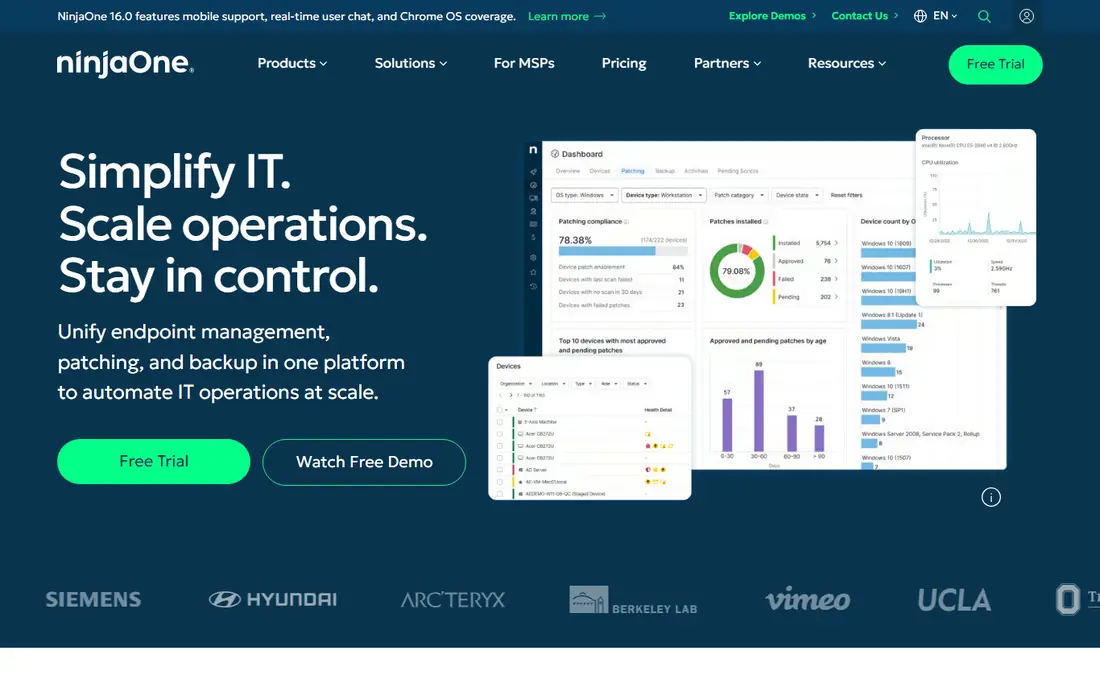
Here is the short version. NinjaOne gives IT teams one dashboard for monitoring, patching, scripting and remote access across Windows, Mac and Linux machines. It fits readers who want endpoint management for it teams and msps, and its published feature set matches that promise rather than trying to cover every possible use case at once. The price picture is see website, with a free plan status of free trial. Per-device pricing adds up for large fleets, so get a quote for your exact device count before you compare it with flat-rate tools. Before you sign up, check the current plan limits on the official site, because caps on users, usage or features are where most buyers get surprised after the first month.
- Unified endpoint monitoring and patching
- Remote access
- Strong automation
- Pricing is per device and quoted on request
- Smaller teams may find it costly
ManageEngine Endpoint Central
Ideal for: Patching and endpoint control at scale

Start here if you want the safe default. ManageEngine Endpoint Central covers patching, software deployment and device control in one product, which suits organisations with mixed Windows, Mac and mobile fleets. It fits readers who want patching and endpoint control at scale, and its published feature set matches that promise rather than trying to cover every possible use case at once. The price picture is see website, with a free plan status of free trial. The depth comes with a dense interface, so plan time for setup and training rather than expecting a same-day rollout. Before you sign up, check the current plan limits on the official site, because caps on users, usage or features are where most buyers get surprised after the first month.
- Broad patching and software deployment
- Mobile device management
- Detailed reports
- Interface is dense
- Setup takes planning for large estates
Atera
Ideal for: All-in-one RMM for small IT teams
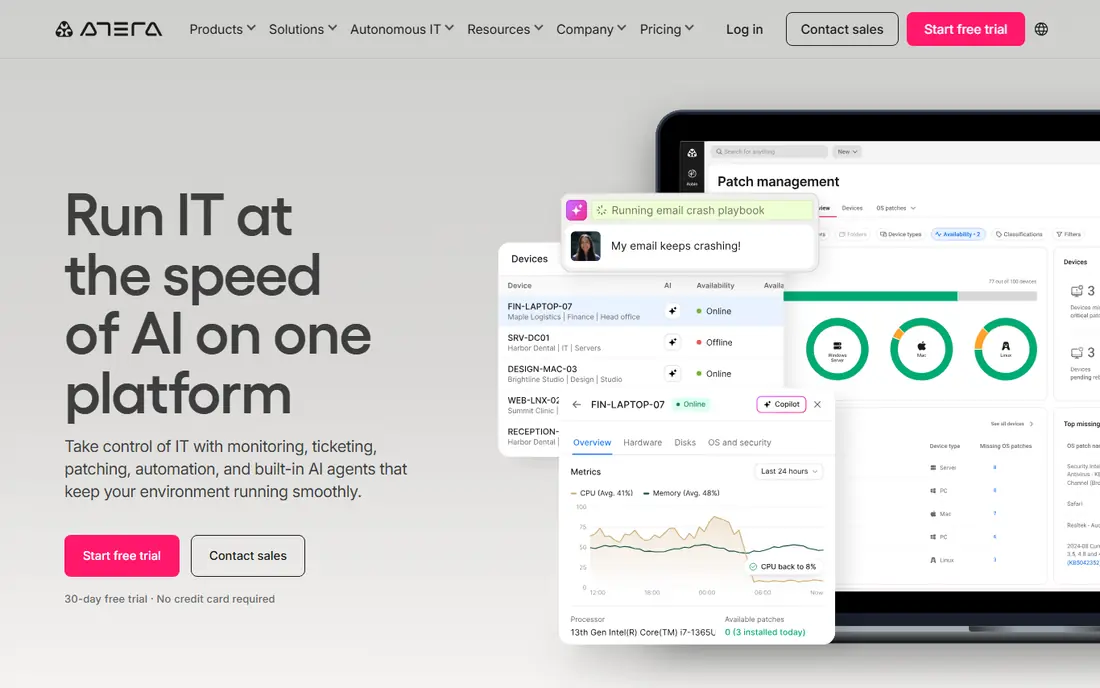
This one suits a specific kind of reader. Atera charges per technician rather than per device, which makes it attractive for small teams managing many endpoints on a tight budget. It fits readers who want all-in-one rmm for small it teams, and its published feature set matches that promise rather than trying to cover every possible use case at once. The price picture is see website, with a free plan status of free trial. Larger organisations may want deeper reporting and compliance tools than Atera offers, so test those areas during the trial. Before you sign up, check the current plan limits on the official site, because caps on users, usage or features are where most buyers get surprised after the first month.
- Per-technician pricing
- Remote access and patching
- Ticketing built in
- Per-technician model suits small teams best
- Reporting is simpler than enterprise tools
Datto RMM
Ideal for: MSPs that need remote monitoring and backup links
Consider this if the top picks do not fit. Datto RMM is built for managed service providers, with monitoring, patching and policy tools that scale across many client sites. It fits readers who want msps that need remote monitoring and backup links, and its published feature set matches that promise rather than trying to cover every possible use case at once. The price picture is see website, with a free plan status of free trial. In-house IT teams may find the MSP focus and pricing harder to justify than a simpler endpoint tool. Before you sign up, check the current plan limits on the official site, because caps on users, usage or features are where most buyers get surprised after the first month.
- Strong MSP tooling
- Remote monitoring
- Integration with Datto backup products
- Built for MSPs, so in-house teams may pay for features they do not use
N-able N-central
Ideal for: MSPs managing many client networks
A strong option for a narrower need. N-able N-central suits providers who manage networks as well as endpoints, with monitoring and automation that spans both. It fits readers who want msps managing many client networks, and its published feature set matches that promise rather than trying to cover every possible use case at once. The price picture is see website, with a free plan status of free trial. The learning curve is real, and smaller teams should trial it on a few sites before committing to a full rollout. Before you sign up, check the current plan limits on the official site, because caps on users, usage or features are where most buyers get surprised after the first month.
- Deep network and endpoint monitoring
- Automation
- MSP-focused dashboards
- Learning curve is steep
- Pricing is quoted per deployment
Automox
Ideal for: Cloud patching across operating systems
Worth a close look before you decide. Automox focuses on patching done well, with cloud policies that keep Windows, Mac and Linux machines updated without on-premises servers. It fits readers who want cloud patching across operating systems, and its published feature set matches that promise rather than trying to cover every possible use case at once. The price picture is see website, with a free plan status of free trial. It is not a full replacement for every endpoint management feature, so check remote access and inventory needs before you choose it. Before you sign up, check the current plan limits on the official site, because caps on users, usage or features are where most buyers get surprised after the first month.
- Cloud-native patching for Windows, Mac and Linux
- Policy automation
- Good reporting
- Less full endpoint management than rivals
- Some features need higher tiers
Microsoft Intune
Ideal for: Organisations already using Microsoft 365
This belongs on the shortlist for a reason. Microsoft Intune makes sense when your estate already runs on Microsoft 365, because identity, compliance and app deployment sit in the same admin world. It fits readers who want organisations already using microsoft 365, and its published feature set matches that promise rather than trying to cover every possible use case at once. The price picture is see website, with a free plan status of free trial. Organisations with large Mac or Linux fleets should test those platforms carefully, since Intune is strongest on Windows. Before you sign up, check the current plan limits on the official site, because caps on users, usage or features are where most buyers get surprised after the first month.
- Deep Microsoft 365 integration
- Device compliance
- App deployment
- Best for Microsoft-centred estates
- Non-Microsoft devices need extra care
PDQ Connect
Ideal for: Simple patching and deployment for Windows teams
Do not overlook this one. PDQ Connect suits Windows teams that want patching and software deployment without a heavy platform, and its setup is notably fast. It fits readers who want simple patching and deployment for windows teams, and its published feature set matches that promise rather than trying to cover every possible use case at once. The price picture is see website, with a free plan status of free trial. Cross-platform fleets will need another tool for Mac and Linux, so judge it on your Windows share first. Before you sign up, check the current plan limits on the official site, because caps on users, usage or features are where most buyers get surprised after the first month.
- Simple deployment and patching
- Fast setup
- Clear per-admin pricing
- Windows-focused
- Less cross-platform depth than rivals
How we picked these
We started from official feature pages and pricing pages, then checked app store listings, privacy policies and public reviews to confirm each product still works and still fits the topic. Products that could not be verified, or that only partly matched the topic, were left out, even when they were well known. We favoured a mix of established leaders and strong smaller options, and we weighted price transparency, a usable free tier or trial, and honest limits more heavily than marketing claims. No product on this list paid for its place, and our pick for most people is the one we would suggest to a friend with ordinary needs and an ordinary budget.
How to choose endpoint management without overbuying
Start by counting devices and operating systems, because per-device and per-technician pricing produce very different bills for the same fleet. Next, separate patching from full endpoint management: if patching is the main gap, a focused tool may beat a broad platform. Then check remote access, scripting and reporting, since those decide whether the tool saves technician time or just adds another dashboard. Trial the top two on a real subset of machines, including at least one Mac or Linux device if you have them. Also check agent performance and update behaviour, because an agent that slows machines or forces reboots at bad times will create tickets of its own. Confirm compliance reporting if you work in a regulated sector, and confirm how the vendor handles support during your rollout, since endpoint tools touch every machine you own.
Frequently asked questions
What is the best Syxsense alternative?
NinjaOne is the strongest all-rounder for IT teams and MSPs, ManageEngine Endpoint Central suits large mixed estates, and Atera suits small teams thanks to per-technician pricing. The right pick depends on fleet size and operating systems.
Is there a free endpoint management alternative?
Most serious endpoint tools are paid, though many offer free trials and some offer free tiers for very small fleets. Budget for per-device or per-technician pricing rather than expecting a full free product.
What is the difference between RMM and endpoint management?
RMM tools focus on remote monitoring and management for service providers, while endpoint management covers patching, deployment and policy for any organisation. Many products now cover both, so compare features rather than labels.
Do these tools work on Mac and Linux?
NinjaOne, ManageEngine and Automox cover Windows, Mac and Linux, while PDQ is Windows-focused and Intune is strongest on Windows. Check your exact operating system mix before you buy.
How hard is it to switch endpoint tools?
Switching means replacing agents on every device, which takes planning, testing and a rollout window. Trial on a small group first, and keep the old tool running until the new agent is proven on your full fleet.