TestRail Alternatives in 2026: 8 Options Compared

- Testmo is our first pick for Modern test management for teams, because it covers the core job well without a narrow focus.
- Zephyr is a strong second option for Test management inside Jira, and it suits buyers who want a different balance of features and price.
- If you want to start free, look at TestLink first, then check what sits behind their paid plans.
- PractiTest stands out for End-to-end QA management, with test library, runs, and requirements traceability as its clearest strength.
- Shortlist two or three options, test each with a real task, and compare the total cost and limits before you commit.
Quick comparison
| Product | Ideal for | Price from | Free version | |
|---|---|---|---|---|
 Testmo | Modern test management for teams | See website | Free trial | Visit |
 Zephyr | Test management inside Jira | See website | Free trial | Visit |
 Xray | Test management for Jira | See website | Free trial | Visit |
 PractiTest | End-to-end QA management | See website | Free trial | Visit |
 TestLink | Open source test management | Free | Yes | Visit |
 qTest | Test management at enterprise scale | See website | See website | Visit |
 Testpad | Simple checklist-style test plans | See website | Free trial | Visit |
 QA Touch | Affordable test management | See website | Free trial | Visit |
The best TestRail alternatives
These 8 options cover the main ways to handle testrail alternatives, from well-known leaders to smaller tools that suit a narrower job. We compared official feature pages, pricing, app-store listings, privacy policies, and public reviews to sort out where each one earns its place.
Testmo
Ideal for: Modern test management for teams
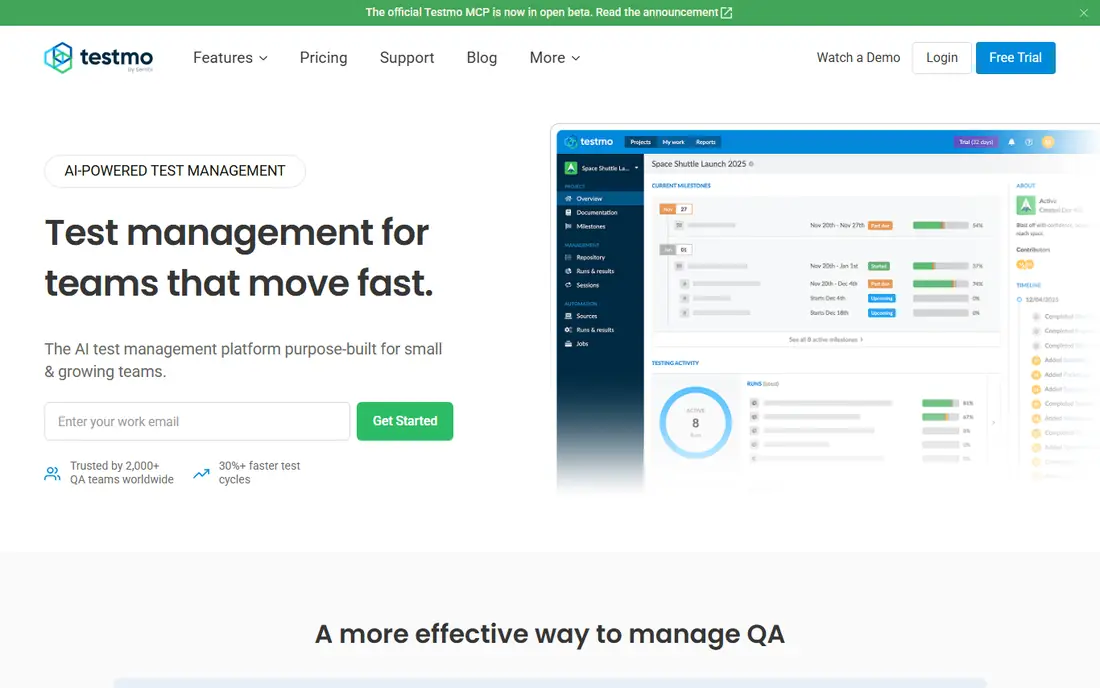
Testmo fits modern test management for teams. Testmo fits teams that want modern test management with automation results included. Its strengths include test cases, runs, and automation results in one tool, and clean interface.
The honest catch is smaller ecosystem than older rivals, and migration needs planning. That matters most when your team relies on that area every day, so weigh it against the strengths above before you decide. A tool can still be the right pick with a clear weakness, as long as that weakness sits outside your main job.
We would shortlist Testmo if modern test management for teams is your main priority. A free trial lets you test it with real work before you pay, so use that window properly. Start small, test it with a real workload, and compare the result with one other option on this list before you commit.
- Test cases, runs, and automation results in one tool
- Clean interface
- Smaller ecosystem than older rivals
- Migration needs planning
Zephyr
Ideal for: Test management inside Jira

For test management inside Jira, Zephyr is a strong candidate. Zephyr suits Jira teams that want tests close to issues. Its strengths include jira-native test management, traceability to issues, and reporting.
The honest catch is jira dependence shapes the experience, and pricing varies by deployment. That matters most when your team relies on that area every day, so weigh it against the strengths above before you decide. A tool can still be the right pick with a clear weakness, as long as that weakness sits outside your main job.
We would shortlist Zephyr if test management inside Jira is your main priority. A free trial lets you test it with real work before you pay, so use that window properly. Start small, test it with a real workload, and compare the result with one other option on this list before you commit.
- Jira-native test management
- Traceability to issues
- Reporting
- Jira dependence shapes the experience
- Pricing varies by deployment
Xray
Ideal for: Test management for Jira
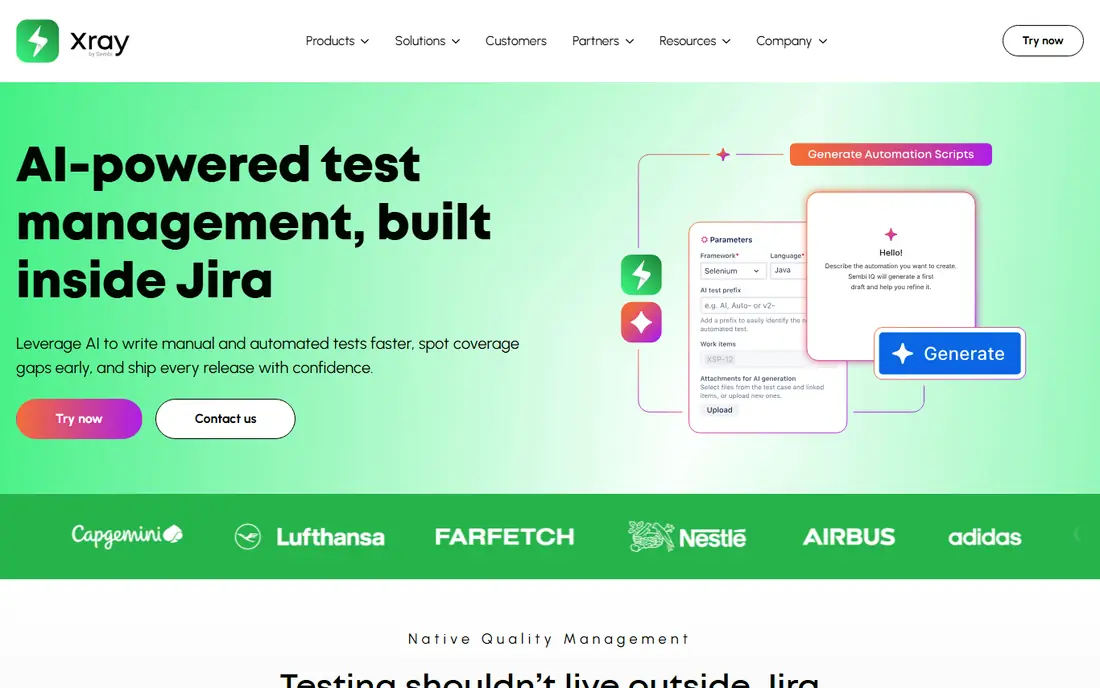
Xray is built around test management for Jira. Xray fits Jira shops that want test management as a native app. Its strengths include jira app for manual and automated tests, traceability, and BDD support.
The honest catch is jira-only scope, and pricing scales with Jira users. That matters most when your team relies on that area every day, so weigh it against the strengths above before you decide. A tool can still be the right pick with a clear weakness, as long as that weakness sits outside your main job.
We would shortlist Xray if test management for Jira is your main priority. A free trial lets you test it with real work before you pay, so use that window properly. Start small, test it with a real workload, and compare the result with one other option on this list before you commit.
- Jira app for manual and automated tests
- Traceability
- BDD support
- Jira-only scope
- Pricing scales with Jira users
PractiTest
Ideal for: End-to-end QA management
If end-to-end QA management is the priority, PractiTest deserves a close look. PractiTest suits QA teams that need traceability from requirements to runs. Its strengths include test library, runs, and requirements traceability, and dashboards.
The honest catch is pricing is per user and rises with features, and interface is dense. That matters most when your team relies on that area every day, so weigh it against the strengths above before you decide. A tool can still be the right pick with a clear weakness, as long as that weakness sits outside your main job.
We would shortlist PractiTest if end-to-end QA management is your main priority. A free trial lets you test it with real work before you pay, so use that window properly. Start small, test it with a real workload, and compare the result with one other option on this list before you commit.
- Test library, runs, and requirements traceability
- Dashboards
- Pricing is per user and rises with features
- Interface is dense
TestLink
Ideal for: Open source test management
TestLink fits open source test management. TestLink fits teams that want open source test management on a tight budget. Its strengths include open source test cases, plans, and results, and no licence fee.
The honest catch is interface feels dated, and maintenance is community-led. That matters most when your team relies on that area every day, so weigh it against the strengths above before you decide. A tool can still be the right pick with a clear weakness, as long as that weakness sits outside your main job.
We would shortlist TestLink if open source test management is your main priority. It is free to use at the core level, which makes trying it low risk. Start small, test it with a real workload, and compare the result with one other option on this list before you commit.
- Open source test cases, plans, and results
- No licence fee
- Interface feels dated
- Maintenance is community-led
qTest
Ideal for: Test management at enterprise scale
For test management at enterprise scale, qTest is a strong candidate. qTest suits enterprises that want test management tied to automation tooling. Its strengths include test management with automation integration, and Tricentis ecosystem.
The honest catch is enterprise pricing, and now part of a larger testing vendor. That matters most when your team relies on that area every day, so weigh it against the strengths above before you decide. A tool can still be the right pick with a clear weakness, as long as that weakness sits outside your main job.
We would shortlist qTest if test management at enterprise scale is your main priority. Check the current pricing page before you commit, since plans, limits, and terms change over time. Start small, test it with a real workload, and compare the result with one other option on this list before you commit.
- Test management with automation integration
- Tricentis ecosystem
- Enterprise pricing
- Now part of a larger testing vendor
Testpad
Ideal for: Simple checklist-style test plans
Testpad is built around simple checklist-style test plans. Testpad fits small teams that want exploratory and checklist testing without a heavy tool. Its strengths include simple checklist test plans that are easy to write and run.
The honest catch is depth is light for large test libraries, and reporting is basic. That matters most when your team relies on that area every day, so weigh it against the strengths above before you decide. A tool can still be the right pick with a clear weakness, as long as that weakness sits outside your main job.
We would shortlist Testpad if simple checklist-style test plans is your main priority. A free trial lets you test it with real work before you pay, so use that window properly. Start small, test it with a real workload, and compare the result with one other option on this list before you commit.
- Simple checklist test plans that are easy to write and run
- Depth is light for large test libraries
- Reporting is basic
QA Touch
Ideal for: Affordable test management
If affordable test management is the priority, QA Touch deserves a close look. QA Touch fits small QA teams that want affordable test management. Its strengths include test cases, runs, and bug tracking, affordable plans, and integrations.
The honest catch is smaller vendor, and advanced automation depth trails larger rivals. That matters most when your team relies on that area every day, so weigh it against the strengths above before you decide. A tool can still be the right pick with a clear weakness, as long as that weakness sits outside your main job.
We would shortlist QA Touch if affordable test management is your main priority. A free trial lets you test it with real work before you pay, so use that window properly. Start small, test it with a real workload, and compare the result with one other option on this list before you commit.
- Test cases, runs, and bug tracking
- Affordable plans
- Integrations
- Smaller vendor
- Advanced automation depth trails larger rivals
How we picked these
We started from the topic itself and kept only products that exist, work in October 2026, and truly fit the job in the title. For each option we checked official feature pages and pricing, app-store listings where relevant, privacy policies, and public reviews, and we left out products whose fit depended on stretching the definition. Where a price or free tier could not be verified from the vendor, we wrote See website rather than guessing a number.
We also weighed who each product is really for, not just its feature list. A broad platform can be the wrong pick for a small team, and a simple tool can be the wrong pick for a large operation, so the write-ups above name the audience, the strength, and the catch for each option. That is the comparison we would want before spending money or moving data.
How to choose a test management tool
Start with your main job
Write down the one job you need done every week, then judge each option against that job first. Extra features look good in a demo, but they add cost, training, and admin work when they sit unused. If two options both cover your main job, pick the one with the clearer pricing and the simpler setup for your team.
Check pricing and limits
Compare the total cost for your team size and usage, not just the headline plan. Check seat pricing, usage limits, add-ons, and contract terms, and ask what happens when you grow past a tier. A free plan or trial is useful, but read what it excludes, since the feature you need most is often the one held back for paid plans.
Test before you commit
Run a short trial with real data and a real task, and involve the people who will use the tool daily. Check support response, data export, and how easy it is to leave, because switching costs are part of the price. If a trial feels hard to set up, treat that as useful evidence about the product, not just about your team.
Frequently asked questions
What are testrail alternatives?
They are products and services that cover the same job as the original topic, in this case testrail alternatives. The list above includes Testmo, Zephyr, and Xray, among others, each with a different balance of features, price, and audience. Start from your main job, then narrow the list to the two or three options that fit it best.
Which option is best for most people?
For most buyers, Testmo is a sensible starting point for Modern test management for teams, because it covers the core job well. If your priority is different, Zephyr for Test management inside Jira or PractiTest for End-to-end QA management may fit better. There is no single winner for every team, so match the pick to your size, budget, and workflow.
Is there a free option?
Yes, TestLink offer a free way to start, though paid plans add depth and support. Free tiers usually limit usage, seats, or advanced features, so check the limits against your real workload. A free start is still a good way to test fit before paying.
How much do these options cost?
Costs vary by plan, team size, and usage, and several vendors use quote-based pricing, which is why some entries say See website. Compare the total for your actual use, including seats, add-ons, and contract length, rather than the lowest headline price. Ask each vendor for a written quote before you decide.
How do I switch from my current tool?
Start by exporting your data and checking what the new tool can import, since migration quality varies a lot. Run both tools side by side for a short period, move one team or project first, and keep the old tool until the new one proves itself. Ask the vendor for migration help in writing before you sign.