Thingiverse Alternatives in 2026: 8 Tools Compared

- 1
 PrintablesLarge free libraryVisit
- 2
 MyMiniFactoryCurated designer storeVisit
- 3
 Cults 3DDesigner marketplaceVisit
- 4
 ThangsCross-site searchVisit
- 5
 MakerWorldBambu Lab communityVisit
- Printables and MakerWorld suit most makers, with large free model libraries and active communities.
- MyMiniFactory and Cults 3D suit designers who want to sell models, with curated stores.
- Thangs adds search across many model sites, which saves time when hunting for a specific part.
- Pinshape, YouMagine, and Free3D cover smaller communities and free models for hobbyists.
Quick comparison
| Product | Ideal for | Price from | Free version | |
|---|---|---|---|---|
| Printables | Large free library | Free | Yes | Visit |
| MyMiniFactory | Curated designer store | Free | Yes | Visit |
| Cults 3D | Designer marketplace | Free | Yes | Visit |
| Thangs | Cross-site search | Free | Yes | Visit |
| MakerWorld | Bambu Lab community | Free | Yes | Visit |
 Pinshape | Small maker community | Free | Yes | Visit |
 YouMagine | Free models and tools | Free | Yes | Visit |
 Free3D | Free 3D models | Free | Yes | Visit |
The best Thingiverse alternatives
We compared official feature pages, pricing pages, and app-store listings for 3D model libraries available in October 2026. Thingiverse is a large free model site, and the tools below cover free libraries, designer marketplaces, and search tools.
Printables
Ideal for: Large free library
Printables, from Prusa Research, is a large library of free 3D models with an active community, contests, and rewards for designers. Models cover functional prints, miniatures, tools, and household items, with print settings and user makes to check quality before printing. A Prusa account is free.
The library is tied to the Prusa ecosystem, though models work on any printer. For a maker who wants a large, well-organized free library with community feedback, Printables is the top Thingiverse alternative.
- Large free library from Prusa
- Active community
- Contests and rewards
- Tied to Prusa ecosystem
- Some models are Prusa-focused
MyMiniFactory
Ideal for: Curated designer store
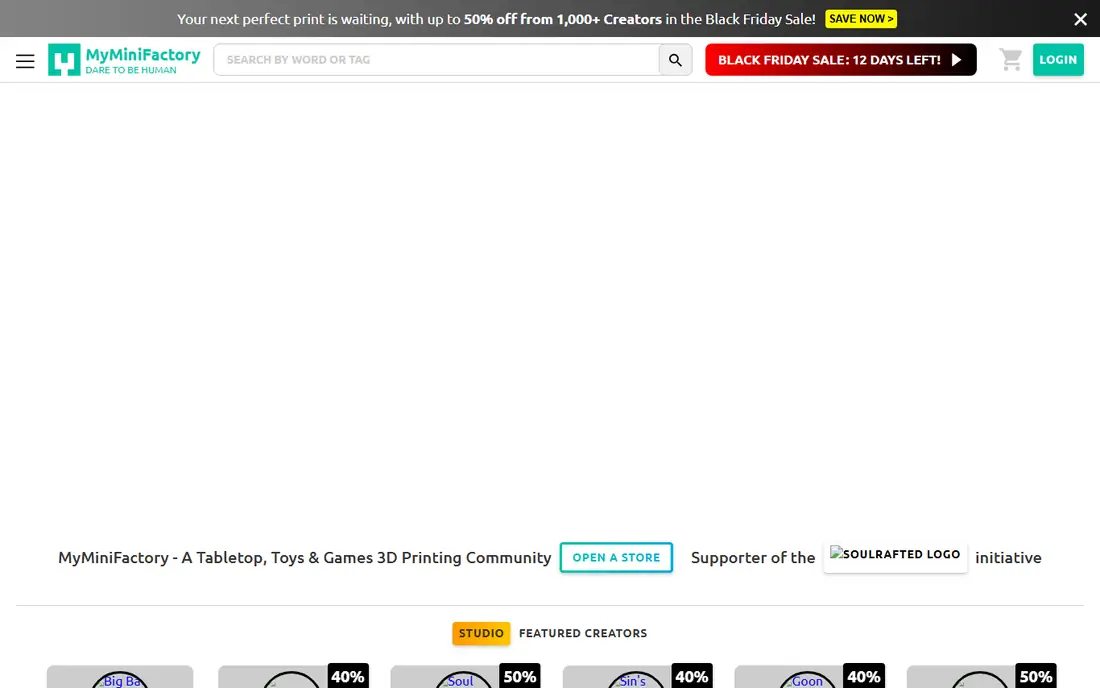
MyMiniFactory is a curated 3D model platform where designers sell or share models, with testing to check that files print well. Its Tribes feature lets supporters subscribe to a designer for exclusive models, and its store covers tabletop, miniatures, and functional prints.
Some models are paid, and the library is smaller than Printables. For a maker who wants tested, curated models and wants to support designers directly, MyMiniFactory is a strong choice.
- Curated models with testing
- Designer storefronts
- Tribes subscription for supporters
- Some models are paid
- Library is smaller than Printables
Cults 3D
Ideal for: Designer marketplace
Cults 3D is a marketplace for 3D models, with free and paid files across miniatures, jewelry, home, and functional categories. Designers set prices and earn payouts, while buyers can preview models and read reviews. A free account covers browsing and downloading free models.
Quality varies by designer, since the marketplace is open, so check reviews and makes before buying a paid model. For a maker who wants a large marketplace with both free and paid options, Cults 3D is a good fit.
- Large marketplace with free and paid models
- Designer payouts
- Many categories
- Quality varies by designer
- Paid models need careful review
Thangs
Ideal for: Cross-site search
Thangs is a search engine for 3D models that indexes many libraries, including Printables, MyMiniFactory, and others. Its 3D viewer lets users inspect a model before downloading, and its search covers geometric matches, so a similar part can be found even without the right keyword. A free account covers basic search.
Thangs is a search tool rather than a primary library, and some results link to paid sites. For a maker hunting for a specific part across many libraries, Thangs saves a lot of browsing time.
- Searches across many model sites
- 3D viewer
- Free account
- Not a primary library itself
- Some results link to paid sites
MakerWorld
Ideal for: Bambu Lab community
MakerWorld, from Bambu Lab, is a large library of free 3D models with one-click printing for Bambu printers, contests, and rewards for designers. Models cover functional prints, toys, and household items, with print profiles that simplify setup. A free account covers browsing and downloading.
The platform is tied to the Bambu Lab ecosystem, though models can be downloaded for other printers. For a Bambu Lab owner, MakerWorld's one-click printing is a major convenience, and for other makers it remains a large free library.
- Large free library
- Bambu Lab integration
- Contests and rewards
- Tied to Bambu Lab ecosystem
- Some features need a Bambu printer
Pinshape
Ideal for: Small maker community
Pinshape is a 3D model marketplace with free and paid models, designer storefronts, and a simple interface. It covers miniatures, jewelry, home, and functional prints, with reviews and makes to check quality. A free account covers browsing and downloading free models.
The library and community are smaller than Printables or MakerWorld, so selection is thinner. For a maker who wants a simple marketplace with both free and paid models, Pinshape is a usable alternative.
- Free and paid models
- Designer storefronts
- Simple interface
- Library is smaller than leaders
- Community is quieter
YouMagine
Ideal for: Free models and tools
YouMagine, connected to Ultimaker, is a community platform for free 3D models and maker tools. It offers a library of free models, design tools, and community features, with a focus on functional prints and education. A free account covers browsing and downloading.
The library is smaller than the leaders, and the site has changed over time. For a maker who wants free models with an Ultimaker connection, YouMagine remains a useful option.
- Free models
- Community tools
- Ultimaker connection
- Library is smaller than leaders
- Site changes over time
Free3D
Ideal for: Free 3D models
Free3D is a library of free 3D models covering printing, animation, games, and design, with many categories beyond hobby printing. Downloads often need no account, and models come in common formats such as STL, OBJ, and FBX. It suits users who need a model for a project beyond printing.
The library is not printing-focused, so quality and print readiness vary, and some models need conversion. For a user who needs a free 3D model for any purpose, Free3D's breadth is useful.
- Large free model library
- Many categories beyond printing
- No account needed for many downloads
- Not printing-focused
- Quality varies
- Some models need format conversion
How we picked these
We compared official feature pages, pricing pages, and app-store listings for 3D model libraries available in October 2026. We favored tools with current libraries, free access, and a clear audience, from hobby printers to designers. We also weighed print quality signals, licensing clarity, and community feedback, since a model that looks good on screen may still print poorly. We did not include our own product in this list.
How to choose a Thingiverse alternative
Start with your printer and purpose. Bambu Lab owners should try MakerWorld first, while Prusa owners should try Printables. Designers who sell models should try MyMiniFactory or Cults 3D, while hunters for a specific part should try Thangs search first.
Then check print settings and makes before printing. A model with photos of successful prints and clear settings saves filament and time. For paid models, check reviews and licensing terms, since commercial use rules vary by designer.
A model library is only useful if its files print well, so check print quality signals before downloading. Look for photos of successful prints, clear print settings, and comments from users who printed the same file on a similar printer. Licensing matters too, especially for sellers: check whether a model allows commercial use, remixing, or resale, since licenses vary by designer and site. For functional parts, prefer models with tolerances and material notes, and test a small print before committing to a large or expensive one. Also consider how the site handles remixes and attribution, since good remix culture helps makers improve designs over time. Finally, keep your own library organized: save source files, settings, and notes for prints that worked, so a successful print can be repeated without hunting for the file again.
Community features can make or break a model library, so look beyond file counts. A site with active comments, remixes, and makes gives you evidence that a model prints well and a place to ask questions when it does not. Check how the site handles reported problems, such as broken files or mislabeled licenses, since a responsive moderation team keeps quality higher. For designers, check payout terms, payout thresholds, and how the site promotes new work, since those rules decide whether selling models is worthwhile. Also confirm that you can download your own uploads and follower data, so a platform change never traps your catalog. A library that respects both makers and downloaders tends to keep quality higher over time.
Frequently asked questions
What is the best Thingiverse alternative?
Printables suits most makers with a large free library and active community, while MakerWorld suits Bambu Lab owners. MyMiniFactory and Cults 3D suit designers who sell models, and Thangs suits search across many sites.
Is Printables free?
Yes. Printables is free to browse and download, with a free Prusa account. Designers can earn rewards and contests add extra models, but downloading free models costs nothing.
Can I sell 3D models on these sites?
Yes. MyMiniFactory, Cults 3D, and Pinshape let designers sell models through storefronts, with payouts to the designer. Printables and MakerWorld focus on free models with rewards, while Thangs links to other libraries.
What file formats do these sites use?
Most models use STL for printing, with OBJ, 3MF, and other formats also common. Check the file list before downloading, since some models need conversion for your slicer.
Do I need an account to download models?
Most sites offer free accounts for downloading, while Free3D allows many downloads without an account. A free account also lets you save favorites, follow designers, and join contests.
What should I check before printing a downloaded model?
Check the file format, scale, and orientation in your slicer, and look for photos of successful prints plus comments about settings. Verify licensing if you plan to sell or share the print, and test a small or partial print for functional parts before using expensive filament. For models with moving parts or tight tolerances, check the designer's notes on printer type and material, since a model tuned for one printer may need adjustment on another.