Best Thrivecart Alternatives in 2026: 8 Options Compared

- 1
 SamCarthigh-converting checkoutsVisit
- 2
 ClickFunnelssales funnels in one toolVisit
- 3
 Kartraall-in-one business platformVisit
- 4
 PayKickstartaffiliate-friendly checkoutVisit
- 5
 WooCommerceWordPress storesVisit
- SamCart is the closest match for creators selling courses and digital products with high-converting checkout pages.
- Shopify and WooCommerce suit sellers who need a full store, not just a checkout page for one product.
- ClickFunnels and Kartra fit sellers who want funnels, email and pages in one system rather than separate tools.
- Gumroad and Podia are simpler and cheaper for beginners, though both take a cut or charge a monthly fee for sales features.
Quick comparison
| Product | Ideal for | Price from | Free version | |
|---|---|---|---|---|
| SamCart | high-converting checkouts | See website | Free trial | Visit |
| ClickFunnels | sales funnels in one tool | See website | Free trial | Visit |
| Kartra | all-in-one business platform | See website | Free trial | Visit |
| PayKickstart | affiliate-friendly checkout | See website | Free trial | Visit |
| WooCommerce | WordPress stores | Free | Yes | Visit |
 Podia | courses and digital products | See website | Free trial | Visit |
 Gumroad | simple selling for beginners | See website | Yes | Visit |
 Shopify | full online stores | See website | Free trial | Visit |
The best Thrivecart Alternatives
Here are our picks for the best thrivecart alternatives, covering a mix of well-known leaders and strong smaller options. We compared official feature pages, pricing pages, app-store listings, privacy policies and public reviews to build this list.
SamCart
Ideal for: high-converting checkouts
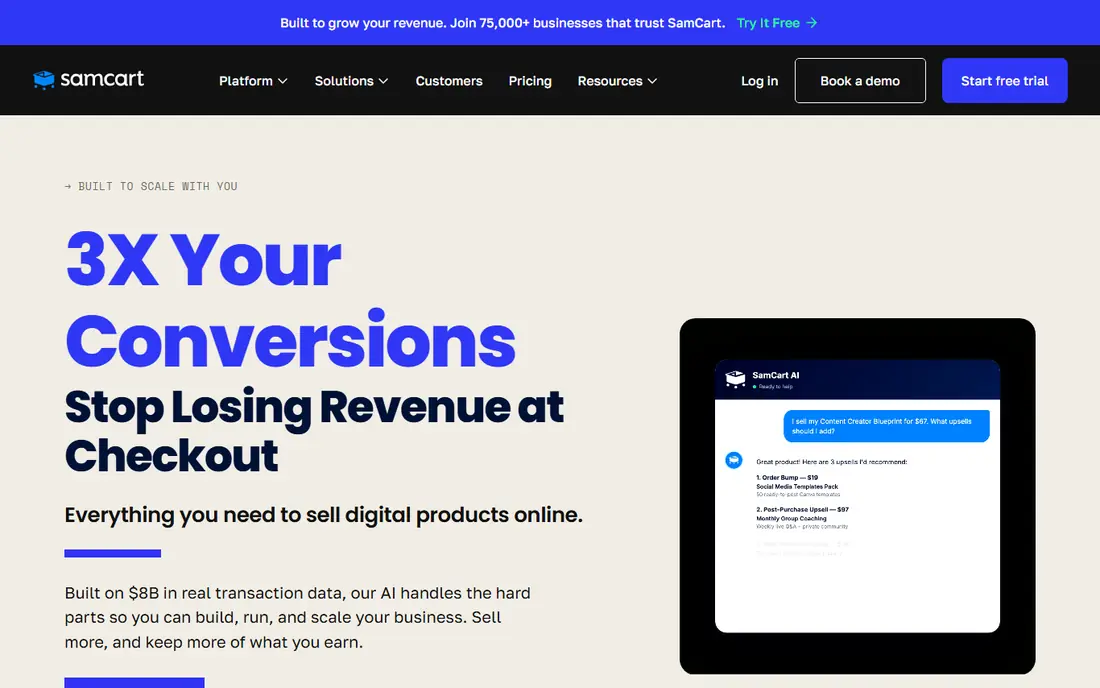
SamCart is the most direct ThriveCart rival for creators and course sellers. Its checkout pages are designed to lift conversions, with order bumps, upsells and one-click payment options built in. Analytics show which pages convert, which helps sellers test and improve rather than guess.
The monthly price is a real commitment for a new seller, and SamCart is not a full store platform, so sellers with many physical products should look elsewhere. For a creator whose main need is a checkout that sells, SamCart is the strongest like-for-like alternative.
Bottom line: SamCart suits high-converting checkouts best. Its strongest point is checkout pages built to convert, while the main drawback to weigh is monthly cost adds up. Check the current pricing page before deciding, since plans and limits change.
- Checkout pages built to convert
- Order bumps and upsells
- Good analytics
- Monthly cost adds up
- Full store features are limited
ClickFunnels
Ideal for: sales funnels in one tool

ClickFunnels suits sellers who think in funnels rather than single pages. It combines landing pages, checkout, email follow-up and order management, so a seller can build a complete launch without stitching tools together. Templates cover common funnel types, which speeds up the first build.
That breadth costs more than a checkout-only tool, and sellers who only need a cart will pay for features they never open. The builder also has a learning curve. For sellers building multi-step launches, ClickFunnels is a proven, if pricey, option.
Bottom line: ClickFunnels suits sales funnels in one tool best. Its strongest point is full funnel builder, while the main drawback to weigh is higher price. Check the current pricing page before deciding, since plans and limits change.
- Full funnel builder
- Pages, email and checkout together
- Many templates
- Higher price
- Can be more than a simple checkout needs
Kartra
Ideal for: all-in-one business platform

Kartra packs pages, email marketing, membership sites, helpdesk and checkout into one subscription. For a small business that wants one login instead of five, that consolidation saves time and reduces integration headaches. Checkout features include upsells and order bumps similar to ThriveCart.
Pricing rises with the number of contacts, so a growing email list pushes the bill up. The interface covers a lot, which means new users need time to learn it. If you want one platform for the whole business, Kartra is a strong candidate.
Bottom line: Kartra suits all-in-one business platform best. Its strongest point is pages, email, memberships and checkout in one place, while the main drawback to weigh is price rises with contacts. Check the current pricing page before deciding, since plans and limits change.
- Pages, email, memberships and checkout in one place
- Helpful analytics
- Price rises with contacts
- Interface takes time to learn
PayKickstart
Ideal for: affiliate-friendly checkout
PayKickstart is a checkout and affiliate platform that suits sellers who rely on affiliates to drive sales. Affiliate tracking, commission rules and payout handling sit alongside checkout pages, subscriptions and order bumps. That combination is useful for product launches with partner promotion.
The community and template library are smaller than SamCart's, and page design options are more limited. Sellers who want polished design freedom may prefer another tool. For affiliate-driven sales, PayKickstart covers the job well at a competitive price.
Bottom line: PayKickstart suits affiliate-friendly checkout best. Its strongest point is affiliate management built in, while the main drawback to weigh is smaller user community. Check the current pricing page before deciding, since plans and limits change.
- Affiliate management built in
- Subscription and checkout features
- Flexible pricing
- Smaller user community
- Design options are more limited
WooCommerce
Ideal for: WordPress stores
WooCommerce turns a WordPress site into a full online store, and its core plugin is free. The extension library covers payments, subscriptions, memberships and shipping, so a store can grow from a few products to thousands. For WordPress users, it keeps everything in one familiar system.
That freedom comes with responsibility. You arrange hosting, security and updates, and popular extensions add cost. A simple checkout can become a project if many extensions are needed. For sellers who want full control and already use WordPress, WooCommerce is hard to beat on value.
Bottom line: WooCommerce suits WordPress stores best. Its strongest point is free core plugin, while the main drawback to weigh is needs hosting and maintenance. Check the current pricing page before deciding, since plans and limits change.
- Free core plugin
- Huge extension library
- Full control over a store
- Needs hosting and maintenance
- Costs come from extensions and hosting
Podia
Ideal for: courses and digital products
Podia suits creators who sell courses, memberships and downloads from one place. It hosts the course content, handles checkout and manages customers, so a creator does not need separate course and cart tools. Setup is simple, and paid plans charge no transaction fees, which helps as sales grow.
Checkout customisation is simpler than SamCart or ThriveCart, so sellers who obsess over checkout testing may feel limited. The app ecosystem is also smaller. For creators who want a tidy, affordable home for courses and sales, Podia is an easy recommendation.
Bottom line: Podia suits courses and digital products best. Its strongest point is course hosting plus checkout, while the main drawback to weigh is fewer checkout customisation options than SamCart. Check the current pricing page before deciding, since plans and limits change.
- Course hosting plus checkout
- Simple setup
- No transaction fees on paid plans
- Fewer checkout customisation options than SamCart
- Smaller app ecosystem
Gumroad
Ideal for: simple selling for beginners
Gumroad is the fastest way on this list to start selling a digital product. You upload a file, set a price and share a link, and Gumroad handles payment and delivery. There is no monthly fee to begin, which makes it ideal for testing an idea before investing in a bigger platform.
The cost is a percentage of each sale, which becomes noticeable at higher volumes, and customisation is limited compared with SamCart. Sellers who outgrow it often move to a dedicated checkout tool. For a first product or a side project, Gumroad is the simplest start.
Bottom line: Gumroad suits simple selling for beginners best. Its strongest point is start selling fast, while the main drawback to weigh is takes a percentage of each sale. Check the current pricing page before deciding, since plans and limits change.
- Start selling fast
- Handles payments and delivery
- No monthly fee to start
- Takes a percentage of each sale
- Customisation is limited
Shopify
Ideal for: full online stores
Shopify is the full-store option for sellers who outgrow a single checkout page. It handles products, inventory, shipping, discounts and checkout in one hosted platform, with an app store for almost any extra need. The checkout is reliable and familiar to shoppers, which helps conversion.
Costs add up through the monthly fee and paid apps, and deep checkout customisation sits on higher plans. A seller with one digital product will find Shopify more than they need. For a growing store with many products, Shopify is the standard choice for good reason.
Bottom line: Shopify suits full online stores best. Its strongest point is complete store platform, while the main drawback to weigh is monthly fee plus app costs. Check the current pricing page before deciding, since plans and limits change.
- Complete store platform
- Huge app store
- Reliable checkout
- Monthly fee plus app costs
- Checkout customisation needs higher plans
How we picked these
We started from the original product and what people use it for, then compared official feature pages, pricing pages, app-store listings, privacy policies and public reviews for each candidate. We kept only products that exist, work in October 2026 and genuinely fit the topic, and we left out products that were discontinued, unrelated or too thin to recommend.
We weighed fit for the topic first, then price and free options, ease of setup and the honest downsides that show up in reviews and documentation. Prices are given as listed on the vendor's own site where we could verify them, and we wrote See website where a price was quoted, unclear or likely to change by plan.
We also left out products that no longer exist, that have been folded into a different product, or that only partly fit the topic. A longer list would have been easier to write, but a list padded with poor fits helps nobody choose, so we kept the list to products we can genuinely recommend for this use.
How to choose a checkout platform
Start with what you sell. A single digital product needs a strong checkout page with order bumps and upsells, while a store with many physical products needs inventory, shipping and tax handling. Buying a full store for one course wastes money, and a simple checkout tool will frustrate a store with hundreds of items.
Next, add up the real cost. Some tools charge a monthly fee, some take a percentage of each sale, and some do both. Work out the cost at your current sales volume and at double that volume, since a percentage fee that looks cheap early on can become expensive as sales grow.
Finally, check the integrations you rely on. Email tools, payment processors and course platforms all need to connect cleanly. A trial sale from click to delivery will reveal problems that a feature list hides, so run a real test purchase before switching.
Run a real trial before you pay. Sign up for the free tier or trial, connect it to a real project, and test the exact tasks you do every week rather than the demo workflow. Check how long setup takes, how clear the reporting is and how quickly support replies, since those details decide whether a tool survives past the first month.
Plan the switch, not just the signup. Export your data from the old tool, check what imports cleanly and what must be rebuilt by hand, and keep the old system running until the new one has handled real work. A short overlap period avoids lost data and gives your team time to learn the new workflow.
Frequently asked questions
What is the best ThriveCart alternative?
SamCart is the closest match, with similar checkout optimisation for digital products. Shopify is the better pick if you need a full online store rather than a single checkout page.
Is there a free ThriveCart alternative?
Gumroad lets you start selling without a monthly fee, though it takes a percentage of each sale. WooCommerce is free as software, but you still pay for hosting and payment processing.
Which platform is best for selling courses?
Podia and SamCart both suit course sellers, with Podia adding course hosting and SamCart adding stronger checkout features. If your course already lives elsewhere, SamCart may be the simpler add-on.
Do these platforms handle taxes?
Most of them handle basic tax calculation, but the depth varies by plan and region. Check how each platform handles VAT and US sales tax for your location before committing, since getting this wrong is costly.
Can I migrate from ThriveCart easily?
Product and customer data can usually be exported and imported, but checkout pages and funnels normally need rebuilding by hand. Allow time for that rebuild, and keep ThriveCart running until the new checkout has processed real orders.
Can I try these options before paying?
Yes, in most cases. Nearly every option on this list offers a free tier or a free trial, and we note that in the comparison table and in each product block. Use the trial for real work rather than a quick look, and check the renewal price before the trial ends so there are no surprises.