Best Timeline Software Alternatives in 2026: 7 Timeline Tools Compared

- 1
 Office TimelinePowerPoint timelinesVisit
- 2
 Aeon TimelineStory and research timelinesVisit
- 3
 PrecedenWeb-based project timelinesVisit
- 4
 Tiki-TokiVisual history timelinesVisit
- 5
 SutoriEducation timelinesVisit
- Office Timeline and Preceden suit professional project and presentation timelines.
- Aeon Timeline suits writers and researchers who track story or historical events.
- Tiki-Toki and Sutori suit education and visual history timelines.
- TimelineJS suits free, web-based timelines for publishing online.
- Check export options, since timelines often feed into slides and reports.
Quick comparison
| Product | Ideal for | Price from | Free version | |
|---|---|---|---|---|
| Office Timeline | PowerPoint timelines | See website | Free trial | Visit |
| Aeon Timeline | Story and research timelines | See website | Free trial | Visit |
| Preceden | Web-based project timelines | See website | Free trial | Visit |
| Tiki-Toki | Visual history timelines | See website | Free trial | Visit |
| Sutori | Education timelines | See website | Free trial | Visit |
 TimelineJS | Free web timelines | Free | Yes | Visit |
 TimeGraphics | Simple web timelines | See website | Free trial | Visit |
The best timeline software alternatives
Timeline software helps users visualize events over time, from project plans to historical stories. The tools below cover different uses, from PowerPoint-ready project timelines to free web publishing. We compared official feature pages, pricing pages, and public documentation.
Office Timeline
Ideal for: PowerPoint timelines
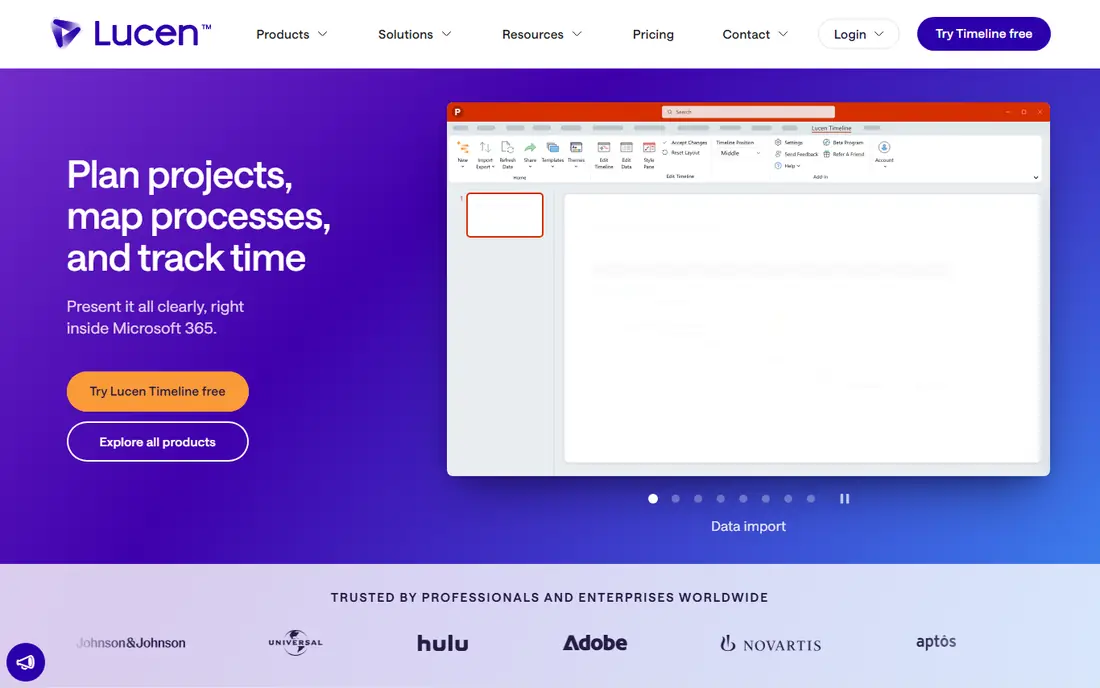
Office Timeline is a PowerPoint add-in that builds professional timelines, roadmaps, and Gantt-style visuals inside slides. Project managers use it to present plans to executives without rebuilding visuals in another tool. Templates for projects, programs, and history timelines speed creation.
It is PowerPoint-centric, so web collaboration is thinner than Preceden or Tiki-Toki. For a professional who presents timelines in PowerPoint, Office Timeline is our pick. Trial it with a real project plan first.
- Builds timelines directly in PowerPoint
- Professional templates for projects and roadmaps
- Easy slide sharing
- PowerPoint focus means less web collaboration
- Paid plans for full templates
Aeon Timeline
Ideal for: Story and research timelines
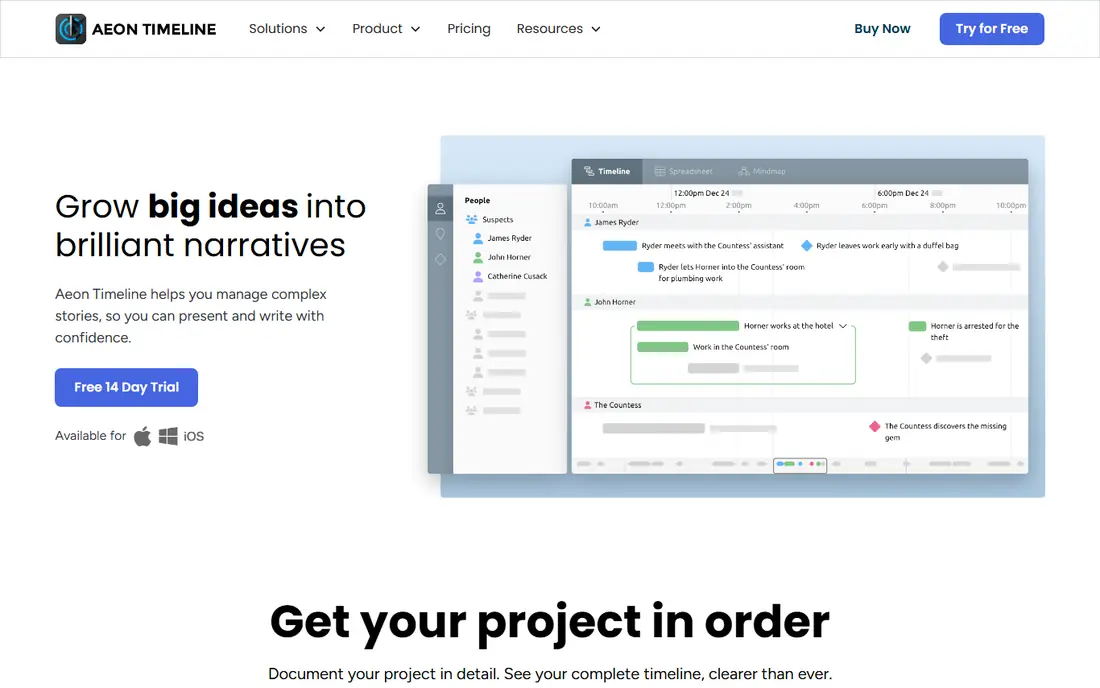
Aeon Timeline suits writers, researchers, and historians who track complex events, characters, and arcs over time. Users can link events, people, and places, view timelines by era or arc, and export for writing tools. That depth suits novels, screenplays, and research projects.
Simple project managers may find it more detailed than needed. For a writer or researcher tracking a complex story or history, Aeon Timeline is a strong pick. Its desktop apps work offline, which suits focused writing.
- Detailed timelines for stories, research, and history
- Relationships and arcs between events
- Desktop apps for Mac and Windows
- Learning curve for detailed features
- Less suited to simple project roadmaps
Preceden
Ideal for: Web-based project timelines

Preceden builds web-based timelines with layers, milestones, and events, suited to project plans, company histories, and personal timelines. Sharing links and embeds let teams publish timelines on websites or in docs. Its interface is simple enough for non-technical users.
Presentation polish inside PowerPoint is thinner than Office Timeline. For a web-based timeline that can be shared and embedded, Preceden is a good pick. Trial it with your project milestones first.
- Web-based timelines with layers and milestones
- Sharing and embedding options
- Simple interface
- Fewer presentation templates than Office Timeline
- Pricing is subscription based
Tiki-Toki
Ideal for: Visual history timelines
Tiki-Toki creates visually rich timelines with images, video, and categories, popular in education and history projects. Its 3D-style view makes long histories engaging, and sharing options suit classrooms and public history sites. Teachers and students use it for history assignments and exhibits.
Project managers needing Gantt-style roadmaps may prefer Office Timeline or Preceden. For a visual history timeline that impresses viewers, Tiki-Toki is a strong pick. Check its education pricing if you teach.
- Beautiful 3D-style visual timelines for history
- Images, video, and categories
- Sharing and embedding
- Visual style suits history more than project management
- Pricing is per account
Sutori
Ideal for: Education timelines
Sutori lets teachers and students build timeline stories that combine text, images, video, and quiz questions, with collaboration for classroom work. Its presentation mode suits lessons and student projects, and its interface is friendly for younger users. That education focus sets it apart from business timeline tools.
Business project timelines get less depth here. For a classroom or education timeline, Sutori is a strong pick. Its free tier supports basic classroom timelines.
- Timeline stories with text, images, and quizzes for education
- Collaboration for classrooms
- Presentation mode
- Education focus means less project management depth
- Paid plans for full features
TimelineJS
Ideal for: Free web timelines
TimelineJS, from Northwestern University Knight Lab, builds free web timelines from a Google Sheet, with media embeds for images, video, and maps. Journalists, educators, and nonprofits use it to publish timelines online at no cost. Setup is simple: fill the sheet, publish, and embed the result.
Styling is limited, and data entry through a spreadsheet suits some users better than others. For a free, publishable web timeline, TimelineJS is our pick for value. It pairs well with news articles and history pages.
- Free, open source web timelines from a spreadsheet
- Media embeds for images and video
- Easy publishing
- Needs a Google Sheet for data entry
- Styling options are limited
TimeGraphics
Ideal for: Simple web timelines
TimeGraphics offers simple web timelines with events, periods, and media, suited to personal, education, and small project timelines. Its low learning curve means a timeline can be built in minutes, and sharing links make it easy to publish. That simplicity appeals to casual users.
Advanced features such as layers, arcs, and detailed analytics are missing. For a quick, simple web timeline, TimeGraphics is a practical pick. Use it when speed matters more than depth.
- Simple web timelines with events and periods
- Sharing and embedding
- Low learning curve
- Fewer features than Preceden or Aeon Timeline
- Design options are basic
How we picked these
We compared official feature pages, pricing pages, and public documentation, looking for timeline creation, visualization, and sharing features. We favored tools that are actively maintained and work in October 2026, and we mixed project, history, education, and free web tools. We did not claim hands-on testing, and we note that free tiers limit timeline counts, so check current limits.
We also weighed practical details that matter after signup. That included how easy each product is to set up, whether support answers promptly, and whether pricing stays clear as usage grows. We read user complaints as well as praise, since repeated complaints about billing, onboarding, or missing features often signal a real weakness. Where a product had a known limitation, we said so in its write-up rather than smoothing it over. Our goal was a shortlist that a reader can trust for timeline software alternatives, not a list of every vendor in the market. Readers with unusual needs should still test their top two choices, since fit depends on budget, team size, and the features used every day.
What to check before you choose
Start with your timeline purpose: project roadmap, history exhibit, story research, or classroom lesson. Each purpose favors a different tool, and a history tool will frustrate a project manager. List must-haves such as PowerPoint export, web embedding, media support, or collaboration.
Next, test with your real events. Check date handling for ancient or future dates, since some tools handle only modern ranges well. Also confirm sharing: can viewers see the timeline without an account, and can you export it for slides or reports. A trial with your actual timeline data will reveal fit.
Testing your shortlist before you commit
A short trial answers questions that no comparison table can settle. Sign up for your top two choices, run a real task from your own work, and watch how long it takes and where you get stuck. For timeline software alternatives, that real task might be a weekly workflow you repeat, a report you need every month, or a setup step your team must repeat for new members. If a tool slows that task down, it will cost time every week, no matter how good its feature list looks.
Pay attention to support during the trial as well. Send a question through the normal support channel and note how long a useful answer takes. Check billing clarity too: confirm what the trial includes, when it ends, and what the first paid invoice will actually show. A tool that is hard to cancel, or that hides fees until checkout, deserves caution.
Finally, ask who else on your team must use the tool. A product that only one person likes will stall, while a product the whole team adopts will pay for itself. Gather quick feedback from the people who will use it daily, compare their notes with your own, and then choose. That small amount of trial discipline prevents most bad purchases, and it costs far less than switching tools again in six months.
Budgeting the full cost, not just the headline price
Headline prices rarely tell the full story. Add up per-user fees, add-on charges, implementation help, and any training your team needs, then compare that total across your shortlist. A cheaper plan that needs three paid add-ons can end up costing more than a fuller plan from a rival. Check renewal terms as well, since introductory discounts often expire after the first term and the second year price is the one you will actually live with.
Think about exit costs too. Before you commit, confirm how your data exports, whether your content or history moves cleanly, and what happens if you pause or cancel. A tool with clean exports gives you freedom later, while a tool that locks data in makes switching painful. Choosing with the full cost and the exit path in mind keeps your timeline software alternatives decision sound for the long term, not just for the first month.
Frequently asked questions
What is timeline software?
Timeline software visualizes events in chronological order, helping users plan projects, tell histories, track stories, or teach lessons. Tools range from PowerPoint add-ins to free web builders.
Which timeline software is best for projects?
Office Timeline suits PowerPoint presentations, while Preceden suits web-based project timelines with sharing and embedding. Pick based on where your audience views the timeline.
Is there free timeline software?
Yes, TimelineJS is free and open source for web timelines, and most tools offer free tiers or trials. Check limits on timeline counts and features before relying on a free tier.
Can timelines include images and video?
Yes, most tools support media embeds, with Tiki-Toki, Sutori, and TimelineJS offering strong media support. Check media limits on free plans.
How do I share a timeline?
Most web tools offer share links and embeds, while PowerPoint tools share as slides. Confirm whether viewers need accounts to view or comment.