Best CMDB Software (2026): 7 Options Compared

- 1
 VirimaHybrid estates that require discovery to keep the CMDB truthfulVisit
- 2
 Jira Service Management (Assets)Teams already running Jira that require a CMDB without a new vendorVisit
- 3
 Alloy NavigatorMid-market IT teams wanting ITSM and CMDB in one purchaseVisit
- 4
 ManageEngine CMDBITSM shops that want CMDB inside a low-cost service deskVisit
- 5
 Device42Hybrid infrastructure teams that require discovery and dependency mappingVisit
- Top of the list is Virima, which targets hybrid estates that require discovery to keep the CMDB truthful.
- ManageEngine CMDB is the lowest-priced starter here at $13/technician/month.
- The main caution on ManageEngine CMDB: CMDB is gated behind higher editions, so the cheapest plans do not bundle it.
- Lansweeper is the only tool of the 7 with a free plan.
- Lansweeper is the one to check for teams that want discovery-first asset intelligence with a free start.
Direct answer
Virima is the first pick on this list for hybrid estates that require discovery to keep the CMDB truthful. Alternatives: Jira Service Management (Assets) for teams already running Jira that require a CMDB without a new vendor, and Alloy Navigator for mid-market IT teams wanting ITSM and CMDB in one purchase.
Quick comparison
| Product | Ideal for | Price from | Free version | |
|---|---|---|---|---|
| Virima | Hybrid estates that require discovery to keep the CMDB truthful | See website (custom quote) | No | Visit |
| Jira Service Management (Assets) | Teams already running Jira that require a CMDB without a new vendor | $20/agent/month (Standard, Service Collection) | Free trial (14 days) | Visit |
| Alloy Navigator | Mid-market IT teams wanting ITSM and CMDB in one purchase | See website (custom quote) | No | Visit |
| ManageEngine CMDB | ITSM shops that want CMDB inside a low-cost service desk | $13/technician/month (Standard cloud, billed yearly) | Free trial (30 days) | Visit |
| Device42 | Hybrid infrastructure teams that require discovery and dependency mapping | See website (annual subscription, priced per device) | No | Visit |
 ServiceNow CMDB | Enterprises standardizing on the Now Platform | See website (custom quote) | No | Visit |
 Lansweeper | Teams that want discovery-first asset intelligence with a free start | $199/month, billed annually (Starter, 2,000 assets) | Yes | Visit |
CMDB Software profiles
Short on time? The summary and table above give the quick view of 7 tools for CMDB software, and the profiles that follow give the detail behind each entry.
Virima
Ideal for: Hybrid estates that require discovery to keep the CMDB truthful
Virima was built for hybrid estates that require discovery to keep the CMDB truthful. Its product scans on-premises, cloud and hybrid environments, reconciles everything into authoritative records, and renders service dependency maps so change planners can see blast radius before approving work. On top of that, smaller teams will find the quote-only enterprise motion heavier than they need.
Honest limits: Positioned as a discovery and data-quality layer, so it complements instead of replaces an ITSM suite.
Think of Virima as the data-quality engine behind your CMDB instead of a standalone ITSM replacement. More specifically, for enterprises whose ServiceNow CMDB has decayed into a costly spreadsheet, Virima is the remediation play. This comparison lists no price for Virima; ask the vendor. There is no free plan with Virima. What Virima does well: Multi-source discovery.
- Bidirectional sync with ServiceNow
- Jira and other ITSM products
- Quote-only pricing with no public levels
Jira Service Management (Assets)
Ideal for: Teams already running Jira that require a CMDB without a new vendor
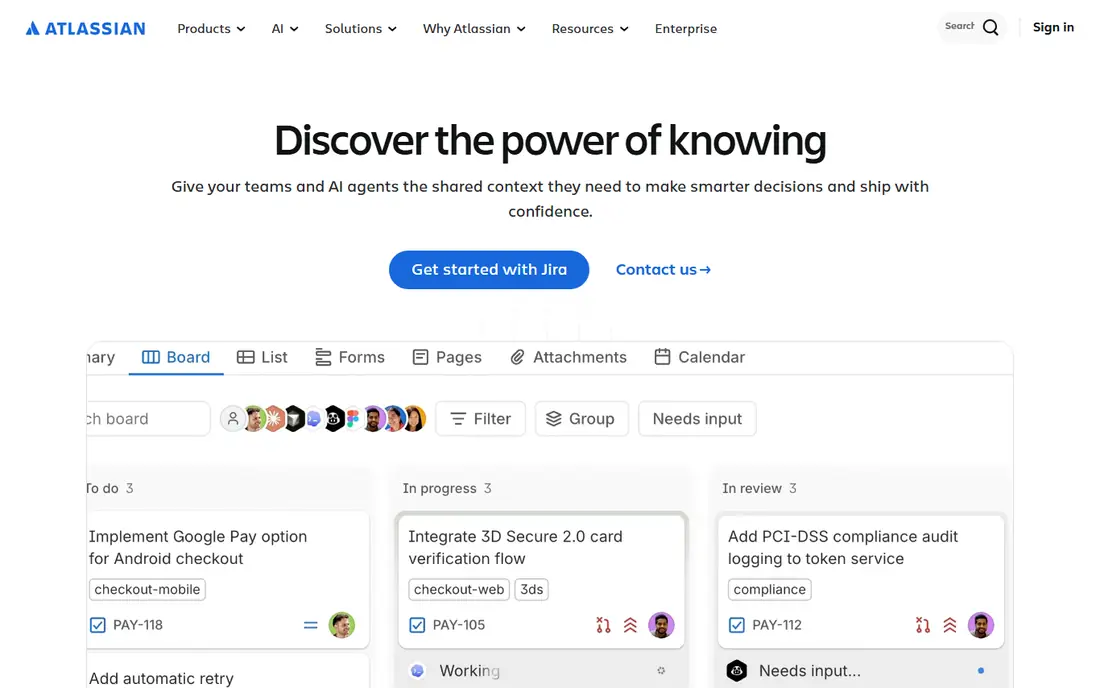
Jira Service Management (Assets) was built for teams already running Jira that require a CMDB without a new vendor. Atlassian's Assets (formerly Insight) is the CMDB hiding inside Jira Service Management. It models configuration items with object schemas, maps relationships, and ties CIs straight to incidents, changes and problems in Jira.
Where Jira Service Management (Assets) stands out: The Jira ecosystem your team already knows; the built-in CMDB.
As for the details, standard plans bundle 5,000 objects free, with additional objects starting around $0.02 per object a month. The entire Service Collection opens at $20 per agent a month. Beyond that, for Jira shops this combination beats buying a separate enterprise CMDB, though very large estates should model the object overage costs. The practical play is pairing Assets with a discovery tool like Lansweeper: scan the network, sync the results into Assets, and run your ITSM processes against real data. Starting cost for Jira Service Management (Assets): $20/agent/month. Free options: Free trial (14 days).
Limits to weigh: Object limits and per-object overage fees punish very large estates.
- Assets
- Premium and Enterprise plans
- Discovery is weaker than dedicated tools, so pair it with a scanner for auto-population
Alloy Navigator
Ideal for: Mid-market IT teams wanting ITSM and CMDB in one purchase

Pick Alloy Navigator if this describes you: mid-market IT teams wanting ITSM and CMDB in one purchase. The CMDB supports relationship mapping and change impact analysis, and the asset management side handles the full lifecycle from procurement to disposal.
Check the vendor site for Alloy Navigator pricing; none is listed in this comparison. Alloy Navigator has no permanent free option.
Trade-offs to know: Smaller ecosystem and fewer external integrations than the big systems.
- Long track record with mid-market customers
- Combined ITSM and IT asset management with CMDB in a single product
- No published pricing, which slows down evaluation
ManageEngine CMDB
Ideal for: ITSM shops that want CMDB inside a low-cost service desk
ManageEngine CMDB is designed for ITSM shops that want CMDB inside a budget-friendly service desk. ManageEngine's CMDB lives inside ServiceDesk Plus, and that is both its strength and its limitation.
Trade-offs to know: CMDB is gated behind higher editions, so the cheapest plans do not contain it.
On cost, ManageEngine CMDB starts like this: $13/technician/month. Free options: Free trial (30 days).
- CMDB comes from day one on the Enterprise edition and as an add-on for Professional
- Choice of cloud or on-premises deployment
- Per-technician plus per-asset pricing needs careful modeling
Device42
Ideal for: Hybrid infrastructure teams that require discovery and dependency mapping
For hybrid infrastructure teams that require discovery and dependency mapping, Device42 is a natural candidate. Device42 built its name on a straightforward promise: point it at your infrastructure and get a CMDB without months of manual data entry.
Reasons to shortlist it: Purpose-built CMDB views instead of a generic asset list.
Pricing for Device42 is not stated here, so ask the vendor for current figures. Device42 has no permanent free option.
Watch-outs: No published pricing, so every deal starts with a quote.
- Now backed by Freshworks after its acquisition
- Agentless discovery across data center
- The per-device model gets pricey in large virtualized or containerized estates
ServiceNow CMDB
Ideal for: Enterprises standardizing on the Now Platform
For enterprises standardizing on the Now Platform, ServiceNow CMDB is a natural candidate. Service mapping traces application dependencies automatically, and the identification and reconciliation engine keeps discovered data from turning into duplicates. From a buyer's view, ServiceNow sells platform-wide, quote-only deals, and a CMDB without the surrounding ITSM modules is a pricey database.
Downsides: not the CMDB alone.
From a buyer's view, the honest assessment is the price of admission. In practice, if it does not, the tools below deliver most of the practical value at a fraction of the cost. Check the vendor site for ServiceNow CMDB pricing; none is listed in this comparison. No free plan comes with ServiceNow CMDB.
- Massive ecosystem of integrations and trained administrators
- Scales to the largest estates
- Real value needs the wider Now Platform
Lansweeper
Ideal for: Teams that want discovery-first asset intelligence with a free start
Lansweeper is aimed squarely at teams that want discovery-first asset intelligence with a free start. It feeds ITSM and CMDB tools instead of trying to be a full ITSM suite, which makes it a capable companion to a service desk that lacks trustworthy asset data.
Points against: CMDB-style relationship modeling is lighter than ServiceNow or Device42.
The free level, up to 100 assets with unlimited seats, is enough for a small office to run real discovery. Starting cost for Lansweeper: $199/month, billed annually. Lansweeper has a free plan.
- Deep discovery across IT, OT
- Cloud and IoT with a device fingerprint library
- The per-asset pricing steps up steeply past 2,000 assets
A closer look at CMDB software
It follows an incident review where nobody could answer which servers a failed application depended on, or a license audit where the spreadsheet of record turned out to be fiction. A configuration management database fixes that specific problem: it records every configuration item in the estate, servers, software, network gear, cloud resources, and how they relate to each other, so change and incident work stops being guesswork.
How we compared the tools
Each tool was reviewed on what its vendor publishes: price, plan limits, core features and stated drawbacks. We did not run hands-on tests. Where a vendor does not publish a price, the entry says quote. Where a price depends on seats or billing term, the entry says so. The ranking is editorial: typical fit first, then clear pricing, then free access. If your needs are unusual, read the profiles rather than relying on position.
Pre-purchase checklist
- Confirm the entry price on the vendor page. For Virima, Alloy Navigator, Device42 and ServiceNow CMDB that means a quote rather than a fixed price.
- Look at the free plan from Lansweeper closely: its caps decide whether it is usable for real work.
- Take the trial from Jira Service Management (Assets) and ManageEngine CMDB and push a live task through it before you pay.
- Read the limits listed for Virima first: quote-only pricing with no public levels.
- Before you load data into Virima, check what an export looks like and who can run it.
- Confirm the exact Lansweeper plan that includes your must-have features.
Frequently asked questions
How are the tools for CMDB software ordered?
Virima sits first and Lansweeper last because the order follows typical fit for CMDB software, then price clarity and free access. It is a judgement call, so read each profile for fit and limits.
Is Virima the right pick for everyone comparing CMDB software?
No single tool suits every team. Virima comes first because it fits hybrid estates that need discovery to keep the CMDB truthful, while Jira Service Management (Assets) suits teams already running Jira that need a CMDB without a new vendor and Alloy Navigator suits mid-market IT teams wanting ITSM and CMDB in one purchase. Match the tool to your own size, budget and workflow before deciding.
Which options for CMDB software have a free plan?
Lansweeper is the only tool in this list with a free plan. Free plans usually cap users, projects or features, so check the limits on the vendor page. Several others offer a trial instead.
Can I try these options before paying?
Often, yes. Lansweeper has a free plan and Jira Service Management (Assets) and ManageEngine CMDB offer a free trial. Use your own data and a real task during the test, and check what the free tier or trial limits before you rely on it.
Do I need a CMDB if I already have asset management?
Asset management tracks what you own and its lifecycle; a CMDB tracks how things link and rely on each other. For everyday use, if your incidents on a regular basis turn into archaeology expeditions to find which systems a failed server supports, you need the relationship layer a CMDB gives you, not just an inventory list.