Shortlist: 8 Best PDF Remediation Software Options for 2026

- 1
 PACFree, authoritative PDF accessibility checkingVisit
- 2
 MadeToTagCreating accessible PDFs straight from InDesignVisit
- 3
 axesPDFDedicated PDF remediation professionalsVisit
- 4
 CommonLook by AllyantRemediation inside Adobe Acrobat workflowsVisit
- 5
 PREP by Continual EngineAI-driven auto-tagging at organizational scaleVisit
- PAC is the opening pick, best for free, authoritative PDF accessibility checking.
- What to know about MadeToTag first: InDesign-only, needs designer training on tagging, quote-based pricing.
- MadeToTag, axesPDF, CommonLook by Allyant and others: pricing is by quote only, so plan time for a sales conversation.
- For Remediation software plus done-for-you services, GrackleDocs is worth a look.
Direct answer
Start with PAC if you need free, authoritative PDF accessibility checking. If your case is different, MadeToTag suits creating accessible PDFs straight from InDesign and axesPDF suits dedicated PDF remediation professionals. Prices, free plans and limits for all 8 tools follow.
Quick comparison
| Product | Ideal for | Price from | Free version | |
|---|---|---|---|---|
| PAC | Free, authoritative PDF accessibility checking | Free | Yes | Visit |
| MadeToTag | Creating accessible PDFs straight from InDesign | See website | Free trial | Visit |
| axesPDF | Dedicated PDF remediation professionals | See website | Free trial | Visit |
| CommonLook by Allyant | Remediation inside Adobe Acrobat workflows | See website | Demo available | Visit |
| PREP by Continual Engine | AI-driven auto-tagging at organizational scale | See website | Demo available | Visit |
 PDFix | Developers building remediation into applications | See website | Free trial | Visit |
 Adobe Acrobat Pro | Everyday accessibility fixes without additional software | See website | Free trial | Visit |
 GrackleDocs | Remediation software plus done-for-you services | See website | Demo available | Visit |
PDF Remediation Software profiles
Ainotely put together this guide to PDF remediation software for readers who want a clear shortlist without reading every vendor page. It compares 8 tools on starting price, free plans, who each one suits and where each one falls short.
PAC
Ideal for: Free, authoritative PDF accessibility checking

PAC is aimed squarely at free, authoritative PDF accessibility checking. PAC, the PDF Accessibility Checker from Switzerland's Access for All foundation, is the free tool every remediation workflow should bundle. It tests PDFs against PDF/UA and WCAG standards with in-depth technical reports.
Its screen reader simulation displays how assistive technology experiences the document. It checks; it does not fix. On top of that, use it to audit before and after remediation, regardless of which remediation tool you buy. More specifically, the fact that axes4's commercial tools come from the same ecosystem tells you how seriously the accessibility community takes this free checker. PAC pricing: Free. You can start on PAC without paying.
What to check first: Checker only. What users get: screen reader simulation preview; thorough checking against PDF/UA and WCAG.
- Free from a respected accessibility foundation
- Trusted audit standard
- Not a remediation tool, Windows-only desktop app, interface is technical
MadeToTag
Ideal for: Creating accessible PDFs straight from InDesign
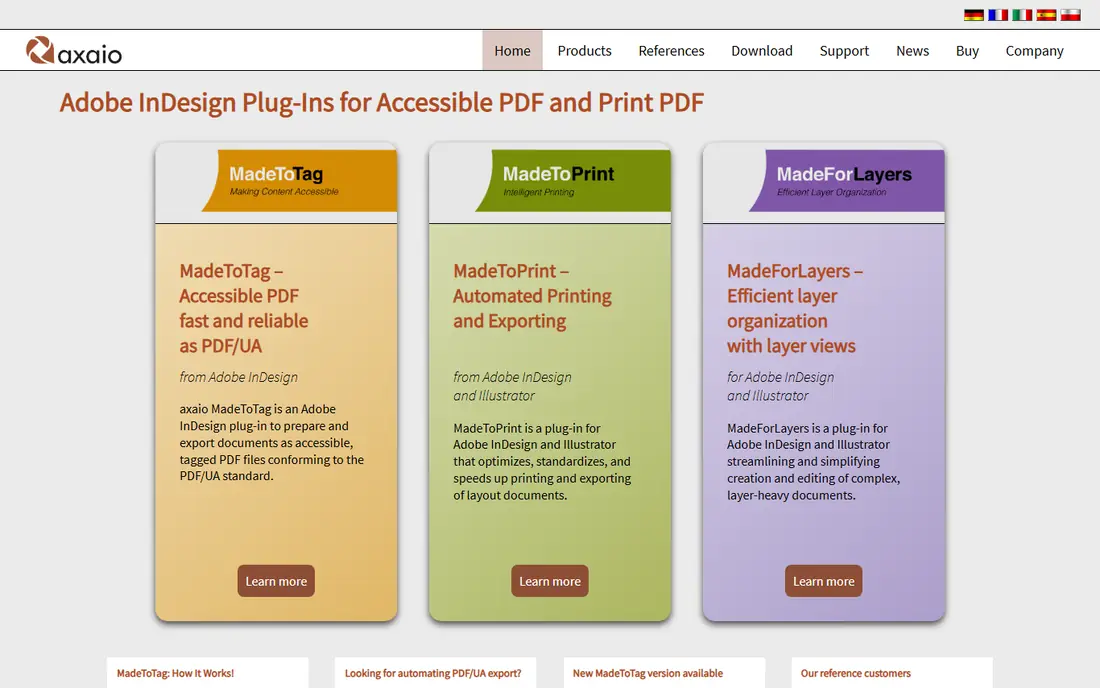
Pick MadeToTag if this describes you: creating accessible PDFs straight from InDesign. MadeToTag, from axaio, attacks remediation at the source: it is an InDesign plugin that helps designers produce properly tagged, accessible PDFs during layout instead of fixing them after export.
Organizations publishing long designed documents, reports, magazines, catalogs, find source-level accessibility far less expensive than post-export remediation. Check the vendor site for MadeToTag pricing; none is listed in this comparison. Free access: Free trial.
Points against: InDesign-only.
- Produces properly tagged PDFs from the source
- Builds accessibility into the InDesign workflow
- Needs designer training on tagging, quote-based pricing
axesPDF
Ideal for: Dedicated PDF remediation professionals

For dedicated PDF remediation professionals, axesPDF is a natural candidate. The same team maintains PAC, the free accessibility checker, which speaks to their standards expertise.
Honest limits: Specialized tool with a ramp-up time, pricing is quote-based.
For teams doing remediation as a discipline instead of an occasional task, axesPDF's focused workflow beats general tools. This comparison lists no price for axesPDF; ask the vendor. As for free access: Free trial.
- Purpose-built for PDF/UA and WCAG remediation
- From the team behind the free PAC checker
- Complements instead of replaces Acrobat for general editing
CommonLook by Allyant
Ideal for: Remediation inside Adobe Acrobat workflows
Pick CommonLook by Allyant if this describes you: Remediation inside Adobe Acrobat workflows. CommonLook has long been the go-to Acrobat plugin for serious PDF remediation, and it now operates under Allyant after the acquisition. The plugin layers on structured testing, guided repair, and compliance reporting to Acrobat, walking remediators through a methodical process that produces completely compliant documents.
Watch-outs: Needs Acrobat as the host, quote-based pricing.
As for the details, the acquisition by Allyant consolidated two accessibility leaders; evaluate the current Allyant branding and packaging when requesting a demo. For everyday use, organizations already standardized on Acrobat get the most natural fit. CommonLook by Allyant does not show a starting price in this comparison, so check the vendor site for current pricing. Free access: Demo available.
- Methodical guided remediation process
- Capable compliance reporting
- Allyant acquisition means evaluating under the new brand
PREP by Continual Engine
Ideal for: AI-driven auto-tagging at organizational scale
PREP by Continual Engine makes the most sense for AI-driven auto-tagging at organizational scale. PREP by Continual Engine applies AI to the most tedious part of remediation: tagging.
API and LMS integrations fit it into enterprise content workflows. Check the vendor site for PREP by Continual Engine pricing; none is listed in this comparison. As for free access: Demo available.
Limits to weigh: pricing starts around $75/month and scales.
- Side-by-side screen reader preview for validation
- API and LMS integrations
- Newer vendor with shorter track record
PDFix
Ideal for: Developers building remediation into applications
PDFix is aimed squarely at developers building remediation into applications. PDFix takes the developer's approach to PDF accessibility: a SDK and automation tools that let engineering teams build remediation into their own document pipelines.
More specifically, teams generating PDFs from systems, reports, invoices, statements, get accessibility at the source instead of as a post-process. No starting price is listed for PDFix here; confirm pricing on the vendor site. Free access: Free trial.
Downsides: documentation assumes technical users.
- Manages tagging programmatically
- SDK and automation-friendly architecture
- Developer-oriented with less hand-holding
Adobe Acrobat Pro
Ideal for: Everyday accessibility fixes without additional software
Pick Adobe Acrobat Pro if this describes you: everyday accessibility fixes without additional software. For straightforward documents and occasional fixes, it is frequently enough.
Pricing for Adobe Acrobat Pro is not stated here, so ask the vendor for current figures. Free options: Free trial.
The main drawbacks: Manual process is laborious for complicated documents.
- Manages entry-level remediation competently
- Built-in accessibility checker and tagging tools
- Full compliance needs expertise or plugins
GrackleDocs
Ideal for: Remediation software plus done-for-you services
In short, GrackleDocs is for Remediation software plus done-for-you services. For teams that require some documents handled professionally whereas building internal capability, the combined offering is convenient.
Watch-outs: software less known than axesPDF, rebrand still propagating.
Also, organizations with more documents than staff use the hybrid model pragmatically. The rebrand from AbleDocs is recent enough that older references still use the former name. GrackleDocs shows no starting price here, so confirm the cost on the vendor site. Free access: Demo available.
- Formerly AbleDocs with established reputation
- Clear per-page service pricing
- Service pricing brings up at volume
PDF Remediation Software: more detail
Accessibility laws in the US, EU, and elsewhere increasingly treat that as a legal problem, not just a moral one. More specifically, PDF remediation software fixes these documents: adding tags, setting reading order, describing images, and verifying compliance with standards like PDF/UA and WCAG.
How these tools were picked
Selection started from tools commonly considered for PDF remediation software, then narrowed to 8 that have clear pricing information or a clear quote process. Plan names, prices and limits change often. Treat the figures here as a starting point and verify them with the vendor. Position on the page reflects fit for a typical buyer first, with price clarity and free access breaking ties. Treat it as a guide, not a ruling.
A buyer's checklist
- Confirm the entry price on the vendor page. For MadeToTag, axesPDF, CommonLook by Allyant and others that means a quote rather than a fixed price.
- Test the free plan from PAC against your real workload before relying on it.
- Take the trial from MadeToTag, axesPDF, PDFix and Adobe Acrobat Pro and push a live task through it before you pay.
- Read the limits listed for PAC first: Checker only, not a remediation tool, Windows-only desktop app, interface is technical.
- Total up the real monthly cost of axesPDF, including add-ons, extra users and usage-based fees.
- Ask PAC which support channels and response times come with the plan you would buy.
Frequently asked questions
Can I try these options before paying?
Often, yes. PAC has a free plan and MadeToTag, axesPDF, PDFix and Adobe Acrobat Pro offer a free trial. Use your own data and a real task during the test, and check what the free tier or trial limits before you rely on it.
Do these tools publish their prices?
Not all of them. MadeToTag, axesPDF, CommonLook by Allyant and others publish no starting price, so expect a quote request for those. The rest, PAC included, show a starting price, though seats and billing terms still change the final cost.
Is PAC the right pick for everyone comparing PDF remediation software?
No single tool suits every team. PAC comes first because it fits free, authoritative PDF accessibility checking, while MadeToTag suits creating accessible PDFs directly from InDesign and axesPDF suits dedicated PDF remediation professionals. Match the tool to your own size, budget and workflow before deciding.
Which options for PDF remediation software have a free plan?
PAC is the only tool in this list with a free plan. Free plans usually cap users, projects or features, so check the limits on the vendor page. Several others offer a trial instead.