Top 8 Phishing Training Software for 2026

- 1
 KnowBe4Large-scale simulated phishingVisit
- 2
 Proofpoint ZenGuideHuman risk managementVisit
- 3
 Mimecast EngageAwareness training inside email securityVisit
- 4
 Cofense Phishing TrainingPhishing defence with fast reportingVisit
- 5
 Infosec IQRole-based training with a large libraryVisit
- KnowBe4 is the only tool here with a published price, $2.40 per seat each month for SAT Foundation at 25 to 50 seats on a 3-year term, though not directly verified today.
- The other 7 vendors are quote only, so expect a sales conversation and a quote based on seat count and term.
- Proofpoint, Mimecast, Cofense, Infosec IQ, Hoxhunt and Arctic Wolf bundle training with a wider security platform, so check what the base tier really includes.
- Ironscales Starter is free and includes phishing simulation, the only free starting point in this list.
- Several products changed names in 2026: Proofpoint Security Awareness is now ZenGuide, Mimecast Awareness Training is now Engage, and Arctic Wolf Managed Security Awareness is now Aurora.
Quick comparison
| Product | Ideal for | Price from | Free version | |
|---|---|---|---|---|
| KnowBe4 | Large-scale simulated phishing | $2.40 per seat/month (3-year term) | No | Visit |
| Proofpoint ZenGuide | Human risk management | quote only | No | Visit |
| Mimecast Engage | Awareness training inside email security | quote only | No | Visit |
| Cofense Phishing Training | Phishing defence with fast reporting | quote only | No | Visit |
| Infosec IQ | Role-based training with a large library | quote only | No | Visit |
 Hoxhunt | Adaptive training that reacts to clicks | quote only | No | Visit |
 Arctic Wolf Aurora | Managed training with a service team | quote only | No | Visit |
 Ironscales | Free phishing simulation for Microsoft 365 | quote only | Yes | Visit |
The best phishing training software
KnowBe4
Ideal for: Large-scale simulated phishing

KnowBe4 is the biggest name in security awareness training, and the only tool in this list with a published price. SAT Foundation costs $2.40 per seat each month at 25 to 50 seats on a 3-year term, with Advanced at $3.75, and the per-seat price falls to $1.63 and $2.79 at 501 to 1,000 seats, while 1,001 seats and above are quote only. The platform runs simulated phishing campaigns, assigns training based on how each person responds, and reports the click rate over time.
The limits are in the fine print. The price table starts at 25 seats, so very small teams cannot buy at the list price, and list prices require a 3-year term. Multi-tenant consoles cost extra per tenant, and Foundation includes only a limited number of Smart Groups. The vendor pricing page loaded on 12 Nov 2026, but the $2.40 and $3.75 figures did not appear in the text extract read today, so the price is not directly verified today. It is corroborated by multiple October 2026 reads of the same vendor page, labelled May 2026 MSRP.
- Largest template library in this list, with thousands of phishing templates in many languages
- Smart Groups automate enrolment
- Price table starts at 25 seats and list prices require a 3-year term
- Multi-tenant consoles cost extra per tenant
- Foundation has only a limited number of Smart Groups
Proofpoint ZenGuide
Ideal for: Human risk management

Proofpoint Security Awareness Training is now called ZenGuide, and it sits inside Proofpoint's human risk management offer. Instead of sending the same training to everyone, ZenGuide uses risk signals from email, cloud apps and past behavior to decide who needs what training, and it assigns short modules that match each person's risk level. The content library covers phishing, social engineering, password habits and safe browsing in many languages, and the console reports risk scores by person, team and department.
The catch is the platform scope. ZenGuide sits inside the wider Proofpoint platform and the Collaboration Security Prime bundle, so standalone value is limited, and full risk insight needs Human Risk Explorer integration. There is no published price, no free plan and no trial shown, only a demo request, so budgeting needs a sales conversation. The vendor page loaded on 12 Nov 2026 and showed Proofpoint ZenGuide branding, with the older Security Awareness Training name now redirecting here.
- Ties training to real human risk signals from email and cloud apps
- Large content library in many languages
- ZenGuide sits inside the wider Proofpoint platform, so standalone value is limited and full risk insight needs Human Risk Explorer integration
- No published price
Mimecast Engage
Ideal for: Awareness training inside email security
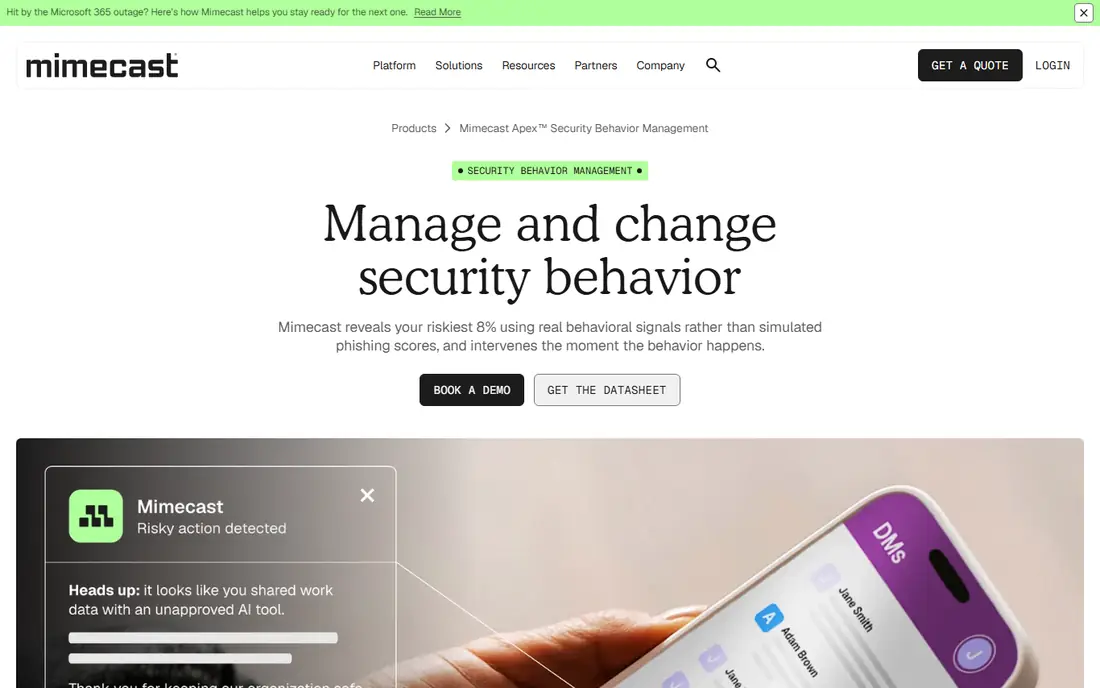
Mimecast Engage is the current name for Mimecast Awareness Training, and it pairs short training modules with the phishing data Mimecast already sees in your mail flow. When a real phishing message hits your domain, Engage can turn it into a training moment, and the short video modules with quizzes keep each session under a few minutes. The console tracks who completed training, who clicked a simulated phish, and how the click rate changes over time.
The buying path needs care. There is no public price, so costs cannot be compared before a sales conversation, and the older Awareness Training product is end-of-sale, so new buys are on Engage Core or Pro. Confirm you are buying Engage, not the old product, before you sign. The vendor page loaded on 12 Nov 2026 and showed Mimecast branding, though the extract was generic security-awareness content with no Engage price or plan table.
- Training sits next to Mimecast email security, so phishing data feeds the training
- Short video modules with quizzes
- No public price, so costs cannot be compared before a sales conversation
- Older Awareness Training is end-of-sale and new buys are on Engage Core or Pro
Cofense Phishing Training
Ideal for: Phishing defence with fast reporting
Cofense Phishing Training, formerly Cofense PhishMe, is built around staff reporting phishing, not just avoiding clicks. The PhishMe simulations train people to spot a phish, and the reporting button in Outlook and Gmail lets them flag a suspect message in one click. Reported messages go to a triage queue where the security team can confirm a real phish and start a takedown.
The trade-off is the bundle. Training is packaged with reporting and remediation in a phishing-defence platform, so a buyer who only wants training buys more than required, with separate charges noted for Triage, Vision and managed content. There is no published price, the site directs buyers to request a demo, and there is no free trial for training, though a trial is offered for Cofense Intelligence. The vendor homepage loaded on 12 Nov 2026 and showed Cofense branding.
- One-click reporting button in Outlook and Gmail turns staff into phishing sensors
- Fast takedown workflow for real phishes
- Training is bundled with reporting and remediation in a phishing-defence platform, so a buyer who only wants training buys more than required
- No free trial for training
Infosec IQ
Ideal for: Role-based training with a large library
Infosec IQ pairs a large training library with simulated phishing in one console. Courses cover phishing, passwords, data handling and compliance topics, and they are assigned by role, so finance staff get fraud training while developers get secure coding awareness. The phishing simulator sends realistic campaigns, tracks who clicks and who reports, and the console reports results by department. The platform also runs in many languages, which suits a global workforce.
The plan split matters. Custom reporting, global multi-tenant administration and the Infosec Skills team subscription are Enterprise-gated, not in Standard, so a multi-site buyer needs the higher plan. There is no published price on the vendor page, which says pricing is based on what your organization needs, and there is no free plan or trial shown. The vendor page loaded on 12 Nov 2026 and showed Infosec IQ branding with Standard and Enterprise plans.
- Large training library with role-based courses and simulated phishing in one console
- Strong reporting by department
- Custom reporting, global multi-tenant administration and the Infosec Skills team subscription are Enterprise-gated, not in Standard
- No published price
Hoxhunt
Ideal for: Adaptive training that reacts to clicks
Hoxhunt takes a different approach from the fixed-course tools in this list. Instead of assigning the same modules to everyone, it watches how each person reacts to simulated phishing and adapts the next simulation. People who click get harder simulations and short coaching, while people who report get recognition and lighter training, so the program changes behavior rather than just ticking a compliance box.
The buying process is the friction point. The vendor pricing page states that pricing is per employee and that you get a full quote after one 30-minute scoping call, with no numbers on the site, so a buyer cannot budget from the website. There is no free plan or trial shown on the vendor pages. Both the homepage and the pricing page loaded on 12 Nov 2026 and showed Hoxhunt Human Risk Management Platform branding.
- Training adapts to each person in real time, sending harder simulations to people who click and easier ones to people who report
- Behavior change focus
- No price is available without a 30-minute scoping call, so a buyer cannot budget from the website
- No free plan or trial shown
Arctic Wolf Aurora
Ideal for: Managed training with a service team
Arctic Wolf Managed Security Awareness is now called Aurora Security Awareness and Training, and it is sold as a managed service rather than a self-serve tool. A dedicated team plans the campaigns, runs the simulations and reports the results, which suits a small security team that does not have time to run a training program itself. The content covers phishing, social engineering and compliance topics in many languages, with role-based tracks.
The tier split is the catch. Custom content scheduling, custom phishing-simulation creation, role-based and industry content, and LMS content download are only in the Training+ tier, so the base tier is pre-packaged only, and the Compliance Content Pack is separate. There is no published price on the vendor page, and buyers are directed to speak to sales. Do not use third-party figures as vendor prices: one guide claims $2.99, $3.59 and $4.99 per user each month, which is not vendor-published. The vendor page loaded on 12 Nov 2026 and showed Arctic Wolf and Aurora branding.
- Managed service model with a dedicated team that runs campaigns for you
- Content in many languages with role-based tracks
- Custom content scheduling, custom phishing-simulation creation and role-based content are only in the Training+ tier, so the base tier is pre-packaged only
- Compliance Content Pack is separate
- No published price
Ironscales
Ideal for: Free phishing simulation for Microsoft 365
Ironscales is the only tool in this list with a free starting point. The Starter plan costs nothing and includes phishing simulation and testing, which makes it a real option for a small team that wants to run its first campaigns without a budget approval. It is built for Microsoft 365, so setup is fast for a team already on Outlook, and the console tracks click and report rates from the first campaign.
The free tier has hard limits. Starter is limited to 4 training campaigns per year and is only available for Microsoft 365, so Google Workspace teams cannot use it, and a team that wants monthly campaigns needs a priced tier. Priced tiers are quote only on the vendor site, and the vendor page opened shows no prices for them. Third-party, vendor-provided G2 figures of $3.89, $5.49 and $7.29 per user each month were not directly verified today and conflict with other listings, so they are not used here. The vendor Starter page loaded on 12 Nov 2026 and showed IRONSCALES Starter branding.
- Starter plan is free and includes phishing simulation and testing
- Built for Microsoft 365 with fast setup
- Starter is limited to 4 training campaigns per year and is only available for Microsoft 365
- Priced tiers are quote only on the vendor site
How we chose
We compared vendor product pages, pricing pages and docs for each tool, and we checked the price and plan limits on the vendor site on 12 Nov 2026. KnowBe4 is the only vendor with a published price, and that figure was not directly verified today, so we flagged it and dated it to its last vendor-page read. The other 7 vendors are quote only, and we did not use third-party figures as list prices. We looked at whether training is standalone or bundled with reporting, remediation or a wider platform, what the base tier includes, and whether a free plan or trial exists. We did not run hands-on tests, and we did not count review scores or user counts.
| Your team | First pick | Why | Watch out | | Under 25 seats | Ironscales Starter | Free, includes simulation | 4 campaigns per year, Microsoft 365 only | | 25 to 100 seats | KnowBe4 Foundation | Published price, large template library | 3-year term, starts at 25 seats | | 100 to 500 seats | Infosec IQ | Role-based courses and simulation | Custom reporting is Enterprise only | | 500 seats and above | KnowBe4 Advanced | Per-seat price falls with volume | Quote only at 1,001 seats and above | | Microsoft 365 shop | Ironscales or Mimecast Engage | Built for Microsoft 365 mail flow | Ironscales is Microsoft 365 only | | Proofpoint email shop | Proofpoint ZenGuide | Training tied to human risk data | Needs Human Risk Explorer for full insight | | No time to run campaigns | Arctic Wolf Aurora | Managed service runs it for you | Base tier is pre-packaged only | | Behavior change goal | Hoxhunt | Adaptive simulations per person | Price needs a 30-minute scoping call |
What to check before you buy
Check what the base tier really includes. At KnowBe4, Foundation has only a limited number of Smart Groups, and multi-tenant consoles cost extra. At Arctic Wolf, custom content and custom simulations need the Training+ tier. At Infosec IQ, custom reporting and global admin need Enterprise. Read the plan table on the vendor page before you buy, and ask the vendor to confirm in writing which features sit in the tier you are buying.
Check the seat minimums and the term. KnowBe4 list prices start at 25 seats and require a 3-year term, and the per-seat price falls as the seat count rises, from $2.40 at 25 to 50 seats to $1.63 at 501 to 1,000 seats for Foundation. If your team is smaller than 25 seats, Ironscales Starter is the only free starting point here, capped at 4 campaigns per year.
Check the product name you are buying. Proofpoint Security Awareness is now ZenGuide, Mimecast Awareness Training is now Engage, Cofense PhishMe is now Cofense Phishing Training, and Arctic Wolf Managed Security Awareness is now Aurora. The older Mimecast product is end-of-sale, so confirm the quote names the current product and tier.
Check the trial and demo route. None of the 8 vendors shows a free trial for training on its own pages, and Ironscales is the only one with a free plan. Plan for a demo or a scoping call, and ask for a pilot campaign on a small group before you sign.
Frequently asked questions
What is phishing training software?
Phishing training software teaches staff to spot fake emails and tests them with safe simulated phishing messages. It tracks who clicks, who reports, and how the click rate changes over time. The goal is to cut real phishing clicks and turn staff into people who report suspect mail instead of opening it.
How much does phishing training software cost?
Only KnowBe4 publishes a price, $2.40 per seat each month for SAT Foundation at 25 to 50 seats on a 3-year term, and that figure was not directly verified today. The other 7 vendors are quote only, so expect a quote based on seat count, term and tier. Ironscales Starter is free and includes phishing simulation.
Which phishing training tool is best for a small business?
Ironscales Starter is the best pick for a small business on Microsoft 365, because it is free and includes phishing simulation, though capped at 4 campaigns per year. If your team is bigger than 25 seats, KnowBe4 Foundation is the next step, with a published price and a large template library.
Do I need a long contract for phishing training?
It depends on the vendor. KnowBe4 list prices require a 3-year term, which locks the per-seat price but commits you for three years. Other vendors quote by term and tier, so ask for a one-year price as well as a multi-year price, and ask what happens to your data if you leave at the end of the term.
Can phishing training really cut clicks?
Yes, when it runs as a program and not as a one-off course. The tools in this list track the click rate and the report rate over time, and adaptive tools such as Hoxhunt change the simulations based on how each person reacts. Run campaigns every month, coach the people who click, and report the trend.
Sources
- https://www.knowbe4.com/products/security-awareness-training/pricing
- https://www.proofpoint.com/us/products/mitigate-human-risk
- https://www.mimecast.com/products/mimecast-engage-awareness-training/
- https://cofense.com/
- https://www.infosecinstitute.com/iq/
- https://hoxhunt.com/pricing
- https://arcticwolf.com/solutions/security-awareness-and-training/
- https://ironscales.com/pricing/starter