Top Email Notification Software for Apps

- Postmark is the best simple transactional email service, at $15 a month for 10,000 emails, with a free Developer plan of 100 emails a month.
- Mailjet is the best low-cost option for marketing and transactional email in one place, at $9 a month for 8,000 emails.
- Courier is the best notification infrastructure for apps that send across email, push, SMS and in-app, with a free Developer plan of 10,000 sends a month.
- Knock is the best option for product teams that want workflows across every channel, though it jumps from free to $250 a month.
- Novu and SuprSend are the best open and flexible options, with free plans of 10,000 runs or notifications a month.
Quick comparison
| Product | Ideal for | Price from | Free version | |
|---|---|---|---|---|
 Courier | Notification infrastructure across channels | $0.005 per send | Yes | Visit |
 Knock | Cross-channel workflows for product teams | $250 per month | Yes | Visit |
 Novu | Open-source notification infrastructure | $30 per month | Yes | Visit |
 SuprSend | Notification orchestration with your own providers | $100 per month (billed annually) | Yes | Visit |
 MagicBell | In-app and push notification feeds | $249 per month | Yes | Visit |
 Mailjet | Marketing and transactional email in one place | $9 per month | Yes | Visit |
 Postmark | Simple transactional email with fast delivery | $15 per month | Yes | Visit |
 OneSignal | Email, push and in-app engagement in one platform | $19 per month plus usage | Yes | Visit |
The best email notification software
Courier
Ideal for: Notification infrastructure across channels

Courier is a notification infrastructure platform that sits between your app and the channels your messages travel on. You design one template, and Courier sends it by email, push, SMS, in-app message or chat, with routing rules that pick the best channel for each user. That saves a team from building a separate integration for every channel.
The Business plan charges $0.005 per send, and Enterprise offers custom volume pricing below that rate. The free Developer plan covers 10,000 sends a month with Journeys, Broadcasts and SDKs. One template sent to one recipient counts as one send across all channels. Courier is the best pick if your app sends notifications on several channels and you want one system to run them all.
- Free Developer plan covers 10,000 sends a month with Journeys, Broadcasts and SDKs
- One template sends across email, push, SMS and in-app
- On the Business plan the $0.005 charge applies to every send, including the first 10,000, so there is no free allowance once you leave the Developer plan
- AI features are billed separately at $1 per 100 AI credits
Knock
Ideal for: Cross-channel workflows for product teams

Knock is built for product teams that send messages across many channels from one workflow. You build a flow once, and Knock handles the email, the in-app message, the push notification and the SMS, with preferences, batching and quiet hours built in. The free plan is generous: $0 a month, up to 10,000 messages, 500 guide recipients, 500 AI agent credits, and unlimited workflows, channels and team members.
Starter costs $250 a month and includes 50,000 messages, then $0.005 per extra message, and Enterprise is custom. There is no tier between free and $250, so a team that grows past 10,000 messages a month faces a sharp jump. Knock is the best pick if you want strong cross-channel workflows and your volume fits the free plan or the $250 tier.
- Free plan covers 10,000 messages a month with unlimited workflows, channels and team members
- Workflow builder handles email, in-app, push, SMS and chat in one flow
- No tier between the free plan and the $250 a month Starter plan, so a team sending just over 10,000 messages jumps straight to $250 a month
- Audit logs, SAML 2.0 SSO, SCIM, HIPAA compliance and a BAA are Enterprise only
Novu
Ideal for: Open-source notification infrastructure
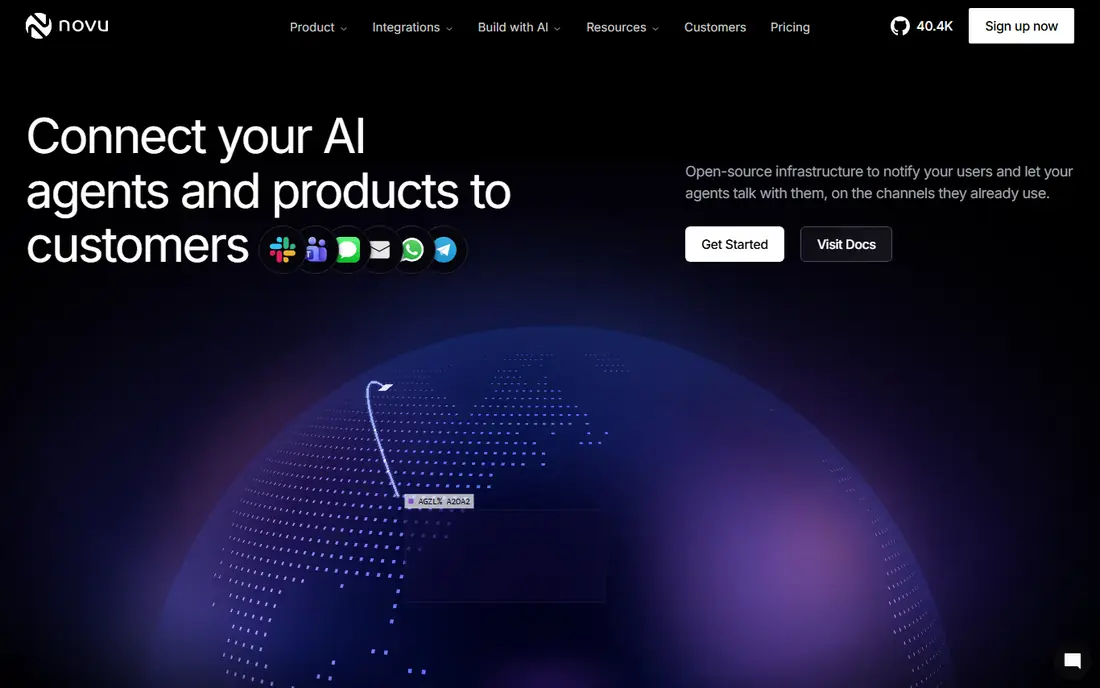
Novu is open-source notification infrastructure, which means you can run it yourself or use the hosted cloud. It handles email, SMS, push, chat and in-app messages through workflows, with an inbox component you can drop into your app. Billing is per workflow run, not per message, so one workflow that sends an email and a push counts as one run, which keeps the cost predictable when a message fans out across channels.
Pro starts from $30 a month and includes 30,000 or more workflow runs, with extra runs at $1.20 per 1,000, and Team starts from $250 a month for 250,000 or more runs. The free plan costs $0, with 10,000 runs a month, 5 workflows and 2 environments. The short data retention is the main limit: 24 hours on free, 7 days on Pro. Novu is the best pick if you want open-source notification infrastructure with a free hosted start.
- Free plan covers 10,000 workflow runs a month with no card needed
- Open-source Community Edition can be self-hosted for free
- Free plan keeps activity feed data for only 24 hours, and Pro extends that to only 7 days, so the free tier works as a development tier rather than for production history
SuprSend
Ideal for: Notification orchestration with your own providers
SuprSend is a notification orchestration layer, which means it manages the templates, workflows, preferences and routing, while the actual sending runs through providers you already use. That suits a team that already has SendGrid or Twilio and wants better workflow tooling without moving the sending itself. It covers email, SMS, push, in-app, Slack, Teams and WhatsApp from one workflow builder.
Essentials costs $100 a month billed annually at $1,200, and includes 50,000 notifications a month, then $2 per 1,000 extra. The free plan costs $0 with 10,000 notifications a month, and new accounts get a one-month sandbox with all priced features. The free plan keeps SuprSend branding on the in-app feed and logs for only 30 days. SuprSend is the best pick if you already have sending providers and want orchestration on top.
- Free plan covers 10,000 notifications a month with no card needed
- One-month sandbox gives new accounts all priced features to test
- SuprSend is an orchestration layer only, so for SMS and email you must bring your own downstream provider accounts, such as Twilio, SendGrid or Mailjet, and pay those providers directly on top of SuprSend
MagicBell
Ideal for: In-app and push notification feeds
MagicBell is a notification platform built around the in-app feed, with email, mobile push, web push, Slack and SMS through one API. You add a notification centre to your app, and MagicBell handles delivery, read states and preferences across channels. That suits apps where the in-app inbox is the main surface and email and push are the backup, because the feed and the delivery run in one system.
Startup costs $249 a month and includes 50,000 deliveries, then $0.0025 per extra delivery, and Enterprise is custom. The free Builder plan costs $0 with 1,000 deliveries a month, all channels and features, and no card needed. Each extra project on Startup costs $99 a month, so a second environment is a second charge. MagicBell is the best pick if the in-app notification feed is the core of your product.
- Free Builder plan includes all channels and features with 1,000 deliveries a month and no card needed
- One API covers email, mobile push, web push, Slack and SMS
- Price jumps straight from the free Builder plan to $249 a month with no tier in between, and the free plan allows only 1 project, with each extra project on Startup costing $99 a month
Mailjet
Ideal for: Marketing and transactional email in one place
Mailjet is a combined email marketing and transactional email platform, which means one account covers newsletters and app notifications together. That suits a small business that sends both kinds of mail and wants one bill, one contact list and one set of templates. The send API and SMTP relay are included on the free plan, so developers can start sending from an app without a separate transactional service.
Starter costs $9 a month for 8,000 emails with no daily limit, Essential is $19 a month for 15,000 emails, and Premium is $29 a month for 15,000. The free plan costs $0 with 6,000 emails a month, capped at 200 a day, and 1,000 contacts. Unused credits do not roll over, so a quiet month does not bank sends for a busy one. Mailjet is the best pick if you want marketing and transactional email in one place at the lowest starting price in this list.
- Free plan covers 6,000 emails a month with the send API and SMTP relay included
- Starter at $9 a month covers 8,000 emails with no daily sending limit
- Free plan caps sending at 200 emails a day, and unused email credits do not roll over to the next month
- A dedicated IP is only available on request from the 100,000-email plans upward
Postmark
Ideal for: Simple transactional email with fast delivery
Postmark is the simplest tool in this list, and it does one job well: transactional email that arrives fast. It keeps transactional mail and bulk mail on separate message streams, which protects the delivery of password resets and order confirmations from the reputation of a marketing send. The API and SMTP relay are simple, the dashboard is clear, and setup takes minutes rather than days.
Basic costs $15 a month starting at 10,000 emails, with extra emails at $1.80 per 1,000. Pro is $16.50 and Platform is $18 a month at the same volume, with lower overage rates. The free Developer plan covers 100 emails a month, never expires, and allows no overages. Dedicated IPs start at $50 a month per IP, need a Pro plan or higher, and need 300,000 or more emails a month. Postmark is the best pick if you want simple, fast transactional email and nothing else.
- Free Developer plan of 100 emails a month never expires
- Separate message streams keep transactional mail apart from bulk mail, which protects delivery
- No tier between the 100-email-a-month free plan and the 10,000-email-a-month priced plans, and no annual plans, so there is no annual discount
OneSignal
Ideal for: Email, push and in-app engagement in one platform
OneSignal is a customer engagement platform that covers email, push, SMS and in-app messaging in one place, with journeys that chain messages across channels. It is the broadest platform in this list, and it suits a team that wants one vendor for the whole engagement stack rather than a separate tool for each channel. The free plan is strong for a small app, with 10,000 email sends a month, unlimited mobile push and in-app messaging for up to 1,000 monthly active users, web push up to 10,000 subscribers per send, and 3 active journeys.
Growth starts at a $19 a month platform fee plus usage: mobile push at $0.012 per monthly active user, web push at $0.004 per subscriber, and email with 20,000 free sends a month then $1.50 per 1,000 sends. Professional and Enterprise are custom annual contracts, and an SLA is available only on Enterprise. OneSignal is the best pick if you want email, push and in-app in one platform and your audience fits the free plan or the Growth fee.
- Free plan covers 10,000 email sends a month plus unlimited mobile push and in-app messaging for up to 1,000 monthly active users
- One platform covers email, push, SMS and in-app journeys
- The $19 Growth fee is only a platform fee, and usage charges stack on top of it, so the bill rises with monthly active users even though sends are unlimited
- Professional and Enterprise need annual contracts
How we chose
We opened each vendor pricing page on 13 Nov 2026 and recorded the starting price shown there, then checked free plan limits, delivery caps and channel coverage on the same pages. All 8 prices in this article were read directly from the vendor pricing pages today: Courier $0.005 per send, Knock $250 a month, Novu from $30 a month, SuprSend $100 a month billed annually, MagicBell $249 a month, Mailjet $9 a month, Postmark $15 a month, and OneSignal from $19 a month plus usage. We compared billing basis, free allowance, channel range and the gap between the free tier and the first priced tier, and we did not claim any hands-on testing. Note that Courier, Knock, Novu, SuprSend and MagicBell bill per send, message, run or delivery, not per email, so their email cost depends on how the notification fans out, while Postmark and Mailjet bill per email sent.
What to check before you buy
Check the billing basis first, because a per-send price and a per-email price are not the same, and a notification that fans out to email, push and SMS can cost three sends on Courier or one run on Novu. Check the free allowance against your real volume, because Postmark free covers only 100 emails a month while Courier, Knock, Novu and SuprSend free plans cover 10,000. Check the gap to the first priced tier, because Knock and MagicBell jump from free to $250 and $249 with no tier in between. Check whether you need to bring your own sending providers, because SuprSend needs your own Twilio, SendGrid or Mailjet accounts on top of its fee.
| Tool | Free allowance | Cost at 10,000 emails | Cost at 50,000 emails | | Courier | 10,000 sends a month | $0 on Developer plan | $250 on Business plan | | Knock | 10,000 messages a month | $0 on free plan | $250 on Starter plan | | Novu | 10,000 workflow runs a month | $0 on free plan | $54 on Pro plan | | SuprSend | 10,000 notifications a month | $0 on free plan | $100 on Essentials plan | | MagicBell | 1,000 deliveries a month | $249 on Startup plan | $249 on Startup plan | | Mailjet | 6,000 emails a month | $19 on Essential plan | Larger plan needed | | Postmark | 100 emails a month | $15 on Basic plan | $87 on Basic plan | | OneSignal | 10,000 email sends a month | $0 on free plan | $64 on Growth plan |
Frequently asked questions
What is the best email notification software for a small app?
Postmark is the best pick for a small app that only needs transactional email, at $15 a month for 10,000 emails with a free Developer plan to start. Courier is the best pick if the app also sends push, SMS and in-app messages, because its free Developer plan covers 10,000 sends a month across channels. Mailjet is the best pick if the app also sends marketing email, at $9 a month for 8,000 emails.
Is there a free email notification platform?
Yes. Courier, Knock, Novu, SuprSend, Mailjet, Postmark and OneSignal all have a free plan, and MagicBell has a free Builder plan. Courier, Knock, Novu and SuprSend free plans cover 10,000 sends, messages, runs or notifications a month, which is enough for a small app. Postmark free covers only 100 emails a month, so it works as a trial rather than a production tier.
What is the difference between notification infrastructure and transactional email?
Transactional email services such as Postmark and Mailjet send email from your app, such as password resets and order confirmations, through an API or SMTP. Notification infrastructure such as Courier, Knock, Novu and SuprSend sits above the channels and manages templates, workflows, preferences and routing across email, push, SMS and in-app. Pick a transactional service if email is the only channel, and pick notification infrastructure if you send on several channels.
How much does it cost to send 10,000 notification emails a month?
Courier, Knock, Novu, SuprSend and OneSignal cover 10,000 sends or messages on their free plans, so the cost is $0. Postmark Basic costs $15 a month for 10,000 emails, and Mailjet Essential costs $19 a month for 15,000 emails. MagicBell is the outlier at $249 a month, because its free plan covers only 1,000 deliveries. At 50,000 emails, Novu Pro costs about $54 and Postmark Basic costs about $87.
Do I still need SendGrid or Twilio with these tools?
Courier, Knock, Novu, MagicBell, Mailjet, Postmark and OneSignal send the messages themselves, so you do not need a separate provider. SuprSend is the exception: it is an orchestration layer only, so for SMS and email you must bring your own provider accounts, such as Twilio, SendGrid or Mailjet, and pay those providers directly on top of the SuprSend fee.