Our first pick is HubSpot Service Hub, best for expanding teams inside the HubSpot product. Listed starting prices: Zendesk from $19 agent/month premium yearly. Look at Jira Service Management for IT support with incident and change workflows, and at Freshdesk for omnichannel ticketing with automatic workflows. The other 3 tools in the list cover narrower or pricier cases.
Ainotely compared 6 tools for rated help desk software on the market. The goal is a practical shortlist: published prices, free plan facts, best-fit use cases and honest limits for every entry.
Key takeaways
HubSpot Service Hub sits first on this list: expanding teams inside the HubSpot platform.
None of the 6 tools, from HubSpot Service Hub to ServiceNow, has a free plan, so budget for a subscription or use a trial.
A fair warning about HubSpot Service Hub: most handy when already in the HubSpot ecosystem.
ServiceNow is the one to check for enterprise workflows across customers and employees.
Best for: Expanding teams inside the HubSpot product
Choose HubSpot Service Hub for expanding teams inside the HubSpot platform. It fits organizations that already use HubSpot for marketing or sales and want service activities connected to the same customer records.
What to check first: Most handy when already in the HubSpot ecosystem.
More specifically, if you need deep IT service management or highly specialized help desk workflows, compare dedicated systems instead. HubSpot Service Hub shows no starting price here, so confirm the cost on the vendor site. Trial and free access: Not stated.
Best for: IT support with incident and change workflows
Where Jira Service Management fits: IT support with incident and change workflows. Its ITSM orientation means general customer support teams may find parts of the model unnecessary.
The main drawbacks: ITSM orientation may not fit general support.
If you primarily need a shared inbox for external customers, compare a customer service system before choosing. Check the vendor site for Jira Service Management pricing; none is listed in this comparison. On free options: Not stated.
Best for: Omnichannel ticketing with automatic workflows
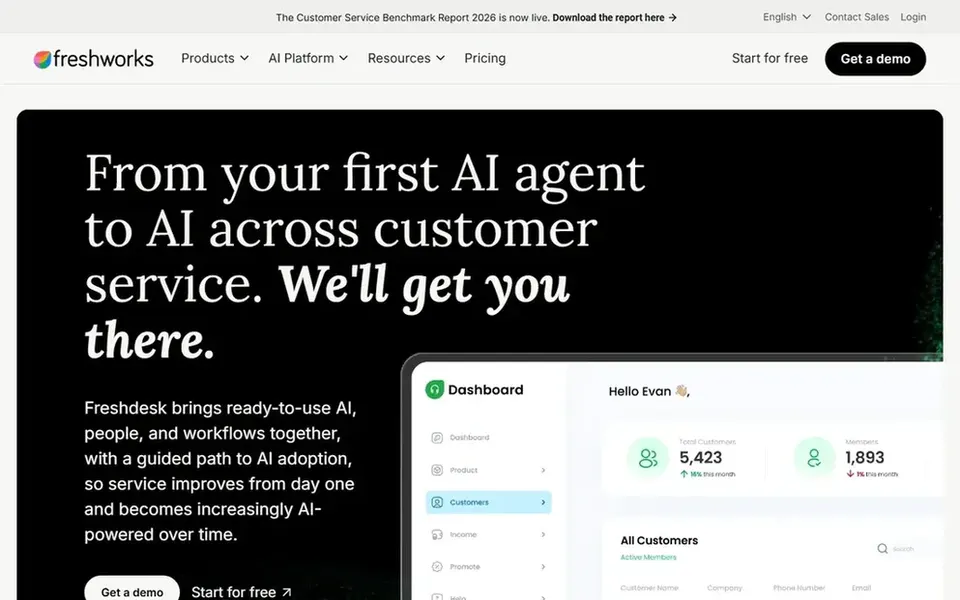
Where Freshdesk fits: omnichannel ticketing with automatic workflows. It suits support teams that receive requests across multiple channels and want automation to route and manage them consistently.
From a buyer's view, getting the most from automatic workflows needs thoughtful configuration, and administrators may need time to learn the system. Freshdesk shows no starting price here, so confirm the cost on the vendor site. On free options: Not stated.
Downsides: Feature breadth can overwhelm new admins.
Choose Zendesk for AI-assisted end-to-end issue resolution. Teams that deal with varied ticket types and want automation to carry work through to resolution are the natural fit.
In daily use, if your priority is a tightly scoped ticketing tool with minimal configuration, compare more straightforward choices before committing. Zendesk cost at the entry level: $19 agent/month premium yearly. On free options: Free trial.
Honest limits: Best value emerges at bigger support volumes.
Best for: Unified help desk with AI-human collaboration
Zoho Desk is a good fit for unified help desk with AI-human collaboration. Zoho Desk is described as a unified help desk platform aimed at smooth AI and human collaboration, helping teams deliver support at scale.
The experience is most cohesive when paired with the wider Zoho suite, and some advanced requirements may call for extra products. More specifically, if you need deep enterprise service management, compare the bigger systems above. Check the vendor site for Zoho Desk pricing; none is listed in this comparison. Trial and free access: Not stated.
Honest limits: Best experience frequently within the Zoho suite.
Best for: Enterprise workflows across customers and employees
Choose ServiceNow for enterprise workflows across customers and employees. The enterprise scope can be more than a small support team needs, and running it well calls for dedicated administration and governance.
Drawbacks to consider: Needs governance and admin resources.
It suits large organizations that want service management aligned with wider enterprise processes instead of a standalone support inbox. No starting price is listed for ServiceNow here; confirm pricing on the vendor site. On free options: Not stated.
Get a written quote from HubSpot Service Hub, Jira Service Management, Freshdesk and others; the list shows no starting price for them.
Run a trial of Zendesk with real work before paying for a year; your own workflow is the best test.
Before choosing HubSpot Service Hub, weigh its main limit: most handy when already in the HubSpot ecosystem.
Pick one real project and run it in Jira Service Management first; a small pilot shows fit faster than a checklist.
See whether ServiceNow offers onboarding or training, and whether it is included in the price.
How we picked
For each of the 6 tools we noted price, free plan or trial, fit for rated help desk software on the market and the main limit, using vendor pages and documentation. Where a vendor does not publish a price, the entry says quote. Where a price depends on seats or billing term, the entry says so. Order on the page follows fit for the typical buyer first, then price transparency and free access. Your own requirements should decide the final pick.
Every price and plan detail on this page comes from the vendors’ own websites. We did not run hands-on tests unless the text says so, and we do not publish star ratings or review scores. See how we score and our disclosure.
Keep your shortlist in one place
Paste prices, trial dates and notes from this guide into Ainotely, our AI note app. It files them into a topic and pulls out tasks like “cancel trial by Friday”. Free 7-day trial, no card needed.
How are the tools for rated help desk software on the market ordered?
HubSpot Service Hub sits first and ServiceNow last because the order follows typical fit for rated help desk software on the market, then price clarity and free access. It is a judgement call, so read each profile for fit and limits.
Does any tool for rated help desk software on the market here have a free plan?
A permanent free plan is not offered by HubSpot Service Hub, ServiceNow or the other tools here. Zendesk offer a trial. Plan a short evaluation period instead.
Do these tools publish their prices?
Not all of them. HubSpot Service Hub, Jira Service Management, Freshdesk and others publish no starting price, so expect a quote request for those. The rest, Zendesk included, show a starting price, though seats and billing terms still change the final cost.
Can I try these tools before paying?
Often, yes. Zendesk offers a free trial. Use your own data and a real task during the test, and check what the free tier or trial limits before you rely on it. For the full picture, the cards above cover all 6 entries of this rated help desk software on the market list, including price, free plan and limits.