Best PDF Editing Software for Work and Home

- 1
 Adobe Acrobat ProFull professional PDF editingVisit
- 2
 Foxit PDF EditorBusiness editing and eSignVisit
- 3
 Nitro PDF ProOffice style PDF workVisit
- 4
 PDFelementLow cost desktop editingVisit
- 5
 UPDFCross platform editingVisit
- Adobe Acrobat Pro is the most complete editor here, with OCR, redaction, and form tools, at $19.99 per user each month on an annual plan.
- PDF-XChange Editor is the lowest cost route to a full desktop editor, with a one-time license from $62 and a generous free version for Windows users.
- Sejda and Smallpdf suit light, browser based work, with free tiers for occasional tasks and yearly plans from $63 and $120.
- Nitro hides its exact price behind its checkout flow, so ask for a quote before you compare it on cost with the other tools in this list.
- Match the tool to your volume: occasional edits need a free or low cost plan, while daily contract and form work justifies a full desktop editor.
Quick comparison
| Product | Ideal for | Price from | Free version | |
|---|---|---|---|---|
| Adobe Acrobat Pro | Full professional PDF editing | $19.99 per user/month (billed annually) | Free trial (7 days) | Visit |
| Foxit PDF Editor | Business editing and eSign | $129.99 per user/year | Free trial (14 days) | Visit |
| Nitro PDF Pro | Office style PDF work | quote only | Free trial (14 days) | Visit |
| PDFelement | Low cost desktop editing | $67.99 per year | Free trial (14 days) | Visit |
| UPDF | Cross platform editing | $64.99 per year | Yes | Visit |
 Smallpdf | Quick browser based tasks | $10 per month (billed annually) | Yes | Visit |
 Sejda | Occasional online edits | $63 per user/year | Yes | Visit |
 PDF-XChange Editor | One-time Windows license | $62 one-time | Yes | Visit |
Top PDF editing software
Adobe Acrobat Pro
Ideal for: Full professional PDF editing

Adobe Acrobat Pro is the reference point for PDF editing, and it covers almost every task a business user will meet. You can edit text and images in place, convert PDFs to Word, Excel, and PowerPoint, combine files, add password protection, and redact sensitive passages. It also turns scanned pages into searchable text, compares two versions of a document, and builds web forms with reusable signature templates. The subscription includes 100 GB of cloud storage and access on desktop, web, and mobile, so files stay in reach across devices.
The price reflects that depth. At $19.99 per user each month on an annual plan billed monthly, or $239.88 a year when billed once a year, Acrobat Pro costs more than every other tool in this guide. Adobe also charges an early cancellation fee of up to half the remaining annual commitment if you cancel an annual plan after 14 days, so the monthly option at $29.99 is the flexible route. Buy Acrobat Pro if PDF work is a daily part of your job and you need redaction, OCR, and advanced forms in one place.
- Widest feature set in this list
- Strong OCR, redaction, and form tools
- Highest price in this list
- Subscription only, with no one-time license for new buyers
Foxit PDF Editor
Ideal for: Business editing and eSign
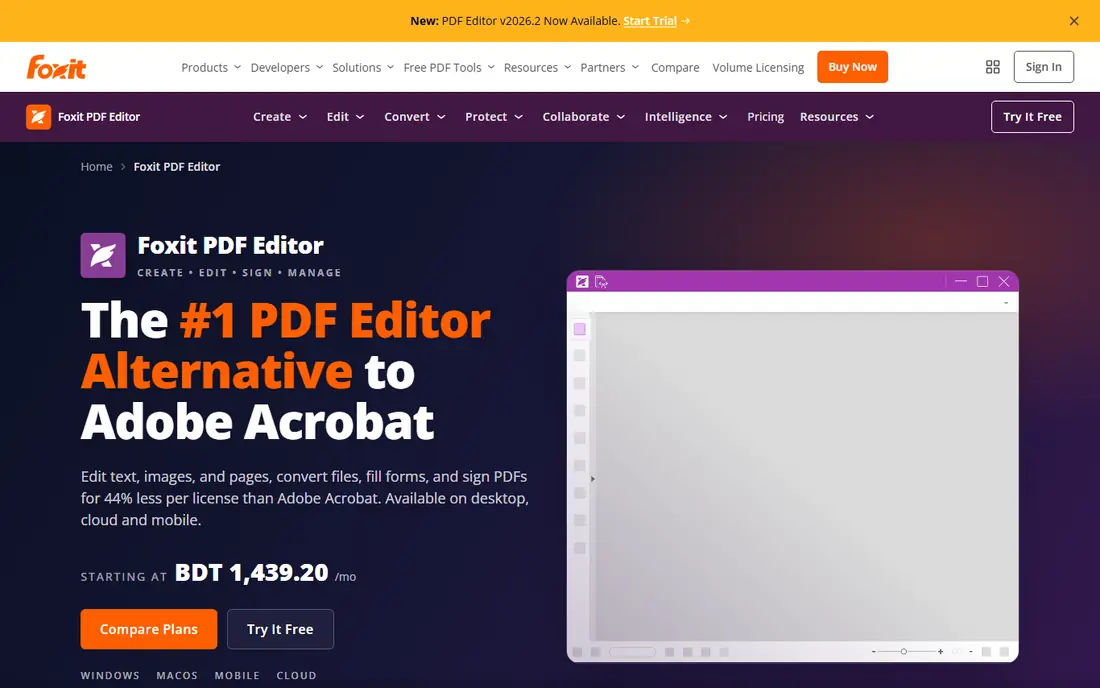
Foxit PDF Editor is a strong business alternative to Acrobat, with desktop, web, and Mac apps plus OCR, conversion, forms, and document security. The standard plan costs $129.99 per user per year, or $10.99 per user each month on the annual plan. Every subscription includes Foxit DMS with cloud storage and 300 free AI credits a month, and every plan starts with a 14-day free trial that needs no credit card. Volume discounts of up to 30 percent apply to orders of 30 or more licenses.
The step up to PDF Editor+ at $159.99 per user per year adds mobile apps for iOS and Android, Foxit eSign Essentials with 150 envelopes a year, and AI Smart Redact for automatic removal of personal data. A perpetual license for Foxit PDF Editor 14 costs $209.99 once per user for buyers who want to avoid a yearly renewal. The AI Assistant is a separate add-on at $49.99 a year for 2,000 AI credits a month.
- Perpetual license option at $209.99
- Includes 300 free AI credits each month
- Mobile apps and eSign need the higher Editor+ tier at $159.99 per user per year
Nitro PDF Pro
Ideal for: Office style PDF work

Nitro PDF Pro, sold as Nitro PDF Standard, is built for office teams that live in Microsoft 365. It edits text and images, converts PDFs to Word, Excel, and PowerPoint, merges and splits files, adds password protection, and turns scans into searchable text with OCR. It also creates fillable forms, compares document versions, adds Bates numbering for legal files, and includes AI tools for summaries and data extraction. Support runs 24 hours a day, seven days a week, and an admin portal helps teams manage licenses.
Nitro does not publish a dollar figure on its pricing page, which lists Nitro PDF Standard per user each month on an annual plan without showing the number in the page text, and Nitro PDF Plus by quote for larger organisations. Third party reads in 2026 put Standard near $15 per user each month, but that figure could not be confirmed on the vendor page on 13 November 2026, so treat it as a guide only and ask Nitro for a written quote. Nitro PDF Classic is a separate three-year license for Windows only. There is no Android app, and there is no free version, only the 14-day trial.
- Familiar Microsoft Office style interface
- Includes AI tools and 24/7 support on Standard
- No free version, only a 14-day trial
- Exact price is not shown on the vendor pricing page
PDFelement
Ideal for: Low cost desktop editing
PDFelement from Wondershare is a desktop editor for Windows and Mac, with mobile apps and a web version, that covers editing, OCR in 26 languages, forms, redaction, batch processing, and e-signatures. The yearly plan shown on the vendor store page on 13 November 2026 costs $67.99 a year for a single platform, or $76.99 for cross platform use, with a 2-year plan at $109.99 and a perpetual plan from $110.49. Those figures were shown against higher crossed out list prices as part of a version 13 promotion, so the price at checkout may change when the promotion ends.
The trial runs for 14 days and needs no credit card, but it adds a watermark to saved files and limits batch work to 3 files of up to 20 MB. The full version includes 50 AI uses, and heavier AI use needs a separate AI add-on from $3.99 a month. The perpetual license gives access to PDFelement 13 with minor updates, while a major version upgrade needs a new purchase.
- Yearly plan under $70 with full features
- Perpetual license option for version 13
- AI use beyond the included quota costs extra
- Perpetual license covers version 13 only
UPDF
Ideal for: Cross platform editing
UPDF is a modern PDF editor from Superace Software that runs on Windows, Mac, iOS, Android, and the web under one license, usable on up to four devices. It edits text, images, links, and watermarks, converts PDFs to Office formats, runs OCR, annotates, organises pages, fills forms, and compresses files. The yearly Pro plan is listed at $64.99 a year, and a lifetime license is listed at $94.99 as a one-time purchase. The yearly plan includes 10 GB of cloud storage and 20 basic e-signatures a year, while the lifetime plan includes 2 GB of storage and 50 e-signatures in total.
The free version covers basic editing and annotation, but it adds watermarks to exported files and limits conversions to 2 files a day and OCR to 5 uses. AI features such as chat with PDFs, summaries, and translation are available on a limited trial, with full AI access through the AI Assistant, which renews at $69 a year after a 7-day trial unless cancelled.
- One license covers Windows, Mac, iOS, and Android
- Lifetime license option at $94.99
- AI Assistant renews separately each year
- Lifetime plan includes only 2 GB of cloud storage
Smallpdf
Ideal for: Quick browser based tasks
Smallpdf is a browser first PDF toolkit from Switzerland, with more than 30 tools for compressing, converting, merging, splitting, editing, signing, and translating PDFs. There is nothing to install for the core tools, which makes it a fast choice for occasional work on any computer. The Pro plan costs $10 a month when billed yearly at $120 a year, or $15 a month on monthly billing, based on a direct read of the vendor pricing page on 9 November 2026. Older vendor pages showed $9 a month billed yearly, so confirm the figure at checkout before you buy. A 7-day free trial is available, and the Team plan starts from $7 per seat a month billed yearly.
Pro removes the download limits, adds strong compression, OCR, batch processing, unlimited AI tools, and full mobile app access, plus an unlimited Sign.com Premium subscription for signature requests. The free plan gives access to the same tools with limited document downloads and limited mobile access. Smallpdf suits people who want quick online tools without learning a desktop app, and teams that need simple signing and compression.
- Simple browser tools with no install
- Pro includes unlimited AI tools and Sign.com Premium
- Free plan has a daily download limit
- Most work needs an internet connection
Sejda
Ideal for: Occasional online edits
Sejda is a browser based PDF toolkit with a desktop app, aimed at people who need a few edits without installing heavy software or creating an account. The free tier handles files up to 200 pages or 50 MB, with 3 tasks per hour, and files are deleted from Sejda servers after 2 hours. The vendor pricing page lists a Web Week Pass at $5 for 7 days, Web Monthly at $7.50 per user each month, and Desktop+Web Annual at $63 per user each year, which saves 30 percent over monthly billing. Volume discounts start from 2 members.
Subscription plans remove the page and hourly limits, allow uploads up to 500 MB per file, process several files at once, allow up to 21 minutes of processing per task, and include OCR for documents of up to 100 pages plus email support. The annual plan adds a year of access to Sejda Desktop, which processes files on your own computer without uploading them. Sejda no longer sells perpetual licenses.
- Free use needs no signup
- Annual plan includes a year of Sejda Desktop
- Free use is limited to 3 tasks per hour
- OCR on subscription plans caps at 100 pages
PDF-XChange Editor
Ideal for: One-time Windows license
PDF-XChange Editor is a Windows desktop editor with more than 400 features, of which 257 are free and 145 need a license. The free version covers reading, commenting, and most everyday edits, while features that need a license still run but add a watermark until you buy. A single user license costs $62 as a one-time purchase, and Editor Plus costs $79 once. Both are perpetual licenses that include one year of maintenance and updates, and the license keeps working after maintenance ends. The vendor also offers a newer AI Assistant that needs your own AI account key.
Editor Plus adds an enhanced OCR engine, fillable form creation, document comparison, dynamic stamps, and form identification. The free version is genuinely useful on its own, which makes this the best tool in the list for trying before you buy. The clear limit is platform support: PDF-XChange Editor runs on Windows 10 and later only, so Mac users need another pick. It also has no built-in signature request workflow, using a DocuSign integration instead.
- Perpetual license with no subscription
- About 70 percent of features are free to use
- Windows only, with no Mac version
- Enhanced OCR and form creation need Editor Plus
How we chose
We compared the vendor pricing pages, product pages, and plan documents for each tool on 13 November 2026, and we checked that every official homepage loads. Prices in this guide come from the vendor pages listed in Sources, with the date checked. Where a vendor page did not show a dollar figure in the text we could read, we said so and used quote only rather than borrowing a number from a review site. We did not install the apps or run hands-on tests, and we did not use third party ratings, awards, or customer counts to rank the tools. We compared editing depth, OCR, forms, e-signatures, platform coverage, free tier limits, and the total cost over one year and over three years, since a low monthly price can still cost more than a one-time license over time. The order in this guide reflects breadth of features and value for typical business use, not a test score.
What to check before you buy
Check the billing term first, because the same tool can cost far more month to month than on an annual plan. Adobe Acrobat Pro costs $19.99 a month on an annual plan and $29.99 month to month, a gap of $120 a year. Check whether the price you see is a promotion, since PDFelement and UPDF both show crossed out list prices that may rise at renewal. Check the free tier limits against your real volume: Sejda allows 3 tasks an hour free, Smallpdf limits daily downloads, and UPDF limits free conversions to 2 files a day. Check platform support, since PDF-XChange Editor is Windows only and Nitro has no Android app. Check whether OCR, redaction, and form creation sit in the base plan or a higher tier, since Foxit keeps mobile apps and eSign in Editor+, and PDF-XChange keeps enhanced OCR in Editor Plus. Check file handling for sensitive work: Sejda Desktop processes files locally, while browser tools upload files to vendor servers. Check the cancellation and refund terms before you buy, since annual plans can carry early cancellation fees and some vendors state no refunds in their terms.
| Situation | Best pick | First year cost | | One person, a few edits a month | Sejda free tier, then Annual | $0 to $63 | | One person, daily editing on Windows | PDF-XChange Editor | $62 one-time | | One person, all devices, low budget | UPDF Pro yearly | $64.99 | | Small team, browser tools and signing | Smallpdf Pro | $120 per user | | Small team, full desktop editing | Foxit PDF Editor | $129.99 per user | | Business, redaction and advanced forms | Adobe Acrobat Pro | $239.88 per user | | Business, Office style workflows | Nitro PDF Pro | Quote only, ask the vendor |
Frequently asked questions
Which PDF editor is best for most people?
Adobe Acrobat Pro is the safest all round choice because it covers editing, OCR, redaction, forms, and signing in one subscription with desktop, web, and mobile apps. It costs $19.99 per user each month on an annual plan, which is the highest price in this guide. If that price is too high, Foxit PDF Editor at $129.99 a year covers most of the same work for less.
Is there a good free PDF editor?
Yes. PDF-XChange Editor has the strongest free version here, with about 70 percent of its 400 features free to use on Windows, though licensed features add a watermark. Sejda and Smallpdf both offer free browser tools with limits, Sejda at 3 tasks an hour and Smallpdf with a daily download limit. UPDF also has a free version with watermarks and daily limits.
What is the cheapest way to edit PDFs every day?
A one-time license is usually cheapest over three years. PDF-XChange Editor costs $62 once, so it pays for itself against a $10 a month subscription in about six months. UPDF lifetime at $94.99 and Foxit perpetual at $209.99 are also one-time options. Compare the three year total, not the monthly price, before you decide.
Do I need OCR in a PDF editor?
You need OCR only if you work with scanned paper or image based PDFs. OCR turns a scan into searchable and editable text, which matters for contracts, invoices, and archives. Adobe Acrobat Pro, Foxit, Nitro, PDFelement, UPDF, and PDF-XChange Editor Plus all include OCR. Smallpdf includes OCR on Pro, and Sejda includes OCR up to 100 pages on subscription plans.
Can I edit PDFs in a browser without installing software?
Yes. Smallpdf and Sejda run in a browser with no install, and Adobe, Foxit, and UPDF also offer web apps. Browser tools are fast for merging, compressing, converting, and signing a few files. For sensitive files, check how the vendor stores uploads, since Sejda deletes files after 2 hours while other vendors keep them longer.
Sources
- https://www.adobe.com/acrobat/pricing.html
- https://www.foxit.com/pdf-editor/pricing/
- https://www.gonitro.com/pricing
- https://pdf.wondershare.com/store/windows-individuals.html
- https://updf.com/pricing-individuals/
- https://smallpdf.com/pricing
- https://www.sejda.com/upgrade
- https://www.pdf-xchange.com/product/pdf-xchange-editor/features-group/75/features