Top Rated Vulnerability Management Software

- 1
 Tenable One Vulnerability ManagementProven scanner with risk-based scoringVisit
- 2
 Qualys VMDRRisk-based management at enterprise scaleVisit
- 3
 Rapid7 InsightVMVulnerability management with attack surface contextVisit
- 4
 WizCloud-first teams that need code to runtime contextVisit
- 5
 CrowdStrike Falcon Exposure ManagementEndpoint teams adding exposure managementVisit
- All seven tools in this guide are quote only, so budget planning starts with a written quote for your exact asset count.
- Tenable One and Qualys VMDR are the proven scanners, with risk scoring built on threat intelligence rather than raw CVSS.
- Wiz covers code, cloud and runtime in one graph, while CrowdStrike adds exposure management to an endpoint platform you may already run.
- Intruder is the only tool here with a free trial, 14 days with five scan targets, which suits small teams that want to test before talking to sales.
- Nucleus does not scan anything itself. It pulls findings from your existing scanners into one risk-based workflow.
Quick comparison
| Product | Ideal for | Price from | Free version | |
|---|---|---|---|---|
| Tenable One Vulnerability Management | Proven scanner with risk-based scoring | quote only | No | Visit |
| Qualys VMDR | Risk-based management at enterprise scale | quote only | No | Visit |
| Rapid7 InsightVM | Vulnerability management with attack surface context | quote only | No | Visit |
| Wiz | Cloud-first teams that need code to runtime context | quote only | No | Visit |
| CrowdStrike Falcon Exposure Management | Endpoint teams adding exposure management | quote only | No | Visit |
 Intruder | Small teams that want a free trial | quote only | Free trial (14 days) | Visit |
 Nucleus Security | Teams that own scanners and need one workflow | quote only | No | Visit |
The best vulnerability management software
Tenable One Vulnerability Management
Ideal for: Proven scanner with risk-based scoring
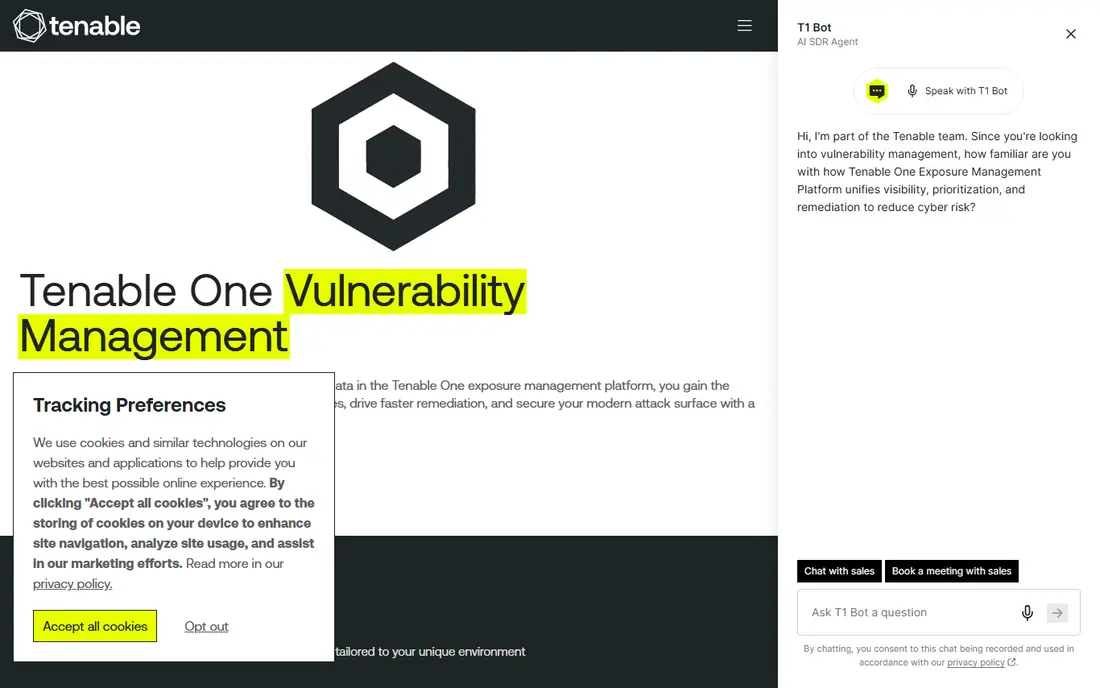
Tenable One Vulnerability Management is built on Nessus, the scanner most security teams already know, and adds a cloud console that unifies discovery, assessment and prioritisation. It finds known and unknown assets with continuous, always-on discovery, including cloud and remote workforce assets, then scores each flaw with its Vulnerability Priority Rating, which uses threat intelligence and asset context instead of raw CVSS. Guided remediation steps and bi-directional ticketing push fixes into the workflow that owns them.
Tenable also offers autonomous patch management with guardrails and SLAs, so approved patches can roll out without a human in the loop, and it backs the service with a 99.95 percent uptime guarantee. The trade-off is commercial and structural: Tenable publishes no price, so the quote depends on asset count and modules, and a team that needs an on-premises deployment must buy Tenable Security Center as a separate product rather than running the same console locally.
- Vulnerability Priority Rating scores flaws by exploitability and business impact
- Continuous discovery finds unknown and dynamic assets
- No published price, and the on-premises option is a separate product, Tenable Security Center, rather than the same console
Qualys VMDR
Ideal for: Risk-based management at enterprise scale
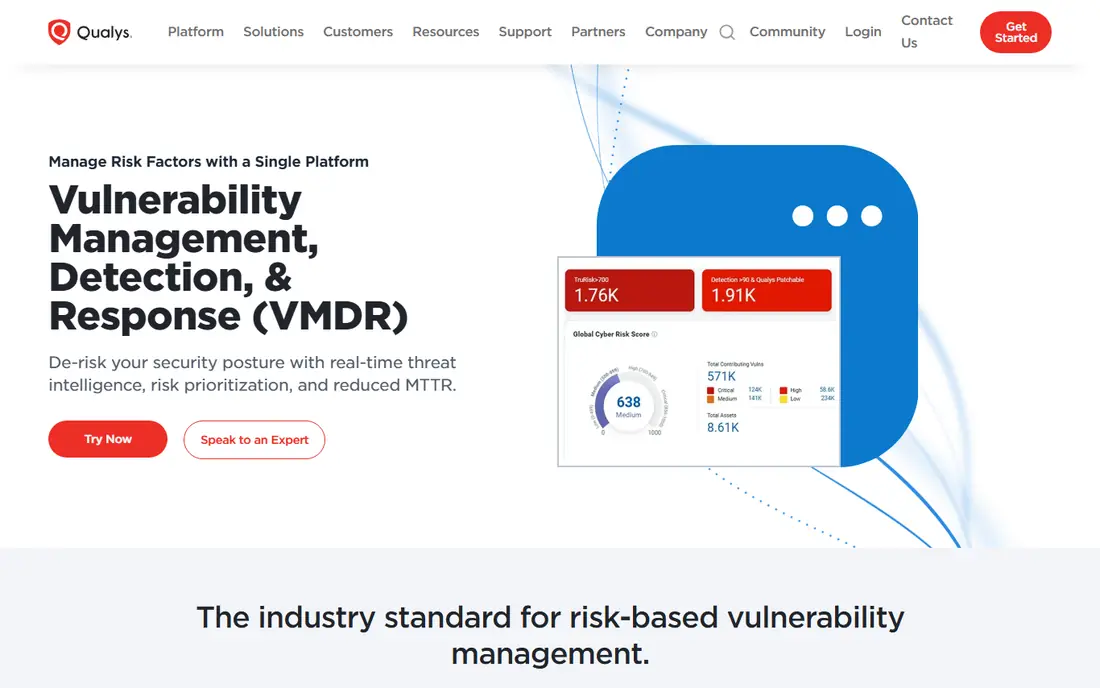
Qualys VMDR is the cloud-based vulnerability management app inside the Qualys Enterprise TruRisk Platform. It discovers assets across the whole attack surface, including the unknown assets that Qualys says make up more than 30 percent of a typical estate, then prioritises with TruRisk scores built on real-time threat intelligence and MITRE ATT&CK mapping. Built-in patching and remediation workflows close the loop, and Qualys claims patching can cut the time to fix critical flaws by up to 60 percent.
VMDR includes asset and vulnerability management, certificate inventory, PCI ASV assessments for PCI 4.0, CIS benchmark checks, and integrations with ServiceNow and Jira. The limit is scope and cost clarity. This is a broad platform, not a narrow scanner, so a small team can spend weeks on deployment, sensor placement and policy tuning before it sees value. Qualys publishes no price, so the quote depends on asset count, apps and modules, and the final figure can surprise buyers who only priced the base scanner.
- TruRisk scoring uses more than 25 sources of real-time threat intelligence
- Unlimited virtual scanners, cloud agents and passive sensors
- No published price, and the breadth of the Enterprise TruRisk Platform means deployment and tuning take real staff time
Rapid7 InsightVM
Ideal for: Vulnerability management with attack surface context
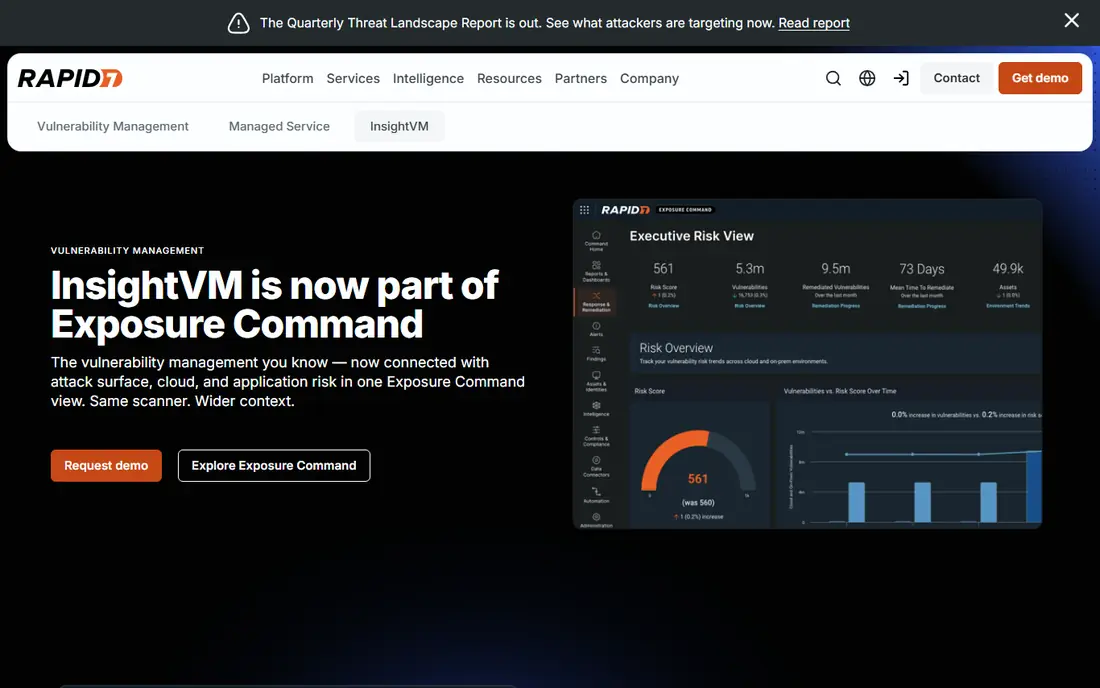
Rapid7 InsightVM is the vulnerability management technology that now powers Rapid7 Exposure Command. Exposure Command Essentials brings InsightVM together with attack surface management, so each vulnerability carries context about the asset and its exposure. Exposure Command Ultimate adds cloud and application security for a unified view across the environment. Rapid7 says the scanner is the same, with more context and flexible coverage based on the asset types you use.
InsightVM fits teams that already run Rapid7 tools or that want one vendor for vulnerability management and attack surface management. The drawback is packaging: the shift from a standalone InsightVM licence to Exposure Command Essentials and Ultimate makes it harder to compare like with like, and existing customers need to talk to their Rapid7 team about contract changes. Rapid7 publishes no price, so budgeting starts with a quote for your asset count and package.
- InsightVM is now bundled with attack surface management in Exposure Command Essentials
- Same scanner with more context on each asset
- The move into Exposure Command packages makes the product line harder to compare, and Rapid7 publishes no price
Wiz
Ideal for: Cloud-first teams that need code to runtime context
Wiz connects code, cloud and runtime into a single security graph, which gives each finding the context needed to tell a real risk from noise. Its AI agents simulate attack paths across the cloud and AI stack, investigate alerts across cloud and code, and generate remediation plans at the source. Wiz says it is trusted by more than 65 percent of Fortune 100 companies, and its pitch is speed: teams see findings within an hour of connecting their cloud accounts.
Wiz fits cloud-first teams that run AWS, Azure or Google Cloud and want one view of misconfigurations, vulnerabilities, secrets and AI workloads. The limit is coverage: Wiz does not scan on-premises infrastructure, so a hybrid estate still needs a separate scanner for servers and endpoints. Pricing is quote only and tied to the cloud resources under management, which makes the bill hard to predict before a proof of value, and the platform is built for cloud teams rather than general IT.
- One security graph connects code, cloud and runtime, so risks carry full context
- AI agents simulate attack paths and investigate alerts
- Wiz is cloud-focused and does not scan on-premises infrastructure, and its pricing is quote only and tied to cloud resource counts
CrowdStrike Falcon Exposure Management
Ideal for: Endpoint teams adding exposure management
CrowdStrike Falcon Exposure Management gives security teams real-time visibility across external assets, endpoints, cloud, network, OT and IoT, plus shadow AI, and it prioritises by exploitability rather than by severity alone. The Exposure Prioritization Agent uses exploitability analysis, adversary intelligence, attack path analysis and asset context to rank what attackers are most likely to use. CrowdStrike cites a customer that cut critical vulnerabilities by 98 percent in its DMZ within a year, and it reports 400 million exposed assets seen weekly across its data.
Falcon Exposure Management fits teams that already run CrowdStrike Falcon on endpoints, because exposure data joins detection and response in one console and one agent. The limit is the platform tie: it is a Falcon module, not a standalone scanner, so a team without Falcon must adopt the wider platform first. AI Discovery, which finds AI tools running on endpoints and in the cloud, also needs the Falcon for IT add-on. CrowdStrike publishes no price, so the quote depends on endpoints, modules and term.
- Real-time visibility across endpoints, cloud, network and OT, with an Exposure Prioritization Agent that ranks what attackers will use first
- It is a module inside the Falcon platform, so teams that do not run Falcon need the wider platform first, and pricing is quote only
Intruder
Ideal for: Small teams that want a free trial
Intruder is a vulnerability scanner built for lean, time-strapped teams. It scans infrastructure, web applications and cloud targets, checks for emerging threats, and writes reports that teams use for SOC 2, Cyber Essentials and ISO 27001. Pricing is a base fee plus a small fee per target, and a licence is used each time a target is scanned, staying used for 30 days. The free trial includes all Cloud plan features with five free licences for 14 days, and it covers authenticated web application scans.
Intruder fits small teams that want a scanner they can start without a sales call, with Jira, GitHub, GitLab, Slack and ServiceNow integrations for routing fixes. The limit is price clarity: Intruder publishes no per-target figures, so a buyer cannot cost a 50-target estate without asking. Internal target scanning is also gated behind Pro and Enterprise, so a team that needs to scan its internal network must pay for the higher plan, and Enterprise pricing is quoted separately.
- 14-day free trial with five scan targets and full Cloud plan features
- Pricing is a base fee plus a small fee per target, so small estates stay cheap
- No per-target prices are published, and internal target scanning is only available on the Pro and Enterprise plans
Nucleus Security
Ideal for: Teams that own scanners and need one workflow
Nucleus Security is a vulnerability and exposure management platform that sits above your scanners. It pulls findings from more than 200 integrations, including Tenable, Qualys, Wiz and CrowdStrike, normalises them, and runs automation rules that route each finding to its owner. Its Helix AI engine answers questions about exposure in plain language and tracks the threat landscape. Nucleus says it processes 9 billion findings a day, moves from a newly exploitable flaw to an owned ticket in 15 minutes, and cuts critical exposures by 60 percent within three months.
Nucleus fits large teams that run several scanners and struggle to turn findings into fixes, and it is FedRAMP Authorized, which suits federal agencies and regulated industries. The limit is that Nucleus is an orchestration layer, not a scanner: it finds nothing on its own, so a team still needs Tenable, Qualys or another scanner underneath, and Nucleus adds a second licence on top. Pricing is quote only, and the value depends on how messy your current workflow is.
- Pulls findings from more than 200 integrations into one risk-based workflow
- FedRAMP Authorized for federal and regulated teams
- Nucleus does not scan anything itself, so it adds cost on top of the scanners you already pay for, and pricing is quote only
How we chose
We compared vendor product pages and documentation for all seven tools on 11 November 2026. Every vendor in this guide hides its price, so we marked each one quote only rather than repeating third-party estimates as fact, and we checked the pricing pages where they exist. We compared the features that matter in vulnerability management: asset discovery, continuous scanning, risk-based prioritisation, remediation workflows, cloud and on-premises coverage, integrations, and compliance reporting. We did not run hands-on tests, so feature claims here come from vendor documentation.
What to check before you buy
Check coverage first. Confirm the tool scans every asset type you own: servers, endpoints, cloud workloads, containers, web applications and OT, and ask whether it finds unknown assets or only the ones you list. Ask how it scores risk, because a tool that ranks by CVSS alone will bury your team in low-value fixes, while one that uses exploitability and threat intelligence will point at the flaws attackers actually use. Check whether remediation is built in or only a ticket, and whether patching, ticketing and verification happen in the same workflow.
Check the quote carefully. With all seven tools selling by quote, ask for the price per asset, the minimum asset count, the term, and every module itemised. Confirm whether the price covers all asset types or only some, and whether cloud, container and web application scanning cost extra. Then run a proof of value on your real estate, and measure how many critical flaws it finds, how fast it ranks them, and how many get fixed before the trial ends.
| Team size and budget | Best fit | Why | Watch out | | 1 to 25 people, small estate | Intruder | 14-day free trial, per-target pricing, quick start | Internal scanning needs Pro, and no prices are published | | 25 to 100 people, mid-size estate | Tenable One, Qualys VMDR | Proven scanners with risk-based scoring and patching | Both are quote only, and deployment takes staff time | | 100 to 500 people, cloud-first | Wiz, CrowdStrike Falcon Exposure Management | Code to runtime context, or exposure data inside Falcon | Wiz has no on-premises scanning, CrowdStrike needs the Falcon platform | | 500 or more people, complex estate | Nucleus Security, Qualys VMDR | One workflow across many scanners, or one platform at scale | Nucleus needs scanners underneath, Qualys needs tuning | | Regulated or federal teams | Nucleus Security, Tenable One | FedRAMP Authorized, or PCI ASV and CIS benchmark support | Both are quote only, so get the quote in writing |
Frequently asked questions
What is vulnerability management software?
Vulnerability management software finds weaknesses in your systems, ranks them by risk, and tracks each one until it is fixed. It scans servers, endpoints, cloud workloads and web applications, then scores each flaw by how likely attackers are to use it, so your team fixes the dangerous ones first.
Why do none of these tools publish a price?
Vulnerability management vendors price by asset count, asset type, modules and term, so a single list price would mislead most buyers. Every tool in this guide sells by quote, which means you should ask for a written quote for your exact estate, with each module itemised, before you compare totals.
Which tool is best for a small team?
Intruder is the best fit for a small team, because it offers a 14-day free trial with five scan targets and prices by base fee plus a small fee per target. Tenable One and Qualys VMDR suit larger teams better, since they need more setup and are priced for bigger estates.
Do I need a separate scanner if I buy Nucleus?
Yes. Nucleus does not scan anything itself. It pulls findings from scanners you already run, such as Tenable, Qualys or Wiz, and turns them into one risk-based workflow. Buy Nucleus when your problem is too many findings across too many tools, not when you need your first scanner.
How is vulnerability management different from a one-off scan?
A one-off scan gives you a list of flaws on one day. Vulnerability management runs continuously, tracks each flaw from discovery to fix, re-tests after patching, and reports risk over time. That loop is what auditors ask for, and it is what keeps a fixed flaw from quietly coming back.
Sources
- https://www.tenable.com/products/tenable-vulnerability-management
- https://www.qualys.com/apps/vulnerability-management-detection-response/
- https://www.rapid7.com/products/insightvm/
- https://www.wiz.io/
- https://www.crowdstrike.com/en-us/platform/exposure-management/
- https://www.intruder.io/pricing
- https://nucleussec.com/