NVIDIA Broadcast comes first here, mainly for AI voice and video effects on supported hardware. Listed starting prices: Krisp from $8 per user a month. Cisco Webex is the stronger choice for AI-assisted collaboration and customer experience, while Zoom Workplace suits everyday meetings with built-in audio tools. Details, prices and limits for the rest of the 6 tools are below.
This Ainotely guide covers 6 options for software for Real-Time voice clarity. Each profile lists a starting price, free plan details, strengths and drawbacks, so you can drop poor fits quickly.
Key takeaways
Top of the list is NVIDIA Broadcast, which targets AI voice and video effects on supported hardware.
Discord is the one to check for community voice chat and group hangouts.
The cheapest monthly starting price in the list is $8 per user per month, offered by Krisp.
One limit worth knowing about Zoom Workplace: audio clarity relies on device and network.
Best for: AI voice and video effects on supported hardware
NVIDIA Broadcast is designed for AI voice and video effects on supported hardware. NVIDIA Broadcast is an app that applies AI-powered voice and video effects, including noise removal and virtual backgrounds, to livestreams, voice chats, and video calls. Pick NVIDIA Broadcast when you have the right hardware and want AI cleanup for streaming or calls.
In practice, the app relies on compatible NVIDIA hardware, so it is not available to every system. It enhances audio and video instead of supplying meeting services. Check the vendor site for NVIDIA Broadcast pricing; none is listed in this comparison. On free options: Not stated.
Trade-offs to know: Requires supported NVIDIA hardware.
Best for: AI-assisted collaboration and customer experience
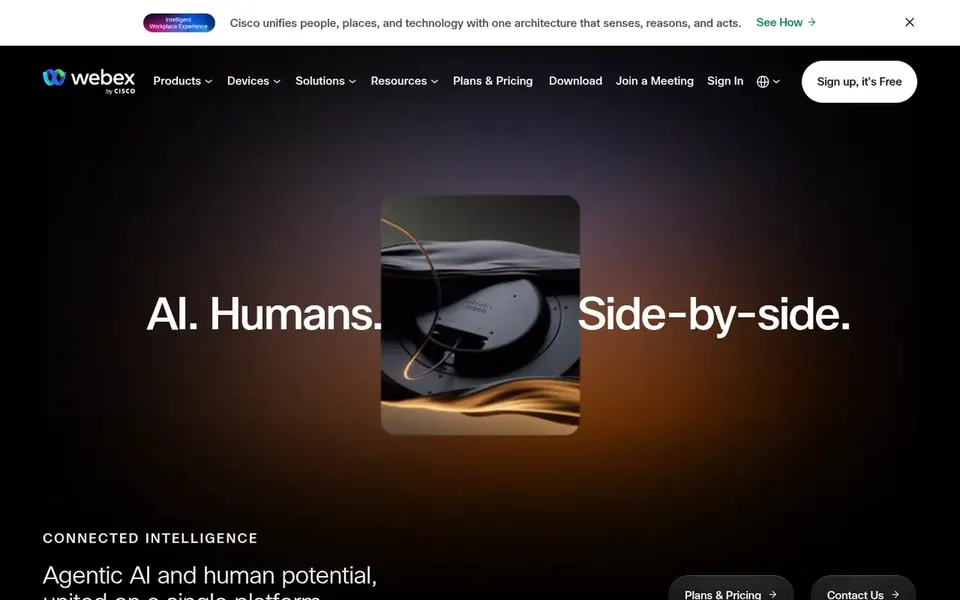
Pick Cisco Webex if this describes you: AI-assisted collaboration and customer experience. Teams wanting only noise suppression may find a focused utility simpler. Beyond that, Cisco Webex is described as AI-powered collaboration handling customer experience, devices, and product options.
Strengths: Suited to bigger collaboration deployments.
Its homepage positions it for organizations that want meetings and related communication in one ecosystem. From a buyer's view, choose Webex when you need an integrated collaboration product and can run its configuration. No starting price is listed for Cisco Webex here; confirm pricing on the vendor site. Cisco Webex has a free plan.
Where it is weaker: Audio results vary with hardware and network.
Best for: Everyday meetings with built-in audio tools
Zoom Workplace works best for everyday meetings with built-in audio tools. Zoom Workplace is a collaboration product that brings together video meetings, chat, VoIP phone, webinars, whiteboard, contact center, and events.
What users get: Merges video meetings, chat.
The main drawbacks: Feature depth may exceed straightforward call needs.
Its homepage describes a single system to link and modernize workflows. As for the details, choose it when you want meetings, phone, and events together and can depend on standard audio controls. Check the vendor site for Zoom Workplace pricing; none is listed in this comparison. Free plan details: Not stated.
Best for: Dedicated noise cancellation across meeting apps
Think of Krisp for dedicated noise cancellation across meeting apps. Krisp is a voice AI tool built around noise cancellation, with an AI Note Taker, Accent AI, and Call Center AI described on its homepage.
Where it is weaker: Effectiveness varies by environment and device.
Its focus is audio cleanup and meeting assistance instead of hosting meetings itself. More specifically, since Krisp sits alongside your meeting software, it introduces an additional layer to set up and maintain. Entry price for Krisp: $8 per user per month. Free plan details: Free trial.
Best for: Straightforward browser-based video conferencing
Google Meet was built for straightforward browser-based video conferencing. Meet is a meeting service instead of a noise-cancellation product, so heavily noisy settings may benefit from an add-on audio tool.
In practice, Google Meet gives you secure online web conferencing and video chat as part of Google Workspace. Its homepage frames it around web and video conferencing calls. Check the vendor site for Google Meet pricing; none is listed in this comparison. Free options: Not stated.
Where it is weaker: Audio clarity relies on device and network.
For community voice chat and group hangouts, Discord is a natural candidate. Choose Discord when community voice channels and informal hangouts are the goal.
Its homepage emphasizes social and gaming use. On top of that, audio quality still relies on each participant's setup. Discord does not show a starting price in this comparison, so check the vendor site for current pricing. Trial and free access: Not stated.
Get a written quote from NVIDIA Broadcast, Cisco Webex, Zoom Workplace and others; the list shows no starting price for them.
Test the free plan from Cisco Webex against your real workload before relying on it.
Run a trial of Krisp with real work before paying for a year; your own workflow is the best test.
Before choosing NVIDIA Broadcast, weigh its main limit: needs supported NVIDIA hardware.
Let daily users try Krisp on real work; their feedback beats any feature checklist.
Test the integrations you rely on with Cisco Webex before committing; some connectors sit on upper tiers.
How we picked
For each of the 6 tools we noted price, free plan or trial, fit for software for Real-Time voice clarity and the main limit, using vendor pages and documentation. Plan names, prices and limits change often. Treat the figures here as a starting point and verify them with the vendor. The order reflects how well each tool fits the most common buying scenario for software for Real-Time voice clarity, then price clarity, then free plan access. It is a starting point, not a verdict.
Every price and plan detail on this page comes from the vendors’ own websites. We did not run hands-on tests unless the text says so, and we do not publish star ratings or review scores. See how we score and our disclosure.
Keep your shortlist in one place
Paste prices, trial dates and notes from this guide into Ainotely, our AI note app. It files them into a topic and pulls out tasks like “cancel trial by Friday”. Free 7-day trial, no card needed.
Not all of them. NVIDIA Broadcast, Cisco Webex, Zoom Workplace and others publish no starting price, so expect a quote request for those. The rest, Krisp included, show a starting price, though seats and billing terms still change the final cost.
Which options for software for Real-Time voice clarity have a free plan?
Cisco Webex is the only tool in this list with a free plan. Free plans usually cap users, projects or features, so check the limits on the vendor page. One other tool offers a trial instead.
Can NVIDIA Broadcast boost voice clarity in any app?
NVIDIA Broadcast applies AI voice and video effects to livestreams, voice chats, and video calls, but it needs supported NVIDIA hardware. It enhances audio instead of hosting meetings, so it complements your existing calling software.
What makes software well suited to live voice clarity?
Decent voice clarity software cuts background noise and keeps speech intelligible during live calls. Meeting products build audio processing into calls, whereas dedicated apps like Krisp and NVIDIA Broadcast focus on noise removal and effects across apps.
Is NVIDIA Broadcast the right pick for everyone comparing software for Real-Time voice clarity?
No single tool suits every team. NVIDIA Broadcast comes first because it fits AI voice and video effects on supported hardware, while Cisco Webex suits AI-assisted collaboration and customer experience and Zoom Workplace suits everyday meetings with built-in audio tools. Match the tool to your own size, budget and workflow before deciding.
How are the tools for software for Real-Time voice clarity ordered?
The order follows typical fit for software for Real-Time voice clarity, with NVIDIA Broadcast first and Discord last, then price clarity and free access. It is editorial judgement, not a score, so another team could rank the tools differently.