6 Best Workflow Management Software with Analytics for 2026

- 1
 Process StreetRecurring checklists and compliance runsVisit
- 2
 monday.comVisual dashboards across numerous teamsVisit
- 3
 SmartsheetSpreadsheet-minded ops teamsVisit
- 4
 ClickUpBudget-conscious teams wanting one appVisit
- 5
 WrikeAgencies and PMOs needing deep reportingVisit
- The list opens with Process Street, aimed at recurring checklists and compliance runs.
- What to know about Process Street first: not built for project planning.
- Only 4 of the 6 tools have a free plan (monday.com, ClickUp, Wrike, Asana), so check the caps.
- For linking daily work to goals, Asana is worth a look.
Direct answer
Process Street comes first here, mainly for recurring checklists and compliance runs. If your case is different, monday.com suits visual dashboards across many teams and Smartsheet suits spreadsheet-minded ops teams. The full list of 6 tools follows, with prices and free plan facts.
Quick comparison
| Product | Ideal for | Price from | Free version | |
|---|---|---|---|---|
| Process Street | Recurring checklists and compliance runs | See website | Free trial | Visit |
| monday.com | Visual dashboards across numerous teams | $9 per seat/month (billed annually) | Yes | Visit |
| Smartsheet | Spreadsheet-minded ops teams | $9 per member/month (billed annually; $12 billed per month) | Free trial | Visit |
| ClickUp | Budget-conscious teams wanting one app | See website | Yes | Visit |
| Wrike | Agencies and PMOs needing deep reporting | $10 per user/month | Yes | Visit |
 Asana | Linking daily work to goals | $10.99 per user/month (billed yearly) | Yes | Visit |
6 workflow management software with analytics in detail
Choosing workflow management software with analytics usually comes down to price, fit and limits. This Ainotely guide sets 6 tools side by side on those three points, with the facts kept short and checkable.
Process Street
Ideal for: Recurring checklists and compliance runs
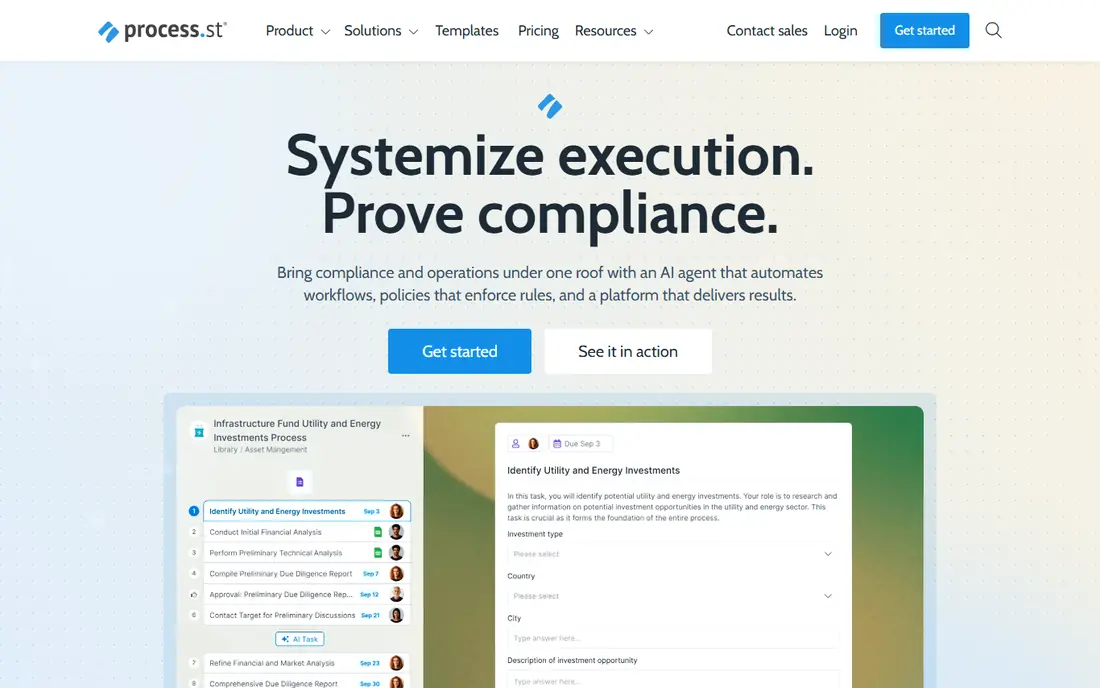
Where Process Street fits: recurring checklists and compliance runs. You write the procedure once as a workflow, then start a "run" each time it happens. Process Street is not a project management tool, so it has no deep Gantt or resource planning.
What to check first: Pricing is plan-based and best confirmed with sales.
Beyond that, there, proving a checklist was followed matters as much as finishing it. Its reports present whether people actually followed the process, which general task tools manage poorly. No starting price is listed for Process Street here; confirm pricing on the vendor site. Free options: Free trial.
What users get: Turns standard operating procedures into trackable checklists.
- Conditional logic and data capture inside each run
- Reporting displays run status and overdue steps across a team
- Not aimed at project planning
monday.com
Ideal for: Visual dashboards across numerous teams
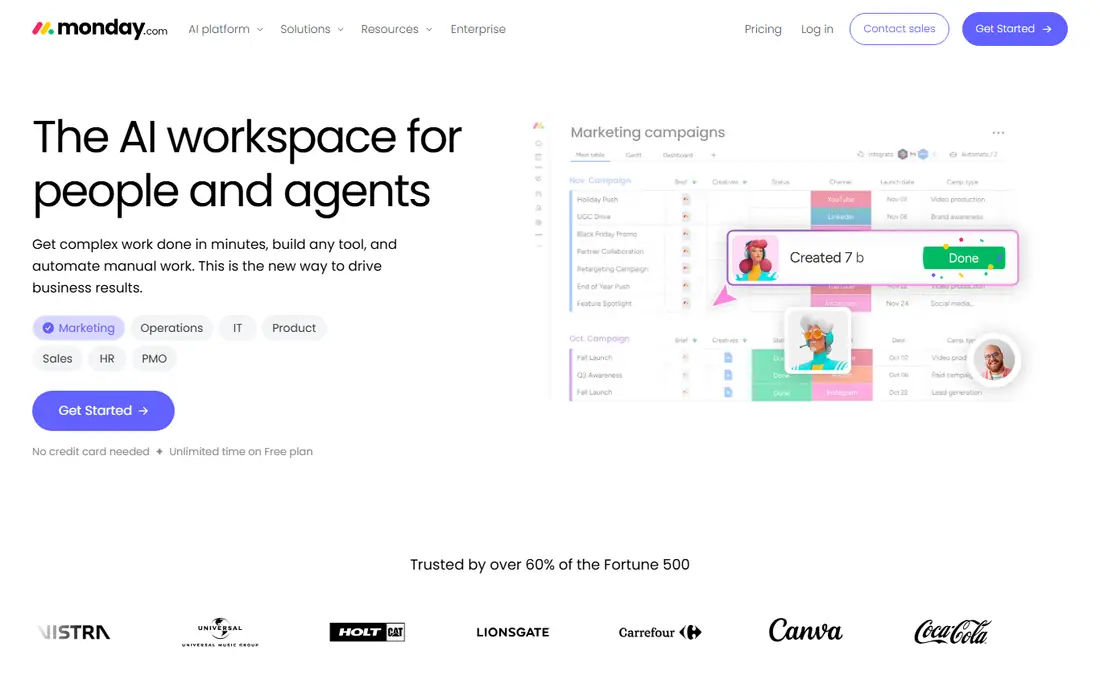
Choose monday.com for visual dashboards across numerous teams. Marketing and operations leads tend to pick monday.com when they want a board everyone will use without training. In daily use, a small team can normally set it up in a handful of hours, helped by a large template library.
More specifically, dashboards turn board data into charts and widgets a department head can scan in a minute. Also, annual billing saves about 18% compared to monthly. Each premium plan now bundles a monthly allowance of AI credits (1,000 on Basic). You can buy more if your team uses AI features heavily. More specifically, a team that wants proper reporting should budget $19 per seat, not $9. monday.com starts at: $9 per seat/month. monday.com has a free plan.
Points against: The free plan stops at 3 boards.
Where monday.com stands out: One product can handle projects.
- Simple dashboards that non-technical staff actually open
- AI credits bundled into each premium level
- Charts
Smartsheet
Ideal for: Spreadsheet-minded ops teams
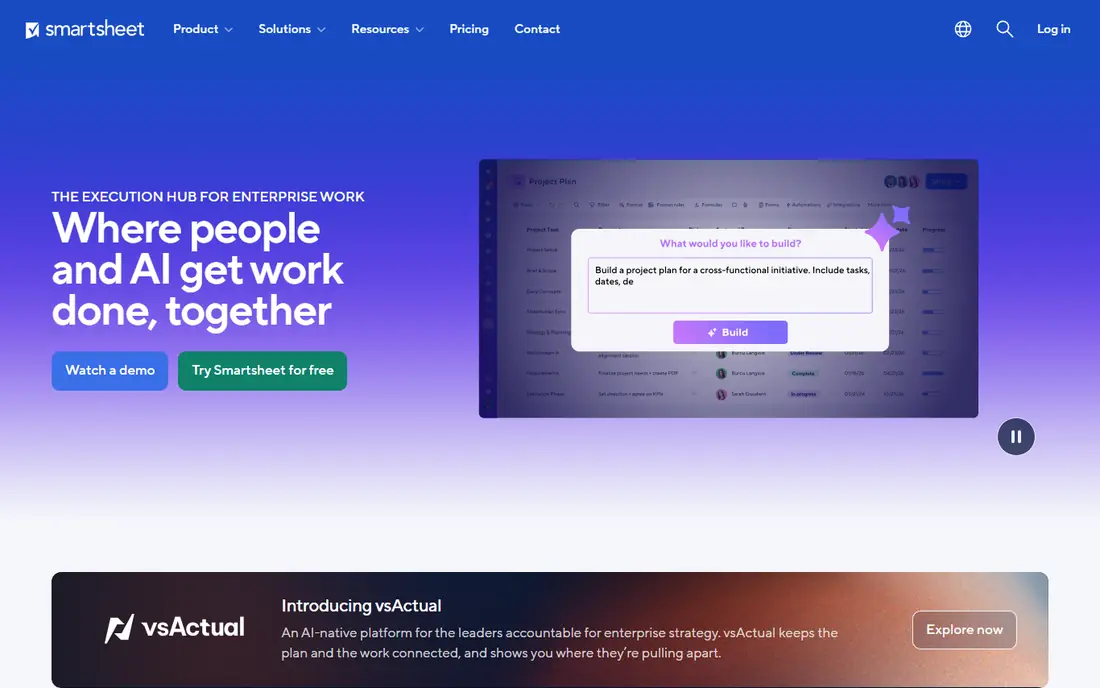
Smartsheet makes the most sense for spreadsheet-minded ops teams. Its analytics are straightforward and ample: the pricing page lists dashboards and reports as unlimited on all plans. A report can pull data from numerous sheets into one view.
For everyday use, for a manager tracking 30 client onboardings at once, that roll-up is the feature that matters most. On top of that, the main limit is automation volume. On top of that, business ($19 per member a month annually, $24 monthly) removes the cap and brings workload tracking, timeline view and admin controls. In daily use, Pro bundles 250 automations a month, and a busy approval process can use that up rapidly. The starting price for Smartsheet: $9 per member/month. Free options: Free trial.
Limits to weigh: Pro caps automations at 250 a month.
- Unlimited free contributors who can comment and submit forms
- Rich formulas that link data across sheets
- Pro is restricted to 10 premium members
ClickUp
Ideal for: Budget-conscious teams wanting one app
Pick ClickUp if this describes you: budget-conscious teams wanting one app. For a 15-person agency, that can cut the software bill noticeably. Tasks, docs, whiteboards, goals and dashboards share one workspace.
Agree on naming rules and required fields before a broad rollout, or your reports will be built on inconsistent data. In practice, check the vendor's pricing page before you budget. Also, the free plan is still a decent way to test whether your workflow suits before you pay. ClickUp does not show a starting price in this comparison, so check the vendor site for current pricing. ClickUp offers a free plan.
Points against: Lower plans carry usage caps on some features.
- Ample free plan for trying workflows
- Dashboards, docs
- The number of choices builds a ramp-up time
Wrike
Ideal for: Agencies and PMOs needing deep reporting
Wrike works best for agencies and PMOs needing deep reporting. Wrike is aimed at organizations that run plenty of projects for numerous stakeholders, for example agencies, marketing departments and project management offices (PMOs). In practice, business costs $25 per user a month for 5 to 200 users.
In daily use, Wrike's FAQ says you can buy Team and Business yourself for up to 15 users, and bigger accounts go through a sales rep. In daily use, the deeper analytics come with Pinnacle, which Wrike says bundles advanced reporting and BI, forecasting, and budgets based on job-role cost rates and billable hours. Expect a longer buying process past small-team pricing, and ask about contract length. Entry price for Wrike: $10 per user/month. A free plan is available with Wrike.
What to check first: Team plan is capped at 15 users.
- Pinnacle layers on budgeting
- 14-day trial with no credit card
- The most solid analytics need a sales quote
Asana
Ideal for: Linking daily work to goals
For linking daily work to goals, Asana is a natural candidate. From a buyer's view, if your executives ask every Monday whether the quarter is on track, this is the plan that answers it.
Numerous teams start on Starter and find the reporting they wanted is one plan up, which more than doubles the cost per seat. As for the details, the free Personal plan is restricted to two users, so it works as a personal trial, not a team pilot. Starting cost for Asana: $10.99 per user/month. You can start on Asana without paying.
Honest limits: Goals.
- Goals and Portfolios present progress above the project level
- Reporting dashboards included from Starter
- Portfolios and resource management need Advanced at $24.99
What went into this list
Each tool was reviewed on what its vendor publishes: price, plan limits, core features and stated drawbacks. We did not run hands-on tests. Treat prices as a snapshot: vendors change plans often, so check the vendor site for the figure that applies today. We ordered the tools by general fit, then by how clearly pricing is shown, then by free access. A buyer with unusual needs may reorder them.
Things to verify first
- Confirm the entry price on the vendor page. For Process Street and ClickUp that means a quote rather than a fixed price.
- Check what the free option really includes: monday.com, ClickUp, Wrike and Asana offer a free plan, and usage caps differ.
- Take the trial from Process Street and Smartsheet and push a live task through it before you pay.
- Before choosing Process Street, weigh its main limit: not built for project planning.
- Confirm the exact monday.com plan that includes your must-have features.
- A short pilot of Process Street with your real workflow tells you more than a feature table.
Frequently asked questions
How are the tools for workflow management software with analytics ordered?
Process Street sits first and Asana last because the order follows typical fit for workflow management software with analytics, then price clarity and free access. It is a judgement call, so read each profile for fit and limits.
Can a free plan manage workflow analytics?
Typically only for a pilot. Asana's and monday.com's free plans are restricted to two users or seats, and monday.com's free plan lets only three boards. They are fine for testing a workflow, but reporting across a team needs a premium plan.
Which tool has the cheapest premium plan with dashboards?
Of the prices we could verify on vendor sites, Smartsheet Pro and monday.com Basic both start at $9 per member or seat a month on annual billing. Smartsheet comes with unlimited dashboards on Pro, whereas monday.com saves its richer chart views for higher plans.
What is workflow management software with analytics?
Usual metrics contain cycle time, overdue items, workload per person and items completed per week. The reports help managers find bottlenecks rather than guessing.
What is the cheapest option for workflow management software with analytics in this list?
On published monthly entry prices, monday.com is the lowest here at $9 per seat/month. Entry price is only part of the cost, because seats, add-ons and billing terms can change the total.
Is Process Street the right pick for everyone comparing workflow management software with analytics?
No single tool suits every team. Process Street comes first because it fits recurring checklists and compliance runs, while monday.com suits visual dashboards across many teams and Smartsheet suits spreadsheet-minded ops teams. Match the tool to your own size, budget and workflow before deciding.