Best TurboTax Alternatives in 2026: 8 Tools Compared

- 1
 FreeTaxUSAconfident filers wanting the cheapest accurate returnVisit
- 2
 Cash App Taxesfilers wanting totally free federal and state filingVisit
- 3
 H&R Blockfilers wanting online filing with in-person backupVisit
- 4
 TaxActbudget filers wanting entity returnsVisit
- 5
 TaxSlayervalue shoppers with moderately complex returnsVisit
- FreeTaxUSA is the best value pick, with free federal filing for every tax situation and $15.99 per state.
- Cash App Taxes is fully free for federal and state filing, with no paid tiers at all.
- H&R Block is the best pick if you want online filing plus the option of walking into an office.
- TurboTax still leads on guided hand-holding, but you pay a premium for it.
Quick comparison
| Product | Ideal for | Price from | Free version | |
|---|---|---|---|---|
| FreeTaxUSA | confident filers wanting the cheapest accurate return | Free | Yes | Visit |
| Cash App Taxes | filers wanting totally free federal and state filing | Free | Yes | Visit |
| H&R Block | filers wanting online filing with in-person backup | Free | Yes | Visit |
| TaxAct | budget filers wanting entity returns | Free | Yes | Visit |
| TaxSlayer | value shoppers with moderately complex returns | Free | Yes | Visit |
 Jackson Hewitt Online | multi-state filers wanting one flat price | $25 flat | No | Visit |
 1040.com | filers wanting flat-rate simplicity | $34.99 flat | No | Visit |
 IRS Free File | eligible filers wanting the official free option | Free | Yes | Visit |
The best TurboTax alternatives
TurboTax is polished and well supported, but its prices rise with return complexity, and free filing covers only simple returns. Alternatives range from fully free filing to budget guided software, and this guide is general information, not tax advice.
FreeTaxUSA
Ideal for: confident filers wanting the cheapest accurate return
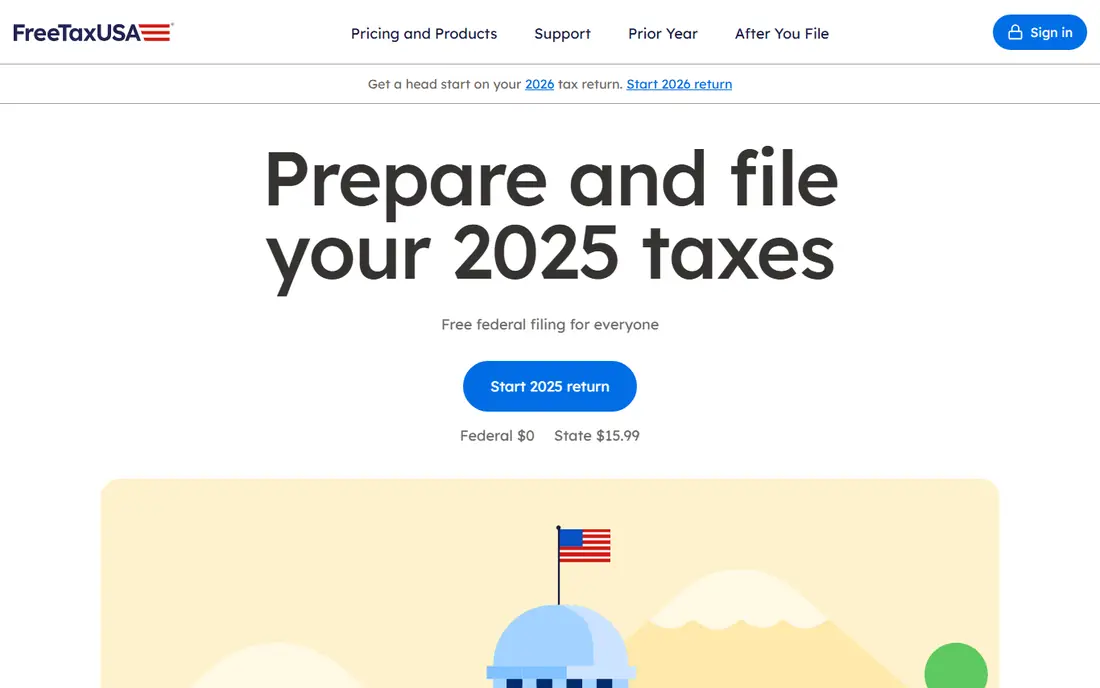
FreeTaxUSA works best for confident filers wanting the cheapest accurate return. FreeTaxUSA files federal returns free for every tax situation, including self-employment, rentals, and investments, with state filing at $15.99. Pricing starts at Free, and a free plan is available. This is the option to look at first if that description matches your situation.
Guidance is thinner than TurboTax, so filers who want step-by-step coaching may prefer a more guided tool. That trade-off matters most if you were hoping for a single tool that covers every situation without compromise. Compared with the other options here, FreeTaxUSA stands out for confident filers wanting the cheapest accurate return, while asking you to accept that Less hand-holding than TurboTax. Weigh that honestly against your budget and your patience for setup before you commit.
- Free federal filing for all situations
- $15.99 per state
- Deluxe upgrade $7.99
- Less hand-holding than TurboTax
- No entity returns
Cash App Taxes
Ideal for: filers wanting totally free federal and state filing

Cash App Taxes works best for filers wanting totally free federal and state filing. Cash App Taxes charges nothing for federal or state filing, with no paid tiers or upsells, which makes it the cheapest complete option. Pricing starts at Free, and a free plan is available. Put this one near the top of your shortlist when the fit sounds right.
Support depth is limited and there is no expert review add-on, so complex returns may suit a guided tool better. That trade-off matters most if you were hoping for a single tool that covers every situation without compromise. Compared with the other options here, Cash App Taxes stands out for filers wanting totally free federal and state filing, while asking you to accept that No expert review option. Weigh that honestly against your budget and your patience for setup before you commit.
- Fully free federal and state
- All forms
- No upsells
- No expert review option
- Limited support depth
H&R Block
Ideal for: filers wanting online filing with in-person backup

H&R Block works best for filers wanting online filing with in-person backup. H&R Block pairs online filing with thousands of offices, so you can start online and finish with a pro if the return gets complex. Pricing starts at Free, and a free plan is available. This choice makes the most sense for readers who match the description above.
Paid tiers rise with complexity, and state filing costs extra, so total the full bill before choosing a tier. That trade-off matters most if you were hoping for a single tool that covers every situation without compromise. Compared with the other options here, H&R Block stands out for filers wanting online filing with in-person backup, while asking you to accept that Paid tiers rise with complexity. Weigh that honestly against your budget and your patience for setup before you commit.
- Free tier for simple returns
- Office network
- Expert help options
- Paid tiers rise with complexity
- State fees extra
TaxAct
Ideal for: budget filers wanting entity returns
TaxAct works best for budget filers wanting entity returns. TaxAct is one of the cheapest mainstream options for entity returns, covering partnerships and S-corps at a lower price than TurboTax. Pricing starts at Free, and a free plan is available. Consider this option closely if you want the balance it offers.
The interface is plainer, and support is thinner, so filers who want polish may prefer H&R Block or TurboTax. That trade-off matters most if you were hoping for a single tool that covers every situation without compromise. Compared with the other options here, TaxAct stands out for budget filers wanting entity returns, while asking you to accept that Interface is plainer than TurboTax. Weigh that honestly against your budget and your patience for setup before you commit.
- Free tier
- Entity returns for partnerships and S-corps
- Low prices
- Interface is plainer than TurboTax
- Support is thinner
TaxSlayer
Ideal for: value shoppers with moderately complex returns
TaxSlayer works best for value shoppers with moderately complex returns. TaxSlayer covers a broad range of forms at low prices, with expert support available on paid tiers. Pricing starts at Free, and a free plan is available. This is a strong candidate when your priorities line up with its strengths.
The free tier has strict eligibility rules, and state filing costs extra, so check your situation before counting on free filing. That trade-off matters most if you were hoping for a single tool that covers every situation without compromise. Compared with the other options here, TaxSlayer stands out for value shoppers with moderately complex returns, while asking you to accept that Simply Free tier has strict eligibility. Weigh that honestly against your budget and your patience for setup before you commit.
- Low prices
- Broad form coverage
- Expert support options
- Simply Free tier has strict eligibility
- State fees extra
Jackson Hewitt Online
Ideal for: multi-state filers wanting one flat price
Jackson Hewitt Online works best for multi-state filers wanting one flat price. Jackson Hewitt Online charges one flat $25 for federal and state together, which suits multi-state filers tired of per-state fees. Pricing starts at $25 flat, and there is no free plan. Keep this one in mind if the trade-offs below are acceptable to you.
There is no free plan, and in-office preparation prices differ from the online flat rate. That trade-off matters most if you were hoping for a single tool that covers every situation without compromise. Compared with the other options here, Jackson Hewitt Online stands out for multi-state filers wanting one flat price, while asking you to accept that No free plan. Weigh that honestly against your budget and your patience for setup before you commit.
- Flat $25 for federal and state
- All tax situations
- Simple pricing
- No free plan
- Online-only pricing differs from offices
1040.com
Ideal for: filers wanting flat-rate simplicity
1040.com works best for filers wanting flat-rate simplicity. 1040.com charges $34.99 flat for federal and state no matter how complex the return, which makes budgeting simple. Pricing starts at $34.99 flat, and there is no free plan. This option earns its place for the specific audience named above.
There is no free tier, and guidance features are fewer than TurboTax or H&R Block. That trade-off matters most if you were hoping for a single tool that covers every situation without compromise. Compared with the other options here, 1040.com stands out for filers wanting flat-rate simplicity, while asking you to accept that No free tier. Weigh that honestly against your budget and your patience for setup before you commit.
- One flat price for federal and state
- Any complexity
- Simple checkout
- No free tier
- Fewer guidance features than leaders
IRS Free File
Ideal for: eligible filers wanting the official free option
IRS Free File works best for eligible filers wanting the official free option. IRS Free File offers free federal filing through partner software for filers under the income limit, with no upsell pressure. Pricing starts at Free, and a free plan is available. Round out your shortlist with this option if its approach appeals to you.
Eligibility has an income limit, and state filing terms vary by partner, so check the current rules before starting. That trade-off matters most if you were hoping for a single tool that covers every situation without compromise. Compared with the other options here, IRS Free File stands out for eligible filers wanting the official free option, while asking you to accept that Income limit applies. Weigh that honestly against your budget and your patience for setup before you commit.
- Official IRS program
- Free federal filing
- Partner software
- Income limit applies
- State filing varies by partner
How we picked these
We compared official feature pages, pricing pages, app store listings, privacy policies, and public reviews for each option, and we kept only products that exist and work today and that truly fit the topic. We gave weight to clear pricing, a usable free or trial option where one is offered, and honest limits stated on the vendor site. We did not claim hands-on testing we did not do, and where a price could not be verified on the vendor site we wrote See website instead of guessing. Our pick for most people is usually the option that covers the core job well at a fair price, not the one with the longest feature list. That said, the right answer depends on your situation, so use the comparison table to narrow the list to two or three options, then check the current pricing page before you pay.
How to choose tax software
Start with your return type. Simple W-2 returns file free in several places, while self-employment, rentals, and entity returns need a tool that supports those forms.
Next, total the full price, including state filing and any expert help. A low federal price can double once state fees are added.
Finally, weigh guidance against price. TurboTax and H&R Block cost more but coach beginners through deductions, while FreeTaxUSA and Cash App Taxes suit filers comfortable identifying their own deductions.
Frequently asked questions
Which tax software is best?
FreeTaxUSA is best for value, Cash App Taxes is best for fully free filing, and H&R Block is best for online plus in-person help. TurboTax remains best for guided hand-holding.
What is the best app to do taxes?
For most filers, FreeTaxUSA or Cash App Taxes handle federal and state filing at the lowest cost. H&R Block and TurboTax add guidance and support for complex returns.
Are there free alternatives to TurboTax?
Yes. Cash App Taxes is fully free, FreeTaxUSA offers free federal filing, and IRS Free File covers eligible filers. Free tiers at TurboTax and H&R Block cover only simple returns.
Which tax software handles S-corp returns?
TaxAct and TurboTax both handle entity returns like S-corps and partnerships, with TaxAct usually cheaper. FreeTaxUSA handles Schedule C but not entity returns.
Is tax software as accurate as a CPA?
Software files the same forms accurately when inputs are correct, but a CPA or Enrolled Agent can find deductions and handle complex situations that software may miss.