Best Uhmegle Alternatives in 2026: 8 Services Compared

- OmeTV is our pick for random video chat with moderation, and it leads a list that covers both well-known names and smaller options worth a look.
- Chatroulette stands out for readers who want a simpler start, while Chatspin suits those who need more depth in one area.
- Prices and free tiers change often, so check the vendor pricing page and the current trial terms before you buy, and treat any price here as a starting point only.
- The best choice depends on your workflow, your budget and how much setup help you want, so use the free tier or trial to test the product with your own work.
- Tinychat rounds out the list for readers with a specific need that the larger names do not cover as well.
Quick comparison
| Product | Ideal for | Price from | Free version | |
|---|---|---|---|---|
 OmeTV | Random video chat with moderation | Free | Yes | Visit |
 Chatroulette | Classic random video chat | Free | Yes | Visit |
 Chatspin | Random chat with filters | Free | Yes | Visit |
 Azar | Random video chat with matching | Free | Yes | Visit |
 Camsurf | Simple moderated video chat | Free | Yes | Visit |
 Shagle | Random video chat with filters | Free | Yes | Visit |
 ChatRandom | Random chat rooms and video | Free | Yes | Visit |
 Tinychat | Group video chat rooms | Free | Yes | Visit |
The best Uhmegle alternatives
We compared official feature pages, pricing pages, app store listings, privacy policies and public reviews to build this list, focusing on products that fit uhmegle alternatives closely and are still available in October 2026. Our pick for most readers is OmeTV, but the right answer depends on your budget and the features you will actually use.
Safety note, adults only: these services are for users aged 18 and over. Stranger video chat carries real risks, including explicit content and scams. Never share personal details, photos or payment information with strangers, use the report and block tools at once, and leave any chat that feels unsafe.
OmeTV
Ideal for: Random video chat with moderation

OmeTV is a strong option for random video chat with moderation. Its strengths include one-tap random video chat; reporting and blocking tools; mobile apps. That combination is why it earned a place here, and it gives most readers a clear reason to start a trial with this product before looking further afield. When we compared the official feature pages, the practical question was fit rather than raw feature count. A tool that covers your main workflow well will serve you better than a broader product you only half use. Check the pricing page and the trial terms before you commit, and confirm that the plan you want includes the features you actually need. The honest catch is that moderation quality varies; ads in free use. If that weakness touches your main workflow, look at the next option on this list instead. If it does not, OmeTV is a sensible choice, and a short trial with your own data will confirm whether the fit holds up in daily use.
- One-tap random video chat
- Reporting and blocking tools
- Mobile apps
- Moderation quality varies
- Ads in free use
Chatroulette
Ideal for: Classic random video chat
Chatroulette is a strong option for classic random video chat. Its strengths include long-running random chat; reporting tools; no account needed for basics. That combination is why it earned a place here, and it gives most readers a clear reason to start a trial with this product before looking further afield. The day-to-day experience matters as much as the headline features. Look at how the product handles onboarding, support and the tasks you will repeat every week. A short trial is the fastest way to learn whether the interface suits your team, and whether the help docs answer real questions without a support ticket. The honest catch is that content quality varies; moderation relies on reports. If that weakness touches your main workflow, look at the next option on this list instead. If it does not, Chatroulette is a sensible choice, and a short trial with your own data will confirm whether the fit holds up in daily use.
- Long-running random chat
- Reporting tools
- No account needed for basics
- Content quality varies
- Moderation relies on reports
Chatspin
Ideal for: Random chat with filters
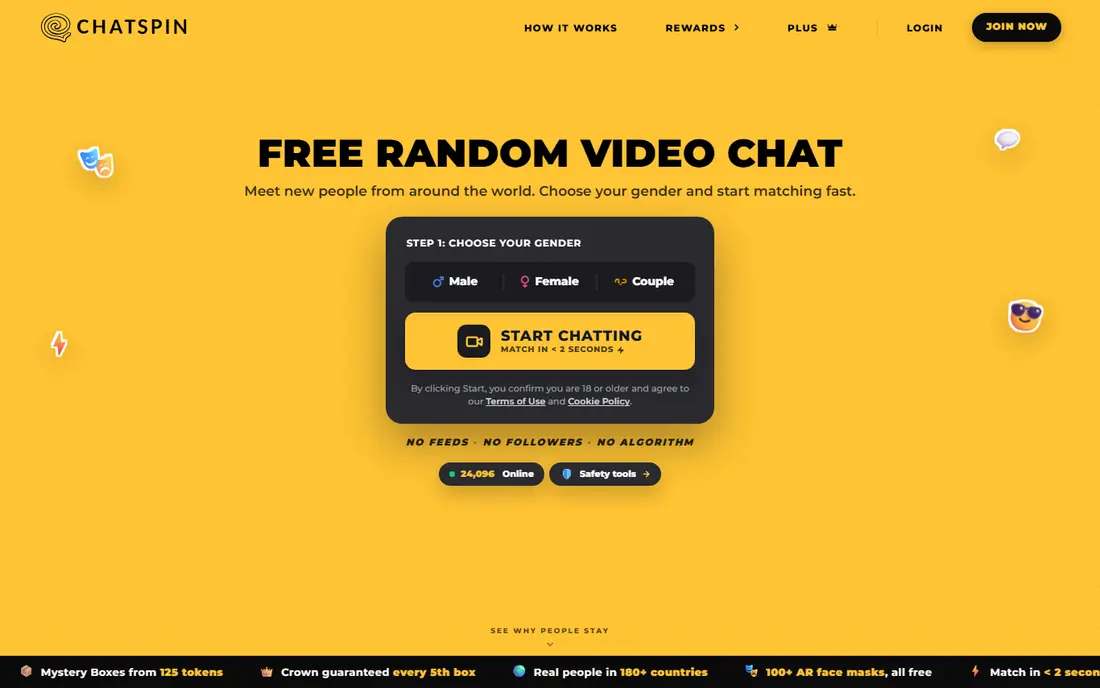
Chatspin is a strong option for random chat with filters. Its strengths include gender and location filters; masks and effects; mobile apps. That combination is why it earned a place here, and it gives most readers a clear reason to start a trial with this product before looking further afield. We also weighed what each option leaves out. Every product on this list has a gap, and the right choice depends on which gap you can live with. Read the plan comparison on the vendor site carefully, since a feature that looks included on the homepage may sit in a higher tier. The honest catch is that some filters need plus; stranger chat always carries risk. If that weakness touches your main workflow, look at the next option on this list instead. If it does not, Chatspin is a sensible choice, and a short trial with your own data will confirm whether the fit holds up in daily use.
- Gender and location filters
- Masks and effects
- Mobile apps
- Some filters need Plus
- Stranger chat always carries risk
Azar
Ideal for: Random video chat with matching
Azar is a strong option for random video chat with matching. Its strengths include interest and region matching; reporting and blocking tools; mobile apps. That combination is why it earned a place here, and it gives most readers a clear reason to start a trial with this product before looking further afield. For most readers, the deciding factors are price, ease of setup and support quality. A product with clear documentation and a responsive support team will save time over months of use. If you work with a team, test sharing, permissions and reporting during the trial, since those details shape daily use. The honest catch is that some features are paid; stranger chat always carries risk. If that weakness touches your main workflow, look at the next option on this list instead. If it does not, Azar is a sensible choice, and a short trial with your own data will confirm whether the fit holds up in daily use.
- Interest and region matching
- Reporting and blocking tools
- Mobile apps
- Some features are paid
- Stranger chat always carries risk
Camsurf
Ideal for: Simple moderated video chat
Camsurf is a strong option for simple moderated video chat. Its strengths include simple interface; moderation and reporting; language filters. That combination is why it earned a place here, and it gives most readers a clear reason to start a trial with this product before looking further afield. Another factor is how well the product fits the tools you already use. Check the integration list on the official site and confirm that the connections you need are included in your plan, not only in an enterprise tier. A clean integration can remove manual work, while a missing one can add a weekly chore. The honest catch is that free tier limits some filters; user quality varies. If that weakness touches your main workflow, look at the next option on this list instead. If it does not, Camsurf is a sensible choice, and a short trial with your own data will confirm whether the fit holds up in daily use.
- Simple interface
- Moderation and reporting
- Language filters
- Free tier limits some filters
- User quality varies
Shagle
Ideal for: Random video chat with filters
Shagle is a strong option for random video chat with filters. Its strengths include location and gender filters; virtual masks; mobile friendly. That combination is why it earned a place here, and it gives most readers a clear reason to start a trial with this product before looking further afield. Finally, think about growth. A product that fits a solo user today may feel tight once a team or a larger workload arrives. Look at how pricing changes as seats, volume or usage grow, and pick an option whose next tier still makes sense for your budget. The honest catch is that premium filters are paid; moderation depends on reports. If that weakness touches your main workflow, look at the next option on this list instead. If it does not, Shagle is a sensible choice, and a short trial with your own data will confirm whether the fit holds up in daily use.
- Location and gender filters
- Virtual masks
- Mobile friendly
- Premium filters are paid
- Moderation depends on reports
ChatRandom
Ideal for: Random chat rooms and video
ChatRandom is a strong option for random chat rooms and video. Its strengths include video chat plus group rooms; filters; no install for web use. That combination is why it earned a place here, and it gives most readers a clear reason to start a trial with this product before looking further afield. When we compared the official feature pages, the practical question was fit rather than raw feature count. A tool that covers your main workflow well will serve you better than a broader product you only half use. Check the pricing page and the trial terms before you commit, and confirm that the plan you want includes the features you actually need. The honest catch is that quality varies by room; ads in free use. If that weakness touches your main workflow, look at the next option on this list instead. If it does not, ChatRandom is a sensible choice, and a short trial with your own data will confirm whether the fit holds up in daily use.
- Video chat plus group rooms
- Filters
- No install for web use
- Quality varies by room
- Ads in free use
Tinychat
Ideal for: Group video chat rooms
Tinychat is a strong option for group video chat rooms. Its strengths include group rooms with video; topic rooms; guest access options. That combination is why it earned a place here, and it gives most readers a clear reason to start a trial with this product before looking further afield. The day-to-day experience matters as much as the headline features. Look at how the product handles onboarding, support and the tasks you will repeat every week. A short trial is the fastest way to learn whether the interface suits your team, and whether the help docs answer real questions without a support ticket. The honest catch is that room moderation varies by host; interface feels dated. If that weakness touches your main workflow, look at the next option on this list instead. If it does not, Tinychat is a sensible choice, and a short trial with your own data will confirm whether the fit holds up in daily use.
- Group rooms with video
- Topic rooms
- Guest access options
- Room moderation varies by host
- Interface feels dated
How we picked these
We started from the topic itself and kept only products that truly fit it, are still available in October 2026, and have an official homepage we could check. We compared official feature pages, pricing pages, app store listings, privacy policies and public reviews, and we gave extra weight to products with clear pricing, clear privacy terms and a track record of support. We did not claim hands-on testing we did not do. Instead, we weighed what each vendor states on its own site against what public reviews report about setup, support and limits. Where a price could not be verified from the vendor site, we wrote See website rather than guessing a number.
How to choose the right option for uhmegle alternatives
Start with the job you need done, not with the longest feature list. Write down the two or three tasks you will do every week, then check which products cover those tasks in the plan you can afford. A product that handles your core tasks well will beat a broader tool that handles them awkwardly.
Check the price and the free tier
Compare the starting price, the free plan and the trial length side by side, and look at what happens when you add seats, volume or usage. Some products look cheap at first and grow costly as a team grows, while others include more in a mid-tier plan. Read the pricing page in full before you commit.
Test before you commit
Use the free tier or trial with real work, not only with sample data. Invite a colleague if the product is for a team, and test the features you will rely on most, including support response times. A week of real use reveals more than a month of reading reviews.
Watch the limits
Every product on this list has limits, and the right one is the product whose limits you rarely meet. Check storage, usage, support hours and integration coverage, and confirm that the plan you choose includes the help you need when something goes wrong. Safety note, adults only: these services are for users aged 18 and over. Stranger video chat carries real risks, including explicit content and scams. Never share personal details, photos or payment information with strangers, use the report and block tools at once, and leave any chat that feels unsafe.
Frequently asked questions
What is the best option for uhmegle alternatives?
For most readers, OmeTV is the safest starting point because it fits random video chat with moderation well. Readers with a different priority, such as a lower price or a simpler setup, may prefer Chatroulette or Chatspin. Use the comparison table above to narrow the list, then test one or two options before you commit.
Are there free options for uhmegle alternatives?
Yes, several products on this list offer a free tier or a free trial, including Chatroulette and Azar in many cases. Free tiers usually limit features, usage or seats, so check the vendor pricing page to confirm what is included. A free tier is a good way to test fit before paying.
How much should I expect to pay?
Prices vary widely by product and plan, and they change often. Some tools are free for basic use, while others charge per user or per month for team features. We wrote See website where a price could not be verified, so always confirm the current price on the official site before you buy.
Can I switch later if I pick the wrong product?
In most cases, yes, though switching takes effort if you have stored a lot of data or built workflows around one tool. Export your data regularly and check the export options before you commit. A trial period is the best time to learn whether the product will last.
How do I stay safe when choosing one of these products?
Read the privacy policy and terms, check what data the vendor collects, and use strong passwords with two-factor authentication where it is offered. For tools that handle personal or financial data, prefer vendors with clear security pages and a history of fixing reported problems.