Best Vena Alternatives in 2026: 8 Options Compared

- Anaplan and Workday Adaptive Planning are the enterprise picks, with deep modelling for large, complex organisations.
- Pigment and Datarails suit mid-size teams that want modern planning without enterprise implementation projects.
- Cube, Planful and Prophix cover the middle ground, with strong Excel integration or structured planning workflows.
- Jedox suits teams that want flexible modelling with strong reporting and dashboard options.
Quick comparison
| Product | Ideal for | Price from | Free version | |
|---|---|---|---|---|
 Anaplan | enterprise connected planning | See website | Free trial | Visit |
 Workday Adaptive Planning | enterprise finance planning | See website | Free trial | Visit |
 Pigment | modern business planning | See website | Free trial | Visit |
 Datarails | Excel-based FP&A | See website | Free trial | Visit |
 Cube | planning in spreadsheets | See website | Free trial | Visit |
 Planful | structured financial planning | See website | Free trial | Visit |
 Prophix | mid-market FP&A | See website | Free trial | Visit |
 Jedox | flexible planning and reporting | See website | Free trial | Visit |
The best Vena Alternatives
Here are our picks for the best vena alternatives, covering a mix of well-known leaders and strong smaller options. We compared official feature pages, pricing pages, app-store listings, privacy policies and public reviews to build this list.
This is general information, not financial advice.
Anaplan
Ideal for: enterprise connected planning
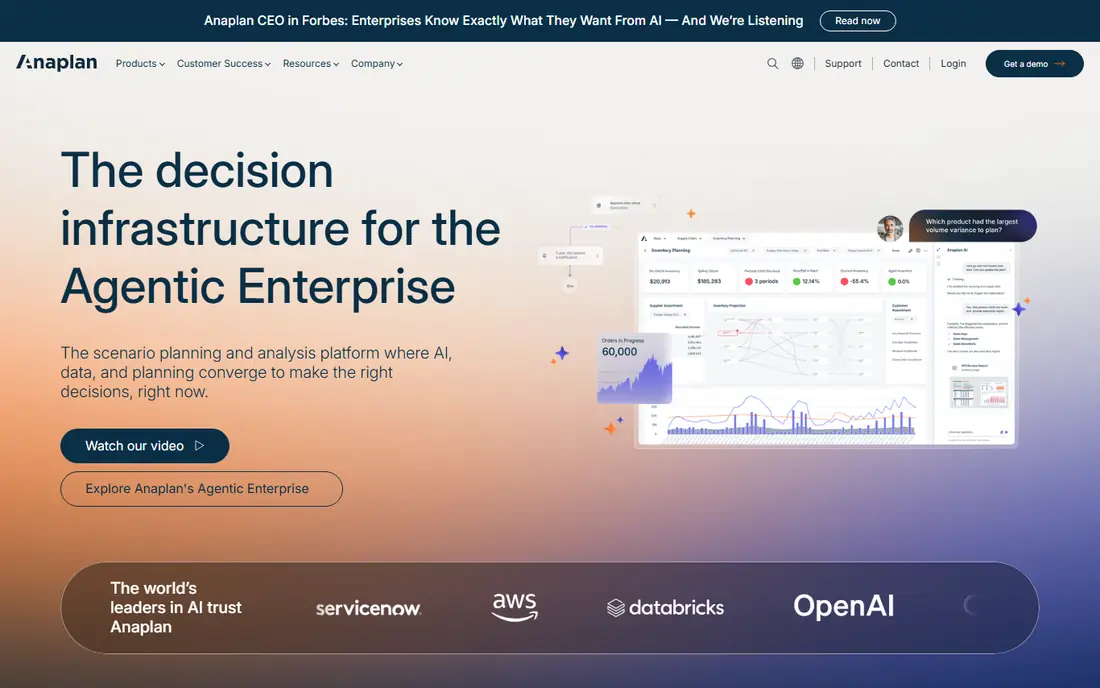
Anaplan is a leading enterprise planning platform, with a modelling engine that connects finance, sales, supply chain and workforce plans. Large organisations use it to build driver-based models that update across departments, which is difficult in spreadsheets alone.
Pricing is enterprise level, and implementation is a significant project that takes months. Smaller teams will find it excessive. For large organisations that need connected planning, Anaplan is a top-tier choice.
Bottom line: Anaplan suits enterprise connected planning best. Its strongest point is powerful modelling, while the main drawback to weigh is enterprise pricing. Check the current pricing page before deciding, since plans and limits change.
- Powerful modelling
- Connected planning across departments
- Large ecosystem
- Enterprise pricing
- Implementation takes months
Workday Adaptive Planning
Ideal for: enterprise finance planning

Workday Adaptive Planning, formerly Adaptive Insights, offers budgeting, forecasting and reporting for finance teams, with strong integration into Workday's wider suite. Its modelling and dashboard tools suit mid-size and large organisations that plan across departments.
Pricing is enterprise level, and the best value comes inside the Workday ecosystem. Smaller teams may prefer lighter tools. For Workday customers and large finance teams, Adaptive Planning is a strong alternative.
Bottom line: Workday Adaptive Planning suits enterprise finance planning best. Its strongest point is strong finance planning, while the main drawback to weigh is enterprise pricing. Check the current pricing page before deciding, since plans and limits change.
- Strong finance planning
- Workday integration
- Good reporting
- Enterprise pricing
- Best inside Workday ecosystem
Pigment
Ideal for: modern business planning

Pigment is a modern planning platform with a clean interface and flexible modelling that appeals to finance teams tired of slow enterprise tools. It handles budgeting, forecasting and scenario planning, with collaboration features that let teams work on plans together.
Pricing is quoted, and Pigment is newer than Anaplan or Workday, so its ecosystem is smaller. For teams that want modern planning without a heavy implementation, Pigment is an exciting option.
Bottom line: Pigment suits modern business planning best. Its strongest point is modern interface, while the main drawback to weigh is pricing is quoted. Check the current pricing page before deciding, since plans and limits change.
- Modern interface
- Flexible modelling
- Fast implementation for its class
- Pricing is quoted
- Newer than established rivals
Datarails
Ideal for: Excel-based FP&A
Datarails is built for finance teams that want to keep working in Excel while adding automation, consolidation and version control. It pulls data from accounting systems into Excel models automatically, which removes manual copying and reduces errors.
The Excel focus means teams that want a fully web-based modeller may prefer Pigment or Anaplan. Pricing is quoted. For Excel-loving finance teams, Datarails is a natural Vena alternative.
Bottom line: Datarails suits Excel-based FP&A best. Its strongest point is keeps Excel workflow, while the main drawback to weigh is excel focus may limit non-Excel users. Check the current pricing page before deciding, since plans and limits change.
- Keeps Excel workflow
- Automated data consolidation
- Good reporting
- Excel focus may limit non-Excel users
- Pricing is quoted
Cube
Ideal for: planning in spreadsheets
Cube lets finance teams plan in Excel and Google Sheets while keeping data centralised and controlled. Actuals flow in automatically, versions are tracked, and collaboration happens without emailing spreadsheet copies. That approach suits teams that refuse to leave spreadsheets.
Modelling depth is less than Anaplan, and pricing is quoted. For teams that want spreadsheet familiarity with proper controls, Cube is a smart choice.
Bottom line: Cube suits planning in spreadsheets best. Its strongest point is works in Excel and Sheets, while the main drawback to weigh is modelling depth less than enterprise tools. Check the current pricing page before deciding, since plans and limits change.
- Works in Excel and Sheets
- Centralised data
- Fast setup
- Modelling depth less than enterprise tools
- Pricing is quoted
Planful
Ideal for: structured financial planning
Planful offers structured financial planning with budgeting, forecasting, reporting and consolidation in one platform. It also covers workforce and marketing planning, which helps finance teams build a fuller picture. Mid-size and large teams use it as a step up from spreadsheets.
The interface takes time to learn, and pricing is quoted. For teams that want structured planning with broad coverage, Planful is a solid alternative.
Bottom line: Planful suits structured financial planning best. Its strongest point is structured budgeting and forecasting, while the main drawback to weigh is interface takes learning. Check the current pricing page before deciding, since plans and limits change.
- Structured budgeting and forecasting
- Good reporting
- Marketing and workforce planning
- Interface takes learning
- Pricing is quoted
Prophix
Ideal for: mid-market FP&A
Prophix is a financial planning platform aimed at mid-market organisations, with budgeting, forecasting, reporting and workflow automation. It suits finance teams that need more control than spreadsheets but do not need enterprise scale.
Implementation needs planning, and the interface feels more traditional than Pigment. For mid-market finance teams, Prophix is a dependable choice.
Bottom line: Prophix suits mid-market FP&A best. Its strongest point is good for mid-market teams, while the main drawback to weigh is implementation needs planning. Check the current pricing page before deciding, since plans and limits change.
- Good for mid-market teams
- Budgeting and reporting
- Workflow automation
- Implementation needs planning
- Interface feels traditional
Jedox
Ideal for: flexible planning and reporting
Jedox combines planning, budgeting and reporting with flexible modelling and strong dashboards. It integrates with Excel and supports in-memory modelling for fast calculations, which appeals to finance teams with complex models.
Pricing is quoted, and setup benefits from expertise. For teams that want flexible modelling with strong reporting, Jedox is a capable alternative.
Bottom line: Jedox suits flexible planning and reporting best. Its strongest point is flexible modelling, while the main drawback to weigh is pricing is quoted. Check the current pricing page before deciding, since plans and limits change.
- Flexible modelling
- Strong dashboards
- Excel integration
- Pricing is quoted
- Setup needs expertise
How we picked these
We started from the original product and what people use it for, then compared official feature pages, pricing pages, app-store listings, privacy policies and public reviews for each candidate. We kept only products that exist, work in October 2026 and genuinely fit the topic, and we left out products that were discontinued, unrelated or too thin to recommend.
We weighed fit for the topic first, then price and free options, ease of setup and the honest downsides that show up in reviews and documentation. Prices are given as listed on the vendor's own site where we could verify them, and we wrote See website where a price was quoted, unclear or likely to change by plan.
We also left out products that no longer exist, that have been folded into a different product, or that only partly fit the topic. A longer list would have been easier to write, but a list padded with poor fits helps nobody choose, so we kept the list to products we can genuinely recommend for this use.
How to choose a financial planning tool
Start with how your team plans today. Teams that live in Excel need a tool that works with spreadsheets rather than replacing them entirely, while teams that need driver-based models benefit from a purpose-built planning engine. The wrong fit will slow adoption.
Next, check data connections. A planning tool should pull actuals from your ERP and accounting systems automatically, since manual data entry defeats the purpose. Confirm the specific systems you use are supported before buying.
Finally, consider implementation time. Enterprise planning tools can take months to implement, while lighter tools go live in weeks. Match the implementation effort to your team's capacity and timeline, or the project may stall.
Check the renewal price, not just the first bill. Introductory discounts, per-user charges and usage limits can change the cost sharply in year two, so ask for the standard price and model it at your expected team size. A tool that stays affordable as you grow is worth more than a cheap first month.
Read the fine print on limits. Free tiers and entry plans often cap users, projects, storage or monthly usage, and those caps decide whether a plan works in practice. Confirm the limits that matter to you in writing before you commit to a paid plan.
Frequently asked questions
What is Vena used for?
Vena is a financial planning and analysis platform that works with Excel, helping finance teams build budgets, forecasts and reports. It combines Excel familiarity with a central database, workflows and version control.
What is the best Vena alternative?
Anaplan and Workday Adaptive Planning are the strongest enterprise alternatives, while Datarails and Pigment suit mid-size teams. Cube is a good pick for teams that want to keep working in Excel and Google Sheets.
Do these tools replace Excel?
Most of them work with Excel rather than replacing it entirely. Cube and Vena keep Excel as the interface, while Anaplan and Pigment offer their own modelling environments with Excel-like features.
How much do financial planning tools cost?
Pricing is usually quoted and depends on users and features. Enterprise tools cost significantly more than mid-market options, so get a scoped quote based on your team size.
How long does implementation take?
Lighter tools can go live in weeks, while enterprise platforms often take several months. Allow time for data connections, model building and training in any implementation plan.
Can I try these options before paying?
Yes, in most cases. Nearly every option on this list offers a free tier or a free trial, and we note that in the comparison table and in each product block. Use the trial for real work rather than a quick look, and check the renewal price before the trial ends so there are no surprises.