Vimeo Alternatives in 2026: 8 Platforms Compared

- 1
 YouTubeCreators who want the largest audienceVisit
- 2
 WistiaBusinesses using video for marketingVisit
- 3
 BrightcoveLarge firms and media companiesVisit
- 4
 DailymotionCreators who want an alternative audienceVisit
- 5
 SproutVideoSmall businesses that need private videoVisit
- YouTube is our first suggestion for most readers because it covers the core needs well and its pricing is easy to understand.
- Prices and free plans differ a lot, so check the official pricing page for Wistia and Brightcove before you commit.
- The best choice depends on your budget, your team size, and how much setup time you can spare.
- Every option below has a clear drawback, and we name it, so you can weigh it against the strengths.
Quick comparison
| Product | Ideal for | Price from | Free version | |
|---|---|---|---|---|
| YouTube | Creators who want the largest audience | See website | Yes | Visit |
| Wistia | Businesses using video for marketing | See website | Free trial | Visit |
| Brightcove | Large firms and media companies | See website | No | Visit |
| Dailymotion | Creators who want an alternative audience | See website | Yes | Visit |
| SproutVideo | Small businesses that need private video | See website | Free trial | Visit |
 Vidyard | Sales teams using video messages | See website | Yes | Visit |
 Streamable | Users who want fast video sharing | See website | Yes | Visit |
 Loom | Teams recording quick explainers | See website | Yes | Visit |
The best Vimeo alternatives
We compared official feature pages, pricing, app store listings, privacy policies, and public reviews to build this list for vimeo alternatives. The options below cover different budgets and needs, and none of them is right for everyone.
YouTube
Ideal for: Creators who want the largest audience
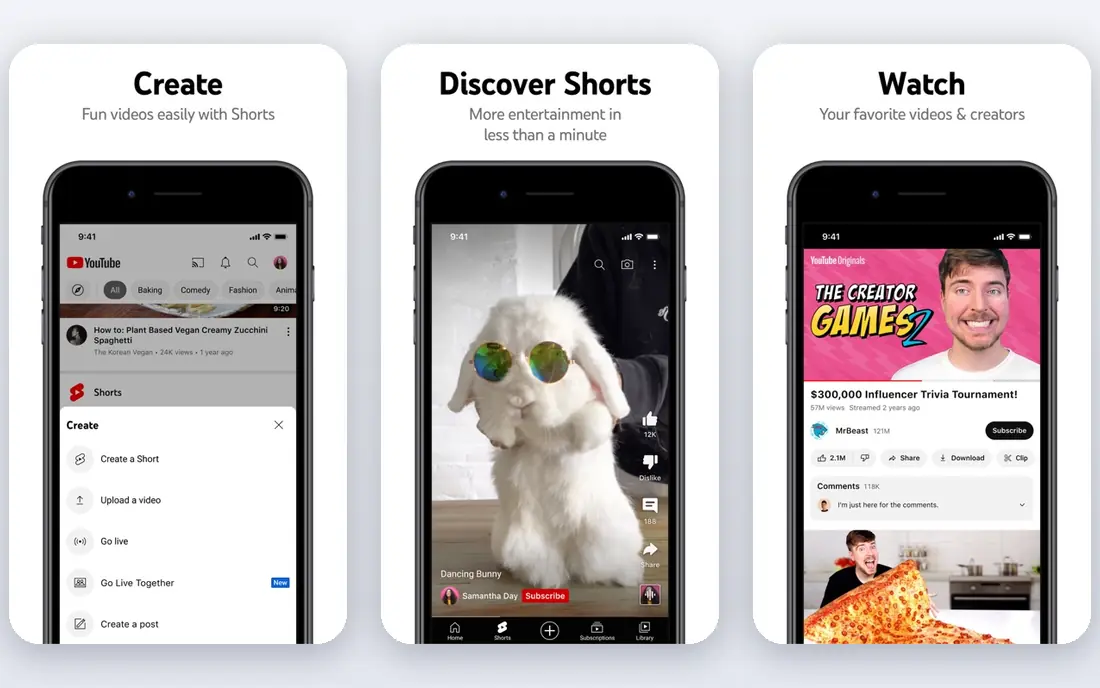
For readers who want a solid starting point, this option covers the basics well without forcing a long setup. YouTube is a good fit for creators who want the largest audience. YouTube offers the largest audience for video, with free hosting and discovery that no rival matches. Its official pages describe the core features in plain terms, and the pricing page makes it possible to compare plans before you sign up.
The honest catch is this: Creators give up some control to ads and algorithms, so it fits audience growth more than private hosting. That does not make YouTube a poor choice, but it does mean you should test it with your own workflow before you rely on it. Start with the free plan or trial where one is offered, and check how it handles your most common task.
- Largest audience
- Free hosting
- Strong discovery
- Ads and algorithm control reach
- Comments need moderation
- Brand control is limited
Wistia
Ideal for: Businesses using video for marketing
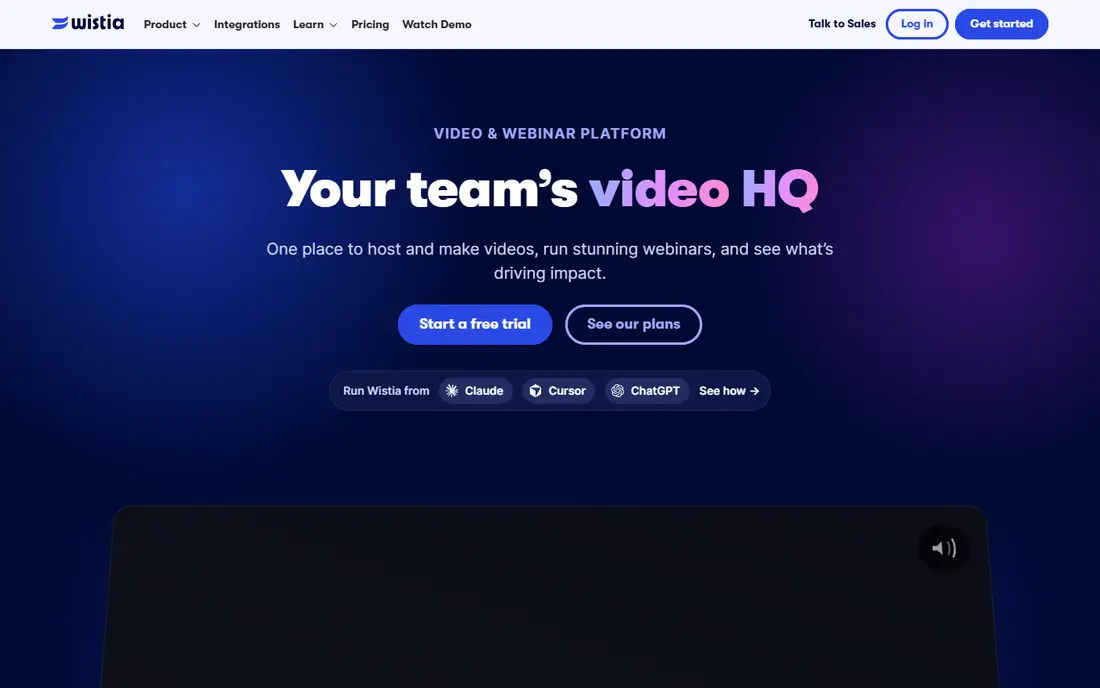
This one stands out for a particular kind of reader, and its strengths are easy to see once you compare the details. Wistia is a good fit for businesses using video for marketing. Wistia suits marketing teams because analytics and lead capture sit close to the video itself. Its official pages describe the core features in plain terms, and the pricing page makes it possible to compare plans before you sign up.
The honest catch is this: Pricing rises with usage, so firms should model video volume before committing. That does not make Wistia a poor choice, but it does mean you should test it with your own workflow before you rely on it. Start with the free plan or trial where one is offered, and check how it handles your most common task.
- Marketing analytics
- Lead capture
- Brand control
- Pricing rises with usage
- Audience is smaller than YouTube
- Some features need higher plans
Brightcove
Ideal for: Large firms and media companies
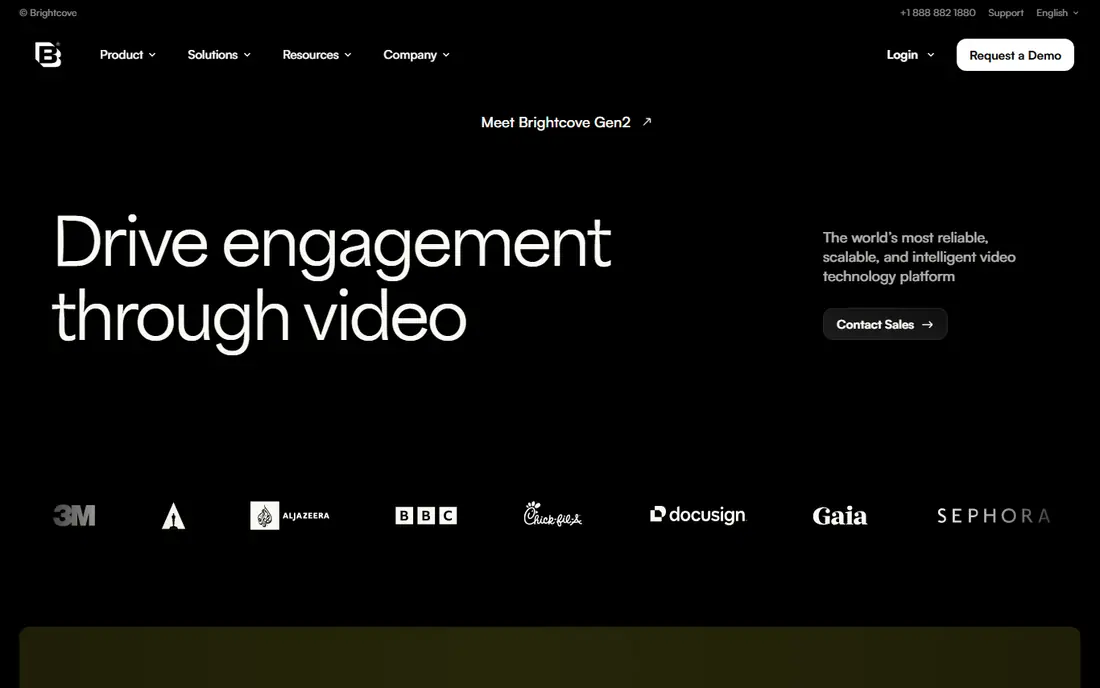
If your main need is clear and specific, this option deserves a close look for that reason alone. Brightcove is a good fit for large firms and media companies. Brightcove serves large firms and media companies with enterprise video, live, and on demand tools. Its official pages describe the core features in plain terms, and the pricing page makes it possible to compare plans before you sign up.
The honest catch is this: Enterprise pricing and setup make it a poor fit for casual creators. That does not make Brightcove a poor choice, but it does mean you should test it with your own workflow before you rely on it. Start with the free plan or trial where one is offered, and check how it handles your most common task.
- Enterprise video platform
- Live and on demand
- Analytics
- Enterprise pricing
- Setup needs expertise
- Not for casual creators
Dailymotion
Ideal for: Creators who want an alternative audience
This option is worth considering when you want a balance between price, features, and ease of use. Dailymotion is a good fit for creators who want an alternative audience. Dailymotion offers free hosting with a global audience, for creators who want an alternative to YouTube. Its official pages describe the core features in plain terms, and the pricing page makes it possible to compare plans before you sign up.
The honest catch is this: Its audience is smaller, so discovery is weaker than the largest platform. That does not make Dailymotion a poor choice, but it does mean you should test it with your own workflow before you rely on it. Start with the free plan or trial where one is offered, and check how it handles your most common task.
- Free hosting
- Monetisation options
- Global audience
- Audience is smaller than YouTube
- Content rules vary
- Discovery is weaker
SproutVideo
Ideal for: Small businesses that need private video
For readers who want a solid starting point, this option covers the basics well without forcing a long setup. SproutVideo is a good fit for small businesses that need private video. SproutVideo focuses on privacy and simple hosting for small businesses. Its official pages describe the core features in plain terms, and the pricing page makes it possible to compare plans before you sign up.
The honest catch is this: Its audience tools are smaller than marketing platforms, so it fits private hosting best. That does not make SproutVideo a poor choice, but it does mean you should test it with your own workflow before you rely on it. Start with the free plan or trial where one is offered, and check how it handles your most common task.
- Privacy controls
- Simple hosting
- Marketing tools
- Smaller audience tools
- Pricing per video
- Fewer integrations
Vidyard
Ideal for: Sales teams using video messages
This one stands out for a particular kind of reader, and its strengths are easy to see once you compare the details. Vidyard is a good fit for sales teams using video messages. Vidyard helps sales teams send personal video messages and track who watched them. Its official pages describe the core features in plain terms, and the pricing page makes it possible to compare plans before you sign up.
The honest catch is this: Its free tier limits use, and pricing rises with sales features. That does not make Vidyard a poor choice, but it does mean you should test it with your own workflow before you rely on it. Start with the free plan or trial where one is offered, and check how it handles your most common task.
- Sales video tools
- Viewer tracking
- CRM integration
- Free tier limits
- Pricing rises with features
- Best for sales use
Streamable
Ideal for: Users who want fast video sharing
If your main need is clear and specific, this option deserves a close look for that reason alone. Streamable is a good fit for users who want fast video sharing. Streamable is useful for fast sharing, with quick uploads and simple links. Its official pages describe the core features in plain terms, and the pricing page makes it possible to compare plans before you sign up.
The honest catch is this: Editing and business features are basic, so it is not a full hosting platform. That does not make Streamable a poor choice, but it does mean you should test it with your own workflow before you rely on it. Start with the free plan or trial where one is offered, and check how it handles your most common task.
- Fast uploads
- Simple sharing
- No account needed for basic use
- Limited editing
- Free tier limits
- Business features are basic
Loom
Ideal for: Teams recording quick explainers
This option is worth considering when you want a balance between price, features, and ease of use. Loom is a good fit for teams recording quick explainers. Loom suits teams that record quick explainers and screen walkthroughs, with easy sharing. Its official pages describe the core features in plain terms, and the pricing page makes it possible to compare plans before you sign up.
The honest catch is this: Free recordings have length limits, and hosting features are more basic than Vimeo. That does not make Loom a poor choice, but it does mean you should test it with your own workflow before you rely on it. Start with the free plan or trial where one is offered, and check how it handles your most common task.
- Screen recording plus video
- Easy sharing
- Team tools
- Free tier limits recording length
- Video hosting is basic
- Pricing rises per user
How we picked these
We compared official feature pages, pricing pages, app store listings, privacy policies, and public reviews for each option. We looked for products that exist and work in October 2026, that truly fit the topic, and that publish enough detail for a reader to judge them fairly. We did not claim hands-on testing that did not happen, and we did not invent prices, awards, user counts, or ratings.
We also weighed ease of use, support, and the limits of each free plan or trial. A product that hides its pricing or its main limits scored lower in our notes, even when its headline features looked strong. Where a price could not be verified from the vendor, we wrote See website rather than guessing.
How to choose a video platform for your work
Start with the job you need done most often, not with the longest feature list. For vimeo alternatives, a short list of must have features will narrow this field fast. Write down two tasks you will do every week, then check each shortlisted option against those tasks only.
Check price and the free plan
Compare the starting price with what is included, not just the headline number. Some plans charge per user, some charge per use, and some limit the features that matter most. A free plan is useful only if it covers your core task, so read its limits before you build a routine around it.
Check support, privacy, and exit options
Read the privacy policy and the support pages before you enter personal or business data. Check how you can export your data, cancel, or move to another service. Clear terms and a simple export path are a good sign, and vague terms are a reason to pause.
Try before you commit
Use a trial or free plan with a real task from your own work, not just a demo. Note how long setup takes, whether help is easy to reach, and whether the result meets your standard. If the trial feels awkward for your main task, a cheaper price will not fix that problem over time.
Frequently asked questions
What is the best alternative to Vimeo?
For most readers, Wistia is a sensible place to start, because its core features are clear and its pricing is easy to compare. Check the free plan or trial first, test it with your own main task, and compare its limits with the other options in this guide before you pay. That short test will tell you more than any feature list alone.
Which video platform is best for business?
For most readers, Wistia is a sensible place to start, because its core features are clear and its pricing is easy to compare. Check the free plan or trial first, test it with your own main task, and compare its limits with the other options in this guide before you pay. That short test will tell you more than any feature list alone.
Is YouTube better than Vimeo?
For most readers, YouTube is a sensible place to start, because its core features are clear and its pricing is easy to compare. Check the free plan or trial first, test it with your own main task, and compare its limits with the other options in this guide before you pay. That short test will tell you more than any feature list alone.
What is the best video hosting for marketing?
For most readers, Vidyard is a sensible place to start, because its core features are clear and its pricing is easy to compare. Check the free plan or trial first, test it with your own main task, and compare its limits with the other options in this guide before you pay. That short test will tell you more than any feature list alone.
Which platform is best for courses?
For most readers, Brightcove is a sensible place to start, because its core features are clear and its pricing is easy to compare. Check the free plan or trial first, test it with your own main task, and compare its limits with the other options in this guide before you pay. That short test will tell you more than any feature list alone.