What's the Best App for Creating PDFs in 2026: 7 Apps Compared

- 1
 Adobe AcrobatFull PDF workVisit
- 2
 SmallpdfQuick browser PDFsVisit
- 3
 iLovePDFFree online creationVisit
- 4
 Foxit PDF EditorAcrobat alternativeVisit
- 5
 PDF ExpertApple usersVisit
- Adobe Acrobat suits full PDF work, with tools to create, edit, sign and manage PDFs, AI Assistant, and a Reader app with more than 635 million installs.
- Smallpdf suits quick browser PDFs, with 30 free tools to convert, compress, merge, edit and sign PDFs, plus a 7-day free trial for unlimited access.
- iLovePDF suits free online PDF creation, with tools that are 100% free and easy to use, including Word to PDF, JPG to PDF and HTML to PDF.
- Foxit PDF Editor suits Acrobat alternatives, starting at $10.99 per month, trusted by more than 700 million users, with a perpetual license option at $209.99.
- PDF Expert suits Apple users, with a 4.7 rating from 211,000 ratings and fast editing, annotation, signing and organizing on iPhone, iPad and Mac.
- Sejda suits free online and offline PDF work, with a browser editor and a desktop app for Mac, Windows and Linux where files never leave your computer.
- Canva suits designed PDFs, with a free plan and templates for resumes, reports and presentations exported as PDF.
- For most users, Adobe Acrobat or Foxit give the fullest creation tools, while Smallpdf, iLovePDF and Sejda cover quick free creation in a browser.
Quick comparison
| Product | Ideal for | Price from | Free version | |
|---|---|---|---|---|
| Adobe Acrobat | Full PDF work | See website | No, Reader free | Visit |
| Smallpdf | Quick browser PDFs | See website | Yes, limited | Visit |
| iLovePDF | Free online creation | Free | Yes | Visit |
| Foxit PDF Editor | Acrobat alternative | $10.99/month | Yes, Reader free | Visit |
| PDF Expert | Apple users | See website | Yes, trial | Visit |
 Sejda | Free online and offline | Free | Yes | Visit |
 Canva | Designed PDFs | Free | Yes | Visit |
The best apps for creating PDFs
Creating a PDF can mean converting a Word document, turning photos into a single file, scanning paper, or designing a document from scratch. The apps below cover all of those paths, from full desktop editors to free browser tools, and we checked each app's official homepage before listing it.
Adobe Acrobat
Ideal for: Full PDF work
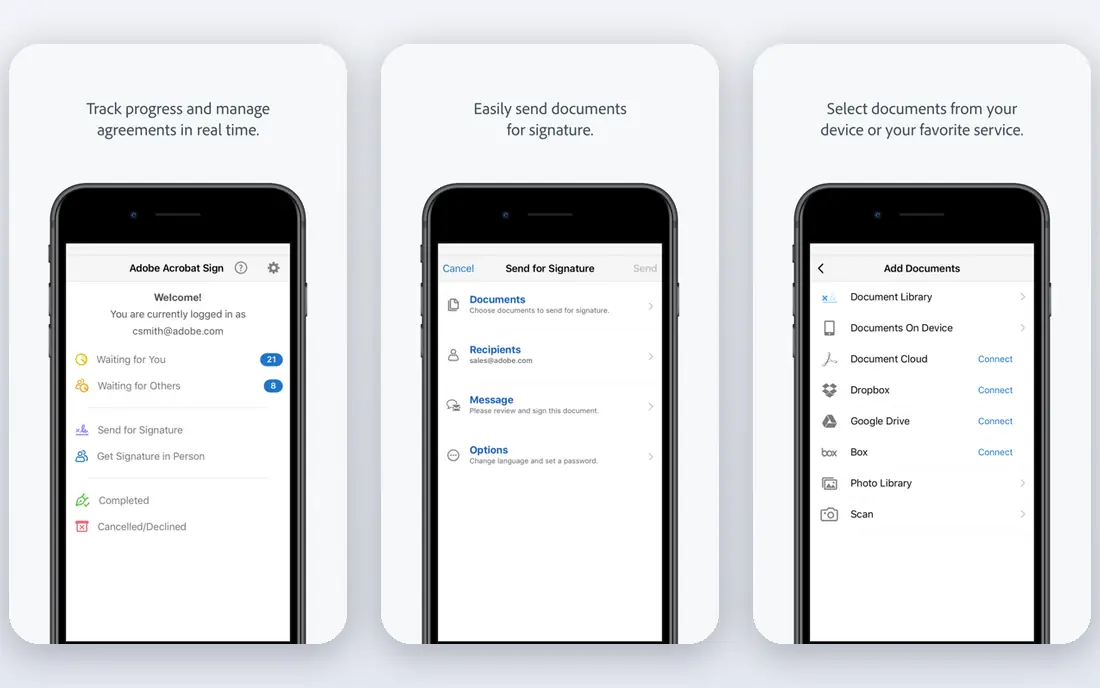
Adobe Acrobat is the essential PDF toolkit, enhanced by AI, where users create, edit, sign and manage PDFs. Its homepage highlights quickly creating and converting PDFs from Microsoft files, images and more into high-fidelity PDFs, turning scanned paper into fully searchable and editable PDFs, and protecting sensitive information with passwords, permissions and redaction. Plans include Acrobat Standard, Pro and Studio, with Studio adding PDF Spaces, AI Assistant and Adobe Express Premium, while a subscription includes desktop software, online tools, the Reader mobile app and the Scan app.
Adobe Acrobat suits users who create PDFs daily and need reliable conversion, editing, signing and protection in one place. Its high-fidelity conversion preserves layout from Word, Excel and PowerPoint, and its Scan app turns paper into searchable PDFs. For a cheaper alternative with similar tools, Foxit fits, but for the fullest PDF toolkit Acrobat remains the standard pick.
- Create, edit, sign and manage PDFs with trusted Acrobat tools
- Convert Microsoft files, images and more into high-fidelity PDFs
- Turn scanned paper into searchable, editable PDFs
- Passwords, permissions and redaction
- AI Assistant and PDF Spaces for summaries and insights
- Desktop, web and mobile plus browser extensions
- Reader mobile app with more than 635 million installs
- Integrations with Microsoft 365, Dropbox and Creative Cloud
- Full creation and editing need a paid subscription
- Perpetual versions discontinued after Acrobat 2020, except Acrobat Pro 2024 with three years of access
Smallpdf
Ideal for: Quick browser PDFs
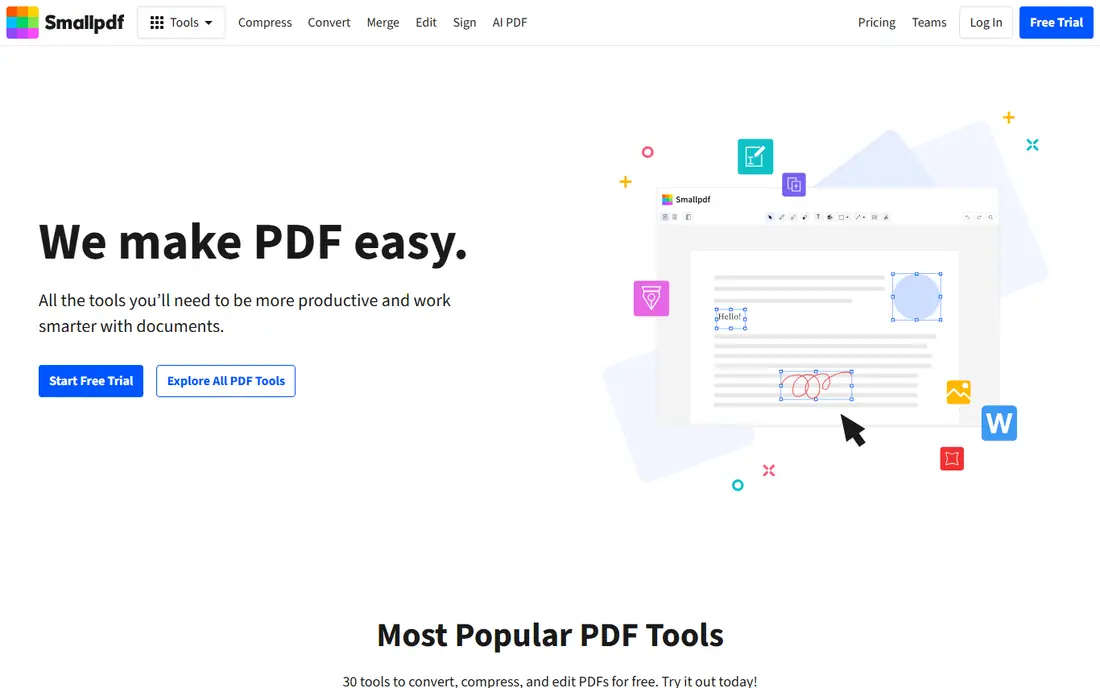
Smallpdf offers a free solution to PDF problems, with 30 tools to convert, compress and edit PDFs, including merge, JPG to PDF, sign, edit and compress as its most popular tools. Its homepage highlights working directly on files with text, images, shapes and freehand annotations, digital signatures for forms and contracts, and document management across devices from its web platform. Security features include 256-bit TLS encryption and ISO/IEC 27001 certification with GDPR, CCPA and nFADP compliance.
Smallpdf suits users who create PDFs occasionally in a browser, such as turning images into a PDF or merging documents for a submission. Its tools are simple and fast, and its mobile app adds scanning. For heavy daily PDF work, Acrobat or Foxit offer deeper editing, but for quick browser creation Smallpdf is convenient.
- 30 tools to convert, compress and edit PDFs for free
- JPG to PDF for images in JPG, PNG, BMP, GIF and TIFF
- Merge, edit, sign and compress tools
- Mobile app for scans and document organization
- 256-bit TLS encryption
- ISO/IEC 27001 certified and GDPR, CCPA and nFADP compliant
- More than a billion users have used the service
- 7-day free trial for unlimited access
- Free use is limited and unlimited access needs a paid plan
- Pricing figures on the homepage were not fully extractable
iLovePDF
Ideal for: Free online creation
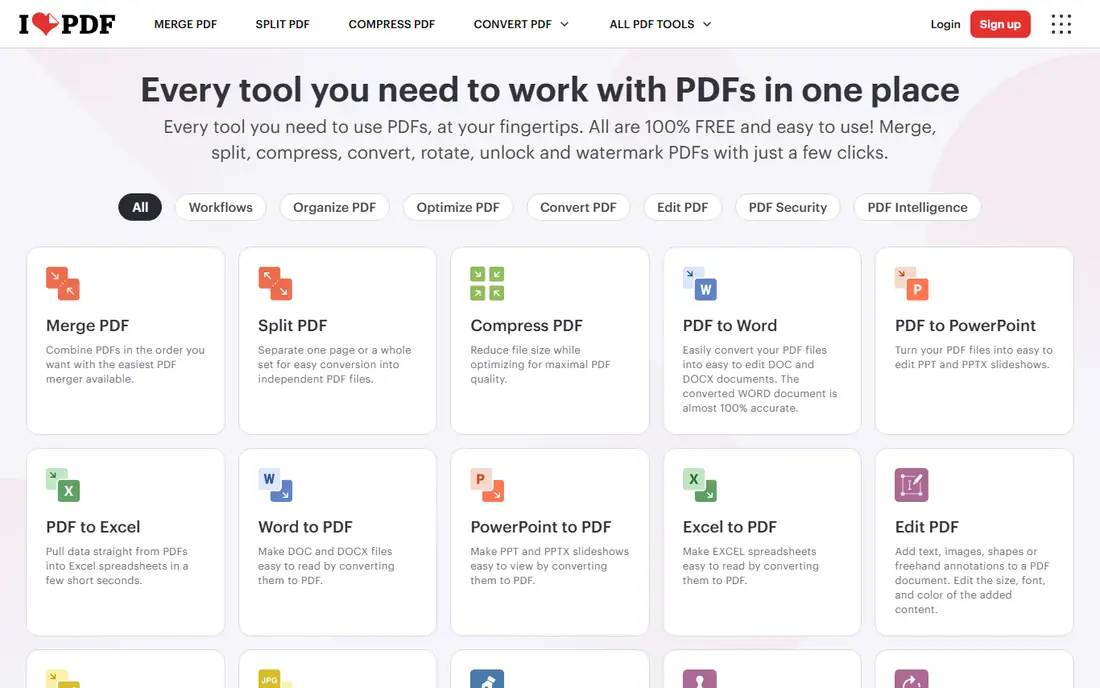
iLovePDF is an online PDF toolset where every tool needed to use PDFs sits at your fingertips, all 100% free and easy to use. Its homepage lists merge, split, compress, convert, rotate, password-removal and watermark tools, plus Word to PDF, PowerPoint to PDF, Excel to PDF, JPG to PDF and HTML to PDF for creation, and Edit PDF for adding text, images, shapes or freehand annotations. Premium adds full access, offline desktop work, advanced OCR and secure e-signature requests, while a desktop app lets users work offline.
iLovePDF suits users who want free PDF creation without installing software, especially converting Office files and images to PDF. Its breadth of free tools covers most everyday creation needs. For offline privacy, Sejda Desktop keeps files local, but for free browser creation iLovePDF is hard to beat.
- Every tool you need to work with PDFs in one place, all 100% free and easy to use
- Word to PDF, PowerPoint to PDF, Excel to PDF, JPG to PDF and HTML to PDF
- Merge, split, compress, rotate, remove password protection from and watermark
- Edit PDF with text, images, shapes and annotations
- Sign PDF and request signatures
- PDF Forms for fillable documents
- Desktop app for offline work
- ISO 27001 certified with secure HTTPS connection
- Advanced features such as OCR and e-signature requests need Premium
- Browser processing means files are uploaded to its servers
Foxit PDF Editor
Ideal for: Acrobat alternative
Foxit PDF Editor is an AI-powered solution for creating, editing, signing and managing documents, available on desktop, cloud and mobile, and described as the number one alternative to Adobe Acrobat. Its homepage notes a familiar ribbon interface, centralized management through an Admin Console, and Foxit DMS included free with every PDF Editor subscription for shared workspaces, version controls and check-in and check-out locking. Every Foxit account includes AI capabilities with 300 credits per month, and PDF Editor+ adds mobile apps, AI Smart Redact and Foxit eSign with 150 envelopes per year.
Foxit suits teams and individuals who want Acrobat-level PDF creation at lower cost, with the option of a perpetual license instead of a subscription. Its DMS and integrations suit office workflows, while its AI tools help with summaries and redaction. For Apple-only users, PDF Expert may feel more native, but for Windows and cross-platform PDF creation Foxit is a strong alternative.
- AI-powered solution for creating, editing, signing and managing documents
- Starting at $10.99 per month
- Trusted by more than 700 million users and 660,000 organizations
- G2 4.6 from more than 5,000 reviews
- 44% lower cost per license than Adobe Acrobat
- Perpetual license at $209.99 one-time
- PDF Editor+ at $159.99 per user per year
- AI Assistant with 300 credits per month
- Foxit DMS included free with subscriptions
- SOC 2, HIPAA-ready and GDPR-supported
- Integrations with Microsoft 365, SharePoint, Google Drive, Box, OneDrive and Salesforce
- Some AI and eSign features need Editor+
- Perpetual license excludes AI Assistant, DMS and cloud features
PDF Expert
Ideal for: Apple users
PDF Expert makes it easy to edit, annotate, sign and organize PDFs on iPhone, iPad and Mac. Its homepage highlights advanced PDF editing on Apple devices, signing contracts in a few taps, fast conversion to Word, Excel, PowerPoint and JPG, form filling with formulas and calculations, and page management for rearranging, extracting, deleting, rotating and merging. OCR recognizes text in scanned documents, while AI-powered Enhance fixes distortions, removes shadows and improves contrast.
PDF Expert suits Apple users who create PDFs from scans, forms and existing documents on Mac, iPad or iPhone. Its speed and native feel stand out on Apple devices, and its one-account model covers all three. Windows users should choose Foxit or Acrobat, but for Apple PDF creation PDF Expert leads.
- Go-to PDF editor for iPhone, iPad and Mac
- 4.7 rating from 211,000 ratings
- Fast editing of PDF text, images, links, signatures, pages and files
- Sign documents in a few taps
- Convert PDF to Word, Excel, PowerPoint and JPG
- Fill forms including checklists with formulas
- Merge and reorganize pages
- OCR and AI-powered Enhance for scans
- One account across Apple devices
- Part of Readdle, whose apps have 194 million downloads
- Apple-only, so no Windows or Android editor
- Full editing needs a paid plan
Sejda
Ideal for: Free online and offline
Sejda helps with PDF tasks through a browser editor and a desktop app, offering the same features online or offline. Its homepage lists a free PDF editor for filling, signing, adding text, links, images and shapes, and editing existing PDF text, plus merge, split, compress, crop, protect, remove restrictions from, watermark, OCR and HTML to PDF. Sejda Web works in the browser with files deleted after processing, while Sejda Desktop works offline with files never leaving your computer, on Mac, Windows and Linux.
Sejda suits privacy-conscious users who want free PDF creation without a subscription, especially with its offline desktop app. Its tool breadth covers creation, editing and conversion in one place. For designed PDFs, Canva adds templates, but for free, functional PDF creation Sejda is a reliable pick.
- Free PDF editor to fill, sign, add text, links, images and shapes, and edit existing PDF text
- JPG to PDF, Word to PDF and HTML to PDF
- Merge, split, compress, crop, protect, remove restrictions from, watermark and OCR
- Desktop app for Mac, Windows and Linux where files never leave your computer
- Web version processes files on its servers and deletes them after processing
- 4.5 rating from 1,874 Google reviews
- Free web use has limits on some tools
- Interface is more functional than polished
Canva
Ideal for: Designed PDFs
Canva is a design platform where users create documents, resumes, reports and presentations and export them as PDF. Its free plan includes templates and a drag-and-drop editor that suits beginners, while paid plans add brand kits and premium templates. For creating a PDF from scratch with a designed look, Canva is faster than a traditional editor, since templates handle layout, fonts and images.
Canva suits users who need a good-looking PDF for a resume, portfolio, report or presentation, rather than editing an existing PDF. Its templates save design time, and PDF export keeps the layout intact. For editing or converting existing PDFs, use Acrobat, Foxit or Sejda alongside Canva, but for designed PDF creation Canva's free plan is an easy start.
- Free plan with templates for resumes, reports, presentations and social posts
- Drag-and-drop design for polished PDFs
- Export designs as PDF
- Brand kits for consistent looks
- Works in browser and on mobile
- Not a full PDF editor, so editing existing PDF text is limited
- Some templates and features need a paid plan
How we picked these
We compared official homepages, PDF creation methods, editing and conversion tools, platform support and price, favoring apps that actively create PDFs in 2026. We covered full desktop editors, free browser tools, an Apple-native editor and a design platform, because the best app depends on whether you convert, scan, edit or design. We checked each app's own site before listing it.
How to choose an app for creating PDFs
Start with your source material. For converting Word, Excel or PowerPoint files, use Acrobat, Foxit, iLovePDF or Smallpdf, which preserve layout in high fidelity. For turning photos or scans into PDFs, use Acrobat Scan, PDF Expert, Smallpdf or Sejda, which handle images and OCR. For designing a PDF from scratch, use Canva templates, then export as PDF.
Next, check editing needs and platform. If you will edit text, merge pages or add signatures after creation, choose a full editor such as Acrobat, Foxit or PDF Expert rather than a converter alone. Apple users get the most from PDF Expert, Windows and cross-platform users from Foxit or Acrobat, and browser-only users from iLovePDF, Smallpdf or Sejda.
Finally, check price and privacy. Free browser tools suit occasional creation, while daily users benefit from a paid editor with unlimited use. For sensitive documents, prefer desktop apps such as Sejda Desktop, Foxit or PDF Expert, where files stay local, or check the provider's security certifications and deletion policy before uploading.
Frequently asked questions
What is the best app for creating PDFs overall?
Adobe Acrobat suits most users overall, with high-fidelity creation, editing, signing and protection. Foxit PDF Editor is the best lower-cost alternative, while iLovePDF and Sejda suit free browser creation.
Can I create a PDF for free?
Yes, iLovePDF and Sejda offer free PDF creation tools, Smallpdf offers free tools with limits, and Canva's free plan exports designs as PDF. Free tools suit occasional creation, while daily use usually needs a paid editor.
How do I create a PDF from a Word document?
Open the document in Acrobat, Foxit, iLovePDF or Smallpdf and use the Word to PDF converter, which preserves layout and fonts. Most tools also let you create a PDF from Excel, PowerPoint, images or web pages.
How do I create a PDF from photos on my phone?
Use Acrobat Scan, Smallpdf's mobile app or PDF Expert to scan or select photos and save them as a single PDF. JPG to PDF tools in iLovePDF and Sejda also combine images into one PDF in a browser.
Can I edit a PDF after creating it?
Yes, Acrobat, Foxit, PDF Expert and Sejda let you edit text, images and pages after creation, while Canva suits editing the design before export. For simple annotation, Smallpdf and iLovePDF also offer edit tools.
Is it safe to create PDFs online?
For non-sensitive files, browser tools with HTTPS and deletion policies are fine, while for sensitive documents prefer desktop apps such as Sejda Desktop, Foxit or PDF Expert, where files stay on your device. Check each provider's security certifications before uploading.