Best Cloud Services in 2026: 8 Services Compared

- 1
 Google DrivePeople and teams already using GoogleVisit
- 2
 DropboxPeople who want reliable sync and sharingVisit
- 3
 Microsoft OneDrivePeople and teams using Windows or Microsoft 365Visit
- 4
 iCloud DriveApple device owners who want built in storageVisit
- 5
 BoxBusinesses that need secure file sharing and controlsVisit
- Google Drive stands out for people and teams already using google, which makes it a strong starting point for that need.
- Dropbox stands out for people who want reliable sync and sharing, which makes it a strong starting point for that need.
- Microsoft OneDrive stands out for people and teams using windows or microsoft 365, which makes it a strong starting point for that need.
- iCloud Drive stands out for apple device owners who want built in storage, which makes it a strong starting point for that need.
- Prices and free plans vary widely across this list, so check the vendor pricing page for your team size or usage before you commit.
Quick comparison
| Product | Ideal for | Price from | Free version | |
|---|---|---|---|---|
| Google Drive | People and teams already using Google | See website | Yes | Visit |
| Dropbox | People who want reliable sync and sharing | See website | Yes | Visit |
| Microsoft OneDrive | People and teams using Windows or Microsoft 365 | See website | Yes | Visit |
| iCloud Drive | Apple device owners who want built in storage | See website | Yes | Visit |
| Box | Businesses that need secure file sharing and controls | See website | No | Visit |
 pCloud | People who want a one time lifetime storage option | See website | Yes | Visit |
 Sync.com | Privacy focused users who want encrypted storage | See website | Yes | Visit |
 Koofr | People who want a European cloud storage option | See website | Yes | Visit |
The best cloud services
We compared official feature pages, pricing pages, app store listings, privacy policies, and public reviews for this roundup. The products below cover different budgets and needs, so the best choice depends on how you will actually use it day to day. Our pick for most people is Google Drive, because it covers the core need well, but read the full list before you decide, since a smaller or cheaper option may fit your situation better.
Google Drive
Ideal for: People and teams already using Google
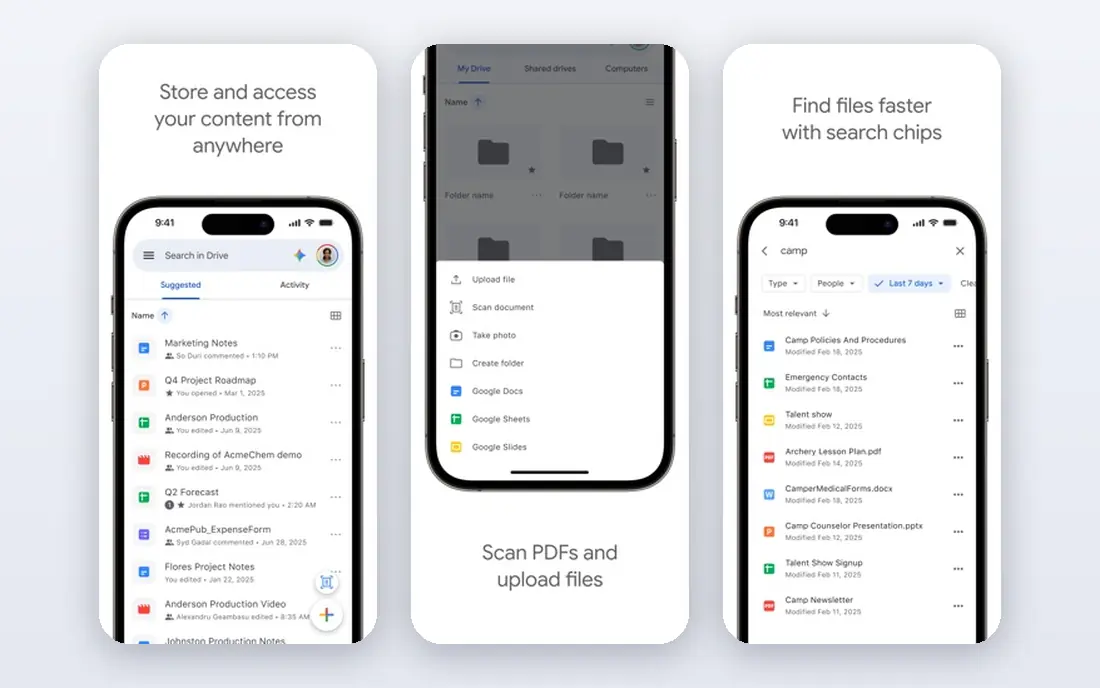
Google Drive combines storage with Docs, Sheets, and sharing tools used by millions. It suits people and teams already on Google who want storage plus collaboration.
When we compared Google Drive with the rest of this list, its strengths were clear: free storage with google account; strong collaboration; search On the other side, buyers should weigh this catch: free storage is shared across google services; privacy terms need reading That trade off matters most if you plan to use the product every day, so check the pricing page and the free plan terms, and trial it with real work before you commit. For many buyers, Google Drive earns its place here because it handles the core job well, even though no product on this list is perfect for every need.
- Free storage with Google account
- Strong collaboration
- Search
- Free storage is shared across Google services
- Privacy terms need reading
Dropbox
Ideal for: People who want reliable sync and sharing
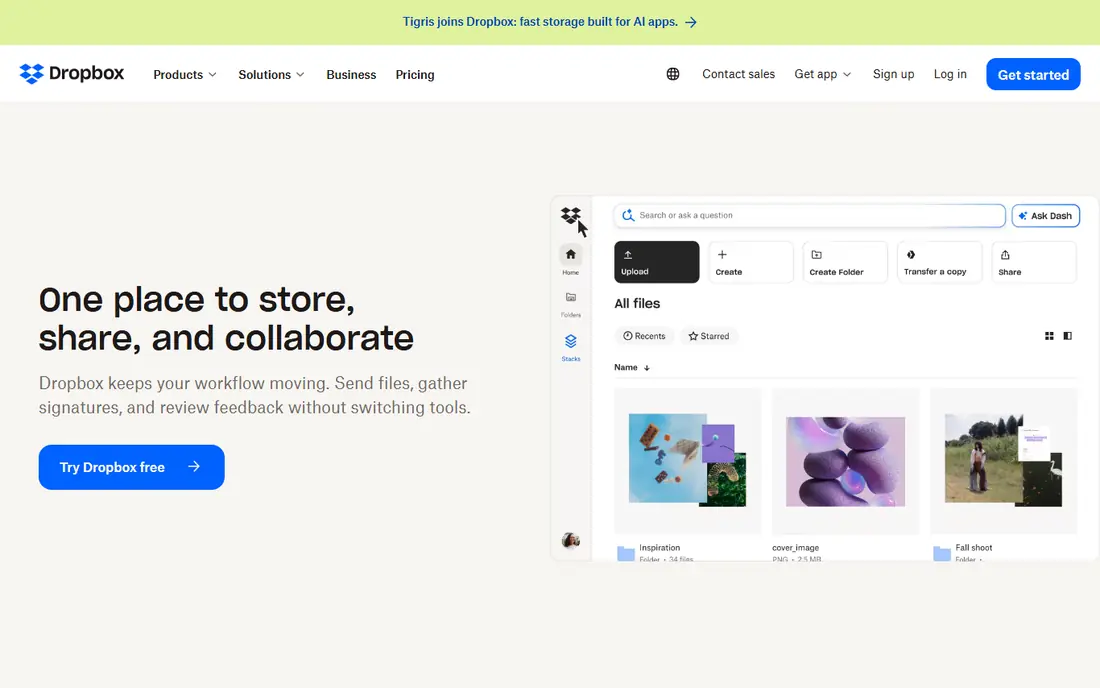
Dropbox is known for reliable file sync and simple sharing across devices. It fits users who want files to stay in sync without fuss.
When we compared Dropbox with the rest of this list, its strengths were clear: reliable sync; link sharing; good apps On the other side, buyers should weigh this catch: free storage is small; advanced features need paid plans That trade off matters most if you plan to use the product every day, so check the pricing page and the free plan terms, and trial it with real work before you commit. For many buyers, Dropbox earns its place here because it handles the core job well, even though no product on this list is perfect for every need.
- Reliable sync
- Link sharing
- Good apps
- Free storage is small
- Advanced features need paid plans
Microsoft OneDrive
Ideal for: People and teams using Windows or Microsoft 365
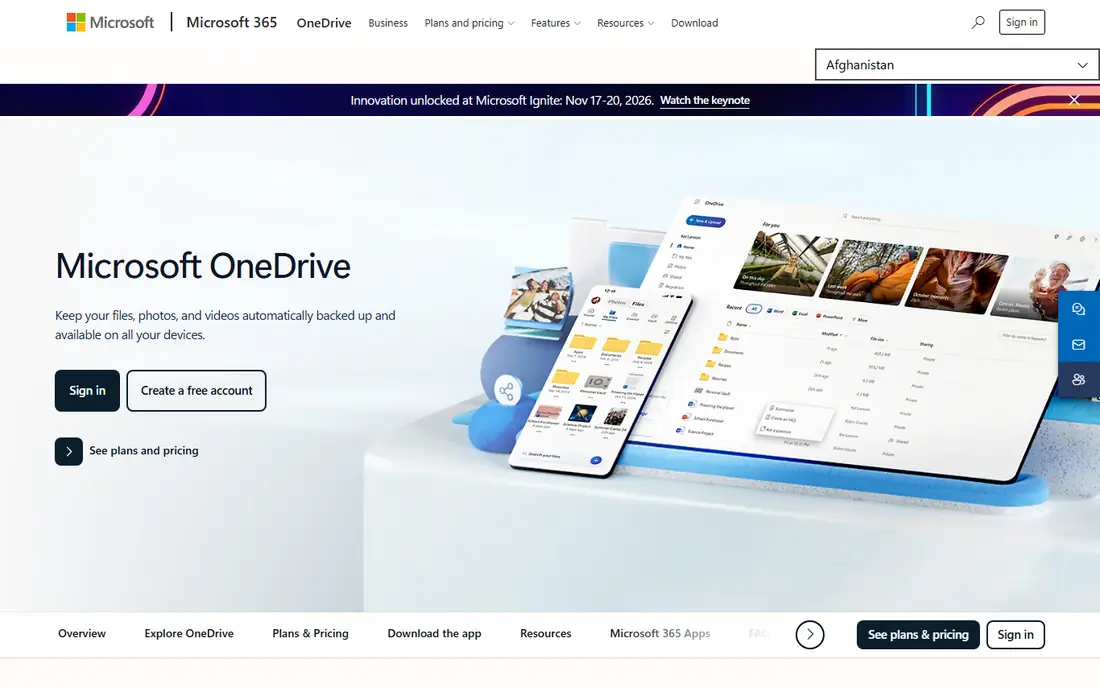
OneDrive stores files with deep links to Windows and Microsoft 365 apps. It suits Windows users and Microsoft 365 subscribers who want storage in the same system.
When we compared Microsoft OneDrive with the rest of this list, its strengths were clear: built into windows and microsoft 365; collaboration; version history On the other side, buyers should weigh this catch: best value inside microsoft 365; free storage is limited That trade off matters most if you plan to use the product every day, so check the pricing page and the free plan terms, and trial it with real work before you commit. For many buyers, Microsoft OneDrive earns its place here because it handles the core job well, even though no product on this list is perfect for every need.
- Built into Windows and Microsoft 365
- Collaboration
- Version history
- Best value inside Microsoft 365
- Free storage is limited
iCloud Drive
Ideal for: Apple device owners who want built in storage
iCloud Drive stores files and device backups for Apple users, with family sharing. It fits Apple households that want storage that works without setup.
When we compared iCloud Drive with the rest of this list, its strengths were clear: built into apple devices; photo and device backup; family sharing On the other side, buyers should weigh this catch: works best inside apple devices; windows support is basic That trade off matters most if you plan to use the product every day, so check the pricing page and the free plan terms, and trial it with real work before you commit. For many buyers, iCloud Drive earns its place here because it handles the core job well, even though no product on this list is perfect for every need.
- Built into Apple devices
- Photo and device backup
- Family sharing
- Works best inside Apple devices
- Windows support is basic
Box
Ideal for: Businesses that need secure file sharing and controls
Box focuses on secure business file sharing, with admin controls and integrations. It suits companies that need control over who sees files and how they are shared.
When we compared Box with the rest of this list, its strengths were clear: business security and admin controls; integrations; collaboration On the other side, buyers should weigh this catch: less suited to personal use; pricing is business focused That trade off matters most if you plan to use the product every day, so check the pricing page and the free plan terms, and trial it with real work before you commit. For many buyers, Box earns its place here because it handles the core job well, even though no product on this list is perfect for every need.
- Business security and admin controls
- Integrations
- Collaboration
- Less suited to personal use
- Pricing is business focused
pCloud
Ideal for: People who want a one time lifetime storage option
pCloud offers cloud storage with an optional lifetime plan and client side encryption. It fits users who prefer a one time payment over a monthly subscription.
When we compared pCloud with the rest of this list, its strengths were clear: lifetime plan option; client side encryption option; media playback On the other side, buyers should weigh this catch: lifetime plans cost more upfront; collaboration is lighter than google or microsoft That trade off matters most if you plan to use the product every day, so check the pricing page and the free plan terms, and trial it with real work before you commit. For many buyers, pCloud earns its place here because it handles the core job well, even though no product on this list is perfect for every need.
- Lifetime plan option
- Client side encryption option
- Media playback
- Lifetime plans cost more upfront
- Collaboration is lighter than Google or Microsoft
Sync.com
Ideal for: Privacy focused users who want encrypted storage
Sync.com offers encrypted cloud storage with a zero knowledge design, so only the user holds the keys. It suits privacy focused users who want strong encryption for stored files.
When we compared Sync.com with the rest of this list, its strengths were clear: end to end encryption; zero knowledge design; sharing controls On the other side, buyers should weigh this catch: collaboration features are lighter; free storage is limited That trade off matters most if you plan to use the product every day, so check the pricing page and the free plan terms, and trial it with real work before you commit. For many buyers, Sync.com earns its place here because it handles the core job well, even though no product on this list is perfect for every need.
- End to end encryption
- Zero knowledge design
- Sharing controls
- Collaboration features are lighter
- Free storage is limited
Koofr
Ideal for: People who want a European cloud storage option
Koofr offers cloud storage with apps for many devices and a free tier for small storage needs. It fits users who want a European cloud storage option with a simple interface.
When we compared Koofr with the rest of this list, its strengths were clear: free tier; apps for many devices; lifetime plan options On the other side, buyers should weigh this catch: collaboration features are lighter than google or microsoft; free storage is limited That trade off matters most if you plan to use the product every day, so check the pricing page and the free plan terms, and trial it with real work before you commit. For many buyers, Koofr earns its place here because it handles the core job well, even though no product on this list is perfect for every need.
- Free tier
- Apps for many devices
- Lifetime plan options
- Collaboration features are lighter than Google or Microsoft
- Free storage is limited
How we picked these
We started with products and services that exist and work in October 2026 and truly fit the topic, then we compared their official feature pages, pricing pages, app store listings, privacy policies, and public reviews. We looked for a mix of well known leaders and strong smaller options, and we favored products with clear pricing, clear privacy practices, and honest limits. We did not claim hands-on testing that did not happen, and where a price could not be verified from the vendor site, we wrote See website rather than guessing a number.
How to choose a cloud service
Start with the devices and apps you already use, since built in storage is often simplest. Check storage size, sharing controls, version history, and price for your real usage, not just the free tier. Test sync speed and mobile apps with real files, and confirm you can export files if you switch later. Before you pay, list your must have features, your budget, and the tools the new product must work with. A short trial with real tasks will tell you more than a feature list alone, and it will show whether support replies quickly when something goes wrong. Check contract length, renewal terms, and how easy it is to export your data or cancel, since those details matter long after the first month.
Frequently asked questions
What is the best cloud storage service?
The best service depends on your devices, collaboration needs, and budget, so a Google or Microsoft user often benefits from staying in that system.
How much free cloud storage can I get?
Free tiers vary and change often, so check the current free storage on the provider site and whether it is shared across services.
Is cloud storage safe?
Cloud storage can be safe with encryption, strong passwords, and two factor authentication, but read the provider privacy and security terms.
What is the difference between sync and backup?
Sync keeps current files matched across devices, while backup keeps older versions for restore, so many people need both.
Can I move files between cloud services?
Yes, but moving large amounts takes time and may need a transfer tool, so check export options before committing.