Leonardo.Ai comes first here, mainly for rapid iteration on visual directions. Listed starting prices: Krea from $5 a month. Alternatives: Stable Diffusion for teams needing controllable, scalable generation, and Adobe Firefly for creatives already inside Adobe workflows. The full list of 6 tools follows, with prices and free plan facts.
This Ainotely guide covers 6 which AI art software has the best mood boards. Each profile lists a starting price, free plan details, strengths and drawbacks, so you can drop poor fits quickly.
Key takeaways
Leonardo.Ai sits first on this list: rapid iteration on visual directions.
Krea is the lowest-priced starter here at $5 per month.
The main caution on Leonardo.Ai: interface can feel dense for newcomers.
For live visual exploration, Krea is worth a look.
Leonardo.Ai was built for rapid iteration on visual directions. Choose it when experimentation speed matters more than built-in presentation features. Leonardo.Ai is a generative AI system targeted at creators who want to produce and refine images rapidly.
Points against: Boards still assembled elsewhere.
It rewards users who like to test ideas in batches instead of perfect a single prompt. In daily use, the range of choices can overwhelm people who just want a straightforward board. This comparison lists no price for Leonardo.Ai; ask the vendor. Trial and free access: Not stated.
Best for: Teams needing controllable, scalable generation
Choose Stable Diffusion for teams needing controllable, scalable generation. Choose it when control and scale outweigh simplicity, and pair it with a separate layout tool. For mood boards, it appeals to teams that want fine control over style and repeatable output across numerous images, commonly as part of a bigger production workflow instead of a one-off brainstorm.
What to check first: Needs technical setup and tuning.
What users get: Fits production pipelines at scale.
It does not organize or present boards for you. Beyond that, Stable Diffusion, from Stability AI, is a generative AI family positioned for professional and enterprise content production. This comparison lists no price for Stable Diffusion; ask the vendor. Trial and free access: Not stated.
Best for: Creatives already inside Adobe workflows
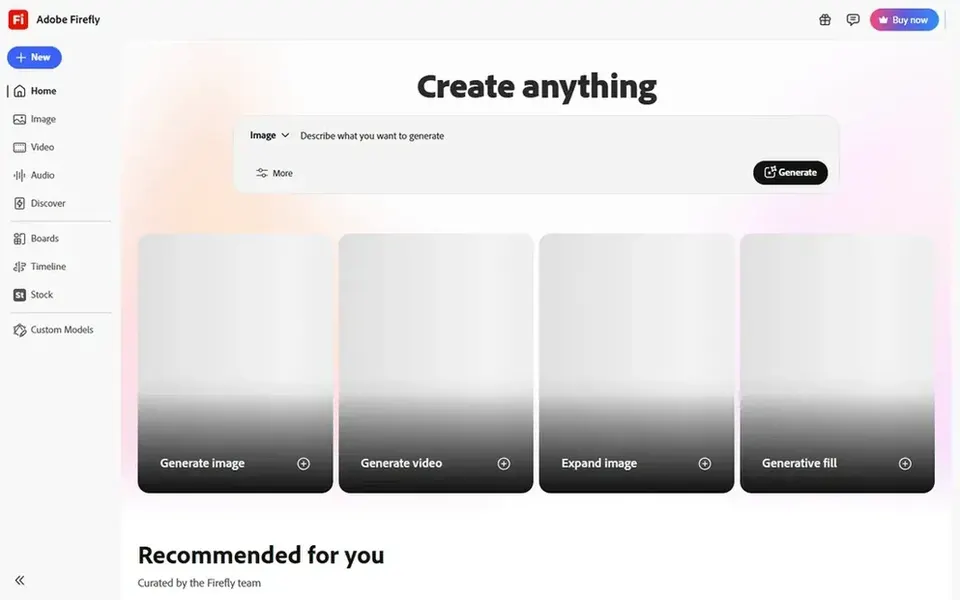
In short, Adobe Firefly is for creatives already inside Adobe workflows. Adobe Firefly is Adobe's generative AI offering for creating and editing images, audio and video, and it also surfaces models from other providers.
Upsides: Suits existing Adobe design workflows.
Honest limits: Output style can feel more conventional.
Beyond that, for mood boards, it performs well as a concept engine inside a wider design process, letting you create visual directions and then carry them into familiar layout and editing tools without switching contexts. If you want highly stylized art first and organization second, other tools may be a better starting point. Pricing for Adobe Firefly is not stated here, so ask the vendor for current figures. As for free access: Not stated.
Best for: Direct access to Stable Diffusion generation
DreamStudio was built for direct access to Stable Diffusion generation. It provides creators a direct way to produce images from prompts, which is handy for producing a batch of concept visuals to react to before you commit to a direction on a mood board.
DreamStudio concentrates on generation, not on arranging references or collaborating on a board layout. DreamStudio shows no starting price here, so confirm the cost on the vendor site. On free options: Not stated.
Reasons to shortlist it: Handy for fast concept images. Watch-outs: Fewer design features than suites.
Best for: Expressive, style-driven concept imagery
Where Midjourney fits: Expressive, style-driven concept imagery. Prompt phrasing has its own conventions that take time to learn.
For mood boards, it is most handy when you want to establish a visual tone rapidly: lighting, palette and texture ideas that set the direction for a project. Check the vendor site for Midjourney pricing; none is listed in this comparison. Free plan details: Not stated.
Where Krea fits: live visual exploration. If you need in-depth control or a formal presentation layer, combine it with other tools. More specifically, Krea is most solid during exploration and less suited to polished production output or structured board management.
Where it falls short: Less depth for final production art.
More specifically, Krea is a creative AI system built around exploring and generating visuals, with an emphasis on interactive experimentation. That makes it a natural fit for the early mood board phase, where the goal is to try directions, react to what appears and narrow toward a look instead of produce final assets. Starting cost for Krea: $5 per month. Krea includes a free tier.
Best features of Krea: Encourages playful iteration.
Confirm the entry price on the vendor page. For Leonardo.Ai, Stable Diffusion, Adobe Firefly and others that means a quote rather than a fixed price.
Test the free plan from Krea against your real workload before relying on it.
Before choosing Leonardo.Ai, weigh its main limit: interface can feel dense for newcomers.
Confirm that Midjourney connects to the apps your team already uses, on the plan you would actually buy.
Involve the people who will use DreamStudio daily; a short pilot beats a long feature checklist.
How we picked
Ainotely looked at what each vendor publishes: pricing, plan limits, feature coverage for which AI art software has the best mood boards and stated drawbacks. No hands-on testing is claimed. Figures are shown as the vendors publish them. Billing terms, seat minimums and add-ons can change the real cost. The ranking is editorial: typical fit first, then clear pricing, then free access. If your needs are unusual, read the profiles rather than relying on position.
Every price and plan detail on this page comes from the vendors’ own websites. We did not run hands-on tests unless the text says so, and we do not publish star ratings or review scores. See how we score and our disclosure.
Keep your shortlist in one place
Paste prices, trial dates and notes from this guide into Ainotely, our AI note app. It files them into a topic and pulls out tasks like “cancel trial by Friday”. Free 7-day trial, no card needed.
Not all of them. Leonardo.Ai, Stable Diffusion, Adobe Firefly and others publish no starting price, so expect a quote request for those. The rest, Krea included, show a starting price, though seats and billing terms still change the final cost.
Can I try these tools before paying?
Often, yes. Krea has a free plan. Use your own data and a real task during the test, and check what the free tier or trial limits before you rely on it.
Which AI art tool is a good match for building a mood board from scratch?
The first pick on this list is Leonardo.Ai, because it suits rapid iteration on visual directions. Stable Diffusion is better for teams needing controllable, scalable generation, and Adobe Firefly for creatives already inside Adobe workflows. Check price and limits against your own needs before choosing.
How are the which AI art software has the best mood boards ordered?
Leonardo.Ai sits first and Krea last because the order follows typical fit for which AI art software has the best mood boards, then price clarity and free access. It is a judgement call, so read each profile for fit and limits.
What is the cheapest option for which AI art software has the best mood boards in this list?
On published monthly entry prices, Krea is the lowest here at $5 per month. Entry price is only part of the cost, because seats, add-ons and billing terms can change the total.