Best DAST Tools for Cloud Platforms: 8 Options Compared

- 1
 OWASP ZAPFree hands-on DAST scanningVisit
- 2
 Burp SuiteProfessional manual and automated testingVisit
- 3
 AcunetixAutomated web vulnerability scanningVisit
- 4
 InvictiEnterprise web scanning with verificationVisit
- 5
 Qualys Web Application ScanningCloud-based scanning at scaleVisit
- Invicti and Acunetix lead for automated web scanning with proof-based results, while OWASP ZAP leads for free, hands-on testing.
- DAST tests running apps, so it finds issues that static code scans miss, including auth and configuration problems.
- Cloud scanning needs permission and scope control, since scans can affect live services and rate limits.
- Combine DAST with static scanning and manual testing for the strongest coverage, rather than relying on one tool alone.
Quick comparison
| Product | Ideal for | Price from | Free version | |
|---|---|---|---|---|
| OWASP ZAP | Free hands-on DAST scanning | Free | Yes | Visit |
| Burp Suite | Professional manual and automated testing | See website | Free trial | Visit |
| Acunetix | Automated web vulnerability scanning | See website | Free trial | Visit |
| Invicti | Enterprise web scanning with verification | See website | Free trial | Visit |
| Qualys Web Application Scanning | Cloud-based scanning at scale | See website | Free trial | Visit |
 Rapid7 InsightAppSec | Cloud app scanning with attack replay | See website | Free trial | Visit |
 Checkmarx DAST | DAST alongside code security | See website | Free trial | Visit |
 HCL AppScan | Enterprise DAST and mobile scanning | See website | Free trial | Visit |
The best DAST tools for cloud platforms
DAST, or dynamic application security testing, scans a running application from the outside, like an attacker would. We compared eight DAST tools that work well for cloud-hosted web apps and APIs, from free open source scanners to enterprise platforms.
OWASP ZAP
Ideal for: Free hands-on DAST scanning
Our pick for Free hands-on DAST scanning is OWASP ZAP, and it stands out for free open source scanning with strong manual tools. Readers who want free hands-on DAST scanning will find its approach direct and practical. The trade-off is that it needs setup and skill, so weigh that before you commit.
Pricing is listed as Free below, and the free plan status is Yes. We checked the official site and the app store listing for current plan details, and we suggest confirming the plan that fits your usage before checkout. Compared with the rest of this list, OWASP ZAP works best when free hands-on DAST scanning is your main priority.
- Free and open source
- Active community
- Strong manual tools
- Needs setup and skill
- Reporting is basic
Burp Suite
Ideal for: Professional manual and automated testing
If professional manual and automated testing matters most to you, Burp Suite deserves a close look. It is known for industry-standard manual testing tools, which gives it a clear edge in this list. On the other hand, the learning curve is steep, so it is not the right fit for everyone.
Before you choose, compare Burp Suite with one or two others in this list on price, limits, and support. Its free plan status is Free trial and its starting price is shown as See website. In our view, it is a sensible shortlist pick for readers who value professional manual and automated testing above extra features.
- Industry-standard manual testing
- Powerful extensions
- Active scanning
- Professional edition is paid
- Learning curve is steep
Acunetix
Ideal for: Automated web vulnerability scanning
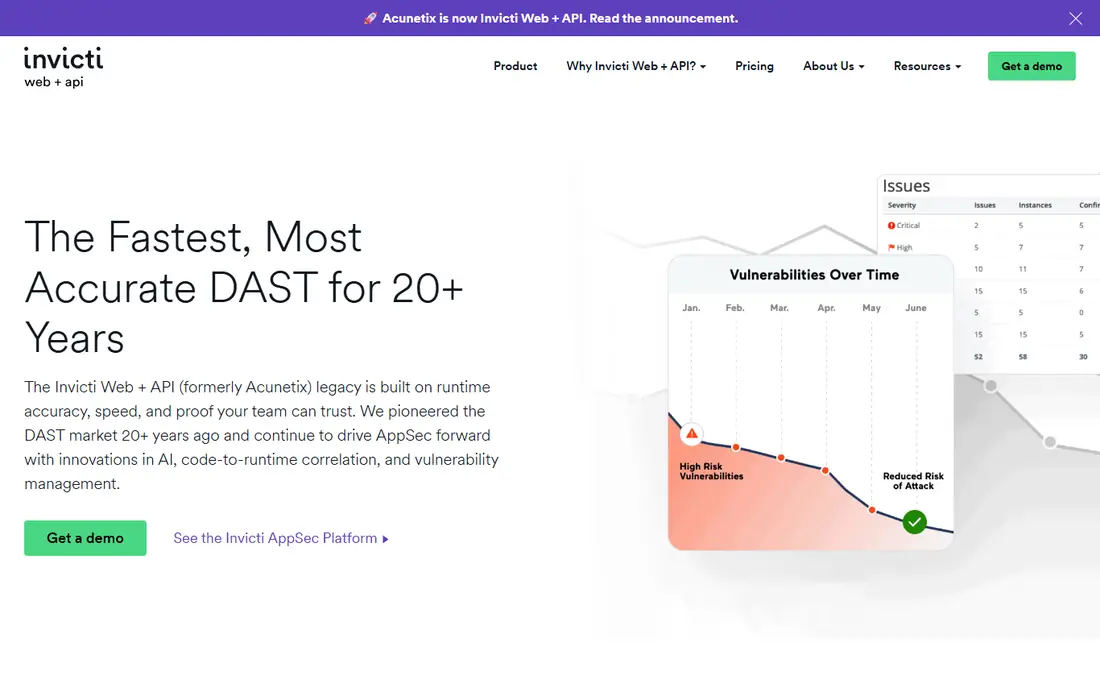
Acunetix earns its place here for automated web vulnerability scanning. Its main strength is automated scanning with proof-based results, and that makes day to day use feel focused rather than scattered. The catch is that pricing is per target, which may matter more to some readers than others.
We would shortlist Acunetix when automated web vulnerability scanning is the deciding factor. The starting price is See website and the free plan status is Free trial, so the cost picture is clear from the official pricing page. Try the free option or trial first if one is offered, and test it on a real task.
- Automated crawling and scanning
- Proof-based results
- CI links
- Pricing is per target
- Advanced use needs tuning
Invicti
Ideal for: Enterprise web scanning with verification
For readers focused on enterprise web scanning with verification, Invicti is a strong contender. It offers proof-based scanning with low false positives, and we found that combination easy to recommend for its target audience. Still, enterprise pricing is quoted, so check that detail against your own needs.
The honest summary is this: Invicti is strong on enterprise web scanning with verification and weaker where enterprise pricing is quoted. With a starting price of See website and a free plan status of Free trial, it is easy to compare against the other options here. Pick it if its strength matches the job you need done most often.
- Proof-based scanning
- Low false positives
- Enterprise reporting
- Enterprise pricing is quoted
- Setup takes care
Qualys Web Application Scanning
Ideal for: Cloud-based scanning at scale
Qualys Web Application Scanning suits readers who need cloud-based scanning at scale without extra fuss. The headline strength is a cloud platform for scalable scanning, which covers the core job well. The downside is that the interface is enterprise-heavy, so a short trial is worth it before you pay.
Pricing is listed as See website below, and the free plan status is Free trial. We checked the official site and the app store listing for current plan details, and we suggest confirming the plan that fits your usage before checkout. Compared with the rest of this list, Qualys Web Application Scanning works best when cloud-based scanning at scale is your main priority.
- Cloud platform
- Scalable scanning
- Broad asset coverage
- Interface is enterprise-heavy
- Pricing is quoted
Rapid7 InsightAppSec
Ideal for: Cloud app scanning with attack replay
Our pick for Cloud app scanning with attack replay is Rapid7 InsightAppSec, and it stands out for attack replay for result validation. Readers who want cloud app scanning with attack replay will find its approach direct and practical. The trade-off is that pricing is quoted, so weigh that before you commit.
Before you choose, compare Rapid7 InsightAppSec with one or two others in this list on price, limits, and support. Its free plan status is Free trial and its starting price is shown as See website. In our view, it is a sensible shortlist pick for readers who value cloud app scanning with attack replay above extra features.
- Attack replay for validation
- Cloud workflows
- API scanning
- Pricing is quoted
- Best inside Rapid7 suite
Checkmarx DAST
Ideal for: DAST alongside code security
If dAST alongside code security matters most to you, Checkmarx DAST deserves a close look. It is known for DAST paired with static analysis, which gives it a clear edge in this list. On the other hand, setup needs security expertise, so it is not the right fit for everyone.
We would shortlist Checkmarx DAST when dAST alongside code security is the deciding factor. The starting price is See website and the free plan status is Free trial, so the cost picture is clear from the official pricing page. Try the free option or trial first if one is offered, and test it on a real task.
- Pairs with static analysis
- Enterprise workflows
- API coverage
- Enterprise pricing
- Setup needs security expertise
HCL AppScan
Ideal for: Enterprise DAST and mobile scanning
HCL AppScan earns its place here for enterprise DAST and mobile scanning. Its main strength is enterprise scanning with mobile coverage, and that makes day to day use feel focused rather than scattered. The catch is that licensing is complex, which may matter more to some readers than others.
The honest summary is this: HCL AppScan is strong on enterprise DAST and mobile scanning and weaker where licensing is complex. With a starting price of See website and a free plan status of Free trial, it is easy to compare against the other options here. Pick it if its strength matches the job you need done most often.
- Enterprise scanning
- Mobile app coverage
- On-prem and cloud options
- Complex licensing
- Interface feels dated
How we picked these
We compared official feature pages, pricing pages, app store listings, privacy policies, and public reviews for each option in this list. We kept only products that exist and work in October 2026 and that truly fit the topic, and we dropped anything whose official homepage did not load or did not match the product. Where we could not verify a current price from the vendor, we wrote See website rather than guessing a figure.
We also weighed who each product is really for, not just how many features it lists. A strong pick for a large team can be a poor pick for one person, and the reverse is true too. That is why each write-up names a best fit and an honest weakness, so you can match the product to your own situation instead of chasing the longest feature list.
Finally, we checked renewal and trial terms where the vendor publishes them, since first-year prices and trial limits can change the real cost. When a vendor did not publish a clear price, we left the field as See website and said so plainly, rather than filling the gap with an estimate. That approach keeps every price claim in this list traceable to the vendor's own pages.
How to choose a DAST tool for cloud apps
Start with what you need to scan: public websites, authenticated apps, APIs, or internal services behind a firewall. Some tools excel at authenticated crawling, while others focus on API schemas and modern single-page apps. Test the tool against a staging copy of your app before scanning production.
Check result quality, not just finding counts. Proof-based verification, low false positives, and clear remediation guidance save security teams hours. Also check CI integration, so scans can run on each release rather than once a year.
Plan scan scope and safety carefully. Get permission for target systems, set rate limits, and avoid destructive tests on production data. For cloud apps, confirm the tool handles dynamic tokens, single sign-on, and API authentication used by your stack.
Before you pay, run a short checklist against your top two picks: confirm the plan limits, test the feature you will use most, check support hours, and confirm cancellation terms. A product that passes that checklist on a real task is usually the right choice, even if a rival lists more features on paper. Keep notes from your trial so the decision stays based on evidence, not marketing.
Frequently asked questions
What is DAST?
DAST tests a running application by sending requests and observing responses, which reveals runtime issues such as injection, auth flaws, and misconfigurations. It complements static code analysis, which inspects source code without running it.
Which DAST tool is best for cloud platforms?
Invicti and Acunetix are strong for automated cloud web scanning, while Burp Suite Pro suits hands-on testers. OWASP ZAP is the best free starting point for teams learning DAST.
Can I scan production apps with DAST?
Only with permission and care. Scans can trigger rate limits, fill logs, or affect performance, so test on staging first and use safe scan profiles for production.
Is DAST enough on its own?
No. DAST misses code-level issues and logic flaws that static analysis, software composition analysis, and manual review catch. Use DAST as one layer in a broader testing program.
How much do DAST tools cost?
OWASP ZAP is free, while commercial tools are usually subscription-priced by targets, scans, or users. Enterprise pricing is often quoted, so ask for a quote based on your app count and scan frequency.