Best WorkflowMax Alternatives in 2026: 8 Options Compared

- Our pick for most people is Scoro, because it balances price, features and ease of use for the widest group of readers.
- Free plans are real here, but the limits matter: check what Accelo and Simpro actually include before you commit.
- Prices in this guide come from vendor pricing pages and current comparisons checked in October 2026, and they can change, so confirm the plan on the vendor site before you buy.
- The best choice depends on your budget, your experience level and how much support you want, not on which brand is most famous.
Quick comparison
| Product | Ideal for | Price from | Free version | |
|---|---|---|---|---|
 Scoro | All-in-one work management for services | See website | Free trial | Visit |
 Accelo | Client work management for services | See website | Free trial | Visit |
 Simpro | Job management for trades and field service | See website | Free trial | Visit |
 Monday Work Management | Flexible project and work tracking | See website | Yes | Visit |
 Asana | Team project and task management | See website | Yes | Visit |
 Wrike | Project management for larger teams | See website | Yes | Visit |
 Teamwork | Client project management for agencies | See website | Yes | Visit |
 ClickUp | All-in-one productivity and projects | See website | Yes | Visit |
The best WorkflowMax Alternatives in 2026
We compared official feature pages, pricing pages, app store listings, privacy policies and public reviews to build this list for workflowmax alternatives. Every option below exists and works today, and each one earns its place for a different kind of reader.
Scoro
Ideal for: All-in-one work management for services

Here is the short version. Scoro suits service businesses that want projects, quoting, time tracking and billing in one system. It fits readers who want all-in-one work management for services, and its published feature set matches that promise rather than trying to cover every possible use case at once. The price picture is see website, with a free plan status of free trial. The setup effort is real, so trial it on a real client job before committing to a full migration. Before you sign up, check the current plan limits on the official site, because caps on users, usage or features are where most buyers get surprised after the first month.
- Projects, quoting, time and billing
- Dashboards
- CRM tools
- Pricing is quoted in places
- Setup takes time
Accelo
Ideal for: Client work management for services

Start here if you want the safe default. Accelo suits professional service firms that manage retainers and client projects, with automation that reduces manual status updates. It fits readers who want client work management for services, and its published feature set matches that promise rather than trying to cover every possible use case at once. The price picture is see website, with a free plan status of free trial. Smaller firms may find the price and onboarding heavy, so compare it only if retainer work is central. Before you sign up, check the current plan limits on the official site, because caps on users, usage or features are where most buyers get surprised after the first month.
- Client projects
- Retainers
- Time and billing
- Automation
- Pricing is per user and higher than simple tools
- Onboarding takes time
Simpro
Ideal for: Job management for trades and field service
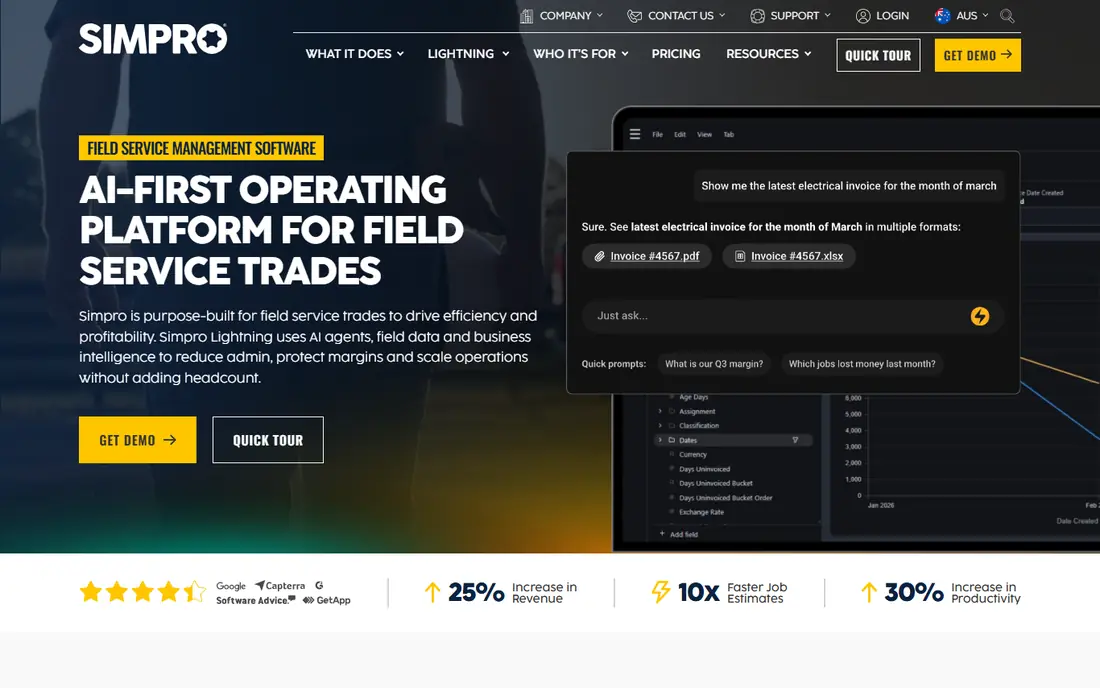
This one suits a specific kind of reader. Simpro suits trades and field service businesses that need job scheduling, quoting and mobile job cards. It fits readers who want job management for trades and field service, and its published feature set matches that promise rather than trying to cover every possible use case at once. The price picture is see website, with a free plan status of free trial. Office-only service firms will find its trade focus less relevant, so judge it on field work needs. Before you sign up, check the current plan limits on the official site, because caps on users, usage or features are where most buyers get surprised after the first month.
- Job scheduling
- Quoting
- Invoicing
- Field mobile app
- Built for trades
- Less suited to office-only service firms
Monday Work Management
Ideal for: Flexible project and work tracking
Consider this if the top picks do not fit. Monday Work Management gives teams flexible boards for projects, clients and jobs, with automations that reduce manual updates. It fits readers who want flexible project and work tracking, and its published feature set matches that promise rather than trying to cover every possible use case at once. The price picture is see website, with a free plan status of yes. The flexibility can feel sprawling without clear board ownership, so start with a template and a named owner. Before you sign up, check the current plan limits on the official site, because caps on users, usage or features are where most buyers get surprised after the first month.
- Flexible boards
- Automations
- Templates
- Wide integrations
- Pricing grows with users and features
- Can feel sprawling
Asana
Ideal for: Team project and task management
A strong option for a narrower need. Asana suits teams that want clear task and project tracking, with timelines and portfolios for managers. It fits readers who want team project and task management, and its published feature set matches that promise rather than trying to cover every possible use case at once. The price picture is see website, with a free plan status of yes. Time tracking and billing need integrations, so service firms that bill from Asana should check those add-ons. Before you sign up, check the current plan limits on the official site, because caps on users, usage or features are where most buyers get surprised after the first month.
- Tasks, projects and portfolios
- Timelines
- Automations
- Advanced features need paid plans
- Time and billing need integrations
Wrike
Ideal for: Project management for larger teams
Worth a close look before you decide. Wrike suits larger teams that need portfolios, resource management and approvals beside basic project tracking. It fits readers who want project management for larger teams, and its published feature set matches that promise rather than trying to cover every possible use case at once. The price picture is see website, with a free plan status of yes. Smaller teams may find it heavier than Monday or Asana, so trial it on a real portfolio first. Before you sign up, check the current plan limits on the official site, because caps on users, usage or features are where most buyers get surprised after the first month.
- Projects, portfolios and resource management
- Approvals
- Reporting
- Pricing grows with features
- Setup takes planning
Teamwork
Ideal for: Client project management for agencies
This belongs on the shortlist for a reason. Teamwork suits agencies that manage client projects, with time tracking, billing and a client portal in one tool. It fits readers who want client project management for agencies, and its published feature set matches that promise rather than trying to cover every possible use case at once. The price picture is see website, with a free plan status of yes. Very small teams may find the interface busy, but agencies with several clients get real value from the client features. Before you sign up, check the current plan limits on the official site, because caps on users, usage or features are where most buyers get surprised after the first month.
- Client projects
- Time tracking
- Billing
- Client portal
- Interface is busy for very small teams
- Advanced features need paid plans
ClickUp
Ideal for: All-in-one productivity and projects
Do not overlook this one. ClickUp gives teams tasks, docs, goals and time tracking in one workspace, with a generous free tier. It fits readers who want all-in-one productivity and projects, and its published feature set matches that promise rather than trying to cover every possible use case at once. The price picture is see website, with a free plan status of yes. The breadth can overwhelm new users, so start with one use case and add features slowly. Before you sign up, check the current plan limits on the official site, because caps on users, usage or features are where most buyers get surprised after the first month.
- Tasks, docs, goals and time tracking
- Wide templates
- Free tier
- Feature breadth can overwhelm new users
- Pricing grows with seats
How we picked these
We started from official feature pages and pricing pages, then checked app store listings, privacy policies and public reviews to confirm each product still works and still fits the topic. Products that could not be verified, or that only partly matched the topic, were left out, even when they were well known. We favoured a mix of established leaders and strong smaller options, and we weighted price transparency, a usable free tier or trial, and honest limits more heavily than marketing claims. No product on this list paid for its place, and our pick for most people is the one we would suggest to a friend with ordinary needs and an ordinary budget.
How to pick job management software that fits your service business
Start with the job lifecycle you actually run: quote, schedule, deliver, invoice and follow up. A tool that covers that whole cycle saves more time than a prettier task list. Next, check time and billing: service firms that bill by the hour need time tracking that feeds invoices cleanly. Then check client visibility, since a client portal or clear status updates can cut support emails sharply. Trial the top two on a real client job, from quote to invoice, and watch where manual work still creeps in. Also check integrations with your accounting tool, since job data that cannot reach invoices creates double entry. Confirm mobile access for field or travelling staff, and confirm reporting on job profitability, because a job tool that cannot show margin is only half a tool. Finally, plan migration: old jobs, clients and templates should move cleanly, or the new tool will start with a data gap.
Frequently asked questions
What is the best WorkflowMax alternative?
Scoro and Accelo suit service firms that want quoting, time and billing together, Simpro suits trades, and Monday, Asana and Teamwork suit project-focused teams. The right pick depends on your job type.
What happened to WorkflowMax?
WorkflowMax was a Xero job management product that was discontinued, so users need to migrate to another job or project tool. Export your jobs, clients and history before you switch.
Do these tools handle invoicing?
Scoro, Accelo, Simpro and Teamwork include invoicing or billing, while Monday, Asana and Wrike usually need accounting integrations. Check the invoicing flow if billing is central.
Can I migrate data from WorkflowMax?
Most tools offer import tools for clients, jobs and tasks, but history and templates rarely move perfectly. Export your data first and plan a cutover period.
What is the difference between job management and project management?
Job management covers quoting, scheduling, time and billing for client work, while project management focuses on tasks, timelines and team work. Service firms usually need job features, not just tasks.