Ainotely vs Notion: an honest switcher's guide
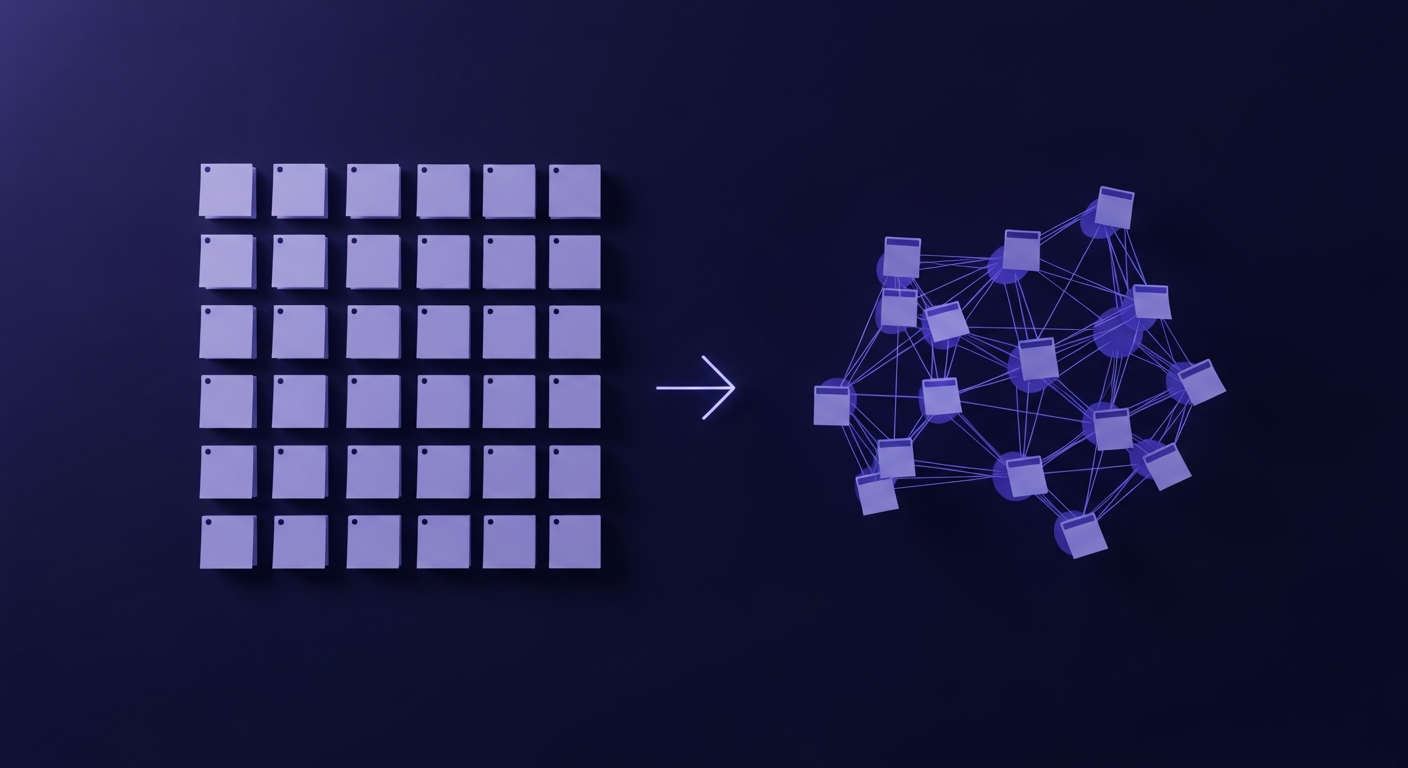
If you are reading an Ainotely vs Notion comparison, you are probably an existing Notion user with a quiet suspicion that you are spending more time arranging your notes than using them. That feeling is a common thread in Notion reviews and threads, and it is exactly the problem I built Ainotely to remove. I also build a competing app, so I owe you an honest read instead of a sales pitch. The Notion details below are researched from Notion's official pricing page and help docs rather than claimed from memory. Notion is genuinely good software. The question is whether it is the right software for the way you take notes.
I will give you the verdict first, then back it with a real comparison table, current pricing in dollars with sources, the migration steps nobody publishes, and an honest section on where Notion beats Ainotely. By the end you will know which one to pick and why.
The verdict, up front
Choose Ainotely if your main job is to capture notes fast and find them later, and you would rather the app organize everything for you. Choose Notion if you want to build databases, relational tables, and shared team wikis inside a workspace you design. Ainotely is the zero-setup AI note app. Notion is the flexible workspace you assemble yourself.
Here is the honest framing I wish someone had given me earlier. Ask whether you want a tool that does the organizing or a tool that lets you organize. That single question sorts almost everyone.
- Pick Ainotely if: you take a lot of notes, you hate deciding where each one goes, you want to ask questions across everything you have written, and you want to start in two minutes with no template hunting.
- Stick with Notion if: you run projects in databases, you maintain a team wiki, you like designing your own pages, or your team already lives inside Notion and switching would break shared work.
- Run both if: you want Notion as the structured workspace for projects and Ainotely as the fast capture layer for raw notes and meeting recall. Plenty of people do exactly this.
Side-by-side comparison
This is the table I would have wanted before switching. It is the fairest summary I can write of Ainotely or Notion across the things that actually decide the call.
| Ainotely | Notion | |
|---|---|---|
| Best for | Fast capture and recall, people tired of filing | Workspaces, databases, team wikis |
| Core focus | AI note taking and search | All-in-one building-block workspace |
| Key strength | Auto title, sort, tag, link, and chat with your notes | Flexibility and relational databases |
| Main limitation | No relational databases or custom page design | Setup burden, quick capture has friction |
| Ease of use | Zero setup, works on first note | Powerful but a real learning curve |
| Pricing | Free tier, AI included | Free personal tier; Plus 10 USD per member per month; full AI now in Business at 20 USD per member per month (source) |
| Integrations | Fewer, focused on capture | Large ecosystem and API |
| Cross-platform | Web-first, mobile capture | Web, desktop, and mobile apps |
| Data export | Export your notes anytime | Markdown, CSV, HTML, PDF export (docs) |
Two different ideas of a note app
The reason this comparison is interesting is that Notion and Ainotely are not really the same kind of product. They only overlap because people use both to hold their notes.
Notion is a building-block workspace. You get pages, blocks, databases, and templates, and you arrange them however you like. That flexibility is the whole pitch. You can model a CRM, a content calendar, a habit tracker, and your reading list inside one tool. The cost is that the structure is your job. Notion hands you the bricks. You build the house, you maintain it, and you decide where every note lives.
Ainotely starts from the opposite end. The idea is that organizing should not be your job at all. You write or speak a note, and the app reads it, writes a title, picks a category, adds tags, pulls out any action items, and links it to related notes. Then you find things by describing them, or you ask a question and it answers from across everything you have saved. There is no template to choose and no database to design. That is the trade. You give up custom structure and you get your time back.
So the slogan I keep coming back to is simple. With Notion you build a second brain. With Ainotely you have one. Whether that trade is worth it depends entirely on what you are building.
Feature by feature
Capture
Notion capture is good once a page exists, but the first decision is always where the note goes. On mobile that friction is real. Ainotely is built around capture first: you drop in text, voice, or an image, and sorting happens automatically afterward. If your notes tend to arrive in messy bursts during a call or on a walk, the capture-first model wins for that use case.
Auto-organization
This is the clearest split. Notion organizes exactly as much as you set it up to, which is powerful and also entirely manual. Ainotely does the filing itself. For people who never kept up with their own Notion structure, this is the single feature that changes the day-to-day.
Chat with your notes and recall
Both tools have AI. Notion AI can write, summarize, and answer inside your workspace, and it is strong. Ainotely is built around asking your own notes questions and getting an answer drawn from what you actually wrote, which is the retrieval use case. If your main want is "remind me what I decided in that meeting," that is Ainotely's home turf. If your main want is "draft this doc inside my workspace," Notion AI is right there where you already work.
Search
Notion search has improved a lot and is solid for keyword lookups. Ainotely leans on meaning-based search, so you can find a note by describing it even when you do not remember the exact words. For a large, messy pile of notes, search by meaning is the more forgiving approach.
Templates and customization
Here Notion is simply ahead, and I will not pretend otherwise. The template gallery and the freedom to design pages are a real strength. Ainotely deliberately has none of this, because its whole point is that you should not have to build anything.
Collaboration
Notion is a team product at heart, with shared workspaces, comments, and permissions. Ainotely is personal-first. If you need several people editing the same wiki, Notion is the clear answer today.
Pricing, with real numbers
Per Notion's official pricing page (2026), Notion is free for personal use, the Plus plan is 10 US dollars per member per month, and the Business plan is 20 US dollars per member per month, with yearly billing advertised as saving up to 20 percent. Ainotely has a free tier with the AI features included rather than bolted on. Always check both sites for current numbers, since pricing changes.
One thing changed recently and a lot of older comparisons still get it wrong, so I want to be accurate here. Notion AI used to be a separate paid add-on. As of 2026, Notion's pricing page shows full Notion AI is now bundled into the Business plan at 20 US dollars per member per month instead of being sold as a standalone line item, with lighter AI access on the Free and Plus tiers. There is also a metered credit layer for advanced agent features on top of a seat. So if you specifically want full Notion AI, the practical entry point is the Business seat, not the 10-dollar Plus plan. Ainotely's approach is different: the AI is the product, so it is included in the free tier rather than gated behind a higher seat. For a single person who mostly wants AI-assisted notes, that difference matters. For a team that needs Notion's full workspace, Notion's per-seat pricing can still be worth every dollar.
Privacy and who owns your notes
This is the part most comparison pages skip, and it is the one Reddit threads argue about most: who actually owns your notes, and can you get them out. I will be straight about both tools.
Notion is a mature platform used by large companies, and per its official export docs it lets you export your content as Markdown, CSV, HTML, and PDF. That export path matters, because it means you are not trapped. The common complaint in user reviews is less about security and more about lock-in: a deep Notion setup with relational databases does not move anywhere cleanly, even when the raw text exports fine.
Ainotely is built privacy-first, and this is a genuine differentiator rather than marketing. It includes sensitive-data redaction, encryption, and consent controls over what the AI is allowed to process, plus the ability to export your notes whenever you want. The principle is that your notes are yours, the AI only touches what you allow, and you can walk away with your data. If "where do my notes live and who can read them" is a real worry for you, it is worth weighing carefully on both sides.
How to migrate from Notion to Ainotely
Nobody publishes this, so here is the practical version, based on Notion's official export documentation. Migrating is mostly about getting your text out of Notion cleanly and accepting that custom structure will not follow.
- Export from Notion. Following Notion's export docs, go to Settings, then Export content, and choose the Markdown and CSV format. This gives you your pages as Markdown files and any databases as CSV. (about 5 min)
- Know what carries over. Plain text, headings, bullet lists, and basic formatting transfer cleanly. What does not transfer is the Notion-specific machinery: relational databases, synced blocks, linked views, and custom page layouts. That is expected, because Ainotely organizes notes for you instead of in databases you built.
- Bring the notes into Ainotely. Import your exported notes. As each one lands, Ainotely titles it, categorizes it, tags it, and links it to related notes automatically, so you are not re-filing anything by hand.
- Let the cleanup happen on its own. The whole reason to switch is that you stop sorting. Drop everything in and let the app build the structure. (ongoing, but not your job)
- Keep Notion for what still needs it. If you have a couple of real databases or a team wiki, leave those in Notion. There is no rule that says you must move everything.
The honest expectation: you migrate your notes, not your databases. For most people that is exactly the point, because the databases were never the part that was working.
When Notion is the right call
A comparison that only flatters my own product is not worth reading, so here is where Notion clearly wins and Ainotely is the wrong tool.
- Relational databases. If you connect tables to each other, like tasks linked to projects linked to clients, Notion does this and Ainotely does not. Ainotely is notes, not a database engine.
- Team wikis and shared docs. A company knowledge base with permissions and many editors is Notion's home ground. Ainotely is personal-first.
- Project and task management with boards. Kanban boards, calendars, and custom views all live in Notion. Ainotely focuses on notes and recall, not project ops.
- Deep customization. If you enjoy designing your own system and want full control over layout, Notion gives you that and Ainotely intentionally does not.
If two or more of those bullets describe your week, do not switch. Either stay on Notion or run both, with Notion as the workspace and Ainotely as the capture layer.
One real workflow, both ways
Theory is easy. Here is the same everyday task, a Monday client call, done in each tool, so you can see where the time goes.
In Notion. You open the right project page, or you create one. You add a meeting note, pick or build a template, type your notes, then go back and turn the follow-ups into checkboxes, tag the client, and link the note to the project database so it shows up in the right view. It works well, and it took deliberate effort at several steps. Skip the tagging and linking once and the note quietly disappears into the pile.
In Ainotely. You hit capture and talk or type the note during the call. When you stop, the app has already written a title, marked it as a client meeting note, tagged the client, pulled the follow-ups out as action items, and linked it to your earlier notes about that client. Later you ask, "what did I promise the client on Monday," and it answers from the note. You did the capturing. It did the filing.
That is the whole comparison in one task. Notion gives you a structure you maintain. Ainotely gives you the outcome without the maintenance. Neither is wrong. They are answers to different questions.
Ainotely is a free AI second brain. Capture in text or voice, and it writes the title, sorts it, tags it, links it, and lets you ask questions across everything you have ever saved.
Try Ainotely freeOther Notion alternatives worth a look
Ainotely is not the only Notion alternative, and pretending it is would be silly. If you are shopping around for AI notes vs Notion in general, here are three more honest options.
- Obsidian. Local-first and Markdown-based, and per Obsidian's own pricing page it is free for personal use with your notes stored locally on your device. The strongest choice if data ownership and offline use matter more than automation. The trade is that you build and maintain the structure yourself, much like Notion. Optional paid Sync and Publish add-ons exist if you want them.
- Evernote. The classic note app, still strong at web clipping and search, with newer AI features listed on its official plans page. Less of a flexible workspace than Notion, more of a straight notebook. Worth it if you mainly clip and store. Check its current plans and free-tier limits directly, since these have changed.
- Anytype. An offline-first, encrypted, open-source workspace aimed at the Notion crowd who want local data ownership. Its official site and open-source client on GitHub describe local-first storage with optional peer-to-peer sync. A good pick if you like Notion's model but want your data to live with you.
The point of naming these is simple. The right tool depends on whether you value automation, ownership, or flexibility most. Ainotely is the automation answer. Notion and Anytype are the flexible-workspace answer. Obsidian is the ownership answer.
FAQ
Is Ainotely better than Notion?
Neither is better outright. Ainotely is better if you want notes captured and organized automatically with no setup and you mainly take and search notes. Notion is better if you want to build databases, team wikis, and custom workspaces and you enjoy designing your own structure. Match the tool to the job.
What is the difference between Ainotely and Notion?
Notion is a flexible building-block workspace you assemble yourself with pages, databases, and templates. Ainotely is an AI note app that titles, sorts, tags, and links every note for you, then lets you search and ask questions across everything. Notion makes you build a second brain. Ainotely is one.
Can Ainotely replace Notion?
It can replace Notion for personal note taking, capture, and recall, which is what most people actually use Notion for. It does not replace relational databases, project boards, or shared team wikis. If those are core to your week, keep Notion or run both.
Is Notion good for note taking?
Notion is good for structured notes once you set it up, with strong formatting and linking. The weak spot is friction, since you decide where every note goes, which slows quick capture. For fast, low-effort note taking, a tool that files notes for you is usually easier.
What is the best AI note-taking app in 2026?
There is no single winner. Notion AI is best if you already live inside Notion. Ainotely is best if you want automatic capture, organization, and chat-with-your-notes without building a workspace first. Try a few free tiers and keep the one that fits how you actually work.
Does Ainotely work offline?
Ainotely is web-first, so capture and AI features need a connection. Notion has limited offline access once a page is loaded but is also built for online use. If full offline ownership is your priority, a local-first app like Obsidian fits better than either.
How much does Ainotely cost compared to Notion?
Ainotely has a free tier with AI included rather than sold separately. Per Notion's pricing page (2026), Notion is free for personal use, Plus is 10 US dollars per member per month, and full Notion AI now lives in the Business plan at 20 US dollars per member per month rather than as a standalone add-on. Check both sites for current numbers.
Can I import my Notion notes into Ainotely?
Yes. Export your Notion content as Markdown and CSV from workspace settings, then bring those notes into Ainotely. Plain text, headings, and lists carry over cleanly. Relational databases and synced blocks do not transfer as-is, since Ainotely organizes notes automatically instead of in custom databases.
Is my data private and secure with Ainotely?
Ainotely is built privacy-first, with sensitive-data redaction, encryption, and consent controls over what the AI processes, plus export anytime, so you are not locked in. Notion is a mature, compliant platform with solid export options too. For either tool, the data-ownership and export story is worth checking before you commit.
What are the best Notion alternatives for AI note-taking?
The strongest Notion alternatives are Ainotely for automatic AI capture and recall, Obsidian for local-first notes you fully own, Evernote for classic clipping and search, and Anytype for an offline open-source workspace. The right one depends on whether you want automation, ownership, or a flexible workspace.
Related reading: the AI notes app guide, how to organize notes, and AI knowledge management in 2026.
Sources: all Notion figures are researched from official pages, not memory. Pricing reflects the Notion pricing page as of 2026 (Free, Plus at 10 USD per member per month, Business at 20 USD per member per month with full AI bundled in). Export formats and migration steps follow Notion's official export documentation. Alternative tools cite their own sites: Obsidian pricing, Evernote plans, and Anytype. Confirm current numbers on each vendor's site before deciding. The Ainotely capabilities described here are first-hand, since I build the product.