Cinema 4D comes first here, mainly for motion and design-led product visuals. Listed starting prices: KeyShot from $7.92 a month. Octane Render fits GPU-accelerated physically correct rendering; Autodesk 3ds Max fits large-scale modeling and animation projects. All 5 tools are compared below on price, free plan and limits.
Choosing 3D product rendering software usually comes down to price, fit and limits. This Ainotely guide sets 5 tools side by side on those three points, with the facts kept short and checkable.
Key takeaways
Number one here is Cinema 4D, a fit for motion and design-led product visuals.
For live product design visualization, KeyShot is worth a look.
Before buying Octane Render, weigh this: demands capable GPU hardware.
The cheapest monthly starting price in the list is $7.92 per month, offered by KeyShot.
Think of Cinema 4D for motion and design-led product visuals. Also, as a generalist package, it handles plenty of disciplines, which means more to learn if you only need still product renders.
Worth adding: consider Cinema 4D when animation and motion design are part of the deliverable. From a buyer's view, studios blending product imagery with advertising motion work commonly build around it. Cinema 4D does not show a starting price in this comparison, so check the vendor site for current pricing. Free plan details: Not stated.
Best for: GPU-accelerated physically correct rendering
Think of Octane Render for GPU-accelerated physically correct rendering. Beyond that, studios already working with GPU render pipelines frequently add it for product and design visualization.
Where it falls short: Demands capable GPU hardware.
In practice, GPU rendering relies on having suitable hardware, and performance varies with scene complexity and memory limits. No starting price is listed for Octane Render here; confirm pricing on the vendor site. Trial and free access: Not stated.
Best for: Large-scale modeling and animation projects
Pick Autodesk 3ds Max if this describes you: large-scale modeling and animation projects. Autodesk 3ds Max is professional 3D modeling, animation and rendering software targeted at creating expansive worlds and high-quality designs.
Downsides: Deep toolset takes time to master.
It suits product and visualization studios that require a full authoring environment with rendering built in. Autodesk 3ds Max does not show a starting price in this comparison, so check the vendor site for current pricing. Free options: Not stated.
Best for: Photoreal rendering inside design systems
V-Ray is built with Photoreal rendering inside design systems in mind. V-Ray from Chaos is a 3D rendering plugin available for products including 3ds Max, SketchUp, Rhino, Maya and Blender.
No starting price is listed for V-Ray here; confirm pricing on the vendor site. Free options: Not stated.
Where it falls short: Plugin setup layers on complexity.
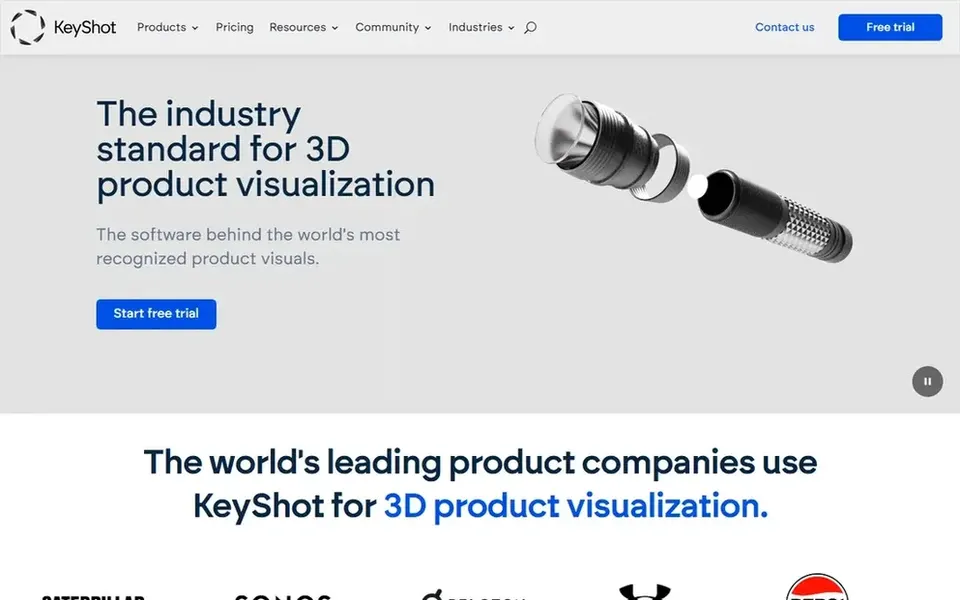
KeyShot is a good fit for live product design visualization. Since it concentrates on visualization, it is not a replacement for a full modeling or animation package, so you still need authoring tools alongside it.
Teams producing product shots, packaging visuals and design presentations are the natural fit. Choose KeyShot when quick, collaborative product visuals are the priority. What you pay to start with KeyShot: $7.92 per month. On free options: Free trial.
What to check first: Not a general modeling suite.
Confirm the entry price on the vendor page. For Cinema 4D, Octane Render, Autodesk 3ds Max and V-Ray that means a quote rather than a fixed price.
Run a trial of KeyShot with real work before paying for a year; your own workflow is the best test.
Before choosing Cinema 4D, weigh its main limit: generalist tool with a ramp-up time.
Get the contract term, renewal terms and any onboarding fees from Cinema 4D in writing.
Work out what Octane Render costs with your real seat count, add-ons and usage, not just the entry price.
How we picked
For each of the 5 tools we noted price, free plan or trial, fit for 3D product rendering software and the main limit, using vendor pages and documentation. Treat prices as a snapshot: vendors change plans often, so check the vendor site for the figure that applies today. Tools are placed by general fit for 3D product rendering software, with price clarity and free access as tie-breakers. A different team can reasonably rank them differently.
Every price and plan detail on this page comes from the vendors’ own websites. We did not run hands-on tests unless the text says so, and we do not publish star ratings or review scores. See how we score and our disclosure.
Keep your shortlist in one place
Paste prices, trial dates and notes from this guide into Ainotely, our AI note app. It files them into a topic and pulls out tasks like “cancel trial by Friday”. Free 7-day trial, no card needed.
Not all of them. Cinema 4D, Octane Render, Autodesk 3ds Max and V-Ray publish no starting price, so expect a quote request for those. The rest, KeyShot included, show a starting price, though seats and billing terms still change the final cost.
Is Cinema 4D the right pick for everyone comparing 3D product rendering software?
No single tool suits every team. Cinema 4D comes first because it fits motion and design-led product visuals, while Octane Render suits GPU-accelerated physically correct rendering and Autodesk 3ds Max suits large-scale modeling and animation projects. Match the tool to your own size, budget and workflow before deciding.
Which 3D product rendering software is a good match for beginners?
Start with Cinema 4D if you need motion and design-led product visuals. Octane Render is the better match for GPU-accelerated physically correct rendering, and Autodesk 3ds Max for large-scale modeling and animation projects. The best choice depends on budget, team size and workflow.
Can I try these options before paying?
Often, yes. KeyShot offers a free trial. Use your own data and a real task during the test, and check what the free tier or trial limits before you rely on it. The 5 tool cards above repeat this per product for 3D product Rendering software, with the listed price or "pricing on request".
Does any tool for 3D product rendering software here have a free plan?
No tool in this list, Cinema 4D and KeyShot included, has a permanent free plan. KeyShot offer a trial. Trials and quotes are the usual route, so plan a short evaluation period.