Altair HyperWorks is the first pick on this list for simulation and design optimization. If your case is different, Siemens Simcenter suits simulation and test within digital transformation and Ansys suits Multiphysics simulation and product modeling. Details, prices and limits for the rest of the 5 tools are below.
Ainotely put together this guide to AI tools for engineering firms for readers who want a clear shortlist without reading every vendor page. It compares 5 tools on starting price, free plans, who each one suits and where each one falls short.
Key takeaways
Altair HyperWorks is the opening pick, best for simulation and design optimization.
Altair HyperWorks, PTC Creo and the 3 others all need a premium plan or a trial, since no free plan is listed.
Check the limits for Autodesk Construction Cloud before you commit: broad product may need onboarding.
For product design and lifecycle management, PTC Creo is worth a look.
Altair HyperWorks works best for simulation and design optimization. Altair HyperWorks is now part of Siemens, expanding the Siemens Xcelerator portfolio with simulation and design optimization capabilities.
What to check first: Transition may affect roadmaps.
On top of that, the acquisition means product direction and integration details may evolve, so buyers should confirm current roadmaps with the vendor. Businesses without simulation specialists may prefer a more guided system. Altair HyperWorks does not show a starting price in this comparison, so check the vendor site for current pricing. Free access: Not stated.
Best for: Simulation and test within digital transformation
Siemens Simcenter was built for simulation and test within digital transformation. Since Siemens supplies a broad portfolio, businesses may have to plan which products and integrations they actually need.
In daily use, smaller teams without dedicated simulation staff should compare more straightforward alternatives before adopting the full environment. Siemens Simcenter sits within Siemens' broader technology portfolio for industry, infrastructure, and mobility. Siemens Simcenter shows no starting price here, so confirm the cost on the vendor site. Free options: Not stated.
Best for: Multiphysics simulation and product modeling
Choose Ansys for Multiphysics simulation and product modeling. Ansys is simulation-centric, so businesses seeking project collaboration or construction management will need complementary tools.
The main drawbacks: Needs specialist skills.
It also rewards teams with simulation expertise, which may limit casual users. Also, Ansys offers engineering simulation and 3D design software with a thorough multiphysics foundation and scalability. This comparison lists no price for Ansys; ask the vendor. Trial and free access: Not stated.
Best for: Connected project collaboration and delivery
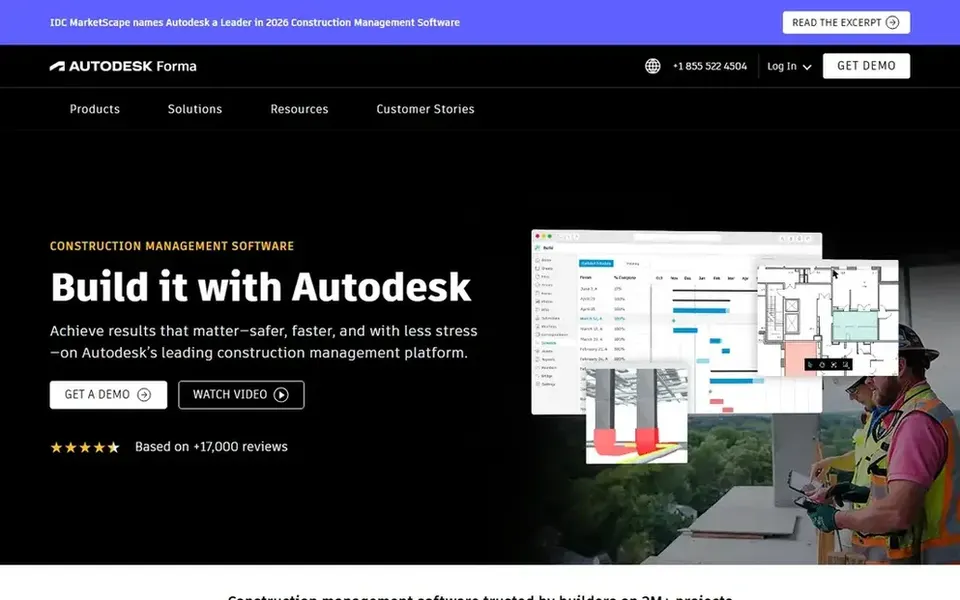
Where Autodesk Construction Cloud fits: connected project collaboration and delivery. Autodesk Construction Cloud, now including Autodesk Forma, is a construction management system aimed at project teams that require to collaborate securely and rapidly.
Trade-offs to know: Best value within Autodesk ecosystem.
The system is wide, so businesses with narrow needs may find it heavier than necessary. Teams already using other Autodesk design tools will see the most natural fit, whereas others should compare integration needs before committing. Pricing for Autodesk Construction Cloud is not stated here, so ask the vendor for current figures. Trial and free access: Not stated.
PTC Creo is built with product design and lifecycle management in mind. It suits engineering businesses centred on product development that want design and lifecycle tools connected to manufacturing and service workflows.
The main drawbacks: Best within PTC ecosystem.
PTC Creo does not show a starting price in this comparison, so check the vendor site for current pricing. Free access: Not stated.
Confirm the entry price with every vendor: no tool from Altair HyperWorks to PTC Creo shows a fixed starting price.
Before choosing Altair HyperWorks, weigh its main limit: transition may affect roadmaps.
Ask whether Siemens Simcenter integrates with your current software, and whether that comes standard or as an add-on.
Test how quickly PTC Creo answers a pre-sales question; it hints at how support will feel later.
Ask Autodesk Construction Cloud about contract length, onboarding fees and user minimums before you sign.
How we picked
Ainotely used vendor pricing pages and product documentation as the base, then compared plans, free access and documented limits for 5 tools. Where a vendor does not publish a price, the entry says quote. Where a price depends on seats or billing term, the entry says so. The ranking is editorial: typical fit first, then clear pricing, then free access. If your needs are unusual, read the profiles rather than relying on position.
Every price and plan detail on this page comes from the vendors’ own websites. We did not run hands-on tests unless the text says so, and we do not publish star ratings or review scores. See how we score and our disclosure.
Keep your shortlist in one place
Paste prices, trial dates and notes from this guide into Ainotely, our AI note app. It files them into a topic and pulls out tasks like “cancel trial by Friday”. Free 7-day trial, no card needed.
Not by default. None of the tools, from Altair HyperWorks to PTC Creo, lists a free plan or a free trial here, so ask each vendor for a demo before committing.
Do these tools publish their prices?
No. None of the tools, from Altair HyperWorks to PTC Creo, shows a fixed starting price here, so budget time for quotes.
How are the tools for AI tools for engineering firms ordered?
The order follows typical fit for AI tools for engineering firms, with Altair HyperWorks first and PTC Creo last, then price clarity and free access. It is editorial judgement, not a score, so another team could rank the tools differently.
Is Altair HyperWorks the right pick for everyone comparing AI tools for engineering firms?
No single tool suits every team. Altair HyperWorks comes first because it fits simulation and design optimization, while Siemens Simcenter suits simulation and test within digital transformation and Ansys suits Multiphysics simulation and product modeling. Match the tool to your own size, budget and workflow before deciding.