TeamViewer Frontline leads the list, best for industrial AR for frontline workers. Listed starting prices: Microsoft Mesh from $4.00 per user per month. Scope AR WorkLink is better for aerospace and maintenance productivity, and RealWear is better for hands-free industrial smart glasses. Prices, free plans and limits for all 6 tools follow.
If you are comparing AR collaboration tools for enterprise, this page covers 6 tools in one place: what each is best for, what it costs to start, whether it has a free plan, and the main limit to know about.
Key takeaways
TeamViewer Frontline takes the first slot, best suited to industrial AR for frontline workers.
Microsoft Mesh has the lowest monthly starting price in this list: $4.00 per user per month.
PTC Vuforia fits enterprise AR option building.
A permanent free plan is missing from all 6 tools, TeamViewer Frontline and PTC Vuforia included; plan for a trial or a premium start.
TeamViewer Frontline makes the most sense for industrial AR for frontline workers. It suits manufacturing, logistics, and field service teams that require hands-free guidance, remote support, or digital work instructions straight at the point of work.
In practice, since Frontline targets industrial environments, it may be less relevant for general business collaboration or virtual meetings. No starting price is listed for TeamViewer Frontline here; confirm pricing on the vendor site. Free options: Free trial.
Limits to weigh: Less suited to office-based collaboration.
Scope AR WorkLink makes the most sense for aerospace and maintenance productivity. It is a solid fit for enterprises in technical fields that require remote assistance and guided procedures to cut errors and downtime.
Check the vendor site for Scope AR WorkLink pricing; none is listed in this comparison. As for free access: Not stated.
RealWear is built with hands-free industrial smart glasses in mind. RealWear supplies hands-free AR industrial smart glasses that are rugged and voice-operated for industrial use, with AI capabilities.
This comparison lists no price for RealWear; ask the vendor. Free plan details: Not stated.
Where it falls short: Needs compatible software system.
Best for: Guided work instructions for frontline teams
Taqtile Manifest was built for guided work instructions for frontline teams. Taqtile Manifest helps frontline teams capture expert know-how, guide every step at the point of work, and verify each job with proof.
For everyday use, enterprises seeking immersive collaboration or office productivity tools should consider other products. Taqtile Manifest does not show a starting price in this comparison, so check the vendor site for current pricing. Free access: Not stated.
Where it falls short: May need wearable devices for full benefit.
Best for: Immersive meetings within Microsoft Teams
Microsoft Mesh works best for Immersive meetings within Microsoft Teams. If your priority is shopfloor collaboration or hands-free maintenance, consider a dedicated industrial AR tool instead.
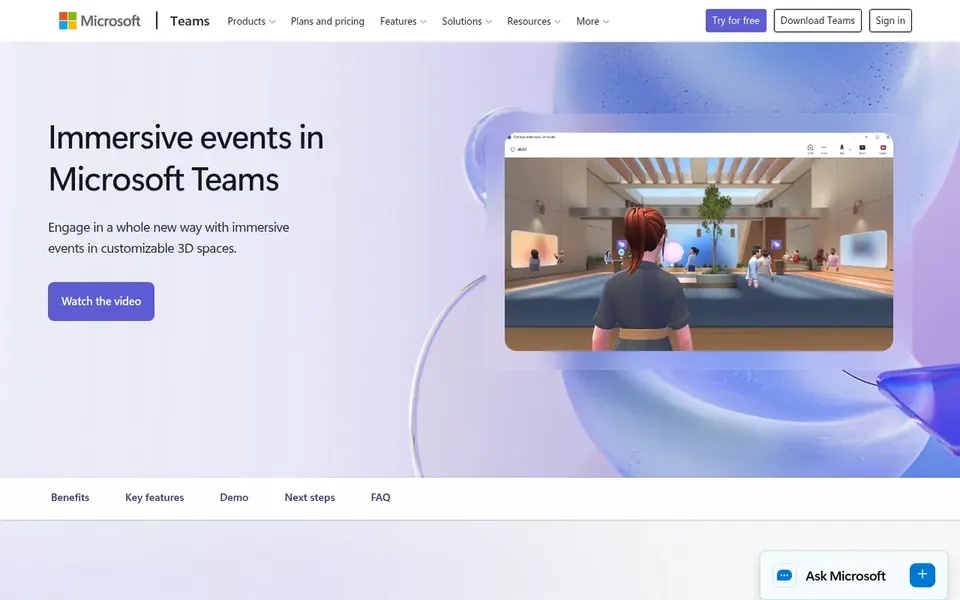
From a buyer's view, Microsoft Mesh is evolving into Teams immersive, a virtual event product for hosting online and digital events that bring people together in interactive ways. What you pay to start with Microsoft Mesh: $4.00 per user per month. Trial and free access: Free trial.
Honest limits: Restricted to the Microsoft ecosystem.
For enterprise AR option building, PTC Vuforia is a natural candidate. It is pitched at businesses that require a wide AR product for use cases like product visualization, training, and remote assistance, and it appeals to those wanting to develop tailored AR applications.
Also, teams looking for a straightforward, out-of-the-box collaboration app may find it heavier than needed. This comparison lists no price for PTC Vuforia; ask the vendor. On free options: Not stated.
Drawbacks to consider: May be complicated for small teams.
Get a written quote from TeamViewer Frontline, Scope AR WorkLink, RealWear and others; the list shows no starting price for them.
Take the trial from TeamViewer Frontline and Microsoft Mesh and push a live task through it before you pay.
Before choosing TeamViewer Frontline, weigh its main limit: may need wearable hardware.
Ask Scope AR WorkLink how an export works before you move any records in; an easy exit lowers the risk.
Add up seats, add-ons and usage charges for Microsoft Mesh before comparing it with cheaper entries.
How we picked
Pricing pages, product documentation and feature lists were the main sources, and every entry carries at least one honest drawback. Seat minimums, billing terms and add-ons can move the real cost, so the starting prices here are a guide and not a quote. The order reflects how well each tool fits the most common buying scenario for AR collaboration tools for enterprise, then price clarity, then free plan access. It is a starting point, not a verdict.
Every price and plan detail on this page comes from the vendors’ own websites. We did not run hands-on tests unless the text says so, and we do not publish star ratings or review scores. See how we score and our disclosure.
Keep your shortlist in one place
Paste prices, trial dates and notes from this guide into Ainotely, our AI note app. It files them into a topic and pulls out tasks like “cancel trial by Friday”. Free 7-day trial, no card needed.
Not all of them. TeamViewer Frontline, Scope AR WorkLink, RealWear and others publish no starting price, so expect a quote request for those. The rest, Microsoft Mesh included, show a starting price, though seats and billing terms still change the final cost.
Can I try these tools before paying?
Often, yes. TeamViewer Frontline and Microsoft Mesh offer a free trial. Use your own data and a real task during the test, and check what the free tier or trial limits before you rely on it.
What is the cheapest option for AR collaboration tools for enterprise in this list?
On published monthly entry prices, Microsoft Mesh is the lowest here at $4.00 per user per month. Entry price is only part of the cost, because seats, add-ons and billing terms can change the total.
Does any tool for AR collaboration tools for enterprise here have a free plan?
No tool in this list, TeamViewer Frontline and PTC Vuforia included, has a permanent free plan. TeamViewer Frontline, Microsoft Mesh offer a trial. Trials and quotes are the usual route, so plan a short evaluation period.