If you need product teams wanting a focused workflow, Linear is the first tool to look at here. Listed starting prices: Linear from $10 per user a month. Look at GitHub Issues for teams already hosting code on GitHub, and at Jira for adaptable issue tracking with project planning. All 6 tools are compared below on price, free plan and limits.
Ainotely put together this guide to bug tracking software for small teams for readers who want a clear shortlist without reading every vendor page. It compares 6 tools on starting price, free plans, who each one suits and where each one falls short.
Key takeaways
The list opens with Linear, aimed at product teams wanting a focused workflow.
MantisBT is the one to check for lightweight self-hosted bug tracking.
A fair warning about GitHub Issues: less suited to non-code projects.
Starting prices begin at $10 per user per month with Linear.
Only Linear offers a free plan among these 6 tools.
Best for: Product teams wanting a focused workflow
Where Linear fits: product teams wanting a focused workflow. Linear describes itself as the system for product development, purpose-built for planning and building products with AI agents.
Limits to weigh: Fewer deep customization choices.
In practice, teams with complicated approval chains or non-product workloads may outgrow it. Choose Linear when your team wants a modern, product-oriented tracker and does not have to bend the tool to an unusual workflow. Starting cost for Linear: $10 per user per month. Linear includes a free tier.
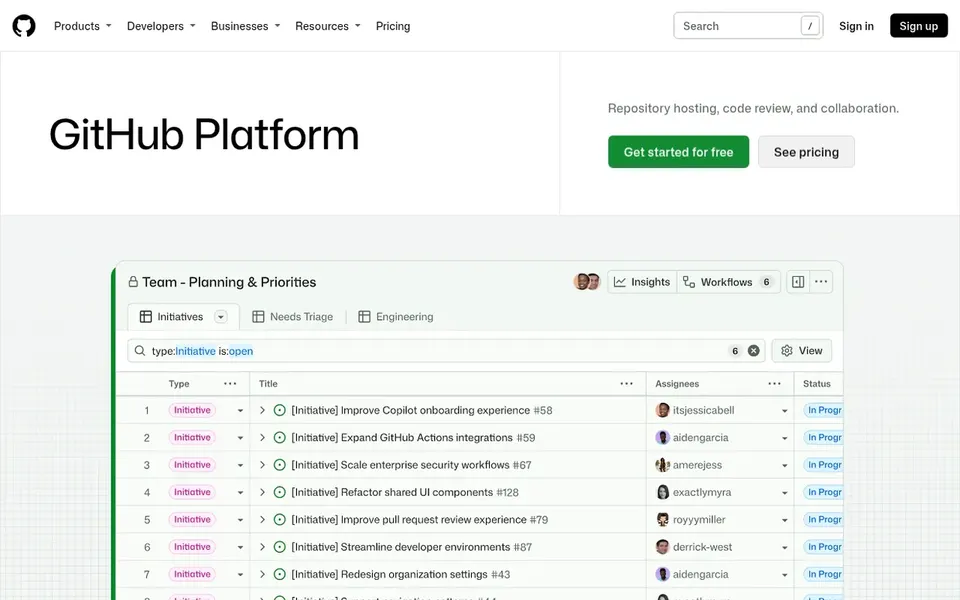
GitHub Issues targets teams already hosting code on GitHub. Bugs, feature requests and tasks sit next to the code they concern, and issues link naturally to pull requests. The tradeoff is depth: cross-project reporting and structured QA workflows are restricted compared to dedicated trackers.
Downsides: Less suited to non-code projects.
From a buyer's view, pick GitHub Issues when your work is code-centric and you value staying in one place over specialized tracking features. Teams with heavy release management or non-technical stakeholders may want a fuller system. No starting price is listed for GitHub Issues here; confirm pricing on the vendor site. Trial and free access: Not stated.
Best for: Adaptable issue tracking with project planning
Jira serves adaptable issue tracking with project planning. Its homepage emphasizes AI agents that orchestrate, plan and track projects at scale.
That adaptability includes configuration overhead, and a small team may spend time tuning boards and fields rather than fixing bugs. Check the vendor site for Jira pricing; none is listed in this comparison. Free options: Not stated.
Best features of Jira: Highly customizable workflows.
Limits to weigh: Configuration takes continuing care.
Bugzilla is aimed squarely at self-hosted, structured defect tracking. It is built around structured defect records with fields, states and queries that suit rigorous QA processes. Its interface feels dated next to newer tools, and running it means maintaining your own server and upgrades.
Where it is weaker: Needs server administration.
Worth adding: pick Bugzilla when you want a proven, self-managed tracker focused squarely on defects rather than general project management. Teams without technical operations support may prefer a hosted choice. Bugzilla shows no starting price here, so confirm the cost on the vendor site. Free options: Not stated.
Best for: All-in-one tracking, knowledge and support
YouTrack targets all-in-one tracking, knowledge and support. Small teams that want tracking plus documentation and support without stitching multiple tools together commonly find YouTrack a practical fit.
Where it falls short: Feature breadth can overwhelm.
As for the details, the breadth of features means more setup decisions, and a very small team may not need every module. Pricing for YouTrack is not stated here, so ask the vendor for current figures. Trial and free access: Not stated.
MantisBT makes the most sense for light self-hosted bug tracking. Choose MantisBT when bug tracking is the core need and you are comfortable running a light open-source application on your own infrastructure. On top of that, you also need someone to deal with installation and updates.
It keeps the focus on defects with a straightforward workflow. Small teams that want a self-hosted tracker with modest requirements frequently choose it for its simplicity. MantisBT shows no starting price here, so confirm the cost on the vendor site. Free options: Not stated.
The main drawbacks: Restricted project management features.
Get a written quote from GitHub Issues, Jira, Bugzilla and others; the list shows no starting price for them.
Test the free plan from Linear against your real workload before relying on it.
Before choosing Linear, weigh its main limit: fewer deep customization choices.
Verify that exporting from Bugzilla is possible on your plan and covers all your records.
A short pilot of Linear with your real workflow tells you more than a feature table.
How we picked
For each of the 6 tools we noted price, free plan or trial, fit for bug tracking software for small teams and the main limit, using vendor pages and documentation. Prices and plan limits come from vendor pages and can change, so confirm them on the vendor site before you buy. The ranking is editorial: typical fit first, then clear pricing, then free access. If your needs are unusual, read the profiles rather than relying on position.
Every price and plan detail on this page comes from the vendors’ own websites. We did not run hands-on tests unless the text says so, and we do not publish star ratings or review scores. See how we score and our disclosure.
Keep your shortlist in one place
Paste prices, trial dates and notes from this guide into Ainotely, our AI note app. It files them into a topic and pulls out tasks like “cancel trial by Friday”. Free 7-day trial, no card needed.
Is GitHub Issues enough for a small development team?
GitHub Issues performs well when your code already lives on GitHub, since bugs and tasks sit beside repositories and pull requests. It is lighter on cross-project reporting and structured QA workflows than dedicated trackers.
How are the tools for bug tracking software for small teams ordered?
Linear sits first and MantisBT last because the order follows typical fit for bug tracking software for small teams, then price clarity and free access. It is a judgement call, so read each profile for fit and limits.
Can I try these tools before paying?
Often, yes. Linear has a free plan. Use your own data and a real task during the test, and check what the free tier or trial limits before you rely on it. For the full picture, the cards above cover all 6 entries of this Bug tracking software for small teams list, including price, free plan and limits.
Do these tools publish their prices?
Not all of them. GitHub Issues, Jira, Bugzilla and others publish no starting price, so expect a quote request for those. The rest, Linear included, show a starting price, though seats and billing terms still change the final cost.
Which options for bug tracking software for small teams have a free plan?
Linear is the only tool in this list with a free plan. Free plans usually cap users, projects or features, so check the limits on the vendor page.