This list puts Procore first for site-to-office live visibility. Alternatives: Bentley Systems SYNCHRO for model-based virtual construction planning, and nPlan for AI risk forecasting for project schedules. All 5 tools are compared below on price, free plan and limits.
If you are comparing construction data analytics software, this page covers 5 tools in one place: what each is best for, what it costs to start, whether it has a free plan, and the main limit to know about.
Key takeaways
Procore takes the first slot, best suited to site-to-office live visibility.
A permanent free plan is missing from all 5 tools, Procore and Trimble Viewpoint included; plan for a trial or a premium start.
Procore comes with a trade-off: analytics rely on adoption across teams.
Trimble Viewpoint suits Construction ERP with job costing data.
Every tool from Procore to Trimble Viewpoint works by quote, with no list price shown.
Procore targets site-to-office live visibility. Choose it when field-to-office visibility is the core goal instead of schedule analytics.
Points against: May overlap with existing point tools.
Procore is a construction management product that links the jobsite and the office, giving teams the live visibility needed to deliver quality projects on time. Its reporting strength grows with how consistently teams use it, so partial adoption limits insight. Procore does not show a starting price in this comparison, so check the vendor site for current pricing. Free plan details: Not stated.
Best for: Model-based virtual construction planning
Think of Bentley Systems SYNCHRO for model-based virtual construction planning. SYNCHRO is most solid where model data is mature, so teams without established BIM workflows may see less benefit.
From a buyer's view, Bentley Systems SYNCHRO is digital construction delivery software offering virtual construction, planning and model-based workflows to boost project efficiency. Infrastructure and complicated build projects are a natural context. Check the vendor site for Bentley Systems SYNCHRO pricing; none is listed in this comparison. Trial and free access: Not stated.
Trade-offs to know: Narrower than full project management suites.
Best for: AI risk forecasting for project schedules
nPlan makes the most sense for AI risk forecasting for project schedules. nPlan uses AI to forecast and de-risk construction projects, looking into the future of projects so teams can tackle risks before they become issues.
Results depend on the quality of schedule inputs. In practice, choose it to complement existing platforms when predictive risk insight is the priority. nPlan does not show a starting price in this comparison, so check the vendor site for current pricing. Free access: Not stated.
Where it is weaker: Relies on schedule data quality.
Best for: Connected collaboration and project data
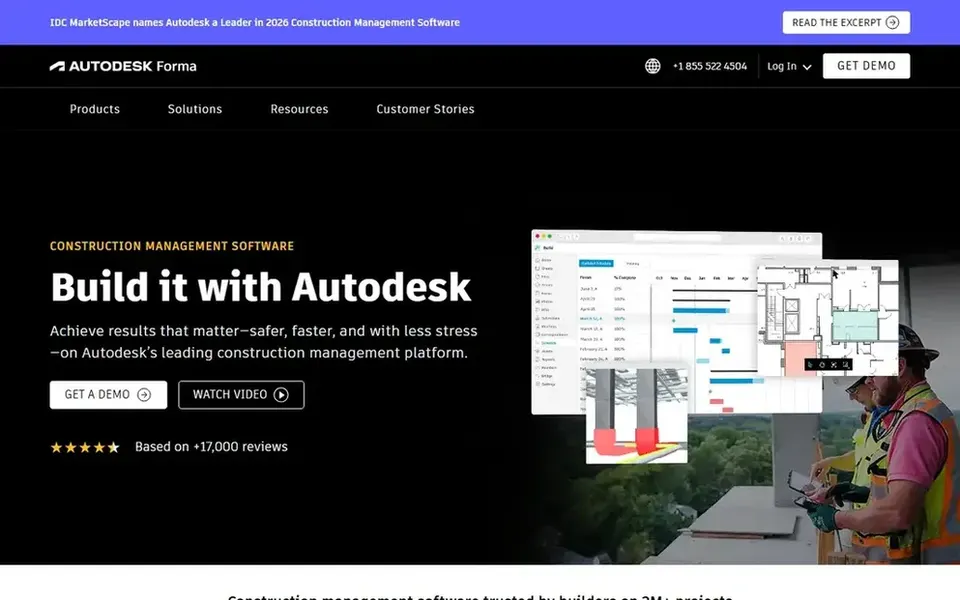
Autodesk Construction Cloud is designed for connected collaboration and project data. Autodesk Construction Cloud, now aligned with Autodesk Forma, is a construction management environment where project teams collaborate securely and quickly. Setup and data discipline matter for handy reporting.
Drawbacks to consider: Value relies on consistent data entry.
More specifically, the product is wide, so smaller businesses may find the scope bigger than their immediate analytics needs. Also, if your priority is deep schedule modeling rather than collaboration, a scheduling-focused tool may fit better. No starting price is listed for Autodesk Construction Cloud here; confirm pricing on the vendor site. Free plan details: Not stated.
Choose Trimble Viewpoint for Construction ERP with job costing data. Smaller businesses may prefer lighter choices. Companies outgrowing disconnected accounting and project systems commonly consider it.
Drawbacks to consider: ERP scope may exceed analytics-only needs.
Also, choose Viewpoint when cost data, workflows and reporting have to live together across the business. Trimble Viewpoint is construction ERP and project management software made for contractors, helping teams run projects, people and profits whereas simplifying job costing, workflows and reporting. Pricing for Trimble Viewpoint is not stated here, so ask the vendor for current figures. Free options: Not stated.
Confirm the entry price with every vendor: no tool from Procore to Trimble Viewpoint shows a fixed starting price.
Before choosing Procore, weigh its main limit: analytics rely on adoption across teams.
Add up seats, add-ons and usage charges for nPlan before comparing it with cheaper entries.
Ask Trimble Viewpoint how an export works before you move any records in; an easy exit lowers the risk.
Find out what support Procore includes on your plan, and whether onboarding help costs extra.
How we picked
Selection started from tools commonly considered for construction data analytics software, then narrowed to 5 that have clear pricing information or a clear quote process. Where a vendor does not publish a price, the entry says quote. Where a price depends on seats or billing term, the entry says so. The sequence is a judgement call: typical use case first, then pricing transparency, then free access. Use the profiles to check fit.
Every price and plan detail on this page comes from the vendors’ own websites. We did not run hands-on tests unless the text says so, and we do not publish star ratings or review scores. See how we score and our disclosure.
Keep your shortlist in one place
Paste prices, trial dates and notes from this guide into Ainotely, our AI note app. It files them into a topic and pulls out tasks like “cancel trial by Friday”. Free 7-day trial, no card needed.
How are the tools for construction data analytics software ordered?
The order follows typical fit for construction data analytics software, with Procore first and Trimble Viewpoint last, then price clarity and free access. It is editorial judgement, not a score, so another team could rank the tools differently.
What should construction teams look for in analytics software?
Focus on how well the system links field and office data, the depth of reporting, and integration with scheduling and finance systems. Also weigh adoption effort, since analytics quality relies on consistent data entry across teams.
How do contractors choose between ERP and project systems?
Contractors needing job costing, workflows and reporting together frequently look at ERP-centered choices like Trimble Viewpoint. Teams prioritizing field collaboration and live visibility may prefer project systems.
Can I try these options before paying?
Not by default. None of the tools, from Procore to Trimble Viewpoint, lists a free plan or a free trial here, so ask each vendor for a demo before committing.
Does any tool for construction data analytics software here have a free plan?
No tool in this list, Procore and Trimble Viewpoint included, has a permanent free plan. Trials and quotes are the usual route, so plan a short evaluation period.
Do these tools publish their prices?
No. None of the tools, from Procore to Trimble Viewpoint, shows a fixed starting price here, so budget time for quotes.