Bluebeam Revu comes first here, mainly for document markup and drawing review. Listed starting prices: Fieldwire from $39 per user per month. Autodesk Construction Cloud is the stronger choice for collaborative closeout across project teams, while Procore suits developers wanting one connected system. The remaining 2 options are covered below with prices and limits.
Ainotely compared 5 construction punch list software for property developers. The goal is a practical shortlist: published prices, free plan facts, best-fit use cases and honest limits for every entry.
Key takeaways
Bluebeam Revu takes the first slot, best suited to document markup and drawing review.
Fieldwire is the lowest-priced starter here at $39 per user per month.
One limit worth knowing about Autodesk Construction Cloud: breadth can take time to learn.
For Jobsite task and drawing tracking, Fieldwire is worth a look.
Bluebeam Revu was built for document markup and drawing review. For punch lists, its value lies in marking up drawings and PDFs, tagging issues and keeping review comments organized, which fits developers and consultants who run closeout walks from documents instead of task boards.
This comparison lists no price for Bluebeam Revu; ask the vendor. Free access: Free trial.
Where it falls short: Not a full project management suite.
Best for: Collaborative closeout across project teams
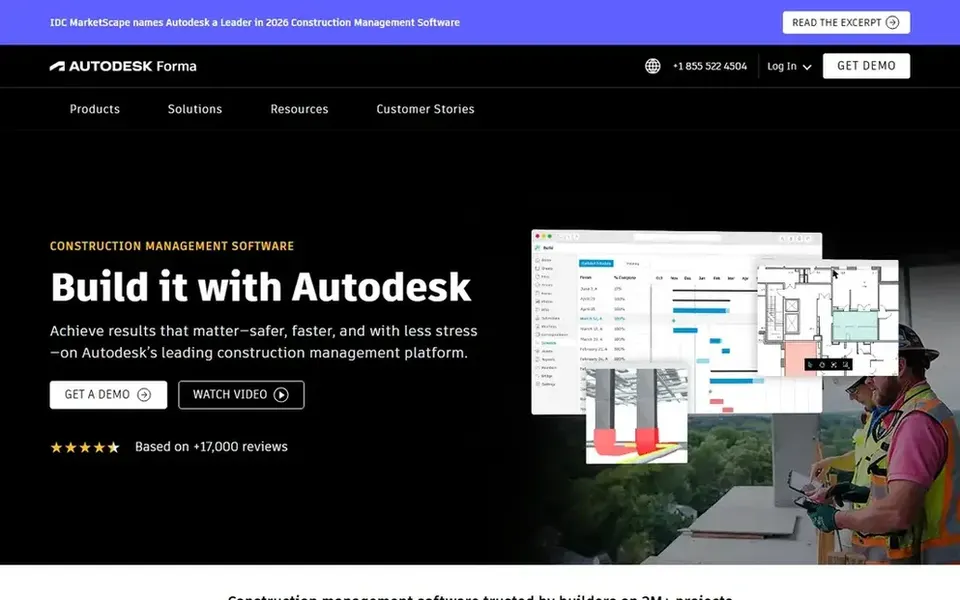
Autodesk Construction Cloud is aimed squarely at collaborative closeout across project teams. Property developers can use it to keep punch list activity within a shared project environment, which fits organizations already working across design and construction data in Autodesk tools.
Trade-offs to know: Best value with connected workflows.
The product covers a broad scope, so teams wanting only a punch list may have to limit what they adopt. Check the vendor site for Autodesk Construction Cloud pricing; none is listed in this comparison. On free options: Not stated.
Procore targets developers wanting one connected system. Since it spans numerous construction workflows, smaller developments may find the product broader than a punch list alone requires. For property developers, that means punch list items can sit alongside the wider project record instead of in a separate tool, which helps when several stakeholders need a shared view of open issues before handover.
Procore is a construction management system that links the jobsite with the office. Its stated focus is live visibility so teams can deliver quality projects on time. In daily use, teams that only need simple issue tracking might prefer a lighter tool. No starting price is listed for Procore here; confirm pricing on the vendor site. As for free access: Not stated.
Where it falls short: Wide system may feel heavy for small teams.
Best for: Existing PlanGrid users moving to Autodesk
Choose PlanGrid for existing PlanGrid users moving to Autodesk. Since PlanGrid is being folded into Autodesk Forma, teams starting fresh should assess the combined product instead of treat PlanGrid as a separate purchase.
This comparison lists no price for PlanGrid; ask the vendor. Trial and free access: Not stated.
The main drawbacks: Standalone identity is being absorbed.
Choose Fieldwire for Jobsite task and drawing tracking. For punch lists, that field-first design helps superintendents and trades capture and close items straight from the site, which keeps developers informed as handover approaches.
From a buyer's view, choose it when quick, straightforward jobsite issue tracking is the priority and teams work mainly from drawings and task lists. Developers needing deep cost or contract tools may pair it with another system. On cost, Fieldwire starts like this: $39 per user per month. You can start on Fieldwire without paying.
Honest limits: Less depth for back-office finance.
Ask Bluebeam Revu, Autodesk Construction Cloud, Procore and PlanGrid for a written quote, since no starting price is shown.
Test the free plan from Fieldwire against your real workload before relying on it.
Use real work to test the free trial from Bluebeam Revu, rather than a demo project.
Before choosing Bluebeam Revu, weigh its main limit: not a full project management suite.
Confirm you can export your data from Autodesk Construction Cloud, so leaving later does not mean losing records.
Check whether PlanGrid bills monthly or annually, and what cancelling early costs.
How we picked
Ainotely looked at what each vendor publishes: pricing, plan limits, feature coverage for construction punch list software for property developers and stated drawbacks. No hands-on testing is claimed. Where a price is missing, the vendor does not list one publicly or ties it to a quote. Always confirm before budgeting. Order on the page follows fit for the typical buyer first, then price transparency and free access. Your own requirements should decide the final pick.
Every price and plan detail on this page comes from the vendors’ own websites. We did not run hands-on tests unless the text says so, and we do not publish star ratings or review scores. See how we score and our disclosure.
Keep your shortlist in one place
Paste prices, trial dates and notes from this guide into Ainotely, our AI note app. It files them into a topic and pulls out tasks like “cancel trial by Friday”. Free 7-day trial, no card needed.
What should property developers look for in punch list software?
Drawing linkage, mobile usability and export choices matter more than a long feature list. Confirm these against your actual closeout process before choosing.
How do we roll out punch list software across a development?
Train site teams on mobile use before the first handover walk. Then review reports from the pilot before extending to the wider portfolio.
Which options for construction punch list software for property developers have a free plan?
Fieldwire is the only tool in this list with a free plan. Free plans usually cap users, projects or features, so check the limits on the vendor page. One other tool offers a trial instead. The 5 tool cards above repeat this per product for construction punch list software for property developers, with the listed price or "pricing on request".
Is Bluebeam Revu the right pick for everyone comparing construction punch list software for property developers?
No single tool suits every team. Bluebeam Revu comes first because it fits document markup and drawing review, while Autodesk Construction Cloud suits collaborative closeout across project teams and Procore suits developers wanting one connected platform. Match the tool to your own size, budget and workflow before deciding.
What is the cheapest option for construction punch list software for property developers in this list?
On published monthly entry prices, Fieldwire is the lowest here at $39 per user per month. Entry price is only part of the cost, because seats, add-ons and billing terms can change the total. Each of the 5 options in this construction punch list software for property developers guide has its own card above with the price, free plan and limits.
Is a full construction product better than a dedicated punch list tool?
A dedicated tool can be quicker to adopt when closeout is the central need. The right answer relies on how numerous systems you already run.